

Remote work comfort hinges on more than just a good chair; the right accessories can transform your setup and boost productivity. Working or studying for hours in front of a computer screen can become an obstacle course if your workspace doesn't support you. A clean, ergonomic, and well-equipped desk isn't just about aesthetics—it directly impacts performance, postural health, and concentration.
To help you avoid the hassle of figuring out how to optimize your setup, we've selected five essential productivity accessories that stand out for their value for money and their ability to make a before-and-after difference in your daily workday.
Find Original Home Decor sparking conversation at Grand Goldman Shop.

Why Remote Work Comfort Matters
When you work from home, your environment is your office. Unlike a traditional office where ergonomic furniture is often provided, remote workers must take charge of their own comfort. Poor setup can lead to neck strain, back pain, and decreased focus. Investing in accessories that promote good posture and reduce eye strain is not just a luxury—it's a necessity for long-term health and productivity.
Moreover, a comfortable setup can enhance your overall work satisfaction. Small changes, like elevating your laptop to eye level or adding a monitor light, can make a significant difference in how you feel after a long day. Let's explore the key accessories that can help.
Essential Accessories for a Comfortable Remote Work Setup
Monitor Light with Remote Control
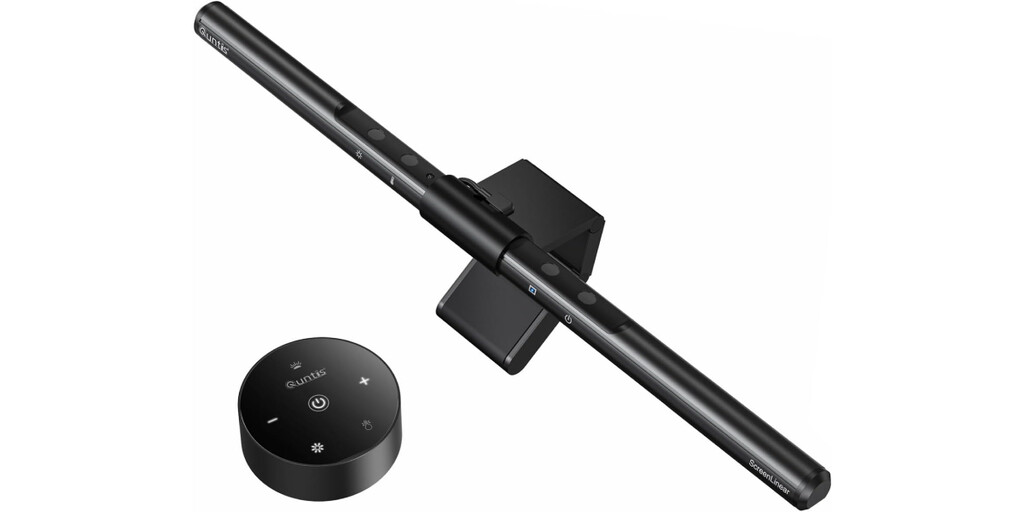
The Quntis Monitor Lamp with Remote Control (40cm) is a popular solution for illuminating your workspace without taking up desk space or causing glare on the screen. Its asymmetric optical design focuses light directly onto your work area while protecting your eyes from strain. With remote control, you can adjust brightness and color temperature to suit your needs.
This lamp is particularly useful for those who work late or in dimly lit rooms. By reducing eye fatigue, it helps maintain focus and productivity throughout the day.
Adjustable Laptop Stand
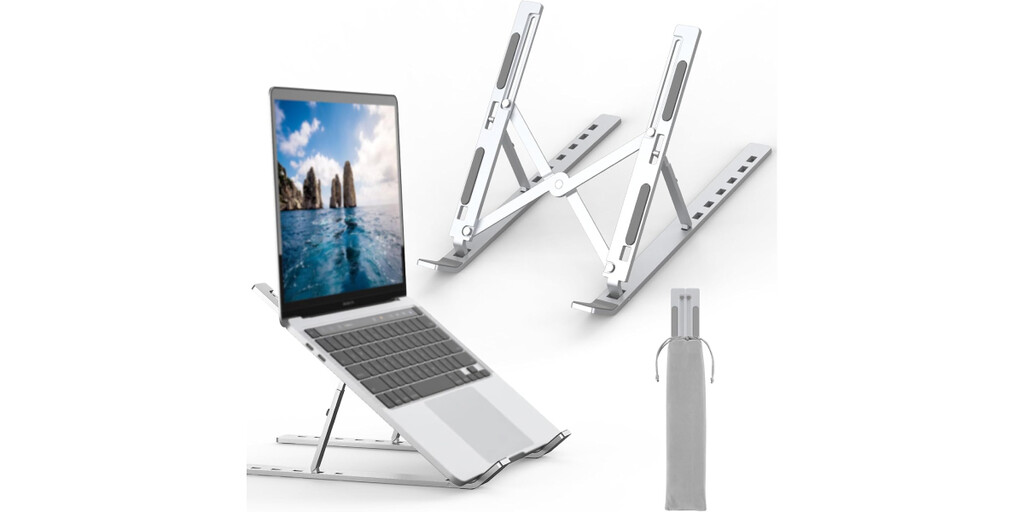
Having your screen at the correct eye level is the first step to avoiding neck and back strain. The GRIFEMA Laptop Stand is currently a bestseller on Amazon. It elevates your laptop by several inches—key for better posture—and also helps dissipate heat. It's ideal if you work daily with your laptop as your primary monitor on the desk.
The stand offers seven adjustable angles, allowing you to find the perfect viewing angle. Its aluminum construction is sturdy yet lightweight, making it a durable addition to your setup.
Comparison of Top Accessories
| Accessory | Key Feature | Benefit | Price Range |
|---|---|---|---|
| Quntis Monitor Lamp | Asymmetric optical design, remote control | Reduces eye strain, saves desk space | $$ |
| GRIFEMA Laptop Stand | 7 adjustable angles, aluminum | Improves posture, dissipates heat | $ |
| Ergonomic Keyboard | Split design, wrist support | Reduces wrist pain, comfortable typing | $$$ |
| Vertical Mouse | Ergonomic shape | Prevents carpal tunnel, natural hand position | $$ |
| Footrest | Adjustable height and tilt | Improves circulation, reduces leg fatigue | $ |
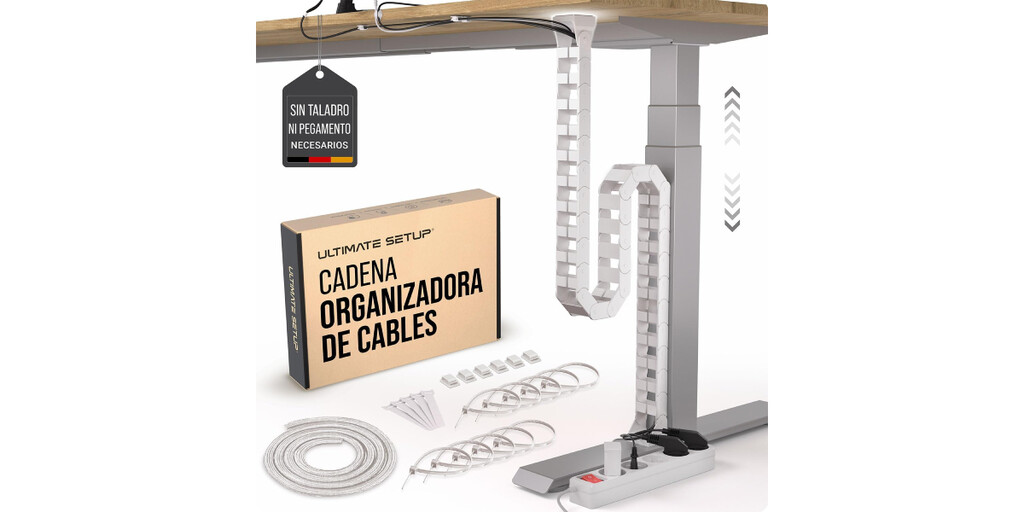
These accessories are just a starting point. Depending on your specific needs, you might also consider a monitor arm, a standing desk converter, or a cable management system. The goal is to create a workspace that feels comfortable and supports your workflow. The longer history behind the story is traced in Best Paid Antivirus Software for PC in 2026: Top Alternatives.
Key Takeaways for Upgrading Your Setup
- Prioritize ergonomics: Adjust your screen height, chair, and keyboard position to reduce strain.
- Invest in lighting: A monitor lamp can reduce eye fatigue and improve focus.
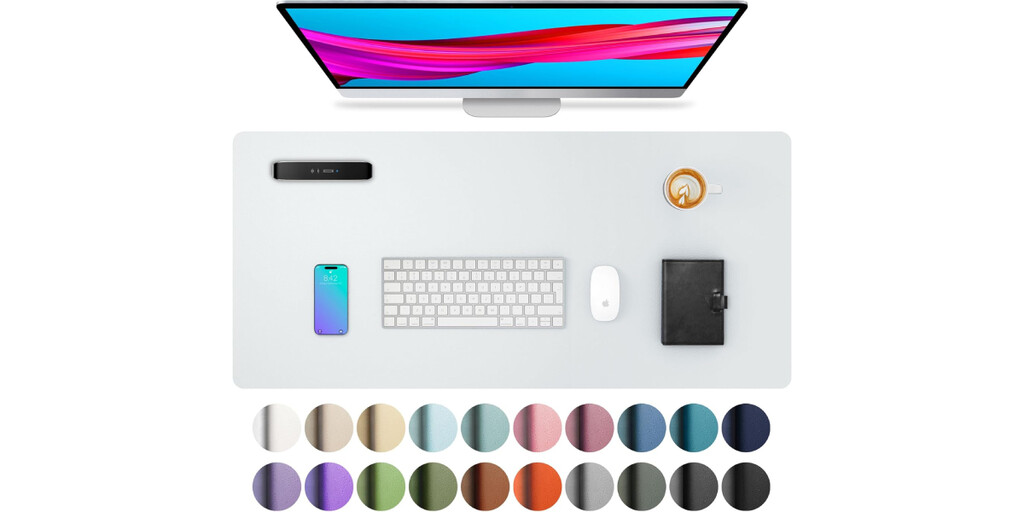
- Keep it clutter-free: A clean desk minimizes distractions and improves efficiency.
- Test before you buy: Read reviews and consider your specific needs.
- Make gradual improvements: You don't have to upgrade everything at once.
How to Choose the Right Accessories
When selecting accessories, consider your daily habits and any existing discomfort. For example, if you often experience neck pain, a laptop stand and an external monitor might be top priorities. If you suffer from eye strain, a monitor light and blue light glasses could help. The background to this story is set out in Essential Nintendo Switch 2 Accessories You Need in 2025. A related thread runs through Lonely Generation: How Youth Loneliness Impacts Everyone. Earlier coverage in Spacious and Equipped DIY Workshop Renovation shows how the argument developed.
Also, think about your budget. You can start with affordable options like a laptop stand and gradually add more specialized items. Many accessories are available at various price points, so you can find something that fits your needs without breaking the bank. A closer look at the same subject appears in Space-Saving Workbench: How to Build a Fully Equipped DIY Table. Anyone following the wider picture can start with Women-Led DIY Projects: A Perfect Blend of Function and Aesthetics. The same theme surfaces in Furnishing a Vacation Home: A Practical Guide Between Aesthetics and Durabi, which takes a different angle.
Finally, don't overlook the importance of a good chair and desk. While not covered in this article, they are the foundation of an ergonomic setup. If you're unsure, consult with an ergonomics specialist or look for guides online. Context on how this played out before sits in Best Pickleball Equipment for Beginners: Top Paddles and Gear. A companion piece, Best Pickleball Equipment for Beginners: Paddles, Balls & More, approaches the same subject from another angle.
FAQ
What is the most important accessory for remote work comfort?
How can I reduce eye strain when working from home?
Are expensive accessories always better?
Can I improve my setup without buying new things?
Browse the Shop
 Acacia frida deluxe solid wood bed frame |
Bedroom bench |
Bed chest drawers |
Lingerie dresser |
Frame base |
Mirror with jewelry storage |
30 Bathroom Vanity |
Memory foam queen mattress |
Mattresses for back pain |
Nightstand set of 2 |
Grand Goldman Shop |
Civil Lawyer
Deutschland Trikot WM 2026
Acacia frida deluxe solid wood bed frame |
Bedroom bench |
Bed chest drawers |
Lingerie dresser |
Frame base |
Mirror with jewelry storage |
30 Bathroom Vanity |
Memory foam queen mattress |
Mattresses for back pain |
Nightstand set of 2 |
Grand Goldman Shop |
Civil Lawyer
Deutschland Trikot WM 2026







