

With an electric vehicle, you can do five things from your phone to make sure your car is ready for the morning: schedule charging, precondition the cabin, send a route to the navigation system, check charging status, and keep the software updated. These small actions, done the night before, can save you time and make your commute more comfortable. Modern EVs like those from Renault, with the openR link system and My Renault app, are designed to be managed remotely. Here’s how to make the most of these features.
1. Schedule Charging to Take Advantage of Off-Peak Rates
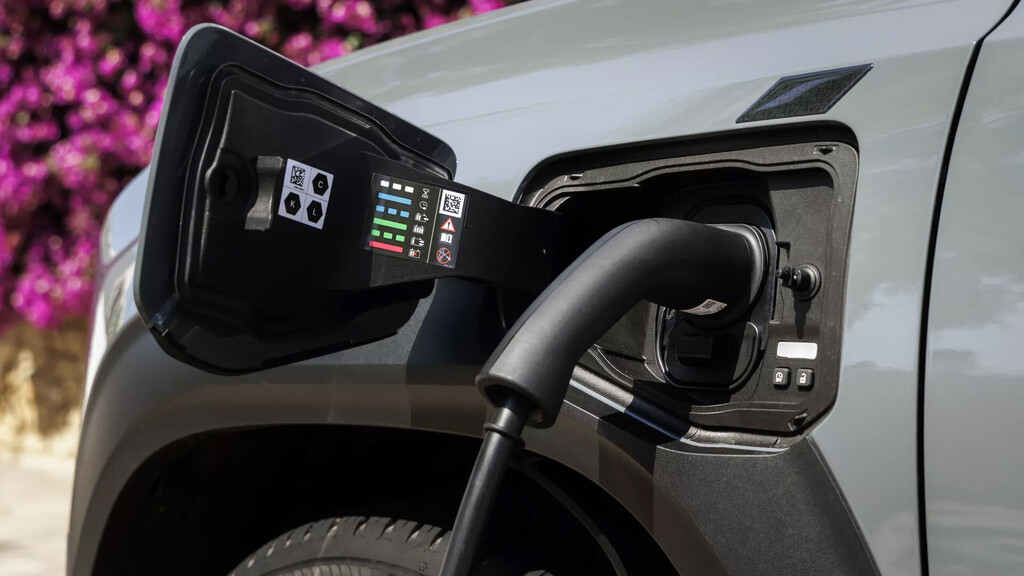
Many electricity tariffs offer cheaper rates at night. By using your phone, you can set your EV to start charging during those hours, reducing your energy costs. The My Renault app allows you to program charging sessions, so you can plug in when you get home and let the car handle the rest. This is especially useful if you have a time-of-use plan.
Find Original Home Decor sparking conversation at Grand Goldman Shop.

You can also set a departure time, and the car will calculate when to start charging to be ready by then. This ensures you’re not paying for peak electricity and your battery is full when you need it.
2. Precondition the Cabin for Comfort
Preconditioning means heating or cooling the interior before you get in. Doing this while the car is still plugged in uses grid power rather than battery, preserving range. From your phone, you can activate climate control a few minutes before you leave. In winter, this melts ice and defrosts windows; in summer, it cools the cabin.
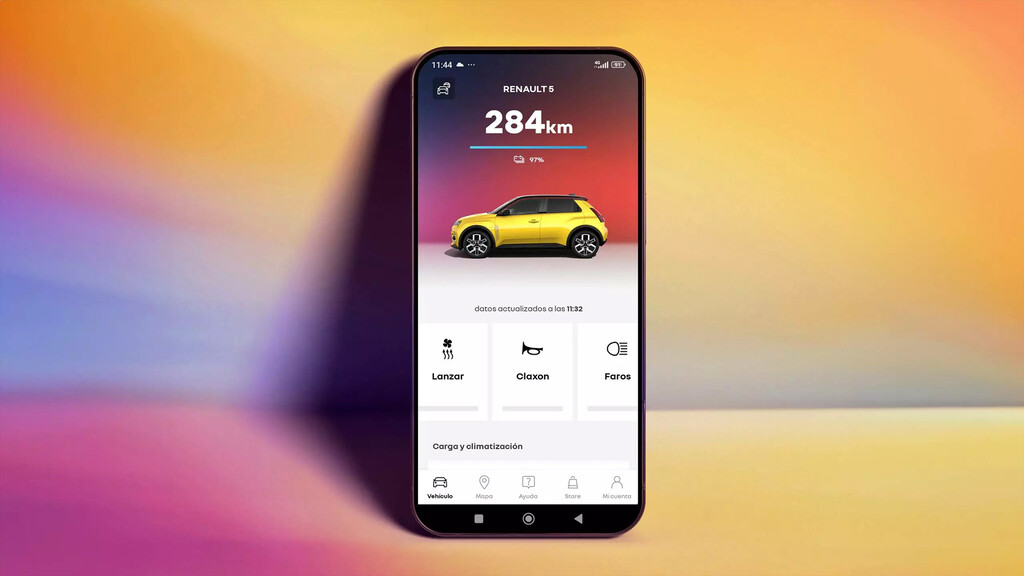
The Renault app lets you set the temperature and schedule preconditioning, so your car is comfortable the moment you open the door.
3. Send a Route to the Navigation System
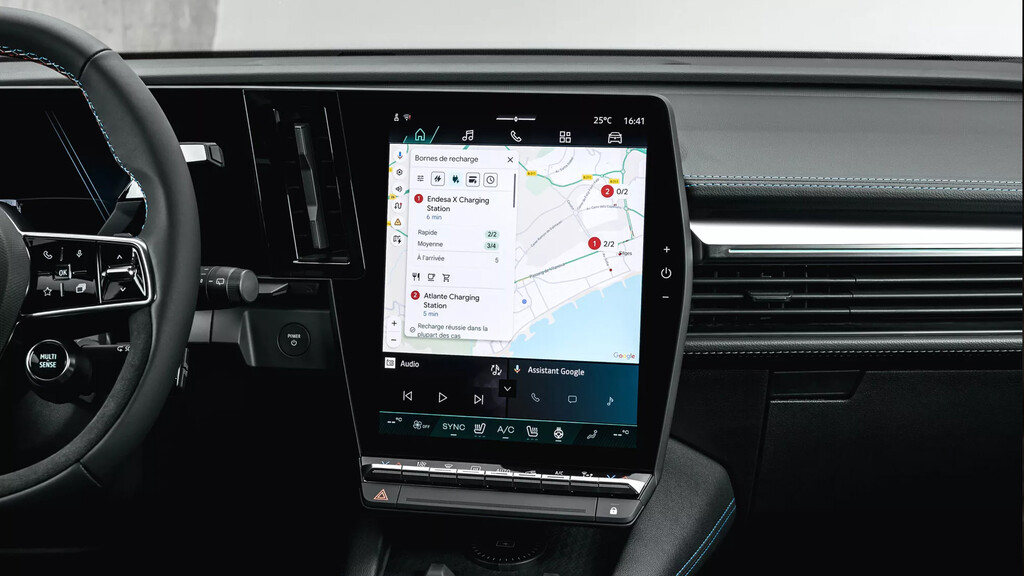
If you have a destination for the next day, you can send it to your car’s navigation from your phone. This saves you from typing on the dashboard and lets you plan ahead. The openR link system with Android Automotive integrates with Google services, so you can search for a place on your phone and send it to the car.
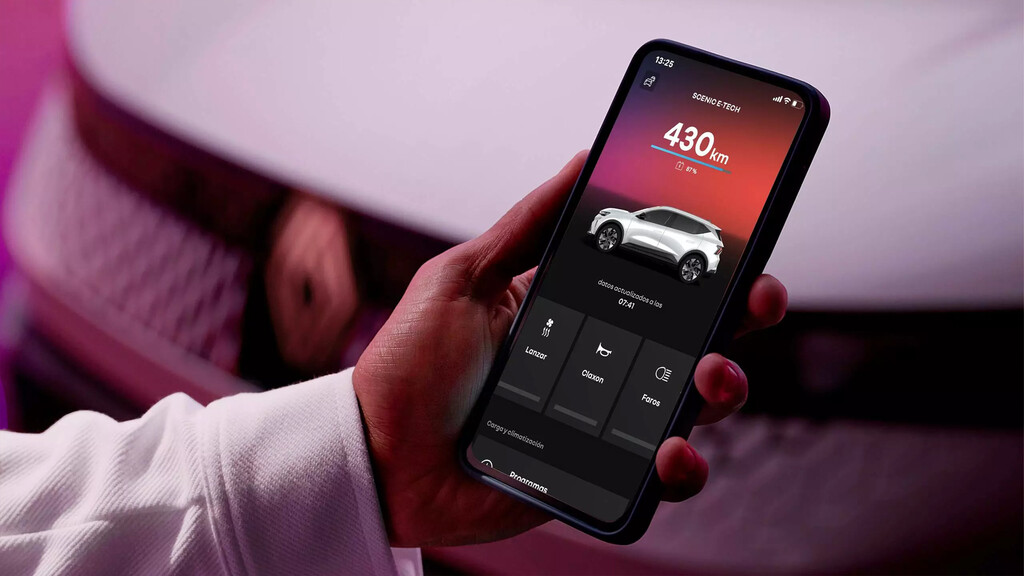
Some systems also allow you to check traffic and estimated range, helping you plan charging stops on longer trips.
4. Monitor Charging Status Remotely
You can check your car’s charging level, remaining time, and range from your phone. This is handy if you’re charging at a public station and want to know when it’s done, or if you’re at home and want to confirm the car is charging as planned. The app can send notifications when charging is complete or if there’s an issue. Context on how this played out before sits in 5 Things You Can Do from Your Phone to Prep Your EV for the Morning.
This remote monitoring gives peace of mind and helps you avoid finding a dead battery in the morning. The background to this story is set out in Trending: latest articles. A related thread runs through Guardia Civil Busts 391-Plant Marijuana Indoor in Rented Madrid Chalet.
5. Keep the Software Updated
Electric vehicles are increasingly software-defined. Over-the-air updates can improve range, add features, or fix bugs. From your phone, you can check for available updates and schedule them for a convenient time, like overnight. The car will install them when parked and secure. Earlier coverage in Dreame LEAPTIC Cube: 56g Mini Camera with 8K Video and AI Control shows how the argument developed. A closer look at the same subject appears in Razer Prio Mobile Controller: Pocket-Sized Gaming on the Go.
Keeping software current ensures optimal performance and access to the latest features. Anyone following the wider picture can start with Anker Unifies Five Brands Under One Name in Major Rebrand. The same theme surfaces in Menopause Report Used Male Data: Why Clinical Trials Exclude Women, which takes a different angle.
Comparison of Remote EV Features
| Feature | Benefit | When to Use |
|---|---|---|
| Schedule Charging | Save on electricity costs | Overnight, before off-peak ends |
| Precondition Cabin | Comfort and battery preservation | 10-15 minutes before departure |
| Send Route | Convenience and time-saving | The night before or before a trip |
| Monitor Charging | Peace of mind and planning | Anytime, especially during public charging |
| Software Updates | Improved performance and features | Overnight when parked |
Key Takeaways
- Use your phone to schedule charging during off-peak hours to reduce costs.
- Precondition the cabin while plugged in to save battery range.
- Send destinations to your car’s navigation to avoid typing in the car.
- Monitor charging status remotely for convenience and peace of mind.
- Keep your EV’s software updated via over-the-air updates scheduled from your phone.
FAQ
Can I precondition my EV without it being plugged in?
Yes, you can precondition using battery power, but it will reduce your range. It’s more efficient to precondition while plugged in so the grid provides the energy.
How do I know if my EV supports remote features?
Check your vehicle’s specifications or the manufacturer’s app. Most modern EVs, including Renault’s electric range with openR link and My Renault, offer remote charging, climate, and navigation features.
Is it safe to schedule charging overnight?
Yes, scheduling charging is safe as long as you use a properly installed charger. The car and app are designed to handle timed charging without issues.
Can I send a route to my car if it’s not a Renault?
Many EV brands offer similar features through their apps. Check your manufacturer’s app for navigation send-to-car functionality.
By incorporating these five phone-based actions into your evening routine, you can ensure your electric car is charged, comfortable, and ready to go each morning. As EVs become more connected, these conveniences will only grow, making ownership easier and more efficient.
Browse the Shop
 Acacia frida deluxe solid wood bed frame |
Bedroom bench |
Bed chest drawers |
Lingerie dresser |
Frame base |
Mirror with jewelry storage |
30 Bathroom Vanity |
Memory foam queen mattress |
Mattresses for back pain |
Nightstand set of 2 |
Grand Goldman Shop |
Civil Lawyer
Deutschland Trikot WM 2026
Acacia frida deluxe solid wood bed frame |
Bedroom bench |
Bed chest drawers |
Lingerie dresser |
Frame base |
Mirror with jewelry storage |
30 Bathroom Vanity |
Memory foam queen mattress |
Mattresses for back pain |
Nightstand set of 2 |
Grand Goldman Shop |
Civil Lawyer
Deutschland Trikot WM 2026







