

Gestire e modificare PDF su più dispositivi non dovrebbe essere complicato. Con UPDF, puoi senza problemi modificare, annotare, convertire, organizzare e proteggere i PDF su Windows, Mac, iOS e Android. Che tu sia un consulente, educatore, o proprietario di piccola impresa, questo versatile Editor PDF offre un'alternativa potente a Adobe Acrobat Pro e DocuSign a una frazione del costo.
In questa recensione approfondita Recensione di UPDF, ti guiderò attraverso le sue funzionalità, punti di forza e aree in cui presenta delle lacune. Da Tecnologia OCR potenziata dall'intelligenza artificiale a completo Strumenti di annotazione PDF, scoprirai come UPDF può semplificare la gestione dei tuoi documenti e se è la soluzione giusta per le tue esigenze. Immergiamoci ed esploriamo ciò che rende UPDF unico.
Find Original, High-end Home Decor that spark conversation at Grand Goldman Shop.
Ottieni oggi l'accesso a vita a UPDF
Cos'è UPDF?
UPDF è un completo strumento di modifica PDF disponibile su Windows, macOS, iOS e Android. A differenza di molti concorrenti, offre una gamma completa di funzionalità su tutte le piattaforme, inclusa la modifica avanzata, la conversione e protezione PDF funzionalità.
Con un acquisto singolo attraverso AppSumo, puoi usare UPDF su fino a quattro dispositivi (due desktop e due dispositivi mobili) contemporaneamente. È un acquisto una tantum con accesso a vita, rendendolo una soluzione conveniente per i professionisti che lavorano frequentemente con i PDF.
Caratteristiche principali di UPDF
Capacità di modifica PDF
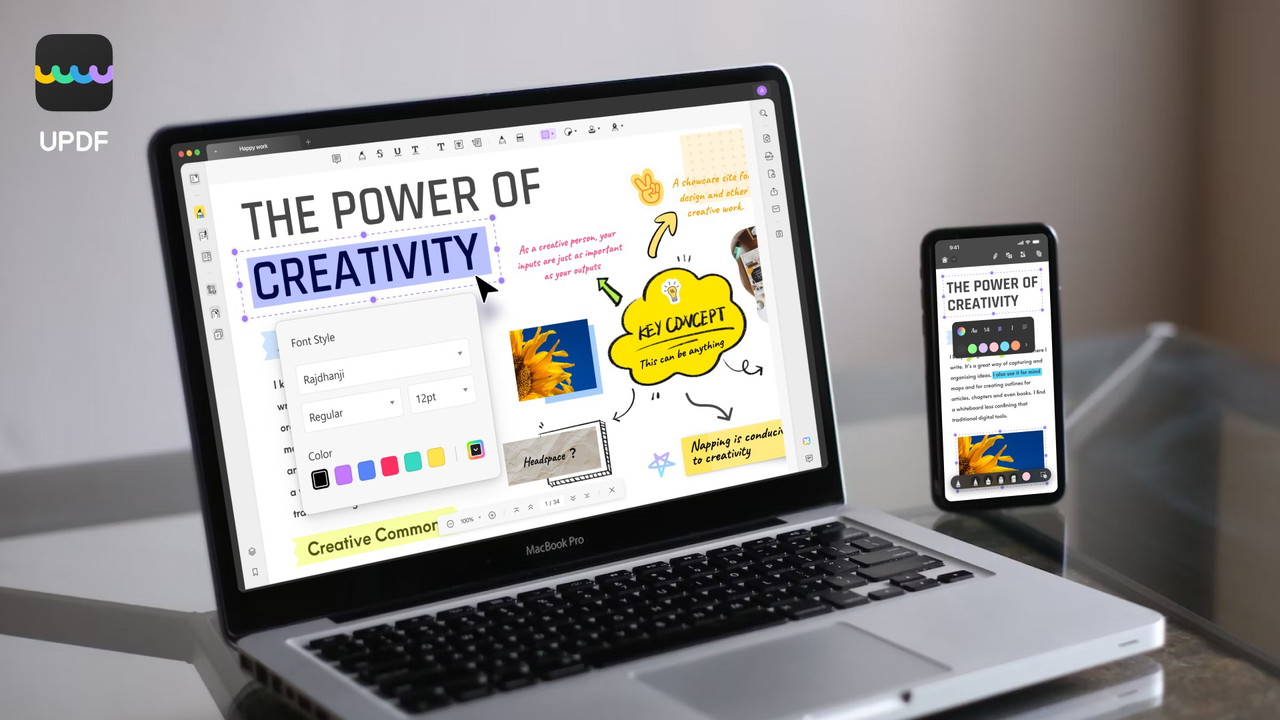
Uno dei punti di forza principali di UPDF è la sua capacità di modificare qualsiasi elemento in un documento PDF. Che tu debba modificare testo, immagini o layout della pagina, UPDF offre un'interfaccia intuitiva che rende semplici le modifiche complesse.
Con UPDF, puoi:
-
Aggiungi o elimina testo e personalizza il font, il colore e la dimensione.
-
Modifica immagini: aggiungi, ritaglia, ruota, sostituisci o elimina.
-
Inserisci e modifica collegamenti ipertestuali e filigrane.
-
Regola intestazioni, piè di pagina e sfondi.
-
Crea e compila moduli PDF interattivi con facilità.
Le funzionalità di modifica sono completamente operative sia su dispositivi desktop che mobili, permettendoti di lavorare senza interruzioni su più piattaforme.
Conversione PDF Semplificata
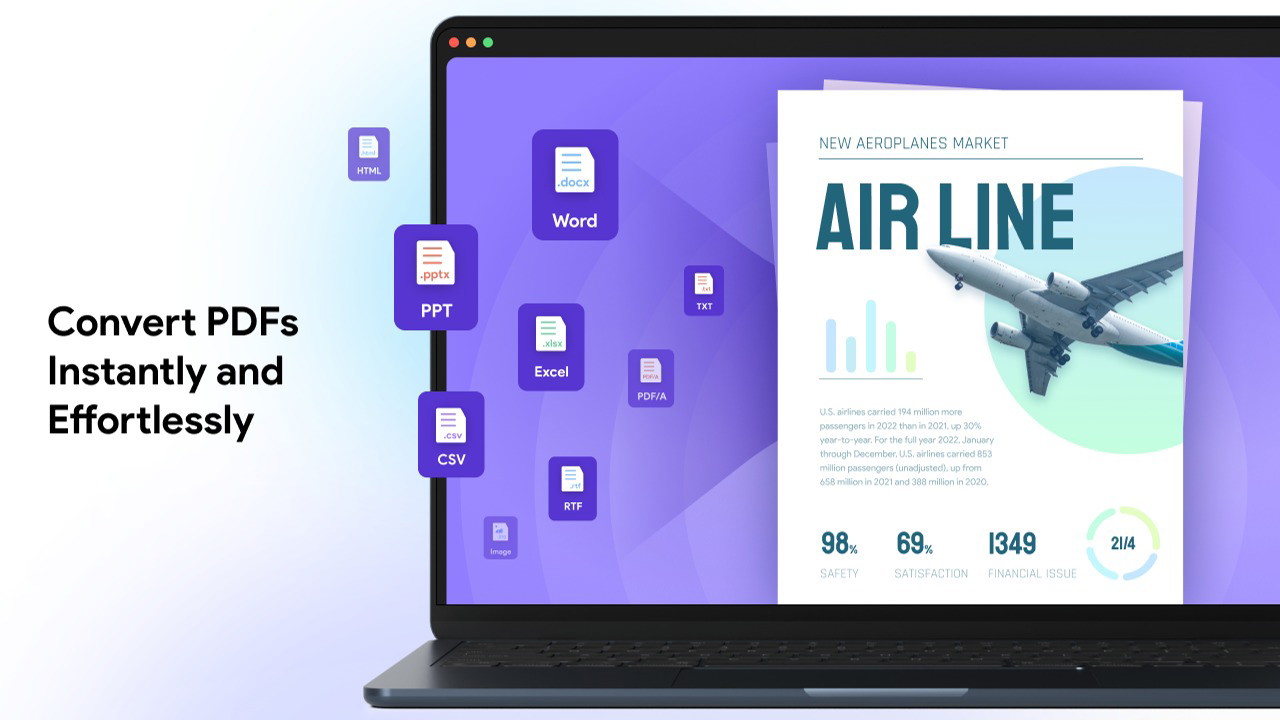
UPDF supporta conversione PDF offline in una vasta gamma di formati senza compromettere il layout del documento. Questo include formati popolari come Word, Excel, PowerPoint, così come file immagine (PNG, JPG, TIFF, GIF), HTML, CSV, XML, e altro ancora.
Vantaggi chiave dello strumento di conversione di UPDF:
-
Converti interi PDF o intervalli di pagine specifici.
-
Mantieni la formattazione originale in tutti i formati supportati.
-
Conversione veloce e affidabile anche per file di grandi dimensioni.
OCR Potenziato da AI (Riconoscimento Ottico dei Caratteri)
Se lavori con PDF scansionati o basati su immagini, l'OCR di UPDF OCR potenziato dall'IA è una svolta. Questa funzione ti permette di convertire PDF non modificabili in documenti completamente ricercabile e modificabile testo.
Ciò che rende unico l'OCR di UPDF:
-
Riconosce oltre 38 lingue.
-
Funziona offline per una maggiore privacy e velocità.
-
Produce un riconoscimento del testo altamente accurato.
(Nota: la funzione OCR non è disponibile nella versione Mac App Store o sui Mac con chip Intel.)
Ottieni oggi l'accesso a vita a UPDF
Annota e Collabora
UPDF offre un'ampia suite di strumenti di annotazione per annotare e migliorare i tuoi documenti. Che tu stia collaborando a un progetto o semplicemente aggiungendo note personali, questi strumenti offrono tutta la flessibilità di cui hai bisogno.
Le opzioni di annotazione includono:
-
Evidenzia, sottolinea, barrato e segni a matita a mano libera.
-
Aggiungi forme, timbri e adesivi per un'enfasi visiva.
-
Includi allegati e firme digitali.
-
Esporta riepiloghi delle annotazioni per una facile condivisione.
Inoltre, UPDF include strumenti di misurazione che ti permettono di calcolare distanza, perimetro e area direttamente all'interno del tuo documento.
Organizza e Proteggi i File PDF
UPDF va oltre la modifica offrendo potenti Organizzazione PDF e sicurezza strumenti.
Puoi:
-
Riorganizza, ruota, estrai, dividi ed elimina pagine.
-
Applica password aperte e di autorizzazione per proteggere contenuti sensibili.
-
Oscura informazioni riservate.
-
Aggiungi filigrane per indicare la sensibilità o la proprietà del documento.
Gestione PDF ottimizzata per dispositivi mobili
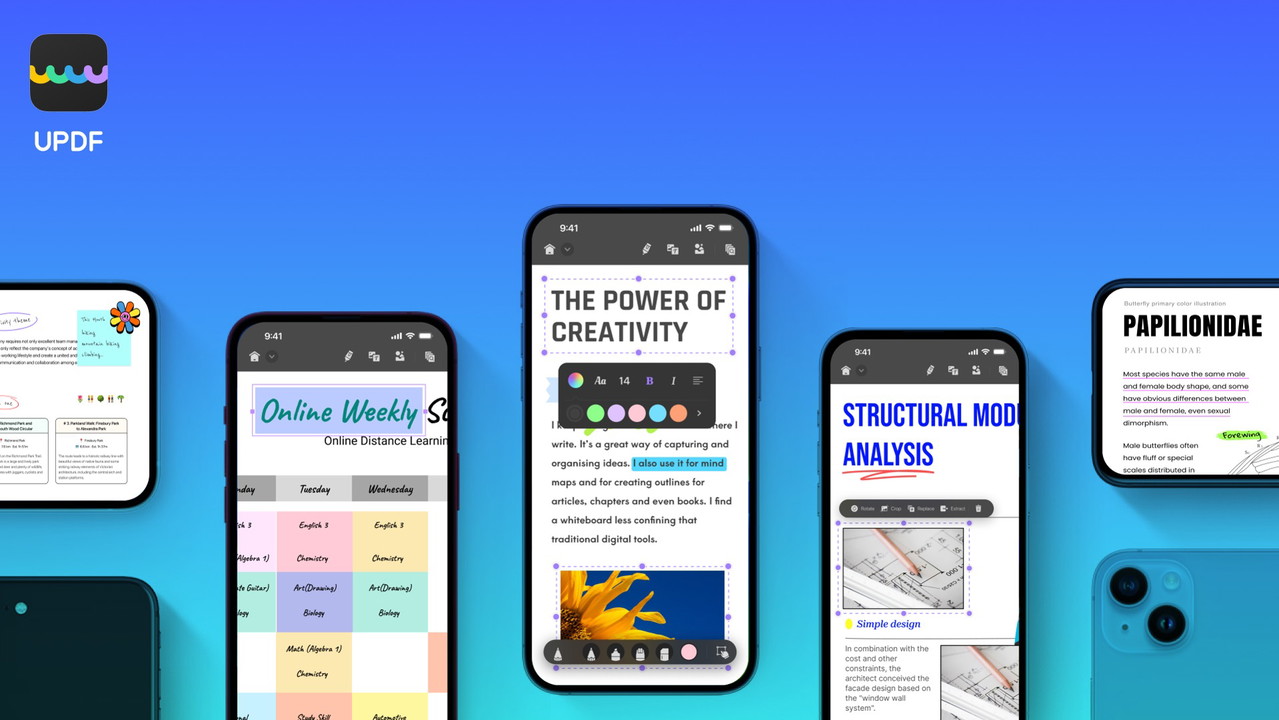
A differenza di alcuni concorrenti che limitano le funzionalità mobili, UPDF per iOS e Android offre un'esperienza completa. Puoi annotare, modificare e organizzare PDF dai tuoi dispositivi mobili mantenendo la compatibilità tra le piattaforme.
Funzionalità esclusive per dispositivi mobili:
-
Scansiona documenti fisici direttamente in PDF.
-
Cerca, copia e condividi file con facilità.
-
Proteggi i documenti con password e altre restrizioni.
Cosa rende UPDF diverso?
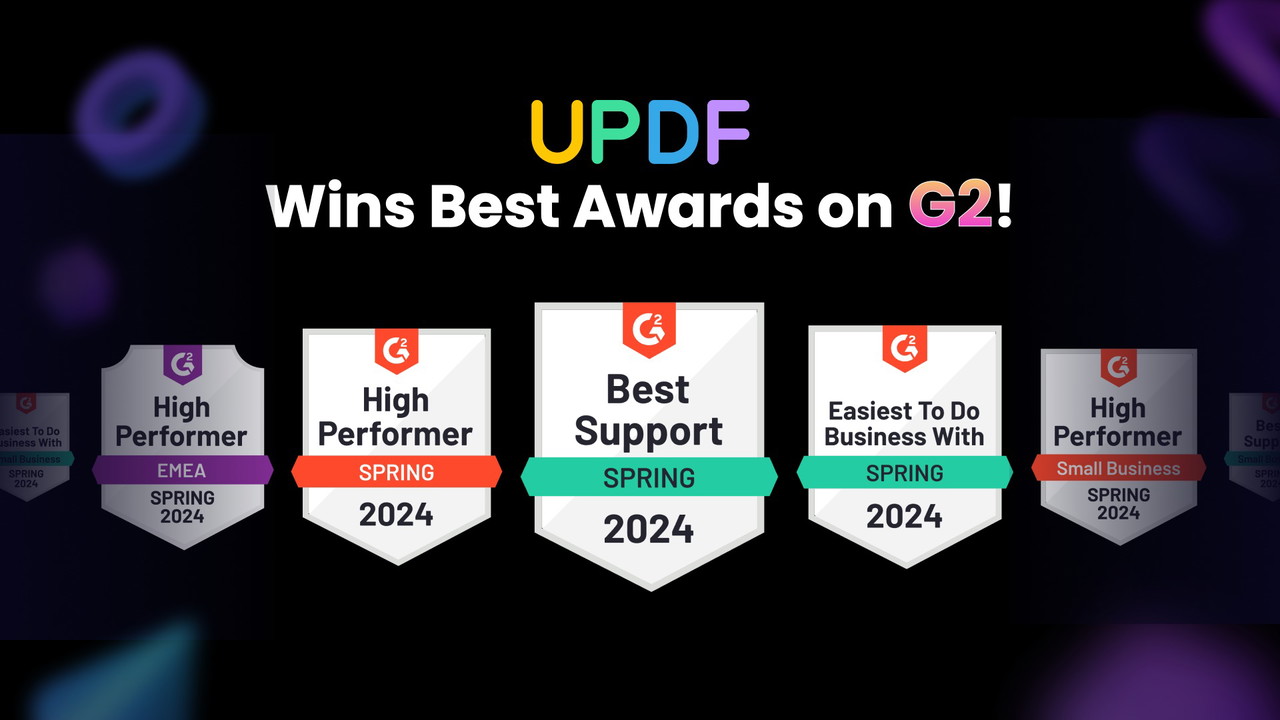
Rispetto ad alternative come Adobe Acrobat Pro e DocuSign, UPDF si distingue per la sua convenienza, licenza a vita, e piattaforma ricca di funzionalità.
Vantaggi chiave rispetto ai concorrenti:
-
Pagamento una tantum: Nessuna tariffa di abbonamento ricorrente.
-
Accesso multi-dispositivo: Usa su 2 desktop e 2 dispositivi mobili contemporaneamente.
-
Integrazione AI: Accesso alla tecnologia OCR e funzionalità avanzate di modifica.
-
Kit completo: Modifica, converti, annota e proteggi PDF in un unico posto.
Ottieni oggi l'accesso a vita a UPDF
Chi dovrebbe usare UPDF?
UPDF è una scelta eccellente per i professionisti che gestiscono regolarmente documenti PDF. È particolarmente utile per:
-
Consulenti: Gestisci e proteggi i documenti dei clienti senza sforzo.
-
Educatori: Annota e condividi materiali di studio.
-
Piccole Imprese: Converti e proteggi documenti aziendali sensibili.
Pro e contro di UPDF
Pro:
-
Accesso a vita a prezzo accessibile su più dispositivi.
-
Ampie funzionalità di modifica, annotazione e conversione PDF.
-
OCR potenziato dall'IA per un riconoscimento accurato del testo.
-
Funziona perfettamente su Windows, Mac, iOS e Android.
-
Interfaccia facile da usare con personalizzazione avanzata.
Contro:
-
Assistente IA le funzionalità richiedono un acquisto separato.
-
OCR non disponibile su tutti i dispositivi Mac (limitazione del chip Intel).
-
Spazio cloud limitato (2GB inclusi con il piano a vita).
UPDF vale la pena? - La mia opinione
Se sei stanco di abbonamenti costosi a software PDF, UPDF offre una soluzione potente ed economica. Il suo OCR potenziato dall'IA, robusto strumenti di modifica, e compatibilità multipiattaforma rendendolo ideale per i professionisti che cercano un editor PDF affidabile.
Investendo in UPDF, risparmi tempo e denaro ottenendo l'accesso a un completo set di strumenti per la gestione dei PDF. Che tu debba modifica, annota, convertire, o proteggi i PDF, UPDF offre.
Accedi a UPDF oggi e prendi il controllo dei tuoi flussi di lavoro PDF!
Browse the Shop
 Acacia frida deluxe solid wood bed frame |
Bedroom bench |
Bed chest drawers |
Lingerie dresser |
Frame base |
Mirror with jewelry storage |
30 Bathroom Vanity |
Memory foam queen mattress |
Mattresses for back pain |
Nightstand set of 2 |
Grand Goldman Shop |
Civil Lawyer
Deutschland Trikot WM 2026
Acacia frida deluxe solid wood bed frame |
Bedroom bench |
Bed chest drawers |
Lingerie dresser |
Frame base |
Mirror with jewelry storage |
30 Bathroom Vanity |
Memory foam queen mattress |
Mattresses for back pain |
Nightstand set of 2 |
Grand Goldman Shop |
Civil Lawyer
Deutschland Trikot WM 2026







