

When comparing a high-end processor to a budget one, the differences show up in five daily tasks: multitasking, gaming, photography, video recording, and app loading times. While a budget phone can handle basic tasks, the experience is noticeably smoother on a premium chip.
It's common to hear that "for browsing the internet and watching a few videos, any 200-euro phone works." That's partly true, but there's a big difference between choosing a high-end processor (like Snapdragon 8 Elite Gen 5 or Apple A19 Pro) and a mid-to-low-end one (like Dimensity 7000 or Snapdragon 4 or 6). The differences aren't just measured in seconds but in the quality of the experience. The humbler processor can do the tasks; it's how it does them that matters.
Find Original Home Decor sparking conversation at Grand Goldman Shop.

1. Multitasking and App Switching
Have you ever been writing an email, switched to WhatsApp to copy a piece of data, and when you returned, the email had closed and had to reload? This is what's known as multitasking management.
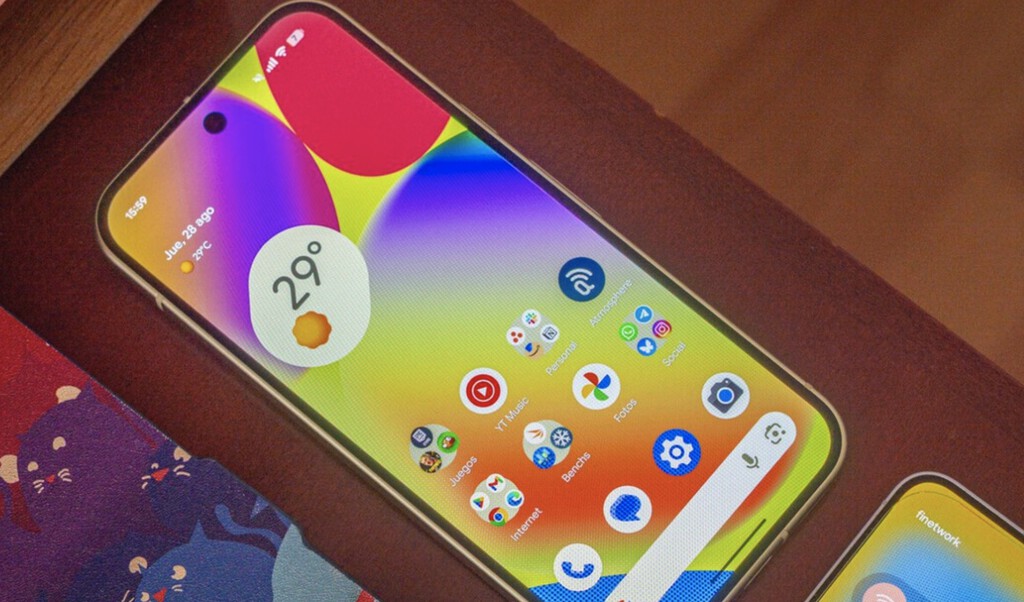
On high-end: the processor manages RAM and work cycles so you can jump between 10 open apps and all are exactly where you left off. In practice, switching between apps feels immediate and seamless.
On mid-to-low-end: the system "kills" background apps to save resources. There's a small lag of about a second each time you switch apps, which can become frustrating in daily use.
2. Gaming Performance
Mobile gaming is one of the most demanding tasks. High-end processors deliver higher frame rates, better graphics, and smoother gameplay, even in demanding titles like Genshin Impact or Call of Duty Mobile.
Budget processors often struggle with frame drops, longer load times, and may need to reduce graphics settings to maintain playability. The difference is especially noticeable in fast-paced games where every millisecond counts.
3. Photography and Image Processing
Modern smartphones rely on computational photography to enhance photos. High-end processors can process multiple images instantly, enabling features like night mode, HDR, and portrait mode with real-time preview.
Budget processors may take longer to capture and process photos, and some advanced features might be unavailable or slower. The result is that you might miss a spontaneous moment while waiting for the camera to be ready.
4. Video Recording and Editing
Recording high-resolution videos (4K or 8K) requires significant processing power. High-end chips can handle multiple video streams, stabilization, and real-time effects without overheating or dropping frames.
Budget processors may limit video resolution, reduce stabilization quality, or overheat during extended recording. Editing videos on the device is also smoother on premium chips. The background to this story is set out in Trending: latest articles. A related thread runs through Virtual RAM on Budget Phones: Why 4GB + 4GB Never Equals 8GB. Earlier coverage in GameSir Pocket Taco Review: Turn Your Phone Into a Retro Console shows how the argument developed.
5. App Loading and Overall Responsiveness
From opening heavy apps like photo editors or office suites to simply scrolling through social media, high-end processors load content faster and keep the interface fluid. A closer look at the same subject appears in Gigabyte AORUS Master 16 Gaming Laptop: Save $1,000 on High-End Power. Anyone following the wider picture can start with UK Budget 2026: Betting Shops Face Closure Over Gaming Machine Duty. The same theme surfaces in Trump Mobile T1: A 2024 HTC Phone Dressed as American, which takes a different angle.
Budget processors can exhibit stutters, slower app launches, and occasional freezes, especially when the device is low on storage or running many background services. Context on how this played out before sits in Best Android Tablet Under 200 Euros: Top Picks for Basic Tasks. A companion piece, High-End vs Budget Processor: 5 Daily Tasks That Reveal the Difference, approaches the same subject from another angle.
- Multitasking: High-end chips keep more apps in memory; budget chips kill apps aggressively.
- Gaming: Premium processors deliver higher frame rates and better graphics.
- Photography: Faster image processing enables advanced features and quicker shots.
- Video: High-end supports higher resolutions and smoother recording.
- Responsiveness: Premium chips offer snappier app loading and smoother UI.
Comparison Table: High-End vs Budget Processors
| Task | High-End Processor | Budget Processor |
|---|---|---|
| Multitasking | Keeps 10+ apps in memory, instant switching | Kills background apps, ~1s lag when switching |
| Gaming | High frame rates, max graphics settings | Lower frame rates, reduced settings |
| Photography | Instant processing, advanced features | Slower processing, limited features |
| Video Recording | 4K/8K with stabilization, no overheating | Limited resolution, potential overheating |
| App Loading | Fast, fluid interface | Noticeable stutters and delays |
Frequently Asked Questions
Do I really need a high-end processor?
It depends on your usage. If you only browse the web and watch videos, a budget processor may suffice. But for gaming, photography, or heavy multitasking, a high-end chip offers a significantly better experience.
How can I tell if my phone has a high-end processor?
Check the model number: high-end chips include Snapdragon 8 series, Apple A-series (like A19 Pro), and similar. Budget chips are often Snapdragon 4 or 6 series, Dimensity 7000 series, etc.
Will a budget processor slow down over time?
Yes, as apps become more demanding, budget processors may struggle more, leading to increased lag and app crashes. High-end processors tend to age better.
Is the difference noticeable in everyday use?
Absolutely. From smoother multitasking to faster app launches, the high-end experience is more fluid and responsive, reducing frustration in daily tasks.
When choosing a smartphone, consider how you'll use it. If you often juggle multiple apps, play games, or take photos, investing in a high-end processor can greatly enhance your experience. For basic tasks, a budget processor might be enough, but be aware of the trade-offs in performance and longevity.
Understanding these differences helps you make an informed decision. Whether you prioritize speed, camera quality, or gaming, the processor plays a crucial role in delivering a satisfying user experience.
Browse the Shop
 Acacia frida deluxe solid wood bed frame |
Bedroom bench |
Bed chest drawers |
Lingerie dresser |
Frame base |
Mirror with jewelry storage |
30 Bathroom Vanity |
Memory foam queen mattress |
Mattresses for back pain |
Nightstand set of 2 |
Grand Goldman Shop |
Civil Lawyer
Deutschland Trikot WM 2026







