

If you've accidentally deleted WhatsApp messages, you're likely wondering how to recover deleted WhatsApp messages on Android and iPhone. Unfortunately, WhatsApp doesn't offer a native recovery option, but there are several methods you can try to retrieve those lost chats or messages. In this guide, we'll walk you through the possibilities and limitations, and provide step-by-step instructions for each method.
When Can You Recover Deleted WhatsApp Messages?
Before diving into the methods, it's important to understand that there's no universal solution to recover deleted messages. In most cases, you can only recover fragments of messages, and success depends on specific circumstances. For example, if you have a backup from before the deletion, you can restore it. On Android, you might also recover message content from notifications, but with limitations.
Find Original Home Decor sparking conversation at Grand Goldman Shop.

If you're an Android user, you have some extra possibilities, such as recovering notification content that appeared when the app was closed. However, if you were inside the app when the message arrived, no notification was generated, so you won't be able to recover its content. Additionally, notification recovery only works for messages you've interacted with and has a character limit of about 100 characters.
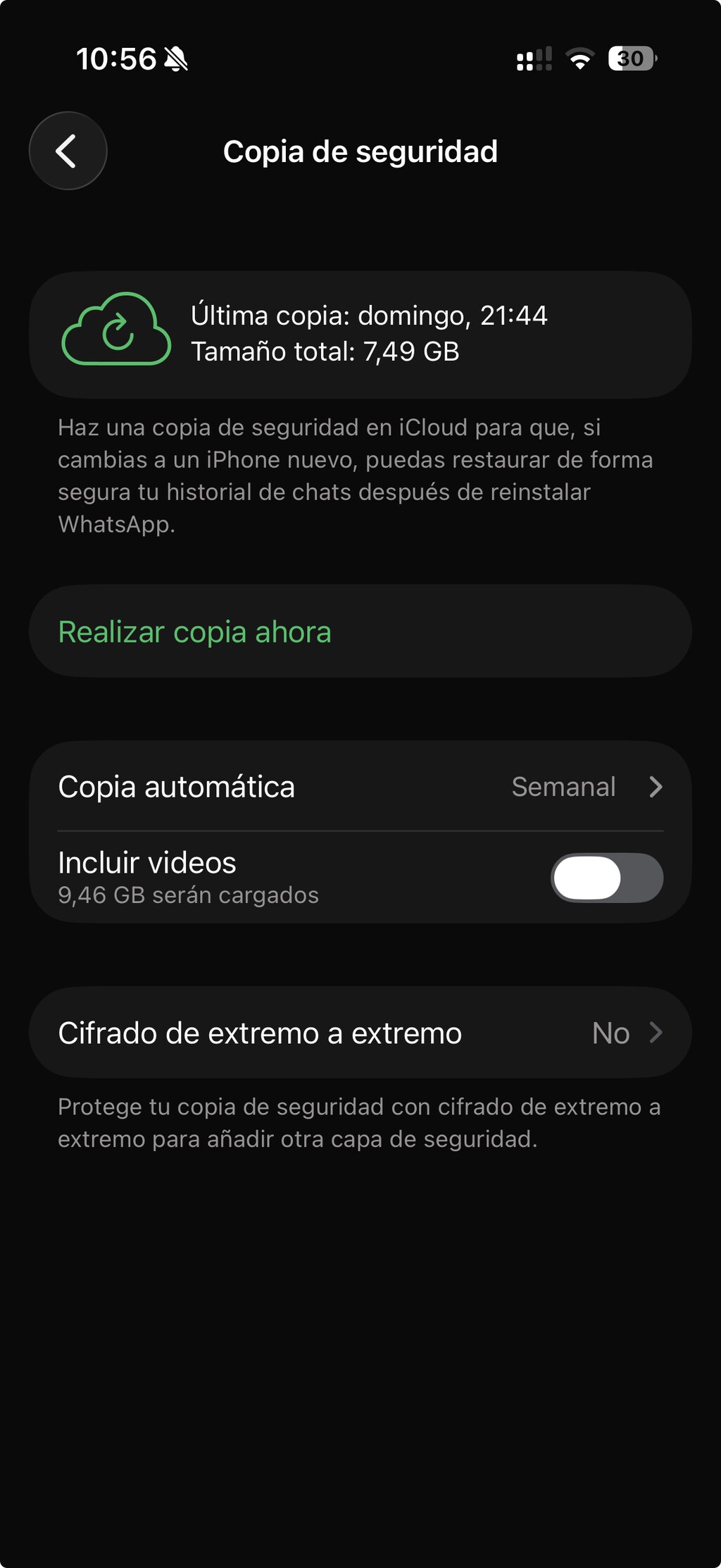
Method 1: Restore from Backup (Android and iPhone)
The most reliable way to recover deleted WhatsApp messages is to restore from a backup. This method works on both Android and iPhone, but you'll need to have a backup that predates the deletion. WhatsApp automatically creates backups if you've enabled the feature in settings.
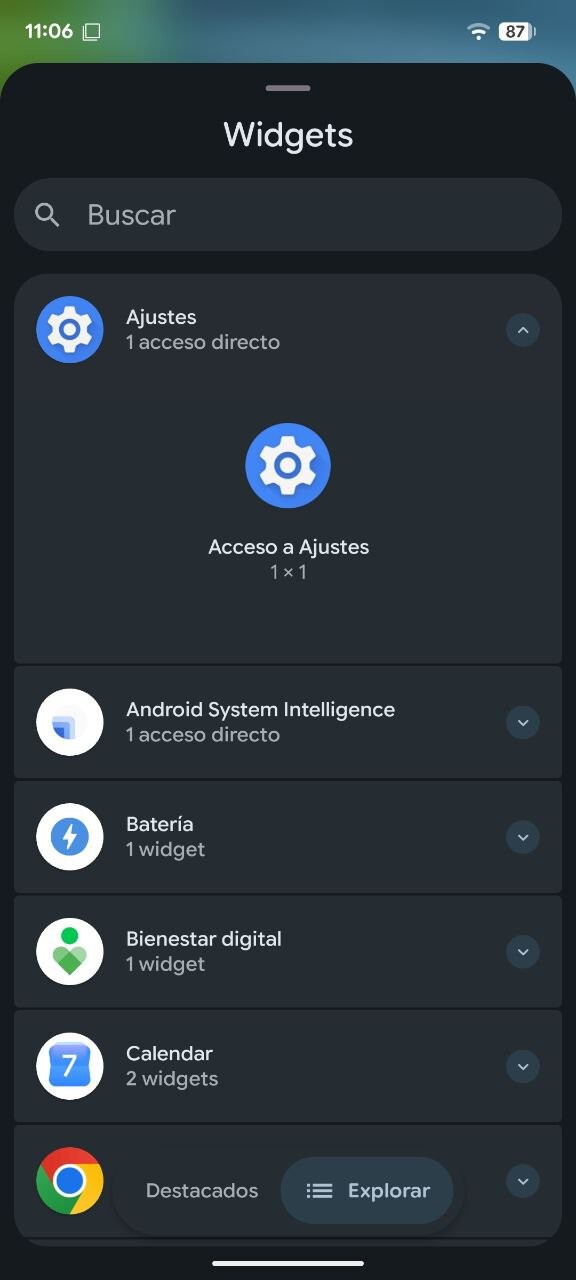
Steps for Android:
- Uninstall WhatsApp and reinstall it from the Google Play Store.
- Open the app and verify your phone number.
- When prompted, tap Restore to recover your messages from Google Drive.
Steps for iPhone:
- Delete WhatsApp and reinstall it from the App Store.
- Open the app and verify your phone number.
- Tap Restore Chat History to recover from iCloud.
Keep in mind that restoring a backup will replace all current messages with the backup data. So, if you've received new messages after the backup was made, they will be lost. Therefore, this method is best used immediately after accidental deletion.
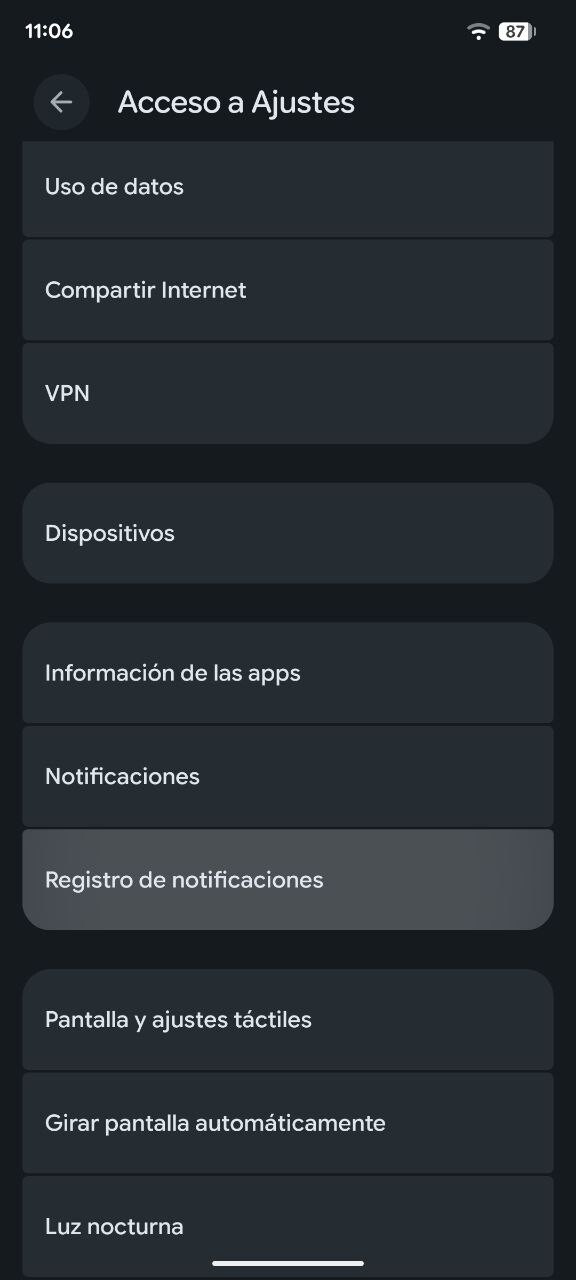
Method 2: Recover from Notifications (Android Only)
On Android, you can try to recover deleted messages by accessing your notification history. This method only works if you received a notification for the message and haven't cleared your notification log. The recovery is limited to about 100 characters and only for messages you interacted with.
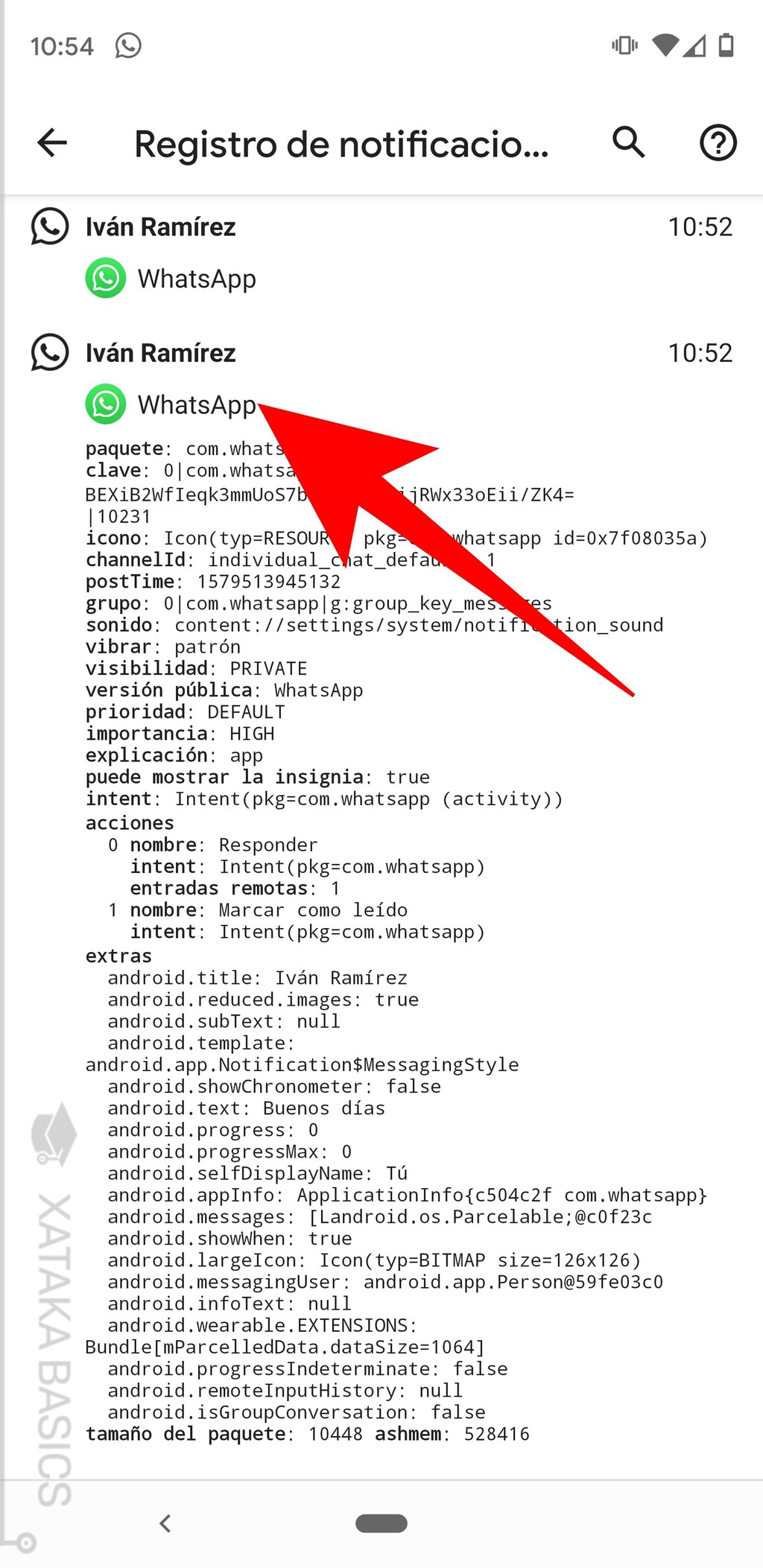
Steps:
- Open your phone's Settings and go to Notifications.
- Find Notification history and enable it if it's not already on.
- Look for WhatsApp notifications and check if the deleted message content is visible.
This method is not foolproof, as notification history may not be enabled by default and only stores recent notifications. But it's worth a try if you act quickly. The background to this story is set out in How to Schedule WhatsApp Messages on Android and iPhone. A related thread runs through How to Recover Your WhatsApp Account: Hacked, Suspended, or Lost.
Method 3: Use Third-Party Recovery Tools (Android Only)
There are third-party apps and software that claim to recover deleted WhatsApp messages on Android. These tools typically scan your device's storage for remnants of deleted data. However, their effectiveness varies, and they often require root access, which can void your warranty and pose security risks. Earlier coverage in iPhone Duo Continuity: The Real Feature Android Should Copy shows how the argument developed. A closer look at the same subject appears in Reform UK's Summer Horribilis: Can the Party Recover.
Before using any third-party tool, research thoroughly and read reviews. Be cautious of scams and ensure the tool is reputable. Also, note that these tools are not available for iPhone due to iOS's stricter security. Anyone following the wider picture can start with Trending: latest articles. The same theme surfaces in Refurbished iPhone Deals at Back Market: Quality and 24-Month Warranty, which takes a different angle.
Comparison of Recovery Methods
| Method | Platform | Requirements | Success Rate |
|---|---|---|---|
| Restore from Backup | Android & iPhone | Existing backup | High (if backup exists) |
| Notification Recovery | Android only | Notification history enabled | Low (limited to 100 chars) |
| Third-Party Tools | Android only | Root access, reputable tool | Variable |
Key Takeaways
- WhatsApp does not have a native recovery feature; you must rely on backups or other methods.
- Restoring from backup is the most reliable method but requires a pre-existing backup and will overwrite current messages.
- Android users can attempt notification recovery, but it's limited and only works for recent notifications.
- Third-party tools for Android exist but come with risks and are not available for iPhone.
- Act quickly to maximize your chances of recovery, and regularly back up your chats to avoid future loss.
FAQ
Can I recover deleted WhatsApp messages without a backup?
Without a backup, recovery is very limited. On Android, you might recover fragments from notification history if enabled, but it's not guaranteed. On iPhone, there is no native way to recover deleted messages without a backup.
Does restoring a backup delete new messages?
Yes, restoring a backup replaces all current messages with the backup data. Any messages received after the backup was created will be lost. Therefore, only restore if you're sure the backup contains the messages you need.
Are third-party recovery tools safe?
Third-party tools carry risks, including potential data breaches and malware. They often require root access, which can compromise your device's security. Use them with caution and only from reputable sources.
Why can't I recover messages from notifications on iPhone?
iOS does not provide a notification history feature like Android, so you cannot access past notifications to recover message content. This limitation makes backup restoration the primary method for iPhone users.
Browse the Shop
 Acacia frida deluxe solid wood bed frame |
Bedroom bench |
Bed chest drawers |
Lingerie dresser |
Frame base |
Mirror with jewelry storage |
30 Bathroom Vanity |
Memory foam queen mattress |
Mattresses for back pain |
Nightstand set of 2 |
Grand Goldman Shop |
Civil Lawyer
Deutschland Trikot WM 2026
Acacia frida deluxe solid wood bed frame |
Bedroom bench |
Bed chest drawers |
Lingerie dresser |
Frame base |
Mirror with jewelry storage |
30 Bathroom Vanity |
Memory foam queen mattress |
Mattresses for back pain |
Nightstand set of 2 |
Grand Goldman Shop |
Civil Lawyer
Deutschland Trikot WM 2026







