

ExpenseMonkey Review: Is This the Ultimate AI Expense Tracker?
Managing business expenses can feel like a never-ending chore—especially when you’re drowning in receipts, chasing team members for missing information, and sifting through spreadsheets. (Expense tracking shouldn't be this hard, right?)
If you're like most business owners, you want to spend your time building your business, not reconciling reimbursements or hunting down expense records. Manual expense tracking is not only tedious but also prone to errors, which can cause major headaches when tax season rolls around.
Find Original, High-end Home Decor that spark conversation at Grand Goldman Shop.

That's where ExpenseMonkey comes in. This AI-powered expense management tool is designed to automate and simplify how you handle team expenses, approvals, and reporting. From extracting receipt data to organizing expenses by project, ExpenseMonkey promises to take the hassle out of managing your financials.
In this ExpenseMonkey review, I’ll walk you through its features, benefits, and how it can help streamline your expense tracking process. Whether you're a small business owner, an accountant, or just "entrepreneur-curious," ExpenseMonkey could be the game-changer you need.
What Is ExpenseMonkey?
ExpenseMonkey is an advanced, AI-driven expense management platform that helps businesses of all sizes track, approve, and report expenses seamlessly. It allows users to extract receipt data in multiple currencies and over 180 languages, making it a versatile solution for global teams.
Whether you need to review team expenses, approve reimbursements, or keep your projects on budget, ExpenseMonkey gives you the tools to stay organized without manual data entry.
Key Features of ExpenseMonkey
Let’s dive into the core features that make ExpenseMonkey a powerful tool for businesses:
1. AI-Powered Expense Tracking
Gone are the days of manually entering data from paper receipts. With ExpenseMonkey, you can:
-
Capture receipts by snapping a photo, uploading JPEGs or PDFs, or forwarding emails.
-
Extract key details like the date, vendor, and total amount automatically.
-
Track expenses in real-time, across devices, and in multiple languages and currencies.
This not only saves time but also reduces human errors and ensures you have accurate financial records.
2. Mobile Expense Management
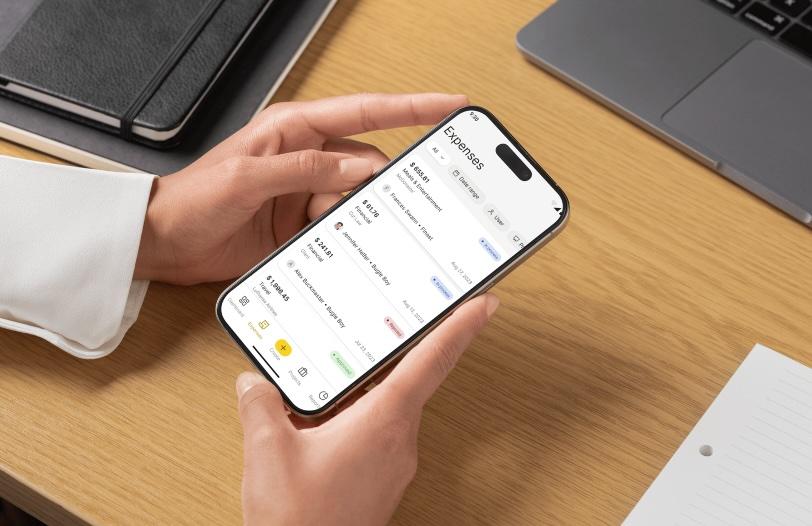
Whether you’re in the office or on the move, ExpenseMonkey’s mobile-friendly interface makes it easy to stay on top of expenses.
-
Scan receipts and sync data across devices in real time.
-
Approve expenses on-the-go to speed up reimbursement cycles.
-
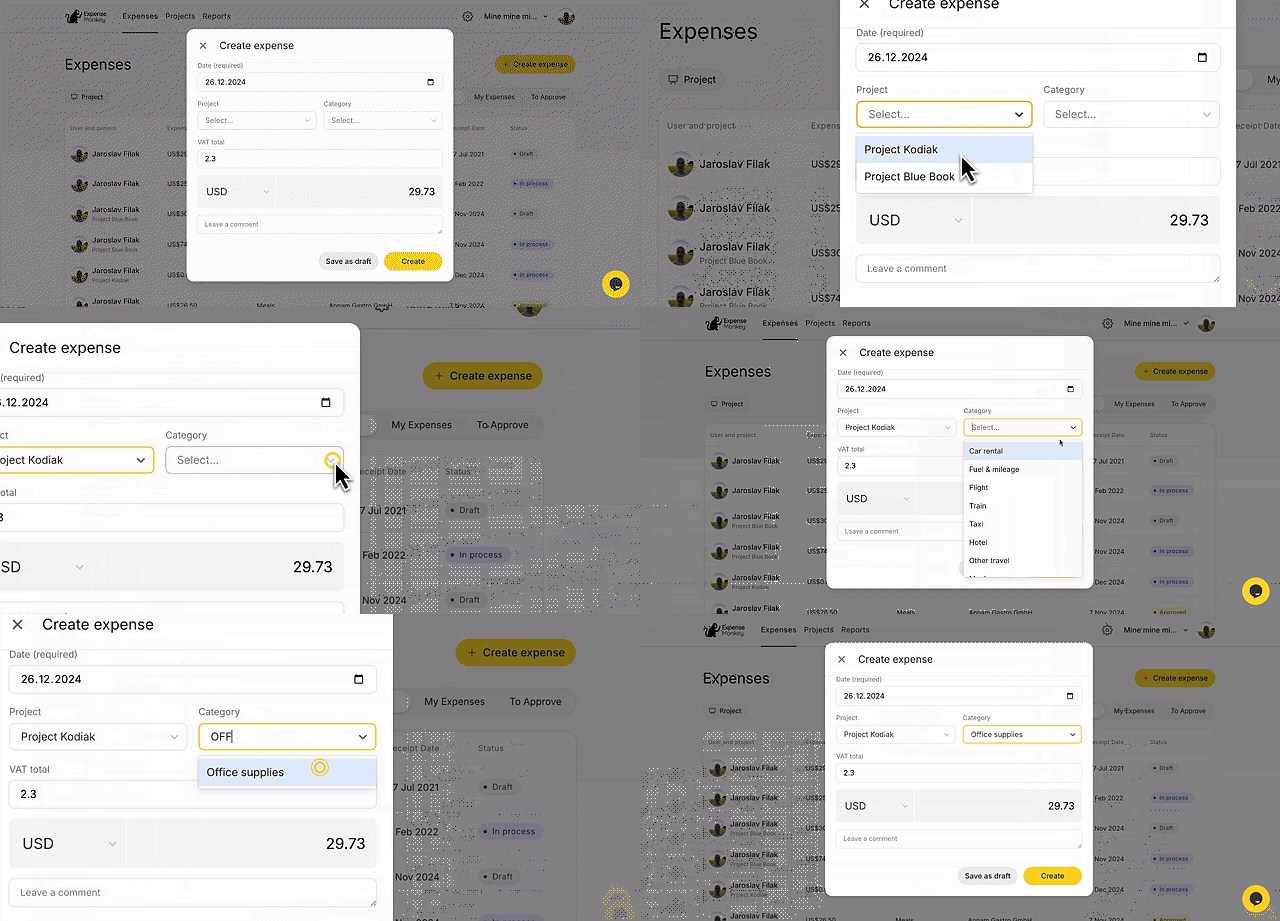
Allocate costs to categories or projects for clearer reporting.
Having access to expense tracking tools from anywhere ensures nothing falls through the cracks.
3. Project-Based Expense Organization
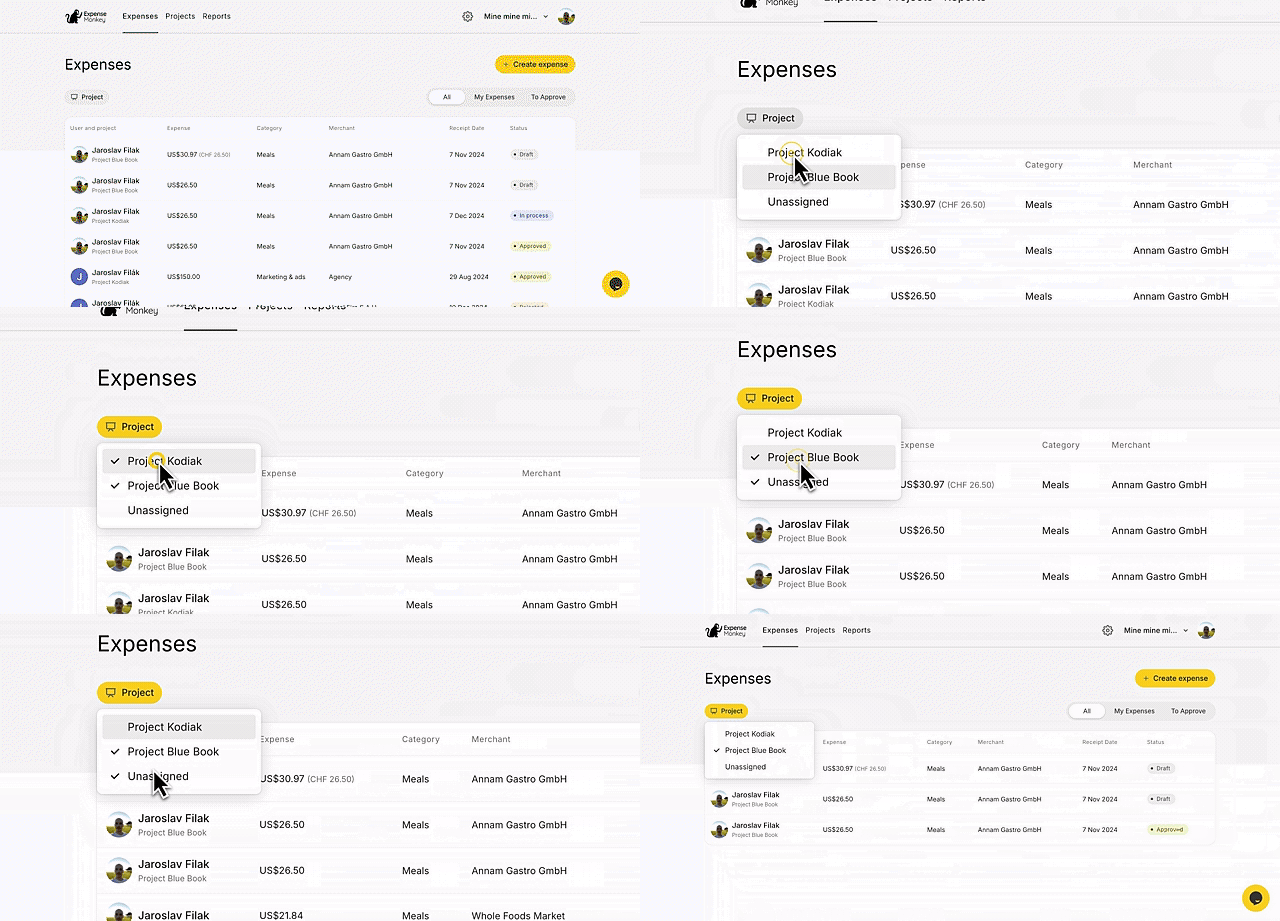
One of the standout features of ExpenseMonkey is the ability to track expenses by project. This is especially useful for businesses that manage multiple clients or internal projects.
-
Assign expenses directly to specific projects or clients.
-
Generate detailed project reports to monitor spending and profitability.
-
Bill clients with itemized expense reports for greater transparency.
By categorizing expenses, you maintain a clear picture of how resources are allocated.
4. Streamlined Expense Approvals
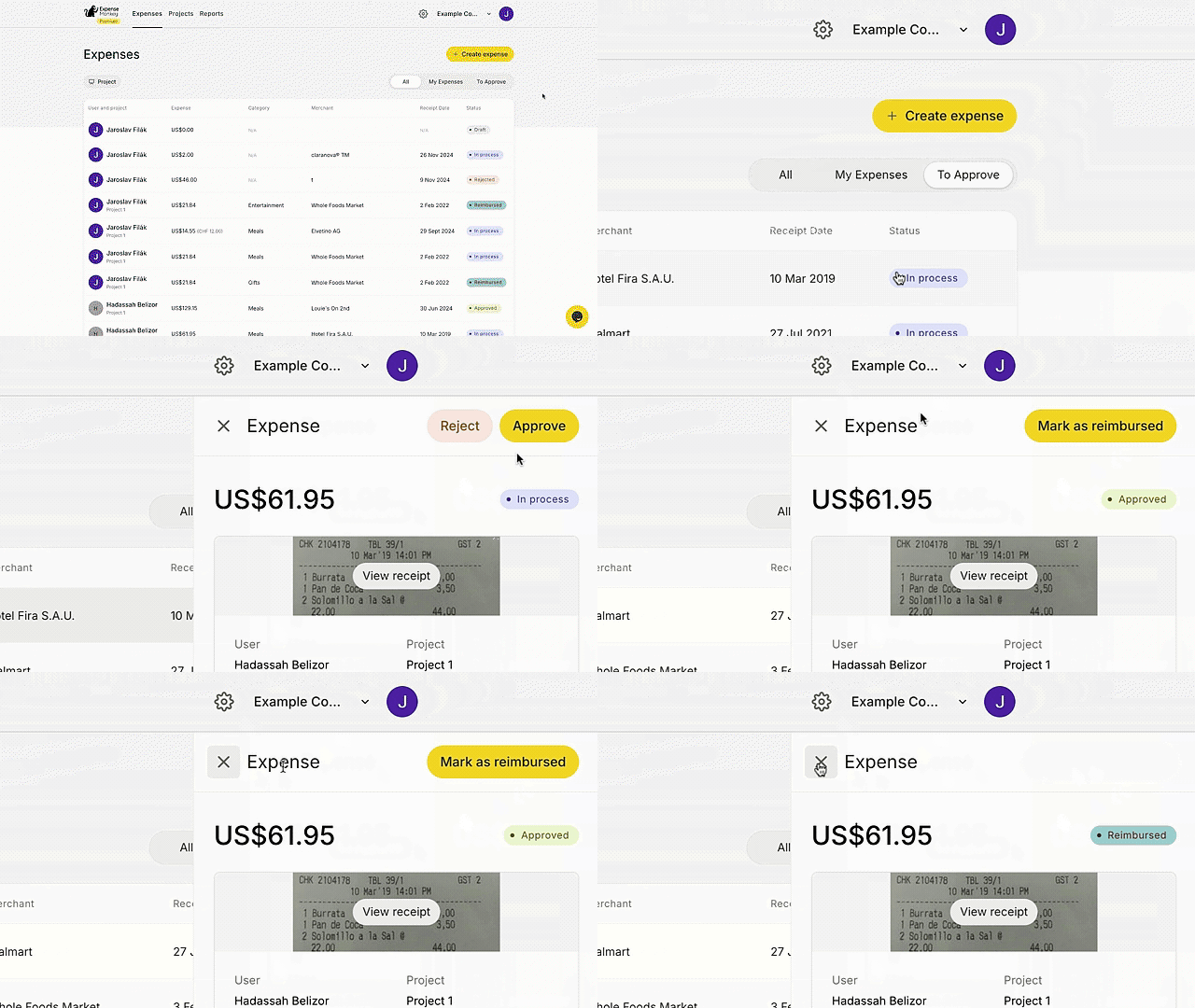
With ExpenseMonkey’s approval system, you maintain full control over which expenses get reimbursed and when.
-
Review expenses before approving to prevent unauthorized spending.
-
Set up approval flows to keep stakeholders in the loop.
-
Allow approvers to accept or reject expenses with a single click.
This helps enforce compliance and ensures all reimbursements align with company policies.
Why Choose ExpenseMonkey?
If you’re still manually tracking expenses, ExpenseMonkey offers a much-needed upgrade. Here’s why it stands out:
1. Saves Time with Automation
By eliminating manual entry, ExpenseMonkey speeds up the process of logging and approving expenses. This is particularly valuable for small teams that lack dedicated financial staff.
2. Supports Global Operations
With support for 180+ languages and multiple currencies, ExpenseMonkey is perfect for international businesses managing cross-border transactions.
3. Improves Accuracy
AI-driven data extraction ensures fewer errors compared to manual entry. Plus, with built-in approval workflows, you maintain oversight over every expense.
4. Increases Transparency
Detailed reporting features allow you to track expenses by project, client, or category. This provides better visibility into how money is being spent and makes tax preparation easier.
Who Is ExpenseMonkey Best For?
ExpenseMonkey is designed for:
-
Small Businesses: Streamline expense tracking without hiring additional accounting staff.
-
Accountants: Manage client expenses with ease and automate reporting.
-
Entrepreneurs: Focus on growing your business while ExpenseMonkey handles your expense management.
Getting Started with ExpenseMonkey
Setting up ExpenseMonkey is a straightforward process:
-
Create an account and connect your team.
-
Upload receipts by photo, PDF, or email.
-
Organize expenses by category or project.
-
Approve reimbursements through an intuitive dashboard.
Within minutes, you can automate your entire expense tracking workflow.
Final Thoughts: Is ExpenseMonkey Worth It?
If you want to save time, reduce manual errors, and maintain better control over business expenses, ExpenseMonkey is a no-brainer. It combines AI automation, project-based tracking, and approval workflows to make expense management effortless.
Instead of drowning in receipts and spreadsheets, you can focus on what matters most: growing your business.
Ready to simplify your expense tracking? Get lifetime access to ExpenseMonkey today!
Browse the Shop
 Acacia frida deluxe solid wood bed frame |
Bedroom bench |
Bed chest drawers |
Lingerie dresser |
Frame base |
Mirror with jewelry storage |
30 Bathroom Vanity |
Memory foam queen mattress |
Mattresses for back pain |
Nightstand set of 2 |
Grand Goldman Shop |
Civil Lawyer
Deutschland Trikot WM 2026
Acacia frida deluxe solid wood bed frame |
Bedroom bench |
Bed chest drawers |
Lingerie dresser |
Frame base |
Mirror with jewelry storage |
30 Bathroom Vanity |
Memory foam queen mattress |
Mattresses for back pain |
Nightstand set of 2 |
Grand Goldman Shop |
Civil Lawyer
Deutschland Trikot WM 2026










