

Onvocado Review: Is It Right for You?
Your website deserves better than clunky pop-ups that frustrate visitors and hurt conversions. We’ve all been there—struggling to find that tiny "x" and eventually giving up by closing the entire tab. But what if there was a better way to engage your visitors without driving them away?
Pop-ups, when done right, can boost sales, capture valuable customer feedback, and increase user engagement. The problem? Most pop-up builders are either too complicated, require coding skills, or slow down your website.
Find Original, High-end Home Decor that spark conversation at Grand Goldman Shop.

Enter Onvocado, a game-changing no-code pop-up builder designed to help you create sleek, high-performing pop-ups that engage users at just the right moment. Whether you’re an eCommerce store owner, marketer, or agency, Onvocado promises to deliver lightweight, customizable pop-ups without sacrificing site speed.
In this Onvocado review, I’ll dive deep into its features, benefits, and how it compares to other popular pop-up tools. By the end, you’ll know if it’s the right solution to supercharge your website conversions.
What is Onvocado?
Onvocado is a lightweight pop-up builder that lets you design and implement custom pop-ups without writing a single line of code. It’s packed with powerful features like smart triggers, A/B testing, and advanced analytics to help you optimize pop-ups for maximum engagement.
Unlike traditional pop-up builders, Onvocado focuses on providing a seamless user experience. You get to engage your visitors without disrupting their browsing journey. Whether you want to offer discounts, capture emails, or collect feedback, Onvocado has you covered.
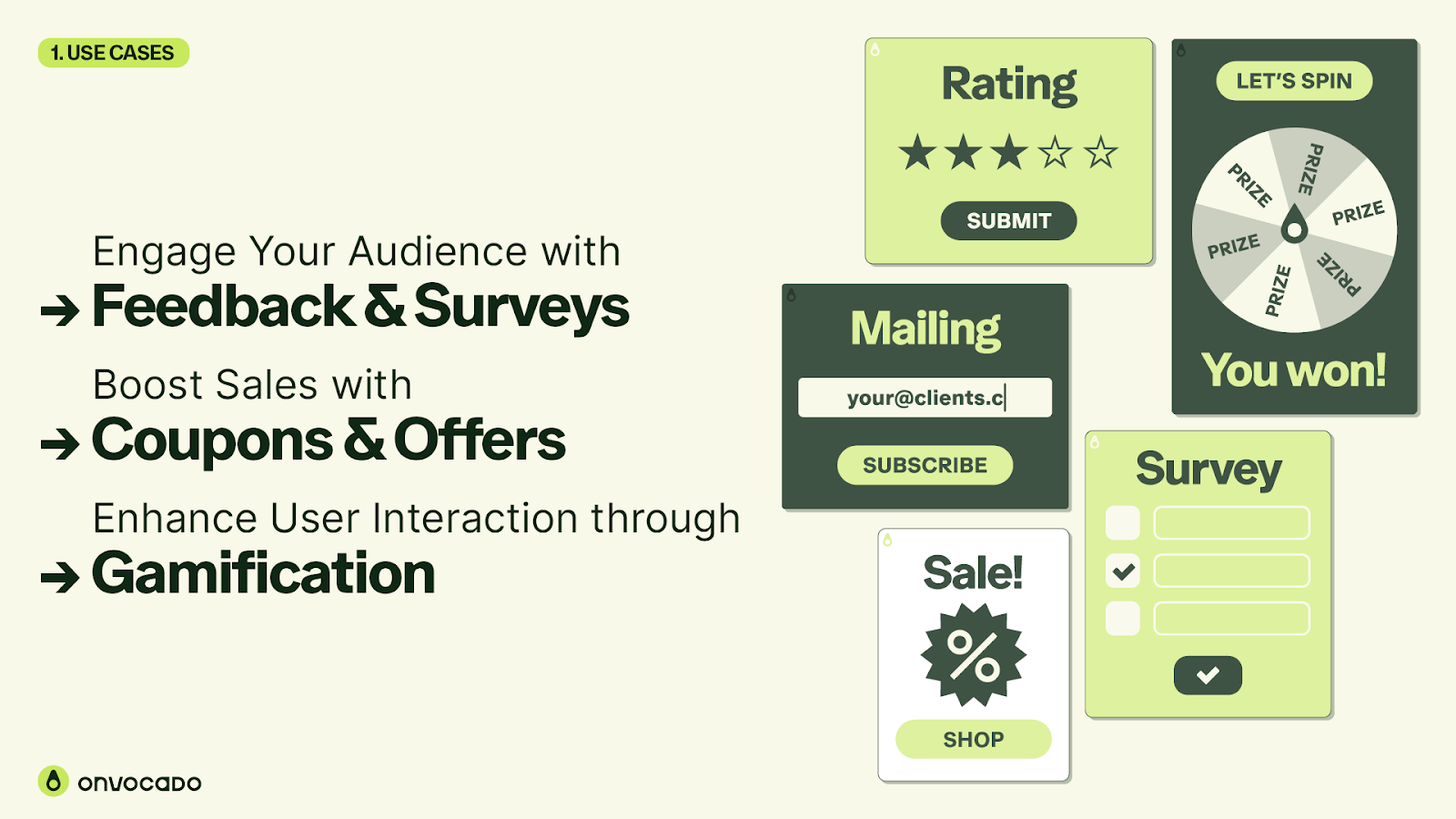
Key Features of Onvocado
-
No-Code Builder: Easily create and customize pop-ups without coding skills.
-
Customizable Templates: Choose from a variety of templates for different marketing goals.
-
Smart Triggers: Display pop-ups based on user behavior, exit intent, or time delays.
-
A/B Testing: Optimize pop-ups by testing different designs and messages.
-
Real-Time Analytics: Monitor performance and make data-driven improvements.
-
GDPR Compliance: Ensure your pop-ups meet privacy regulations.
Creating Pop-Ups Without Coding
One of Onvocado’s standout features is its drag-and-drop editor, which allows you to design pop-ups effortlessly. Even if you have zero coding knowledge, you can create professional-grade pop-ups in minutes.
How It Works
-
Select a Template: Start with a pre-designed template tailored for your marketing needs (e.g., lead capture, surveys, or gamification).
-
Customize the Design: Use the intuitive drag-and-drop interface to match your brand’s colors, fonts, and style.
-
Set Smart Triggers: Choose when and where the pop-up appears to maximize engagement.
-
Publish and Optimize: Launch your pop-up and track its performance with detailed analytics.
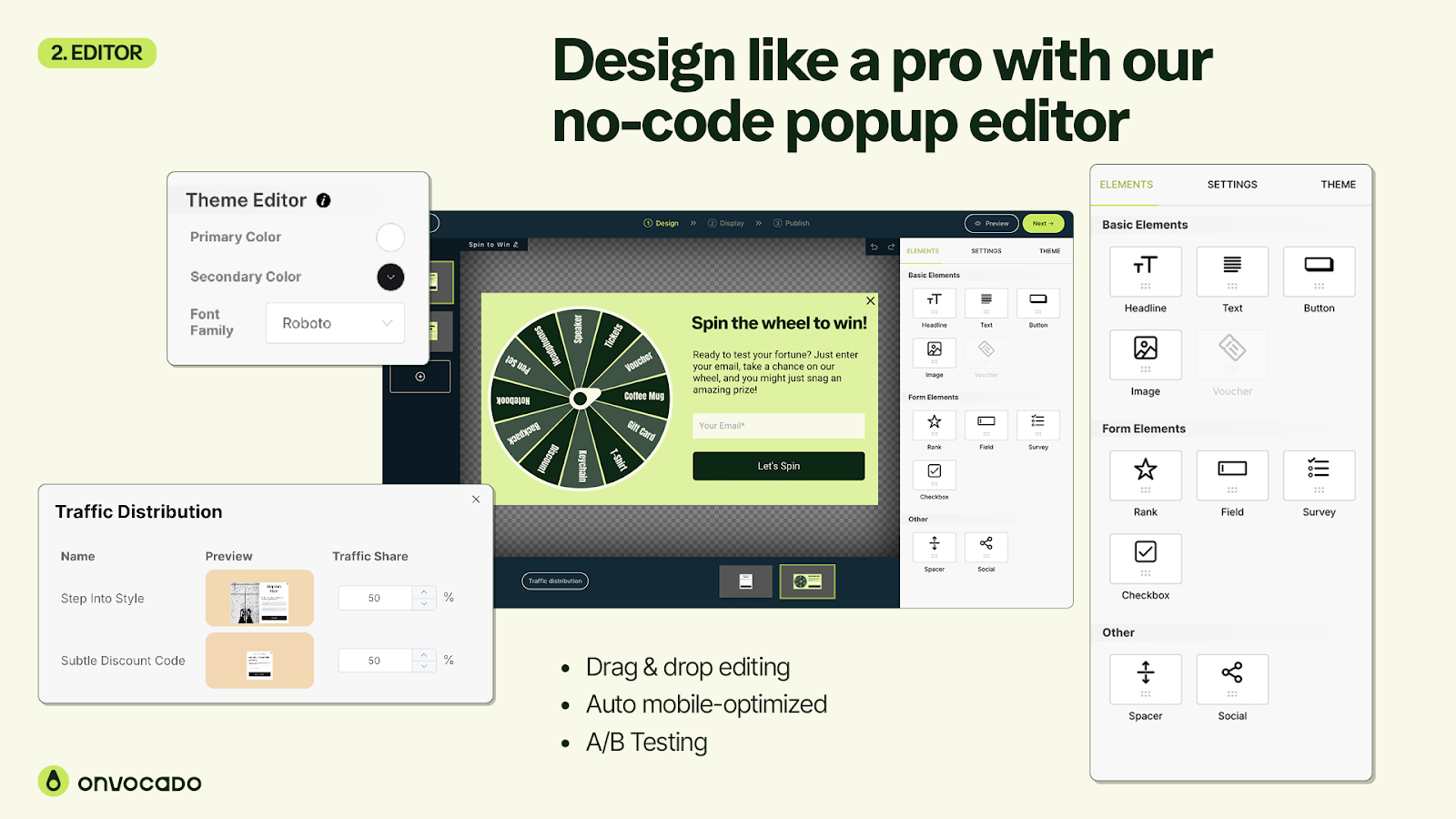
Advanced Pop-Up Customization
Onvocado isn’t just about basic pop-ups—it allows for deep customization to align with your goals.
-
Interactive Elements: Add gamified features like fortune wheels to boost engagement.
-
Multiple Widget Types: Create floating bars, slide-ins, and exit-intent pop-ups.
-
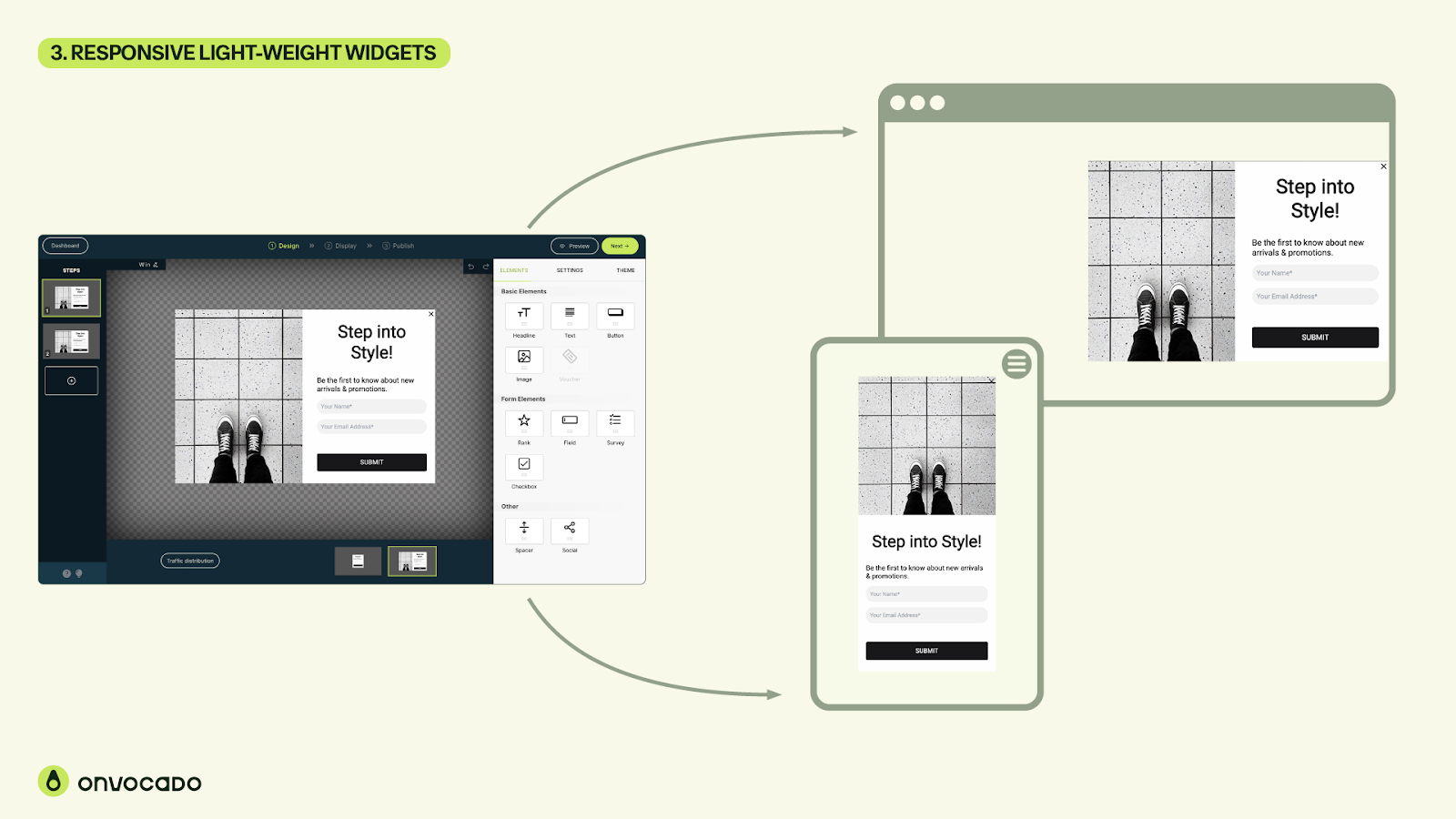
Mobile Optimization: Ensure pop-ups look great on both desktop and mobile devices.
Smart Triggers: Deliver Pop-Ups at the Right Moment
Timing is everything with pop-ups. Onvocado’s smart trigger system lets you engage users without annoying them.
Trigger Options
-
Exit Intent: Capture users who are about to leave your site.
-
Scroll Percentage: Display pop-ups when users scroll a specific portion of the page.
-
Time Delay: Show pop-ups after a predetermined amount of time.
-
Click Activation: Trigger pop-ups when users click specific elements.
Benefits of Smart Triggers
By delivering pop-ups at strategic moments, you can reduce bounce rates, increase conversions, and improve the overall user experience.
Optimizing Performance with A/B Testing
Onvocado makes it easy to run A/B tests and refine your pop-up strategy. You can test different designs, headlines, and calls-to-action (CTAs) to determine what resonates best with your audience.
How to Run an A/B Test
-
Create two or more pop-up variants.
-
Define your test criteria (e.g., click-through rate, conversion rate).
-
Let Onvocado track performance and declare a winner.
Real-Time Analytics for Smarter Decisions
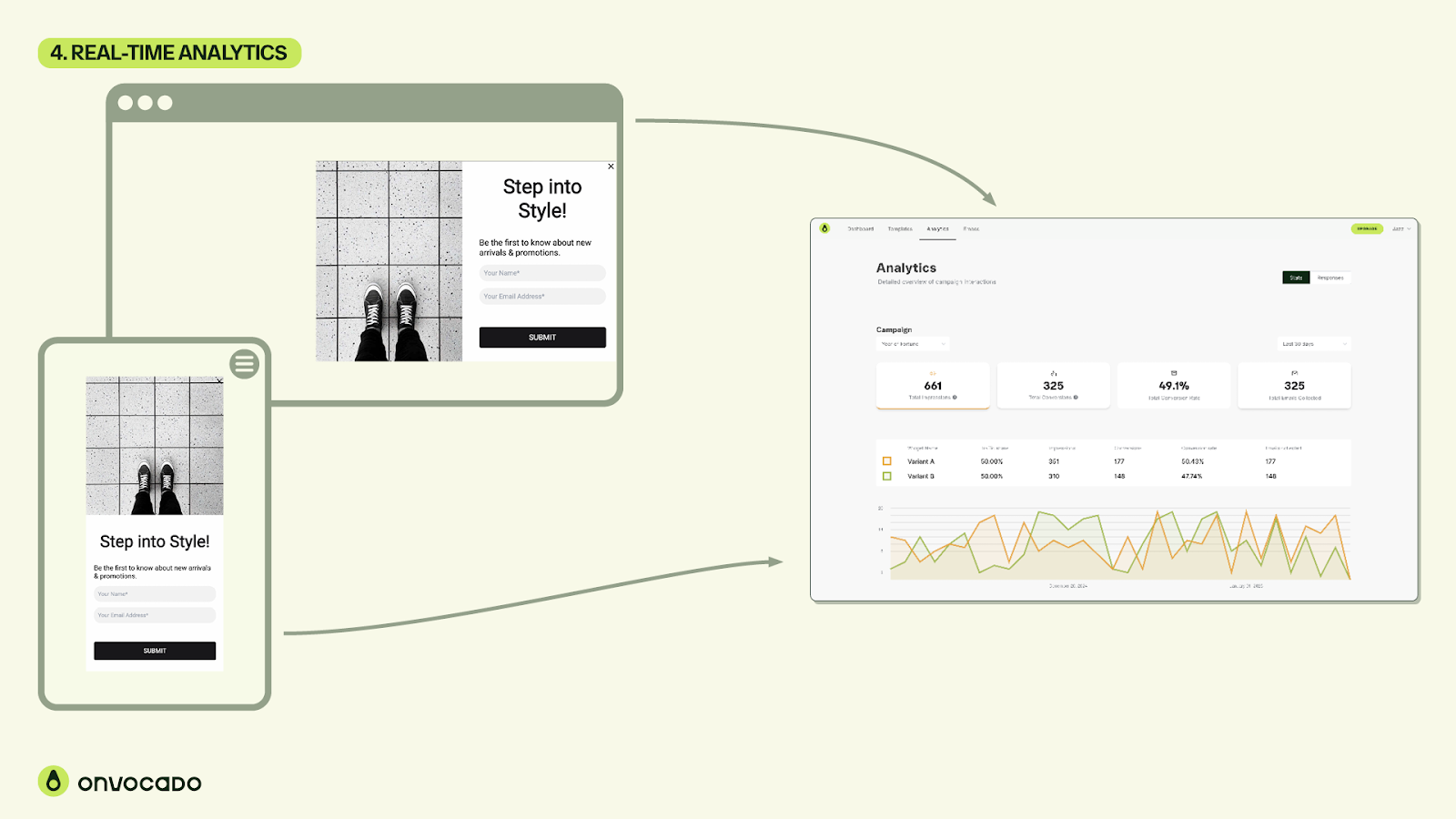
Data is key to optimizing your website. With Onvocado’s real-time analytics, you can track crucial metrics and fine-tune your campaigns.
Metrics You Can Track
-
Impressions: See how often your pop-ups are displayed.
-
Clicks & Conversions: Measure user engagement and conversion rates.
-
Traffic Sources: Understand where your visitors come from.
-
Performance Over Time: Analyze how pop-ups perform across different periods.
Who Should Use Onvocado?
Onvocado is perfect for anyone looking to increase on-site engagement without dealing with complicated code or performance issues. It’s especially useful for:
-
Ecommerce Stores: Promote discounts, capture emails, and reduce cart abandonment.
-
Marketers: Run campaigns that boost leads and drive sales.
-
Agencies: Implement scalable pop-up solutions for multiple clients.
How Onvocado Stacks Up Against Competitors
Compared to alternatives like OptinMonster and Gravity Forms, Onvocado stands out due to its user-friendly design and advanced customization options. It’s also significantly more lightweight, ensuring faster load times and better SEO performance.
Final Verdict: Is Onvocado Worth It?
If you’re looking for a no-code pop-up builder that combines ease of use with powerful features, Onvocado is a solid choice. Its customizable templates, smart triggers, and analytics provide everything you need to increase engagement and conversions.
Say goodbye to clunky pop-ups and hello to a smoother, more effective user experience. Get lifetime access to Onvocado today and start turning your visitors into loyal customers.
Browse the Shop
 Acacia frida deluxe solid wood bed frame |
Bedroom bench |
Bed chest drawers |
Lingerie dresser |
Frame base |
Mirror with jewelry storage |
30 Bathroom Vanity |
Memory foam queen mattress |
Mattresses for back pain |
Nightstand set of 2 |
Grand Goldman Shop |
Civil Lawyer
Deutschland Trikot WM 2026
Acacia frida deluxe solid wood bed frame |
Bedroom bench |
Bed chest drawers |
Lingerie dresser |
Frame base |
Mirror with jewelry storage |
30 Bathroom Vanity |
Memory foam queen mattress |
Mattresses for back pain |
Nightstand set of 2 |
Grand Goldman Shop |
Civil Lawyer
Deutschland Trikot WM 2026










