

When I first heard about the Logi Dock, I thought it was overkill: a USB-C hub with a built-in speaker and microphone? But after nine years of working from home, I realized my MacBook Pro 2021 is a desktop computer that occasionally needs to hit the road. The Logi Dock promises to be the command center that stays on my desk while the laptop comes and goes. One cable to connect everything when I arrive, one to disconnect when I leave. That's a value proposition that goes beyond spec sheets.
What Is the Logi Dock?
The Logi Dock is a docking station that combines a USB-C hub, a speakerphone, and a microphone array in one sleek unit. It's designed to reduce desk clutter and simplify the transition between working at your desk and working on the go. Logitech, a company that knows a thing or two about peripherals and how we work, has positioned this as a premium solution for hybrid workers.
Find Original Home Decor sparking conversation at Grand Goldman Shop.

But it's not just a hub. It's a statement: your laptop is now a modular component of your workstation, not the center of it. The dock stays put, and your laptop plugs in when you need it. That's a shift in mindset that many remote workers will appreciate.
Key Features and Specs
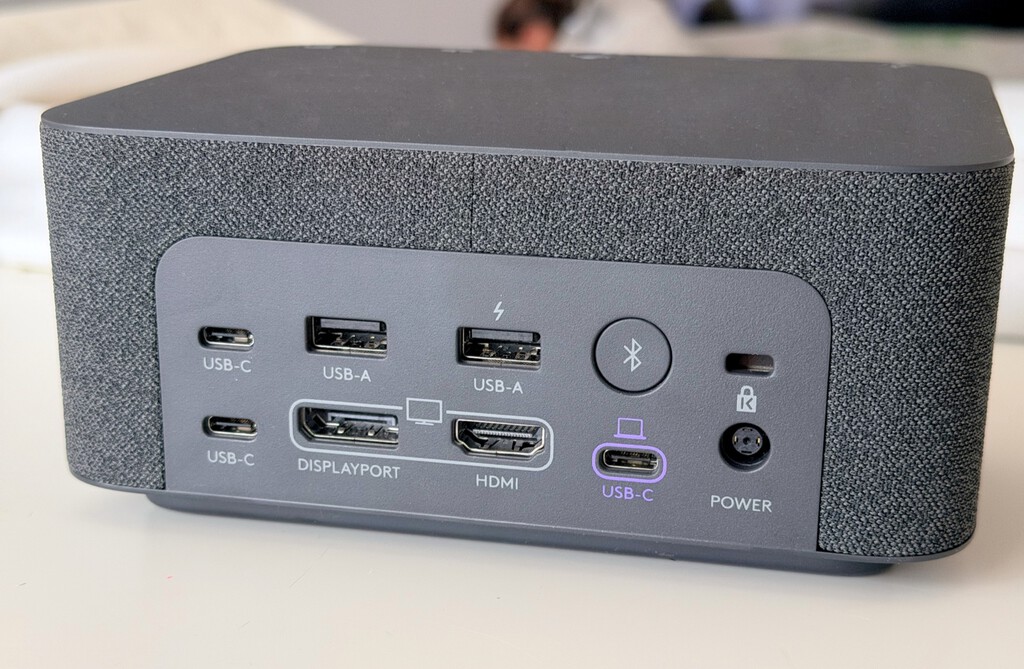
The Logi Dock offers a range of ports and features, but it's important to know what you're getting. Here's a quick breakdown:
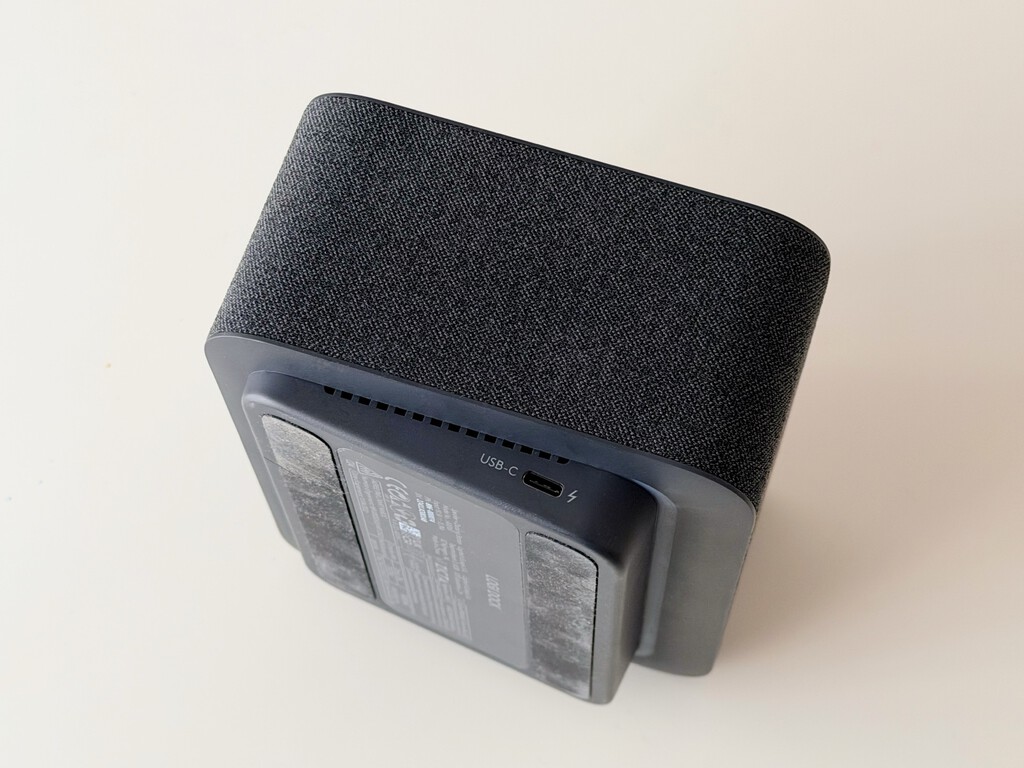
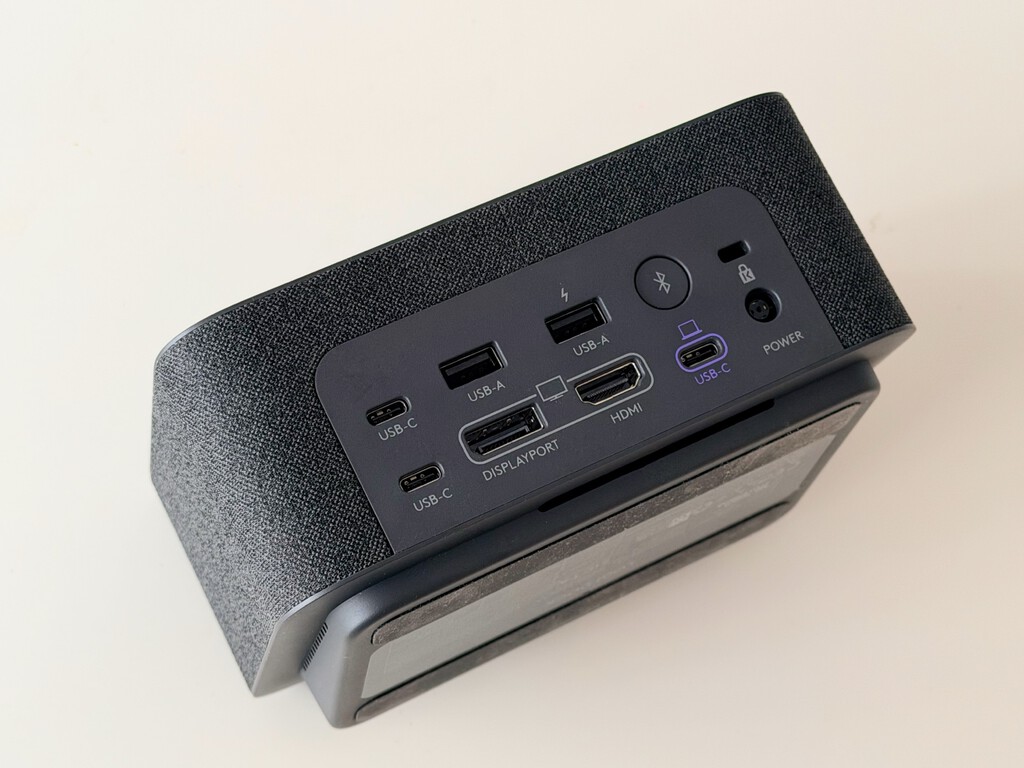
- USB-C hub with multiple ports: 2x USB-A, 2x USB-C, 1x HDMI, 1x DisplayPort, and a 3.5mm audio jack.
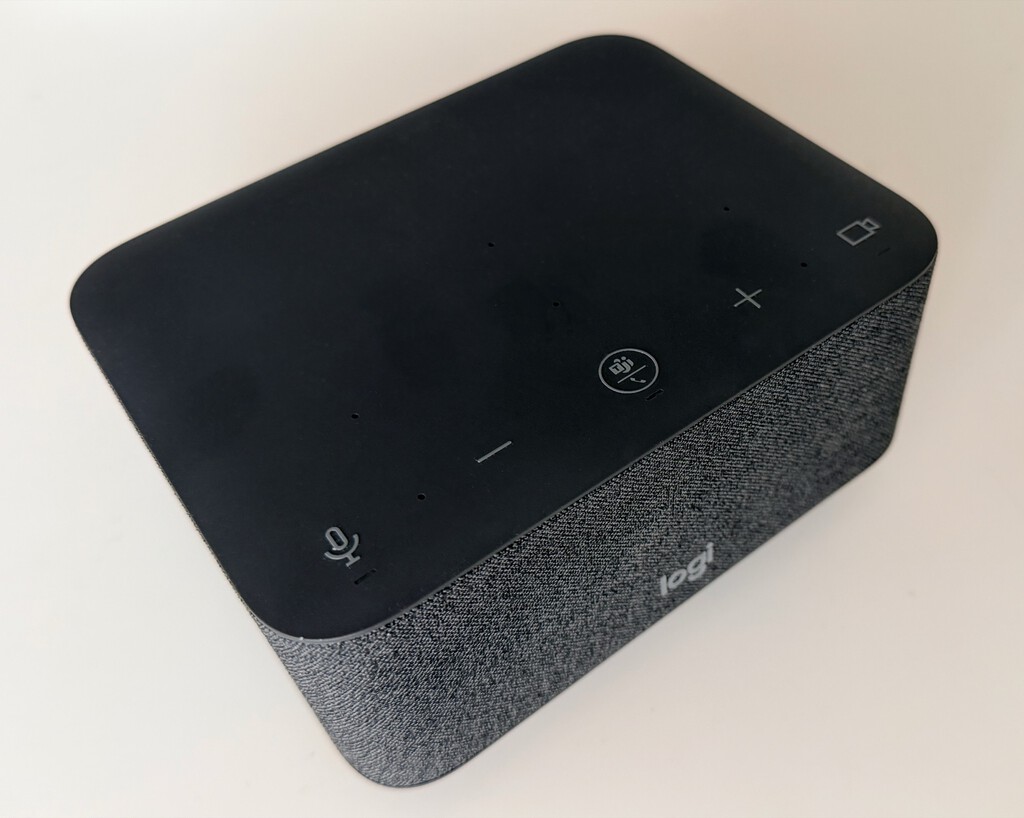
- Built-in speakerphone with noise-canceling microphones for clear conference calls.
- Bluetooth connectivity for pairing with mobile devices.
- One-touch join for video meetings (compatible with major platforms).
- Compact design that fits neatly on a desk.
What it lacks is equally important: no Thunderbolt, no Ethernet, and no SD card reader. For some users, that's a dealbreaker. For others, it's a minor omission.
Performance and Real-World Use
In daily use, the Logi Dock shines in its simplicity. Plugging in a single USB-C cable connects my MacBook Pro to an external monitor, keyboard, mouse, and the dock's speakerphone. The audio quality is surprisingly good for a device this size, and the microphones pick up my voice clearly without background noise.
The speakerphone is a game-changer for video calls. No more scrambling for a headset or worrying about echo. The noise-canceling mics do a decent job of filtering out keyboard clicks and distant traffic. However, the lack of Ethernet is a notable omission for those who prefer wired internet for stability.
Logi Dock vs. Generic USB-C Hub
The most common question is: why pay five to ten times more for the Logi Dock than a generic USB-C hub? A basic hub costs between $30 and $80, while the Logi Dock starts at around $276 on Amazon. The answer lies in the integrated speakerphone and the convenience of a single-cable solution.
| Feature | Logi Dock | Generic USB-C Hub |
|---|---|---|
| Ports | USB-A, USB-C, HDMI, DisplayPort, audio | Varies, often includes Ethernet and SD |
| Speakerphone | Built-in with noise-canceling mics | Not included |
| One-touch join | Yes | No |
| Price | ~$276 | $30-$80 |
If you already have a good headset and don't need a speakerphone, a generic hub is more cost-effective. But if you want to declutter your desk and streamline your meeting setup, the Logi Dock's premium might be justified. The background to this story is set out in UGREEN Revodok 17-in-1 Dock Review: End Cable Clutter. A related thread runs through Razer Thunderbolt 5 Dock Chroma Hits Record Low Price for Laptops.
Who Should Buy the Logi Dock?
The Logi Dock is ideal for hybrid workers who frequently switch between desk and mobile work. It's also great for those who take a lot of video calls and want a clean, integrated audio solution. However, if you need Thunderbolt, Ethernet, or an SD card reader, you'll need to look elsewhere or use additional adapters. Earlier coverage in Baseus 7-in-1 USB-C Hub Review: End Laptop Port Shortage at $12.37 shows how the argument developed. A closer look at the same subject appears in Technology: latest articles.
Personally, I've found that the Logi Dock has simplified my workflow. I no longer fumble with multiple cables or forget to plug in my headset. It's a luxury, but one that pays off in daily convenience. Anyone following the wider picture can start with Why I Switched to LibreOffice After 20 Years of Microsoft Office. The same theme surfaces in Dreame Expands into Refrigerators, Washers, and Dryers, which takes a different angle.
FAQ
Is the Logi Dock compatible with Windows laptops?
Yes, the Logi Dock works with both Windows and macOS laptops that support USB-C with DisplayPort Alt Mode. It's plug-and-play for the most part, though you may need to install Logitech's software for some features.
Can I use the Logi Dock's speakerphone with my phone?
Yes, the Logi Dock can connect to smartphones via Bluetooth, allowing you to use it as a speakerphone for calls or audio playback. It's a handy feature for conference calls on the go.
Does the Logi Dock support dual monitors?
The Logi Dock has one HDMI and one DisplayPort, so you can connect two external monitors. However, check your laptop's capabilities, as some may only support one external display via USB-C.
Is the Logi Dock worth the price?
It depends on your needs. If you value a clutter-free desk and integrated speakerphone for meetings, the convenience may justify the cost. If you're on a budget or need specific ports like Ethernet, a cheaper hub might suffice.
Ultimately, the Logi Dock is a niche product for a specific type of worker: one who values simplicity and is willing to pay for it. For everyone else, a generic hub and a separate speakerphone will do the job for less. But for those who want a seamless transition between desk and mobile work, the Logi Dock delivers.
Browse the Shop
 Acacia frida deluxe solid wood bed frame |
Bedroom bench |
Bed chest drawers |
Lingerie dresser |
Frame base |
Mirror with jewelry storage |
30 Bathroom Vanity |
Memory foam queen mattress |
Mattresses for back pain |
Nightstand set of 2 |
Grand Goldman Shop |
Civil Lawyer
Deutschland Trikot WM 2026







