

The Quntis monitor light bar is a practical solution to reduce eye strain and glare during late-night study sessions. As students return to their desks, proper lighting becomes essential for comfort and focus.
This light bar, available on Amazon for €49.99, mounts directly on top of your monitor and directs light at a 45-degree angle onto your workspace, not your screen. That means fewer reflections and less fatigue during long hours of reading and writing.
Find Original, High-end Home Decor that spark conversation at Grand Goldman Shop.
Why Monitor Lighting Matters for Students
When you spend hours in front of a screen, poor lighting can cause eye strain, headaches, and reduced concentration. A traditional desk lamp often creates glare on the monitor or casts shadows over your keyboard.
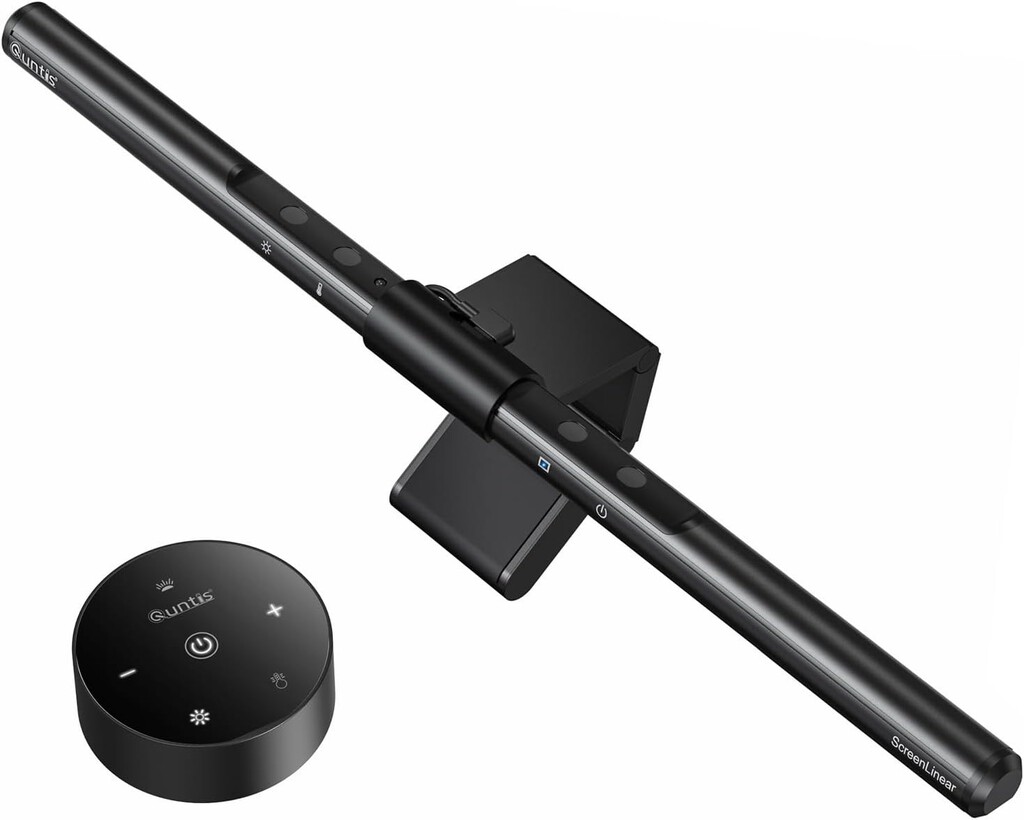
The Quntis light bar solves this by illuminating your desk area without shining light directly onto the screen. This is especially important for students who study late into the evening.
Key Features of the Quntis Monitor Light Bar
The Quntis light bar is 41 centimeters long and fits most monitors with a thickness of up to 9 centimeters. It attaches securely to the top of the monitor and can be adjusted to the ideal angle.
It comes with touch controls and a remote control, allowing you to adjust brightness and color temperature without reaching for the device. This is convenient when you're deep in study mode.
- 45-degree angled lighting reduces screen glare and eye strain.
- Touch and remote controls for easy adjustments.
- 41 cm length fits most monitors up to 9 cm thick.
- USB powered for simple setup.
- Adjustable brightness and color temperature to suit your environment.
How the Quntis Light Bar Improves Your Study Space
By directing light downward at a 45-degree angle, the Quntis light bar creates a well-lit area for your keyboard, notebooks, and other study materials. This reduces the contrast between your screen and the surrounding environment, which can help lessen eye fatigue.
Unlike a traditional desk lamp, it doesn't take up valuable desk space. This is a big advantage for students with small desks or cluttered workspaces.
Comparison with Traditional Desk Lamps
Here's how the Quntis monitor light bar stacks up against a standard desk lamp:
| Feature | Quntis Light Bar | Traditional Desk Lamp |
|---|---|---|
| Glare on screen | Minimal (angled lighting) | Often causes reflections |
| Desk space usage | None (mounts on monitor) | Takes up desk space |
| Adjustability | Touch and remote control | Usually manual switch |
| Price | €49.99 | Varies, often cheaper |
Who Should Consider the Quntis Monitor Light Bar?
This light bar is ideal for students, remote workers, and anyone who spends long hours at a computer. If you frequently experience eye strain or headaches after studying, it's worth considering.
It's also a good choice for people who have limited desk space or want a clean, minimalist setup. The remote control makes it easy to adjust lighting without disturbing your workflow. The background to this story is set out in Aldi's €14.99 RGB Light Bar: Transform Your Living Room or Home Office. A related thread runs through Trending: latest articles. Earlier coverage in Mac Studio M5 Max and M5 Ultra: CPU, GPU, and NPU Upgrades Explained shows how the argument developed.
Potential Drawbacks
While the Quntis light bar offers many benefits, it may not be suitable for all monitors. If your monitor is thicker than 9 centimeters, it won't fit. Also, some users might prefer a lamp that can be repositioned more freely. A closer look at the same subject appears in LEGO PlayStation Set: 1,911-Piece Console Replica Launches October. Anyone following the wider picture can start with Unitree's World-Model Humanoid Robot Achieves Full Autonomy. The same theme surfaces in Zelda Ocarina of Time Remake: First Gameplay Revealed, which takes a different angle.
Additionally, the light bar requires a USB power source, so you'll need an available USB port or adapter. Context on how this played out before sits in Apple Locks Down NAND Memory Ahead of iPhone 18 Pro Launch.
FAQ
Does the Quntis light bar cause glare on the screen?
No, the light bar is designed to direct light at a 45-degree angle onto your desk, not the screen. This minimizes reflections and glare, making it easier on your eyes during long study sessions.
Is the Quntis light bar compatible with all monitors?
It fits most monitors with a thickness of up to 9 centimeters. If your monitor is thicker, you may need to look for a different model.
Can I adjust the brightness and color temperature?
Yes, the Quntis light bar comes with touch controls and a remote control that allow you to adjust both brightness and color temperature to suit your preferences.
How is the light bar powered?
It is USB-powered, so you can plug it into a USB port on your computer or a USB wall adapter. This makes it easy to set up and use anywhere.
Investing in a monitor light bar like the Quntis can significantly improve your study environment, reducing eye strain and helping you stay focused. For more information on creating a productive workspace, check out our other articles on home office setups and student essentials.
Browse the Shop
 Acacia frida deluxe solid wood bed frame |
Bedroom bench |
Bed chest drawers |
Lingerie dresser |
Frame base |
Mirror with jewelry storage |
30 Bathroom Vanity |
Memory foam queen mattress |
Mattresses for back pain |
Nightstand set of 2 |
Grand Goldman Shop |
Civil Lawyer
Deutschland Trikot WM 2026
Acacia frida deluxe solid wood bed frame |
Bedroom bench |
Bed chest drawers |
Lingerie dresser |
Frame base |
Mirror with jewelry storage |
30 Bathroom Vanity |
Memory foam queen mattress |
Mattresses for back pain |
Nightstand set of 2 |
Grand Goldman Shop |
Civil Lawyer
Deutschland Trikot WM 2026







