

WhatsApp Web video calls are now available directly from your browser, giving you more flexibility and eliminating the need for the mobile app or desktop installation. This update positions WhatsApp as a stronger competitor to Zoom and Google Meet, especially for users who prefer working on their computers.
Why WhatsApp Web Video Calls Matter
The addition of video calls to WhatsApp Web is significant because it removes previous limitations. Until now, you had to use the mobile app or the desktop application to make video calls. Now, you can do it from any browser, making it easier to connect with friends, family, or colleagues who may not have the app installed on their computer.
Find Original Home Decor sparking conversation at Grand Goldman Shop.

This flexibility is a game-changer for remote work and virtual meetings. It also means you don't need to ask the other person to install additional software or be tied to their phone. The calls include key features that make them competitive with dedicated video conferencing tools.

How to Access WhatsApp Web Video Calls
To start making video calls on WhatsApp Web, you first need to log in. Go to web.whatsapp.com and scan the QR code with your phone's camera. This will open the WhatsApp app on your device and prompt you to log in to the web version. Once logged in, your session will remain active.

After logging in, the options you see depend on whether you're in a group chat or a one-on-one conversation. The interface is designed to be intuitive, with icons for video and voice calls at the top of the chat window.
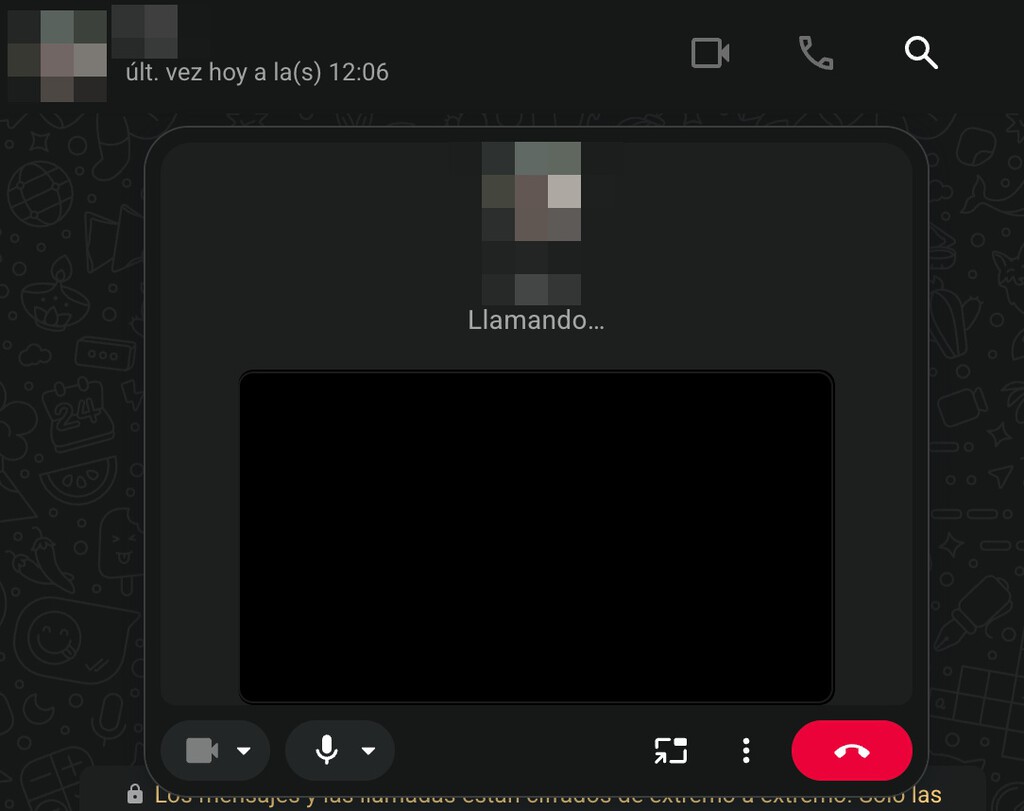
Making Video Calls in Individual Chats
In a one-on-one chat, you'll find the video call and voice call icons in the top right corner of the conversation. Clicking the video call icon will initiate a call to the other person. They will receive a notification on their WhatsApp, and if they accept, the video call will begin.

During the call, you can mute your microphone, turn off your camera, and switch between front and rear cameras if you're using a device with multiple cameras. The call quality depends on your internet connection, so ensure you have a stable connection for the best experience.
Making Video Calls in Group Chats
For group chats, the process is similar. Open the group chat and click the video call icon. You'll be prompted to select which participants you want to call. You can choose multiple contacts, and they will all receive an invitation to join the video call.
Group video calls on WhatsApp Web support up to a certain number of participants (typically 8 for video calls). The interface allows you to see all participants, and you can mute or unmute individuals as needed. This feature is great for team meetings or catching up with multiple friends at once.
Key Features and Limitations
WhatsApp Web video calls come with several features that enhance the user experience. However, there are some limitations to be aware of. For instance, the maximum number of participants in a group video call is limited compared to some dedicated platforms. Also, the call quality may vary based on your browser and internet speed.
It's also worth noting that you need to keep your phone connected to the internet for WhatsApp Web to work, as the web version mirrors your phone's WhatsApp. If your phone loses connection, the web session will be interrupted. The background to this story is set out in WhatsApp Web: What It Is, How to Use It and Mobile App Comparison. A related thread runs through New Kindle Now Available from €154.99; Previous Model Drops to €89.90. Earlier coverage in How to Tell If Someone Is Spying on Your WhatsApp via WhatsApp Web shows how the argument developed.
- Browser-based: No need to install additional software; works directly from your browser.
- Cross-platform: Compatible with Windows, Mac, and Linux as long as you have a modern browser.
- Group calls: Supports group video calls with up to 8 participants.
- Phone dependency: Requires your phone to be connected to the internet.
- Security: End-to-end encrypted, just like the mobile app.
Comparison: WhatsApp Web Video Calls vs. Other Platforms
| Feature | WhatsApp Web | Zoom | Google Meet |
|---|---|---|---|
| Max participants (video) | 8 | 100 (free) | 100 (free) |
| Requires installation | No | Yes (desktop app) | No |
| Phone dependency | Yes | No | No |
| End-to-end encryption | Yes | No (optional) | No |
| Screen sharing | No | Yes | Yes |
What to Watch Next
As WhatsApp continues to develop its web video calling features, we can expect improvements such as higher participant limits, screen sharing, and better integration with other tools. For now, it's a convenient option for casual calls and small meetings. A closer look at the same subject appears in Mp4 to webm with convertio: 5 fast fixes for lighter web video. Anyone following the wider picture can start with What Are WebM Files? The Open Video Format Explained for 2026. The same theme surfaces in Wife Calls Her Sister For Babysitting Her Kids While Her Husband Is At Home Playing Video Games, Drama Ensues, which takes a different angle.
To make the most of WhatsApp Web video calls, ensure you have a reliable internet connection and a modern browser. Keep your phone nearby and connected, as it's essential for the web version to function. Context on how this played out before sits in Trending: latest articles. A companion piece, WhatsApp Web Adds Unlimited Video Calls in Challenge to Zoom, approaches the same subject from another angle.
FAQ
Can I make video calls on WhatsApp Web without my phone?
No, you need your phone to be connected to the internet because WhatsApp Web mirrors your phone's WhatsApp. If your phone is offline, the web session will not work.
How many people can join a WhatsApp Web video call?
WhatsApp Web video calls support up to 8 participants in a group call. For individual calls, it's just you and the other person.
Is WhatsApp Web video calling secure?
Yes, WhatsApp Web video calls are end-to-end encrypted, just like the mobile app, ensuring your conversations remain private.
What do I need to use WhatsApp Web video calls?
You need a computer with a modern browser, a stable internet connection, and your phone with WhatsApp installed and connected to the internet.
Browse the Shop
 Acacia frida deluxe solid wood bed frame |
Bedroom bench |
Bed chest drawers |
Lingerie dresser |
Frame base |
Mirror with jewelry storage |
30 Bathroom Vanity |
Memory foam queen mattress |
Mattresses for back pain |
Nightstand set of 2 |
Grand Goldman Shop |
Civil Lawyer
Deutschland Trikot WM 2026







