

Finding the best phones for seniors in 2026 means looking beyond camera specs and processing power. For older users, the priorities are simple: large buttons, clear screens, and software that doesn’t overwhelm. The right device can make everyday communication effortless, while the wrong one can cause frustration and endless support calls.
In this guide, we break down what matters most when choosing a phone for an elderly parent or grandparent, highlight our top pick, and explain why some budget-friendly alternatives might also fit the bill.
Find Original, High-end Home Decor that spark conversation at Grand Goldman Shop.
Why senior-friendly phones are different
When we shop for ourselves, we ask questions like “Which phone has the best camera?” or “Which offers the best value?” But for a senior, the questions are more complex. Their needs revolve around accessibility, simplicity, and reliability. A phone that’s too complicated can lead to missed calls, confusion, and a reluctance to use the device at all.
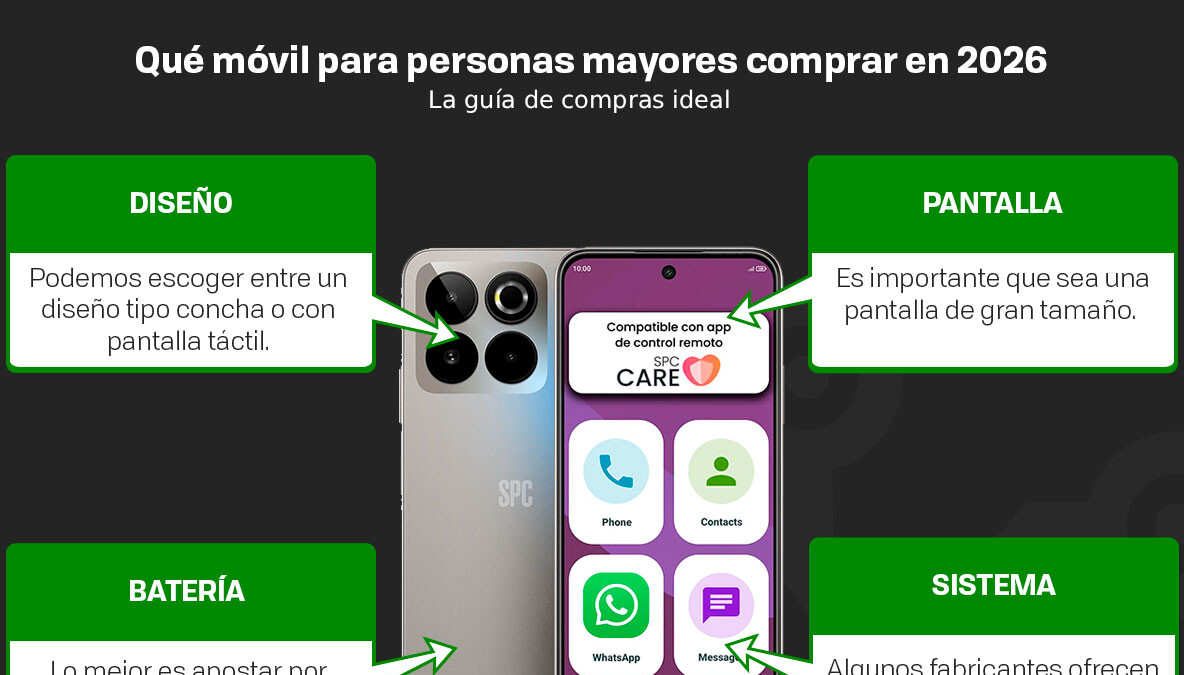
That’s why manufacturers now design phones specifically for older users. These models often include enlarged icons, simplified menus, and even remote assistance features that let family members help from afar.
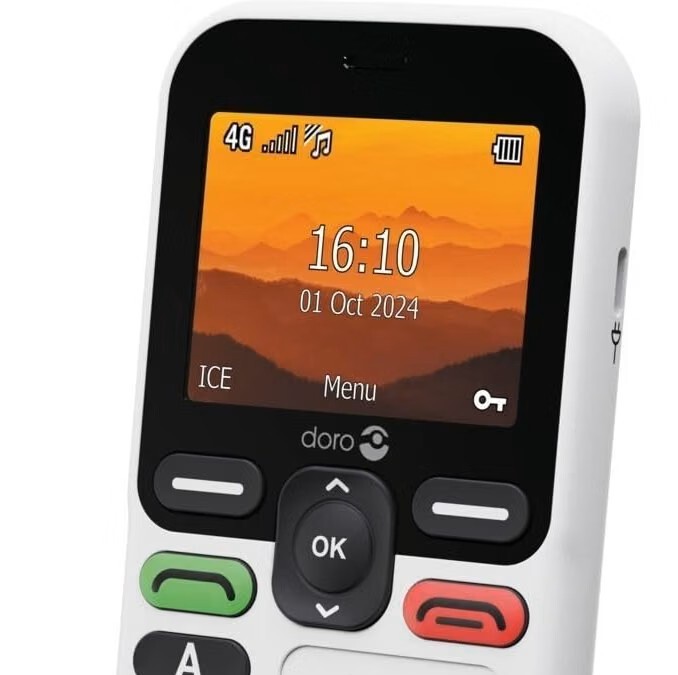
Key features to look for
Before diving into specific models, here are the essential features that make a phone senior-friendly:
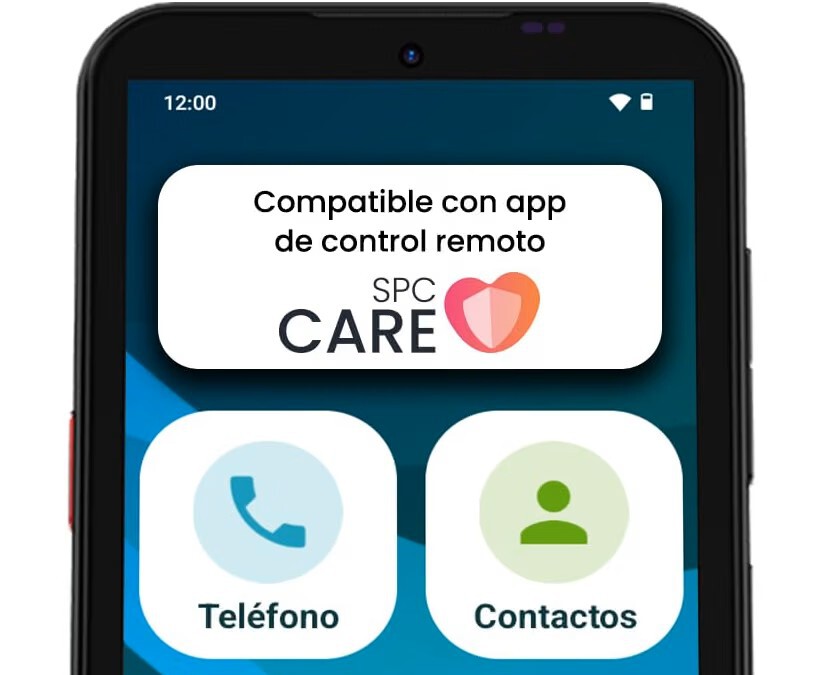
- Large display and big buttons: A screen of 6.5 inches or more with high contrast and large touch targets reduces mis-taps.
- Simplified interface: An easy mode or senior-specific Android version that strips away clutter and enlarges icons.
- Remote assistance: The ability to manage settings, contacts, and even location from another phone.
- Hearing aid compatibility: Many seniors use hearing aids, so support for telecoils (T-coil) or Bluetooth hearing aids is a plus.
- Long battery life: Fewer charges mean less hassle.
- Emergency features: A dedicated SOS button or fall detection can provide peace of mind.
Our top pick: SPC Zeus 2 Elite
After testing several options, the SPC Zeus 2 Elite stands out as the best phone for seniors in 2026. It combines modern technology with the accessibility features that older users need.
One of its standout features is remote assistance. Family members can help organize icons, manage the calendar, and even check the phone’s location—all without being physically present. This is a game-changer for seniors who rely on family for tech support.
The phone also boasts a large 6.7-inch display, making it easy to see calls, messages, and apps. The adapted Android version lets you increase icon size and simplify the home screen, ensuring that the most important functions are always within reach.
What makes the SPC Zeus 2 Elite special
Beyond the basics, the Zeus 2 Elite offers a thoughtful design for older users. The physical buttons are tactile and easy to press, and the software includes a dedicated easy mode that can be toggled on or off. The phone also supports hearing aids, ensuring clear conversations.
Battery life is solid, lasting through a full day of moderate use. And with 4G connectivity, seniors can stay connected without worrying about network compatibility.
Comparison of top senior phones in 2026
To help you decide, here’s a quick comparison of the SPC Zeus 2 Elite and two other popular senior-friendly models.
| Model | Display Size | Remote Assistance | Easy Mode | Hearing Aid Support | Price Range |
|---|---|---|---|---|---|
| SPC Zeus 2 Elite | 6.7 inches | Yes | Yes | Yes | Mid-range |
| Doro 8100 | 6.1 inches | No | Yes | Yes | Budget |
| Emporia Smart 6 | 6.1 inches | No | Yes | Yes | Mid-range |
As you can see, the SPC Zeus 2 Elite is the only one in this comparison with remote assistance—a feature that can significantly reduce the burden on caregivers.
Budget-friendly alternatives
If the SPC Zeus 2 Elite is out of your price range, there are several affordable options that still offer great accessibility. The Doro 8100 is a solid choice with a simplified interface and hearing aid compatibility, though it lacks remote help.
Another option is the Emporia Smart 6, which features a clear display and large buttons, but again, no remote assistance. These phones are best for seniors who are comfortable with basic smartphone functions and have family nearby for support.
When to choose a basic phone instead
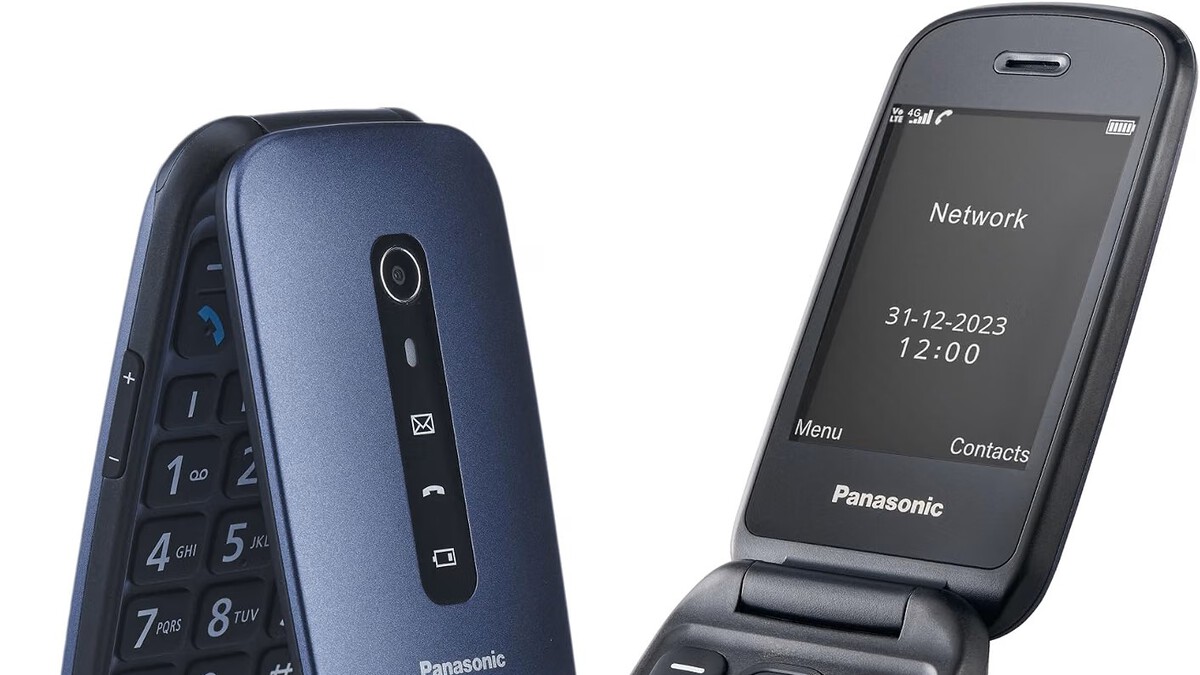
For some seniors, a smartphone—even a simplified one—might be overkill. If your loved one only needs to make calls and send the occasional text, a basic flip phone with large buttons and a loud speaker might be the better choice. These devices are often cheaper, have longer battery life, and are less prone to accidental touches. The longer history behind the story is traced in Best Phones for Seniors in 2026: Simple, Big-Button and Easy to Use. More on the surrounding debate is collected in Pokémon Card Speculation Booms at Madrid Temple of Collecting.
However, if they want to video call grandchildren or use messaging apps, a senior-friendly smartphone like the SPC Zeus 2 Elite is the way to go. The background to this story is set out in Trending: latest articles. A related thread runs through Spanish Couple Leaves City for Farm Life and Becomes Viral Star. Earlier coverage in Spain's 91-Year-Old Mayor Seeks Re-Election in 2027 shows how the argument developed.
How to set up a phone for a senior
Once you’ve chosen a phone, the next step is setting it up for easy use. Start by enabling the easy mode or senior mode, which will enlarge icons and simplify the home screen. Then, customize the home screen to show only essential apps: phone, messages, camera, and perhaps a weather app. A closer look at the same subject appears in Meross Smart Roller Shutter Switch Drops to €19.71 for Voice Control. Anyone following the wider picture can start with Qualcomm Snapdragon 8 Elite Gen 6 vs Extreme: What You Need to Know. The same theme surfaces in France's 1857 Pine Forest: A Million Hectares Now Unmanageable, which takes a different angle.
Next, set up remote assistance if available. This will allow you to help your loved one from your own phone, reducing the need for in-person visits for tech support. Finally, consider adding a protective case and a screen protector to prevent damage from drops. Context on how this played out before sits in China's 120-Meter Nuclear Submarine: New Satellite Images Reveal Key Details. A companion piece, Spain's 10% Hospitality VAT Under EU Scrutiny: What It Means, approaches the same subject from another angle.
FAQ
What is the best phone for seniors in 2026?
The SPC Zeus 2 Elite is our top pick due to its large display, remote assistance, and easy mode. It offers a balance of modern features and accessibility.
Do seniors need a smartphone or a basic phone?
It depends on their needs. If they only make calls, a basic flip phone suffices. But if they want to video call or use apps, a senior-friendly smartphone is better.
How does remote assistance work on senior phones?
Remote assistance allows a family member to manage settings, contacts, and even location from another phone via an app. This helps seniors without requiring in-person support.
Are senior phones compatible with hearing aids?
Many senior phones, including the SPC Zeus 2 Elite, Doro 8100, and Emporia Smart 6, are hearing aid compatible (HAC). Check the specifications for T-coil or Bluetooth support.
Browse the Shop
 Acacia frida deluxe solid wood bed frame |
Bedroom bench |
Bed chest drawers |
Lingerie dresser |
Frame base |
Mirror with jewelry storage |
30 Bathroom Vanity |
Memory foam queen mattress |
Mattresses for back pain |
Nightstand set of 2 |
Grand Goldman Shop |
Civil Lawyer
Deutschland Trikot WM 2026
Acacia frida deluxe solid wood bed frame |
Bedroom bench |
Bed chest drawers |
Lingerie dresser |
Frame base |
Mirror with jewelry storage |
30 Bathroom Vanity |
Memory foam queen mattress |
Mattresses for back pain |
Nightstand set of 2 |
Grand Goldman Shop |
Civil Lawyer
Deutschland Trikot WM 2026










