

Running a business is hard enough without constantly switching between Google Sheets, CRMs, and other fragmented tools. If you’re tired of wasting time and energy on manual processes and disorganized data, it’s time to streamline your workflows.
That’s where Stackby comes in. This powerful no-code platform combines the best of spreadsheets, databases, and automations to simplify your data management. Whether you're a small business, marketing agency, or project manager, Stackby gives you the tools to build custom applications without writing a single line of code.
Find Original, High-end Home Decor that spark conversation at Grand Goldman Shop.

In this in-depth Stackby review, I’ll cover everything you need to know—from key features and integrations to practical use cases. By the end, you’ll understand how Stackby can save you hours of work and help you manage your data effortlessly.
Get Lifetime Access to Stackby Today
What is Stackby?
Stackby is a no-code database platform that allows you to create custom databases, automate workflows, and visualize data in multiple formats. It combines the simplicity of spreadsheets with the power of databases, enabling you to manage information in a structured and automated way.
With over 1,000 pre-built templates, seamless integrations, and user-friendly automations, Stackby empowers anyone to build and customize business applications.
Whether you're tracking marketing campaigns, managing customer relationships, or organizing project workflows, Stackby brings all your data under one roof.
Key Features of Stackby
Let’s break down some of the most useful features that make Stackby a game-changer for businesses:
1. Custom Databases
Say goodbye to messy, disconnected spreadsheets. With Stackby, you can:
-
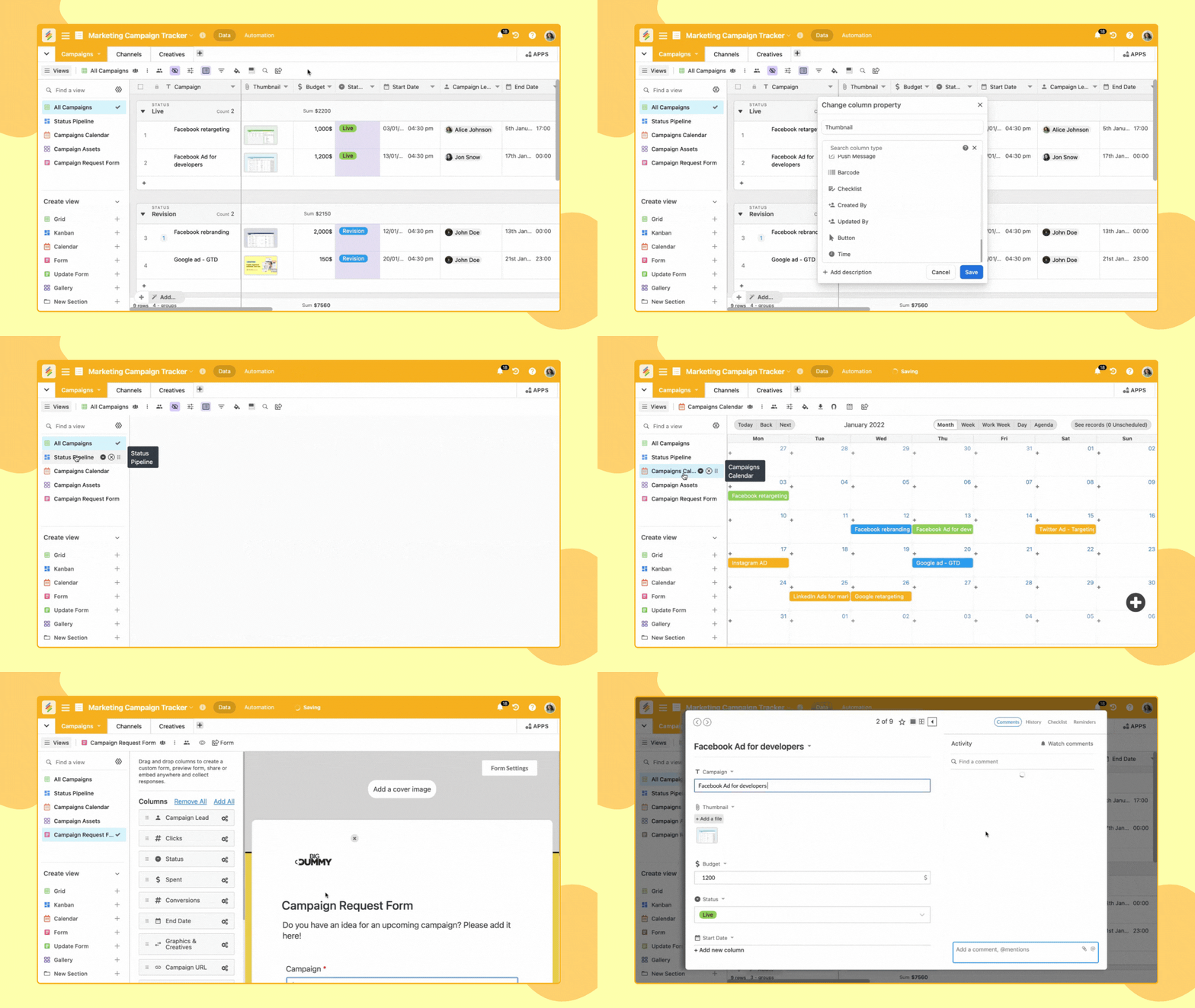
Build and customize databases using 30+ column types, including attachments, dropdowns, and formulas.
-
Import existing data from Google Sheets, Excel, and Airtable to get started quickly.
-
Link records and look up related information to maintain a single source of truth.
-
Visualize data in eight different views, including Kanban boards, calendars, and timelines.
Get Lifetime Access to Stackby Today
2. No-Code Automations
Stackby takes repetitive tasks off your plate by offering Zapier-style automations that don’t require coding. You can:
-
Automatically create and update records from form submissions or incoming webhooks.
-
Send emails and WhatsApp messages based on triggers without manual input.
-
Sync multiple databases to keep all your information updated in real time.
These automations are perfect for managing sales pipelines, tracking marketing goals, and handling customer data effortlessly.
3. Customizable Forms
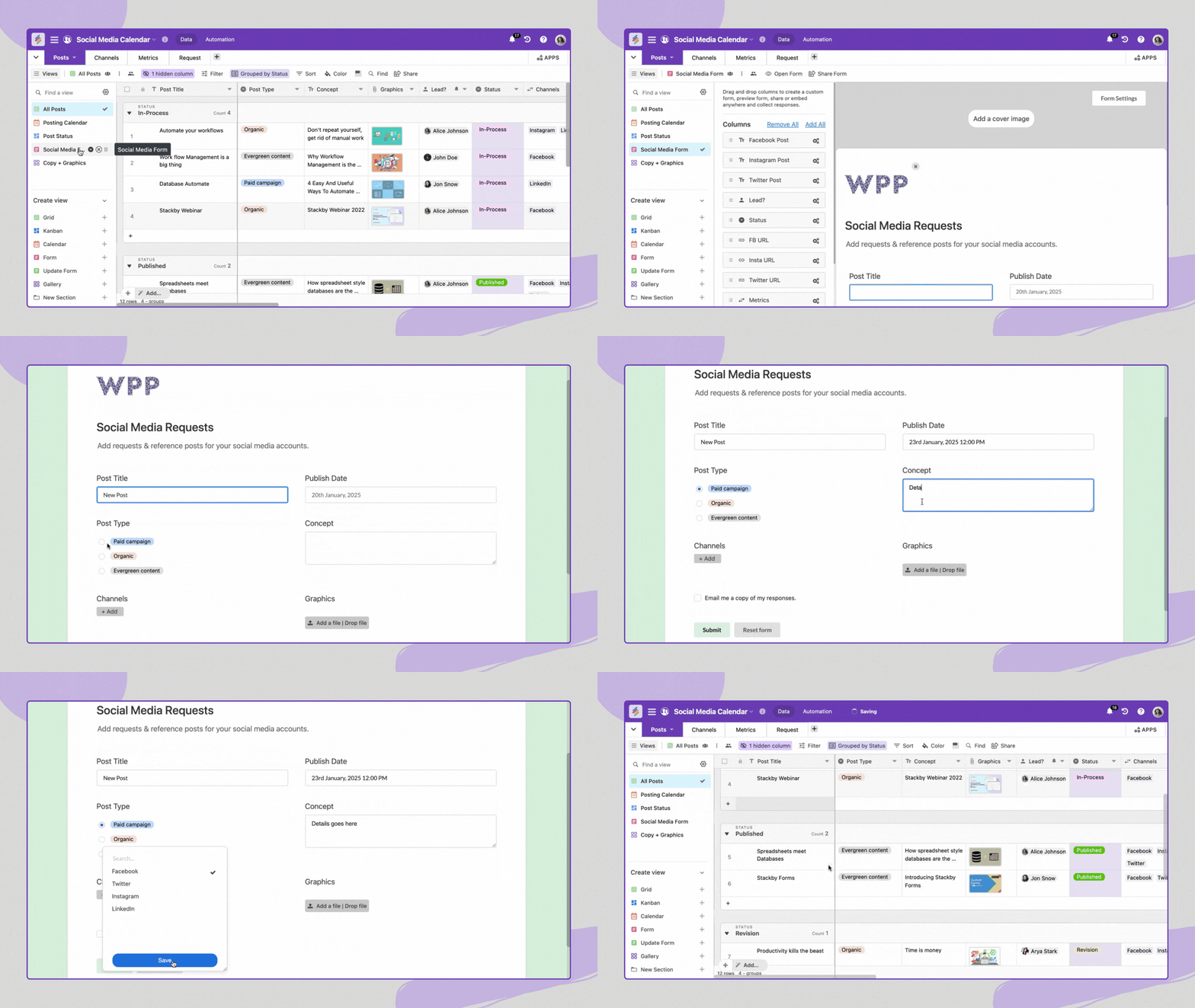
Need to collect data from stakeholders or clients? Stackby makes it easy with custom forms that feed directly into your database.
-
Share forms with internal teams or external clients to collect information.
-
Automatically update records with new form submissions.
-
Add comments, checklists, and reminders to collaborate in real-time across devices.
Get Lifetime Access to Stackby Today
4. Advanced Data Visualization
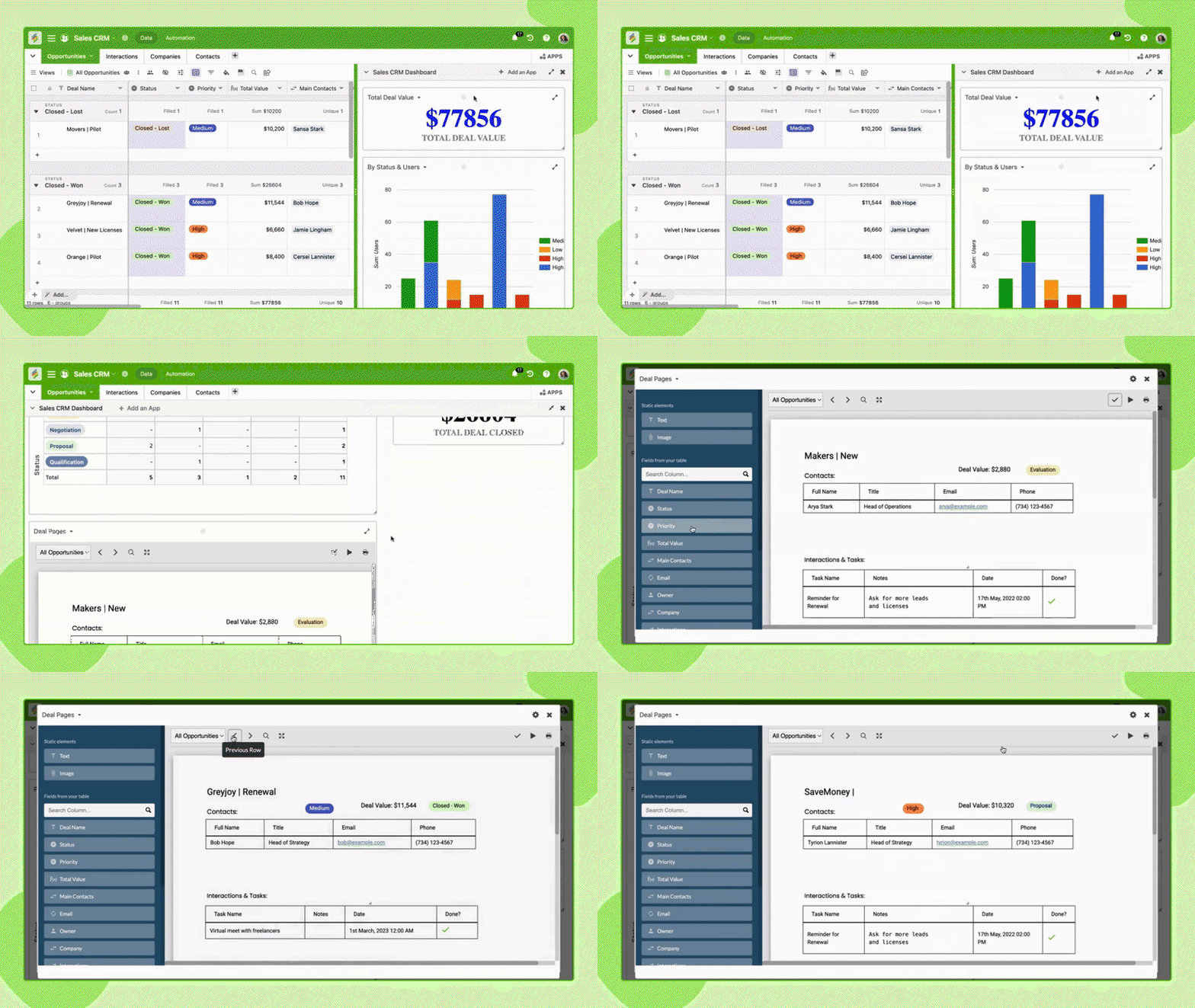
Stackby doesn’t just store data—it helps you understand it. With customizable dashboards, you can:
-
Create charts, goal trackers, and pivot tables to monitor key metrics.
-
Design branded invoices, quotes, and one-pagers directly from your data.
-
Pull real-time insights from external apps like Meta Ads, YouTube, and Google Analytics.
5. Seamless Integrations
Stackby integrates with popular tools and services to keep your workflows connected:
-
Slack: Keep your team informed with automated updates.
-
Zapier: Connect to thousands of apps and automate cross-platform tasks.
-
Microsoft Teams: Collaborate on databases without leaving your chat.
-
Pabbly Connect: Set up advanced multi-step automations.
AI Software Reviews
Sterling Stock Picker Review | Surfast Video Downloader Review | Vento Screen Recorder Review | Worklenz Review | WriteSeed Review | Mystrika Review | Documentero Review | Leadrocks Plus Exclusive Review | SmatLeads Review | Trainwel Review
Who is Stackby Best For?
Stackby is designed for businesses and professionals who need flexible, automated data management. It’s an ideal solution for:
-
Marketing Agencies: Automate reporting, track client campaigns, and manage deliverables.
-
Project Managers: Monitor timelines, assign tasks, and manage team collaboration.
-
Small Businesses: Organize customer data, track sales, and manage operations without complex software.
If you’re currently using tools like Airtable, ClickUp, or Monday.com, Stackby offers a more flexible and affordable alternative.
Get Lifetime Access to Stackby Today
How to Get Started with Stackby
Getting started with Stackby is straightforward. Here’s a step-by-step guide:
-
Sign Up: Create an account on Stackby’s website.
-
Choose a Template: Select from over 1,000 pre-built templates or start from scratch.
-
Import Data: Bring in your existing data from Google Sheets, Excel, or Airtable.
-
Customize: Add fields, set up automations, and design dashboards.
-
Share & Collaborate: Share views, forms, and dashboards with your team and clients.
With a user-friendly interface and plenty of resources, you can have your first automated database running in minutes.
Pros and Cons of Stackby
Pros
-
User-Friendly Interface: No coding skills required.
-
Powerful Automations: Save time with Zapier-style triggers.
-
Custom Dashboards: Visualize key metrics in real-time.
-
Flexible Integrations: Connect with popular apps like Slack and Google Analytics.
-
Affordable: Cost-effective compared to alternatives like Airtable.
Cons
-
Learning Curve: Advanced features may require some initial learning.
-
Limited Mobile Functionality: Some advanced features are best used on desktop.
Is Stackby Worth It?
If you want to simplify data management, automate workflows, and collaborate seamlessly, Stackby is a fantastic investment. It offers the flexibility of a spreadsheet with the power of a database, all without requiring technical knowledge.
For businesses drowning in spreadsheets and manual tasks, Stackby provides a clear path to greater efficiency and better collaboration.
Get Lifetime Access to Stackby Today
Final Thoughts
In this Stackby review, I’ve covered how the platform helps businesses manage data, automate workflows, and visualize information. With powerful features like custom databases, no-code automations, and real-time insights, Stackby is a robust and accessible tool for any team.
If you’re ready to take control of your data and streamline your operations, Stackby could be the perfect solution.
Get Lifetime Access to Stackby Today and start managing your data on autopilot.
AI Software Reviews
Rendercut Review | BerqWP Review | Outscraper Review | Flipbooklets Review | Deftform Review | Show Review | Group Collector Review | IdeaBuddy Review | Highlighted AI Review | Insecure Web Review
Browse the Shop
 Acacia frida deluxe solid wood bed frame |
Bedroom bench |
Bed chest drawers |
Lingerie dresser |
Frame base |
Mirror with jewelry storage |
30 Bathroom Vanity |
Memory foam queen mattress |
Mattresses for back pain |
Nightstand set of 2 |
Grand Goldman Shop |
Civil Lawyer
Deutschland Trikot WM 2026
Acacia frida deluxe solid wood bed frame |
Bedroom bench |
Bed chest drawers |
Lingerie dresser |
Frame base |
Mirror with jewelry storage |
30 Bathroom Vanity |
Memory foam queen mattress |
Mattresses for back pain |
Nightstand set of 2 |
Grand Goldman Shop |
Civil Lawyer
Deutschland Trikot WM 2026










