

Creating or improving your resume with AI is now easier than ever. Whether you're starting from scratch or want to polish an existing CV, artificial intelligence can help you build a template, organize your information, and make your resume more attractive to employers.
In this guide, we'll share practical tips and free tools to help you leverage AI for a standout resume.
Find Original Home Decor sparking conversation at Grand Goldman Shop.

Why Use AI for Your Resume?
AI can save you time and help you tailor your resume to specific job openings. It can suggest phrasing, highlight relevant skills, and even analyze job descriptions to align your content. But AI isn't a magic wand—you need to provide the raw material.

Before diving in, clarify your career goals. Are you aiming for a promotion, changing industries, or re-entering the workforce? Your objectives will shape the content and tone of your resume.
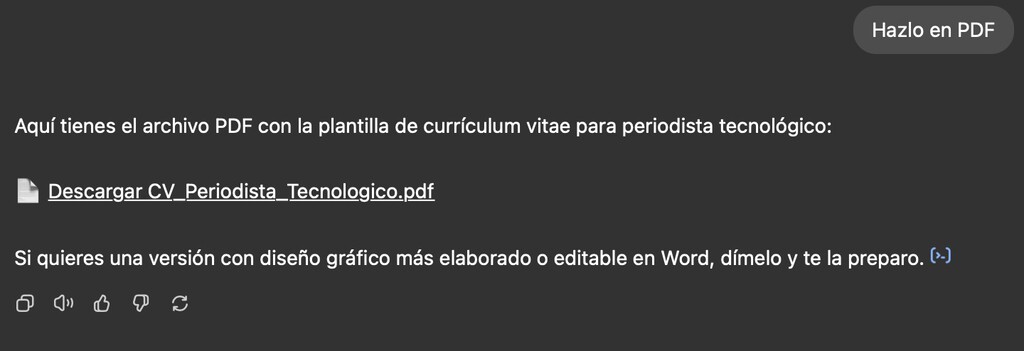
Prepare Your Information
AI can't guess your work history or achievements. Gather all relevant details first: employment dates, quantifiable accomplishments, skills, and education. The more specific you are, the better the AI can assist.

- Work history: List jobs with dates and key responsibilities.
- Achievements: Include measurable results (e.g., increased sales by 20%).
- Skills: Technical and soft skills relevant to your target role.
- Education: Degrees, certifications, and training.
- Job descriptions: Save listings you're interested in to tailor your resume.
Step-by-Step: Create a Resume with AI
1. Choose an AI Resume Builder
Several free tools can generate a resume from scratch. Look for ones that offer templates and customization. Popular options include Google Docs templates with AI features, Canva's AI resume builder, and specialized sites like Resume.io or Zety.
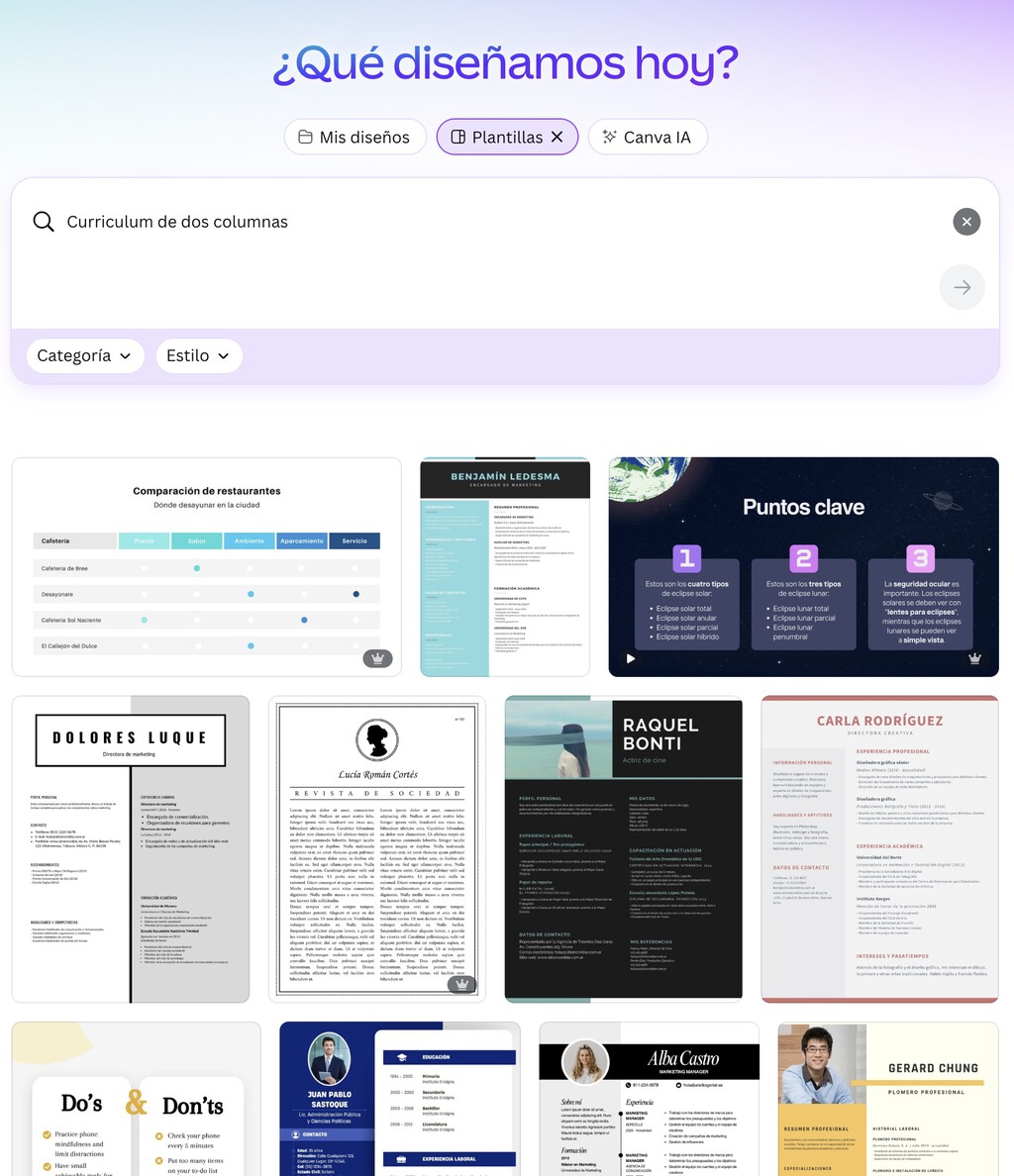
2. Input Your Details
Provide your prepared information. The AI will organize it into a standard format. You can then edit the output to add a personal touch.
3. Customize for Each Job
Use AI to analyze job descriptions and suggest keywords. Paste the job ad into a tool like ChatGPT and ask it to highlight key skills. Then, adjust your resume to include those terms naturally.
Improve an Existing Resume with AI
If you already have a resume, AI can help you refine it. Here's how:
1. Analyze for Gaps
Ask AI to review your resume for missing elements or weak phrasing. For example, you can prompt: "Review my resume and suggest improvements for a marketing manager role."
2. Enhance Language
AI can rephrase bullet points to be more impactful. Use action verbs and quantify achievements. For instance, change "Responsible for sales" to "Drove 30% sales growth through strategic partnerships."
3. Tailor to Job Descriptions
Adapt your resume for each application by aligning keywords. AI can compare your resume to a job description and suggest edits. The background to this story is set out in Beca MEC 2026/27: Step-by-Step Guide to September Application Process. A related thread runs through Philosophy Degree Jobs: How AI Is Creating New Career Paths. Earlier coverage in AI Content Creation Is Creating New Gatekeepers on the Internet shows how the argument developed.
Free AI Tools for Resume Building
Here are some free tools to get started:
| Tool | Features | Best For |
|---|---|---|
| ChatGPT | Content generation, rewriting, keyword analysis | Customizing bullet points and summaries |
| Canva | AI resume builder with templates | Visual design and layout |
| Google Docs | Smart Compose, templates | Basic resume creation |
| Zety | AI-powered resume builder | Step-by-step guidance |
| Resume.io | AI content suggestions | Quick generation |
Best Practices and Pitfalls
While AI is powerful, avoid over-reliance. Always proofread for accuracy and tone. Ensure your resume reflects your authentic voice and achievements. Don't let AI invent details—you're responsible for the truth. A closer look at the same subject appears in 15 Hilariously Honest Job Application Answers That (Sometimes) Got People Hired. Anyone following the wider picture can start with Peel-and-Stick Flooring: Tips, Tricks & Application Video. The same theme surfaces in Trending: latest articles, which takes a different angle.
Also, keep formatting clean and ATS-friendly. Many companies use applicant tracking systems, so simple layouts and standard headings work best. Context on how this played out before sits in Hosting.com Black Friday: AI Website Builder for Under €2. A companion piece, Hostinger Connector: AI Extension to Design and Manage Your Website, approaches the same subject from another angle.
FAQ
Can AI write my entire resume for me?
AI can generate a draft, but you must provide the details and review the output. It's a tool to assist, not replace, your input.
Is it ethical to use AI for my resume?
Yes, as long as the information is accurate. AI helps with phrasing and organization, but the content should be truthful.
Will AI help me pass ATS scans?
AI can suggest keywords and formatting that align with job descriptions, improving your chances. However, ensure your resume remains readable and honest.
What are the best free AI tools for resumes?
ChatGPT, Canva, Google Docs, Zety, and Resume.io offer free tiers. Choose based on your needs—content help or design.
Browse the Shop
 Acacia frida deluxe solid wood bed frame |
Bedroom bench |
Bed chest drawers |
Lingerie dresser |
Frame base |
Mirror with jewelry storage |
30 Bathroom Vanity |
Memory foam queen mattress |
Mattresses for back pain |
Nightstand set of 2 |
Grand Goldman Shop |
Civil Lawyer
Deutschland Trikot WM 2026







