

Learning how to schedule WhatsApp messages on Android and iPhone can save you time and ensure you never miss an important send. While WhatsApp doesn't yet offer a native scheduling feature, you can use workarounds on both platforms. This guide explains the methods, their risks, and what to expect in the future.
Why Schedule WhatsApp Messages?
Scheduling messages is useful for sending birthday wishes, reminders, or business updates at the right moment. It helps you stay organized and maintain communication even when you're busy. However, since WhatsApp doesn't officially support scheduling, you'll need to rely on third-party tools or built-in automation.
Find Original Home Decor sparking conversation at Grand Goldman Shop.

How to Schedule WhatsApp Messages on iPhone
On iOS, you can use the Shortcuts app to automate message sending. This is a native Apple solution, but it requires setting up a personal automation. Here's how to do it:
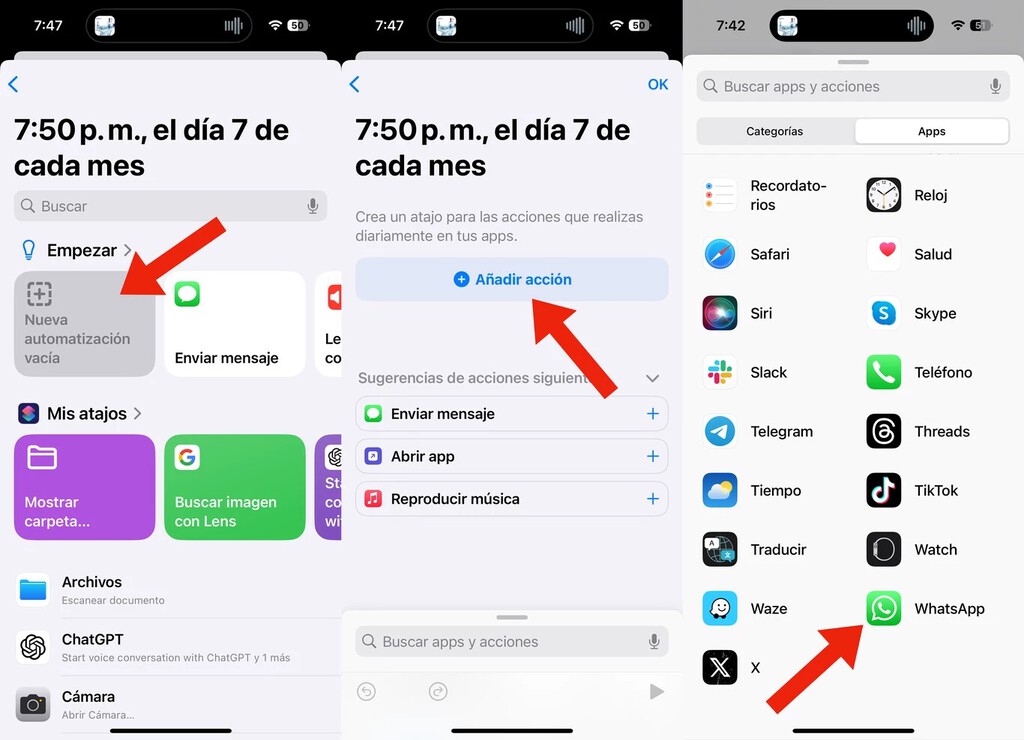
- Open the Shortcuts app on your iPhone.
- Tap Automation at the bottom, then Create Personal Automation.
- Choose Time of Day and set the desired time and frequency.
- Select Run Immediately to execute the automation at that time.
- Tap Next, then Add Action.
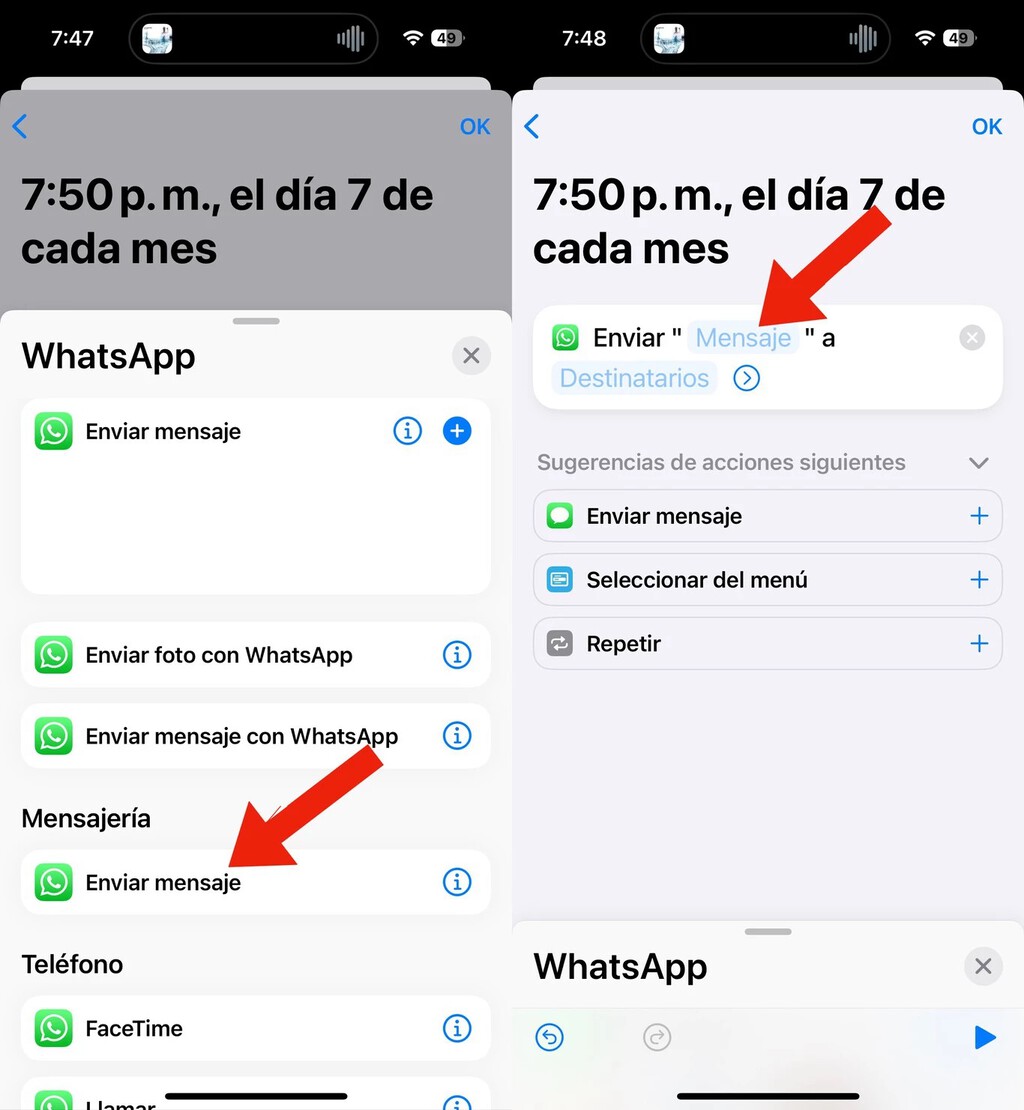
- Search for WhatsApp and select Send Message.
- Enter your message and choose recipients, then save the automation.
This method works reliably but requires you to confirm the automation if you choose Ask Before Running. For true scheduling, select Run Immediately.
How to Schedule WhatsApp Messages on Android
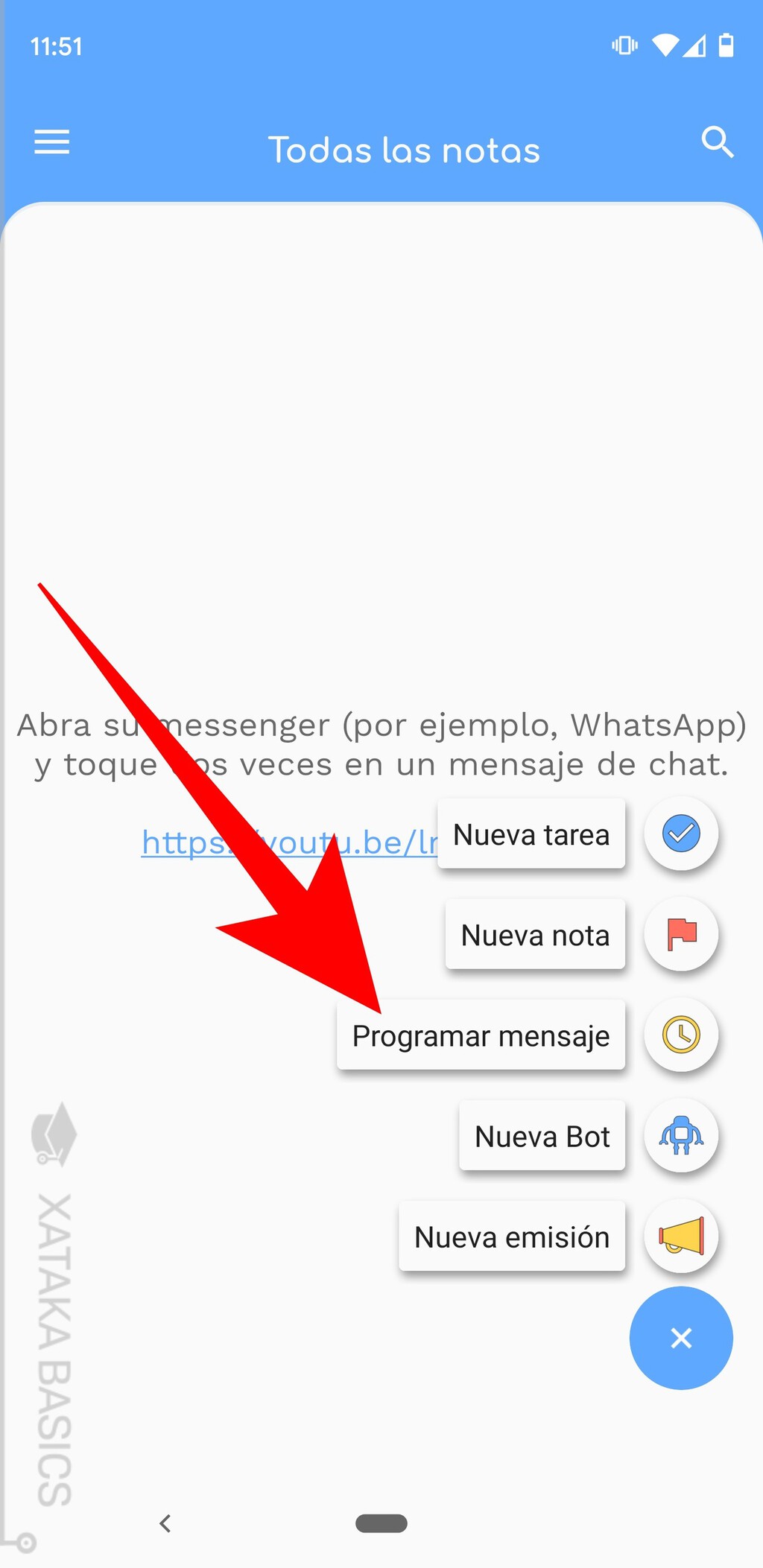
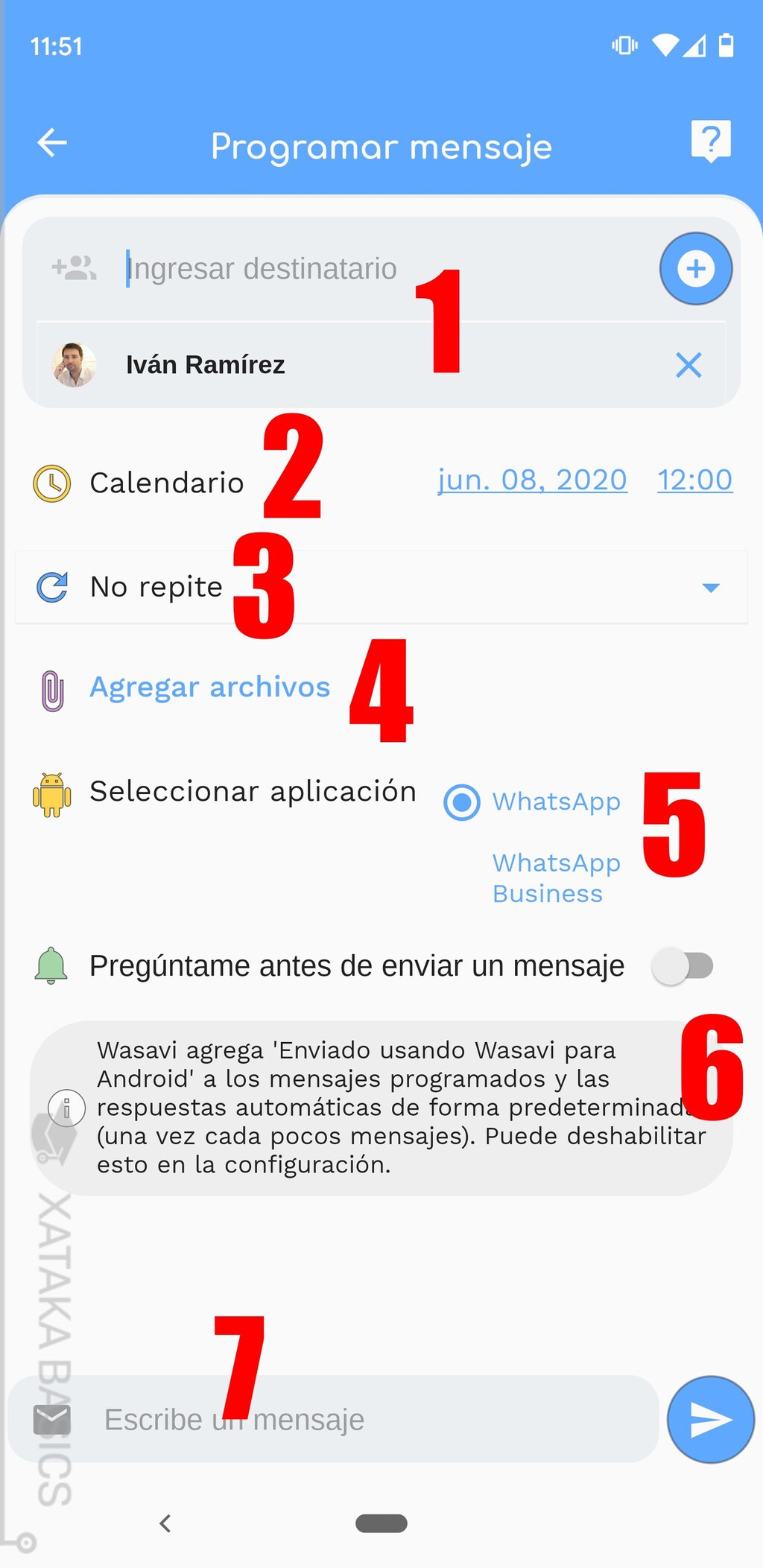
Android lacks a built-in automation tool as robust as Shortcuts, so you'll need third-party apps. Popular options include Scheduler for WhatsApp and AutoResponder for WhatsApp. These apps use accessibility services to send messages at set times.
However, be cautious: third-party apps can pose privacy risks and may violate WhatsApp's terms of service. They also require extensive permissions, which could compromise your data. Always read reviews and use reputable apps.
Risks and Limitations
Both methods have drawbacks. On iPhone, automations may not work if your phone is locked or if WhatsApp updates break the integration. On Android, third-party apps can be unreliable and may stop working after WhatsApp updates. Moreover, scheduling messages without user confirmation might lead to unintended sends.
WhatsApp's terms prohibit unauthorized automation, so use these methods at your own risk. The company is reportedly working on a native scheduling feature, which would be the safest option. The background to this story is set out in WhatsApp Message Scheduling Beta: What It Means for Users. A related thread runs through Birthday to Me: 250+ Quotes, Wishes and Messages That Wow (Guide). Earlier coverage in Grown Son Birthday Wishes: Heartfelt Messages Every Parent Needs shows how the argument developed.
Comparison of Methods
| Platform | Method | Pros | Cons |
|---|---|---|---|
| iPhone | Shortcuts app | Native, free, reliable | Requires setup, may need confirmation |
| Android | Third-party apps | Easy to use | Privacy risks, unreliable, may violate terms |
What to Watch For
WhatsApp is testing a native scheduling feature in beta. Once rolled out, it will allow users to schedule messages directly within the app, eliminating the need for workarounds. Keep your app updated to get the feature as soon as it's available. A closer look at the same subject appears in iPhone Duo Continuity: The Real Feature Android Should Copy. Anyone following the wider picture can start with Wedding Anniversary Wishes to Old Couple: 100+ Heartfelt Messages. The same theme surfaces in Why Sending Myself a Letter Revealed What's Missing in a WhatsApp, which takes a different angle.
In the meantime, if you must schedule messages, prefer the iPhone method for security. On Android, consider waiting for the official feature rather than risking third-party apps. Context on how this played out before sits in Why Turning Off WhatsApp Blue Ticks Is the New Power Move. A companion piece, NWSL 2027 Schedule: Early Start, Summer Break for World Cup, approaches the same subject from another angle.
Frequently Asked Questions
Can I schedule WhatsApp messages natively?
Not yet. WhatsApp is working on a native scheduling feature, but it's not available to all users. Currently, you need workarounds like Shortcuts on iPhone or third-party apps on Android.
Is it safe to use third-party apps for scheduling WhatsApp messages?
Third-party apps can pose privacy risks and may violate WhatsApp's terms. They often require sensitive permissions. Use them cautiously and stick to reputable apps with good reviews.
Will scheduled messages send if my phone is off?
No. Scheduled messages require your phone to be on and connected to the internet. If your phone is off or offline, the automation may fail or delay.
Does WhatsApp ban accounts for using automation?
WhatsApp's terms prohibit unauthorized automation, and repeated violations could lead to account suspension. Use scheduling sparingly and avoid spammy behavior.
Browse the Shop
 Acacia frida deluxe solid wood bed frame |
Bedroom bench |
Bed chest drawers |
Lingerie dresser |
Frame base |
Mirror with jewelry storage |
30 Bathroom Vanity |
Memory foam queen mattress |
Mattresses for back pain |
Nightstand set of 2 |
Grand Goldman Shop |
Civil Lawyer
Deutschland Trikot WM 2026
Acacia frida deluxe solid wood bed frame |
Bedroom bench |
Bed chest drawers |
Lingerie dresser |
Frame base |
Mirror with jewelry storage |
30 Bathroom Vanity |
Memory foam queen mattress |
Mattresses for back pain |
Nightstand set of 2 |
Grand Goldman Shop |
Civil Lawyer
Deutschland Trikot WM 2026







