

When searching for the best keyboards for typing and work, the sheer number of options can be overwhelming. Whether you need a keyboard for productivity, programming, or gaming, the right choice can significantly impact your comfort and efficiency. In this guide, we break down the key factors to consider and recommend seven models that offer excellent value for different needs.
Why the Right Keyboard Matters for Work and Typing
A good keyboard is more than just an input device; it's a tool you use for hours every day. The wrong keyboard can lead to discomfort, fatigue, and even repetitive strain injuries. The right one can make typing feel effortless and keep you productive throughout the day.
Find Original, High-end Home Decor that spark conversation at Grand Goldman Shop.
For work and typing, factors like key travel, tactile feedback, noise level, and ergonomics are crucial. Mechanical keyboards, in particular, have gained popularity for their satisfying feel and durability, but they vary widely in switch types and features.
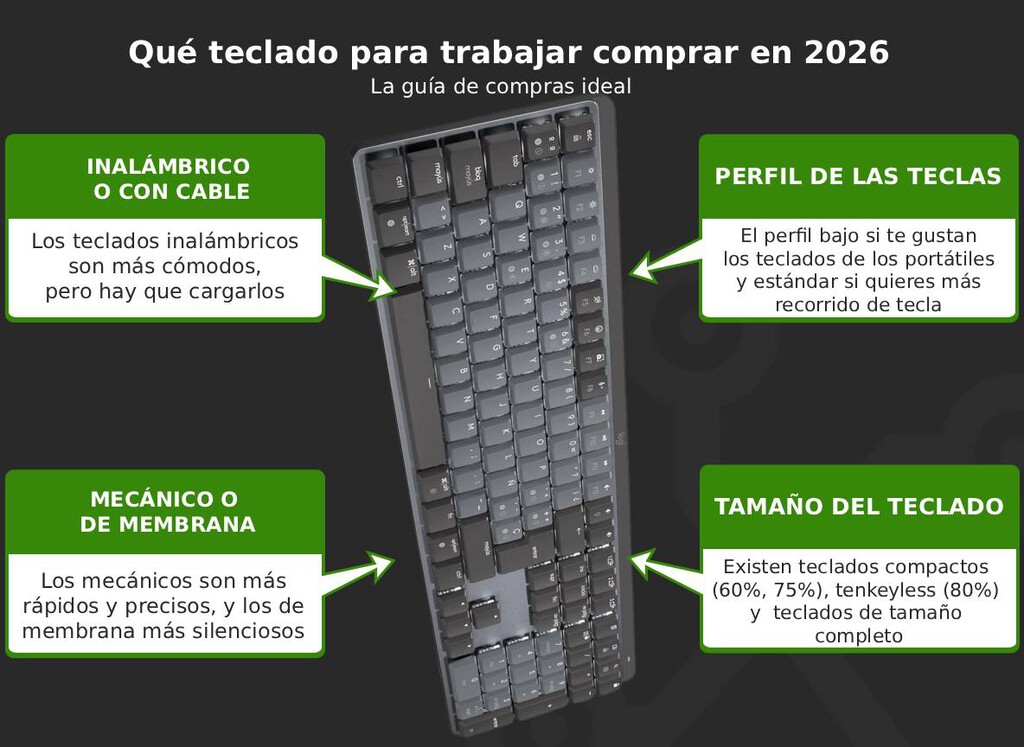
Key Factors to Consider When Choosing a Keyboard
Before diving into specific models, it's important to understand what makes a keyboard suitable for typing and work. Here are the main considerations:
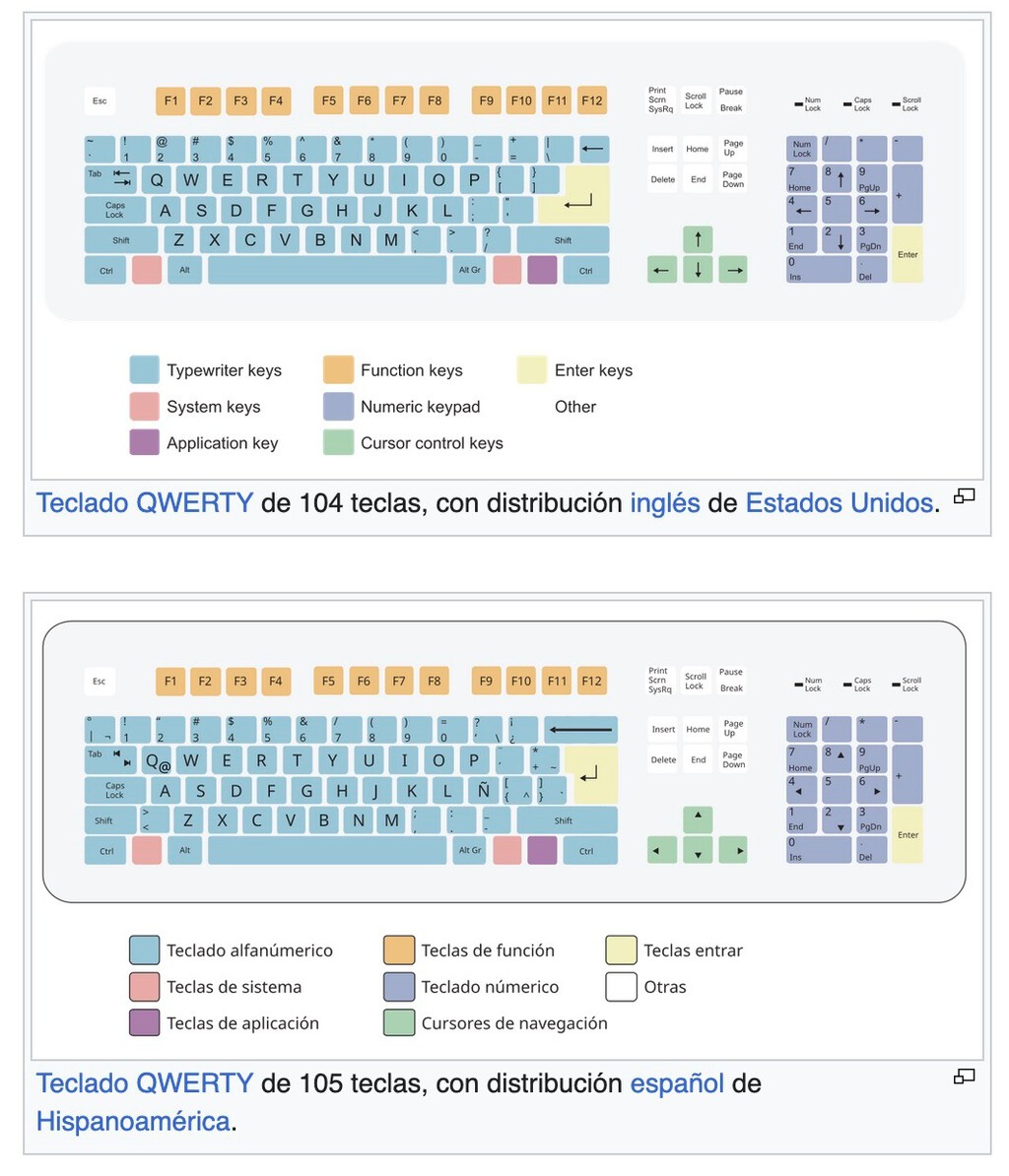
- Switch type: Mechanical switches (tactile, linear, or clicky) vs. membrane or scissor switches. Tactile switches offer feedback without excessive noise, ideal for shared offices.
- Connectivity: Wired, Bluetooth, or wireless with a dongle. Multi-device support is a plus for switching between computers.
- Build quality: Materials like metal or high-quality plastic ensure durability and a premium feel.
- Ergonomics: Low-profile designs, adjustable tilt, and palm rests can reduce strain.
- Battery life: For wireless keyboards, look for long battery life and smart power management.
- Backlighting: Useful for low-light environments, but can drain battery.
With these factors in mind, let's look at the top recommendations.
Top Keyboard Recommendations for Typing and Work
We've selected seven keyboards that excel in different areas, from premium mechanical models to budget-friendly options. Each has been chosen for its value proposition and suitability for typing and work tasks.
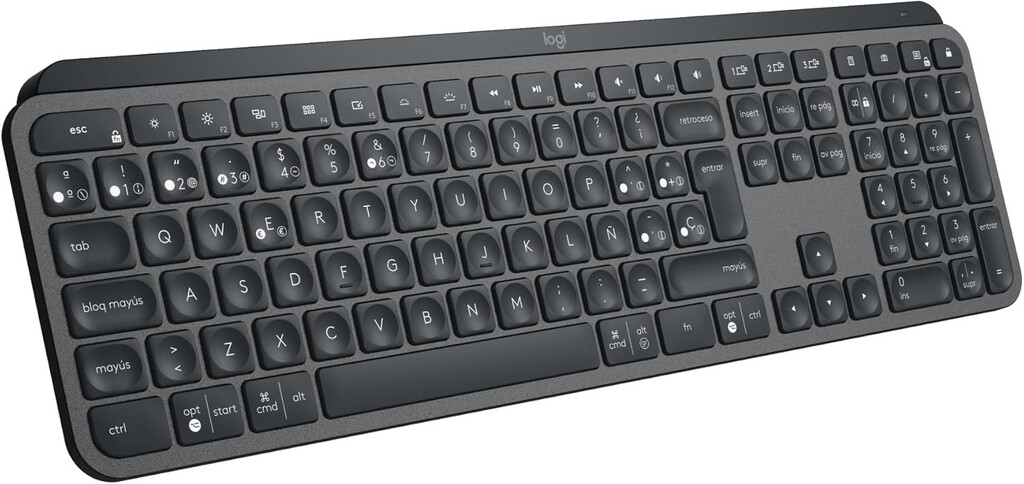
1. Logitech MX Mechanical: Best Overall for Productivity
The Logitech MX Mechanical is a low-profile mechanical keyboard designed for work and typing. It features Tactile Quiet switches that provide a satisfying tactile bump with reduced noise, making it suitable for office environments. The keycaps are wide and grippy, and the keyboard has a premium metal build.
It includes smart backlighting that turns on when your hands approach and adjusts to ambient light. You can connect up to three devices via Bluetooth Low Energy or the Logi Bolt receiver, and it supports multiple operating systems. Battery life is impressive: up to 15 days with backlighting on, or up to 10 months with it off. This makes it a top choice for professionals who value both performance and convenience.
2. Keychron K8: Best Wireless Mechanical for Mac and Windows
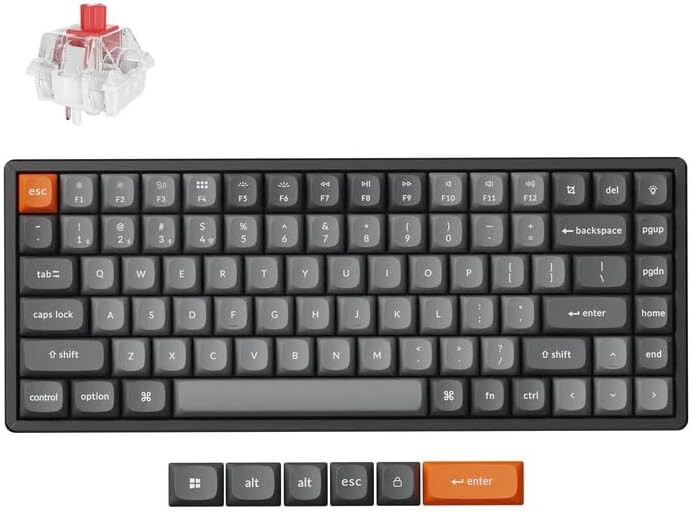
The Keychron K8 is a tenkeyless wireless mechanical keyboard that works seamlessly with both Mac and Windows. It offers hot-swappable switches, allowing you to customize the feel without soldering. The aluminum frame adds durability, and the battery life is solid for wireless use.
It's a favorite among programmers and writers for its compact layout and compatibility. The K8 provides a great balance of price and features, making it a strong contender for those who want a mechanical keyboard without breaking the bank.
3. Logitech MX Keys: Best Low-Profile Membrane for Silent Typing
If you prefer a quieter, membrane-style keyboard, the Logitech MX Keys is an excellent choice. It features low-profile keys with a scissor mechanism that provides a responsive and quiet typing experience. The backlighting is smart, turning on when you approach, and it supports multi-device connectivity via Bluetooth or Logi Bolt.
The MX Keys is designed for productivity, with a full-size layout and customizable keys. Its battery life lasts up to 10 days with backlighting on, or up to 5 months with it off. For those who want a premium typing experience without mechanical noise, this is a top pick.
4. Razer Pro Type Ultra: Best for Office and Gaming Hybrid
The Razer Pro Type Ultra is a wireless mechanical keyboard that blends office aesthetics with gaming-grade performance. It uses Razer's Yellow linear switches, which are quiet and smooth, making them suitable for shared spaces. The keyboard has a soft-touch coating and white backlighting for a professional look.
It offers multi-device support and long battery life (up to 214 hours with backlighting off). The Pro Type Ultra is a versatile option for users who need a keyboard that can handle both work and play.
5. Apple Magic Keyboard: Best for Mac Users
For Mac users, the Apple Magic Keyboard is a natural choice. It features a low-profile design with scissor switches that provide a comfortable and quiet typing experience. The keyboard integrates seamlessly with macOS, with function keys for brightness, media control, and more.
It has a built-in rechargeable battery that lasts about a month, and it connects via Bluetooth. While it's not mechanical, its build quality and ecosystem integration make it a reliable option for typing and work on Apple devices.
6. Redragon K552 Kumara: Best Budget Mechanical Keyboard
The Redragon K552 Kumara is a budget-friendly mechanical keyboard that doesn't skimp on features. It has a compact tenkeyless design, durable construction, and customizable RGB backlighting. It uses Outemu mechanical switches, which are available in blue (clicky), brown (tactile), or red (linear) variants. The longer history behind the story is traced in Ugreen MagFlow Pro: World's First Power Bank With Liquid Cooling.
Despite its low price, the K552 offers a solid typing experience and is a great entry point for those new to mechanical keyboards. It's wired, so no battery concerns, and it's built to last. The background to this story is set out in Best Mid-Range Phones for Value: Top 7 Picks for Every User. A related thread runs through Best Value Samsung Phones in 2026: Top 5 Picks for Every User. Earlier coverage in 20mph Speed Limits: How They Benefit Every Road User shows how the argument developed.
7. Microsoft Sculpt Ergonomic Keyboard: Best for Ergonomics
If comfort is your top priority, the Microsoft Sculpt Ergonomic Keyboard is designed to reduce strain. It features a split key layout, a cushioned palm rest, and a negative tilt that promotes a natural wrist position. The keys are membrane-based with a quiet, responsive feel. A closer look at the same subject appears in 10 Best MMO Gaming Keyboards (Reviews). Anyone following the wider picture can start with 10 Best Keyboard Switch for Gaming (Reviews). The same theme surfaces in Trending: latest articles, which takes a different angle.
It includes a separate numeric keypad and uses 2.4GHz wireless connectivity. While it's not mechanical, its ergonomic design makes it ideal for long typing sessions and users prone to wrist pain. Context on how this played out before sits in G-Lab KEYZ Elite 300 & 400 Wireless Mechanical Keyboards Hit Spain. A companion piece, Best Honor Phones for Value: Top Models and Which to Buy, approaches the same subject from another angle.
Comparison Table: Key Specs at a Glance
| Keyboard | Type | Connectivity | Battery Life | Best For |
|---|---|---|---|---|
| Logitech MX Mechanical | Mechanical (Tactile Quiet) | Bluetooth, Logi Bolt | Up to 15 days (backlight on) / 10 months (off) | Overall productivity |
| Keychron K8 | Mechanical (hot-swappable) | Bluetooth, USB-C | Up to 240 hours (backlight off) | Mac/Windows users |
| Logitech MX Keys | Membrane (scissor) | Bluetooth, Logi Bolt | Up to 10 days (backlight on) / 5 months (off) | Silent typing |
| Razer Pro Type Ultra | Mechanical (linear) | Bluetooth, 2.4GHz | Up to 214 hours (backlight off) | Office and gaming |
| Apple Magic Keyboard | Membrane (scissor) | Bluetooth | About 1 month | Mac ecosystem |
| Redragon K552 Kumara | Mechanical (Outemu) | Wired USB | N/A | Budget buyers |
| Microsoft Sculpt Ergonomic | Membrane | 2.4GHz wireless | Up to 12 months | Ergonomics |
Frequently Asked Questions
What is the best keyboard for typing and work?
The best keyboard depends on your preferences. For a premium mechanical option with quiet switches, the Logitech MX Mechanical is excellent. If you prefer a membrane keyboard, the Logitech MX Keys offers a great typing experience. Consider factors like switch type, connectivity, and ergonomics.
Are mechanical keyboards better for typing?
Mechanical keyboards are often preferred for typing because they provide tactile feedback and durability. However, membrane keyboards can also be comfortable and are typically quieter. The best choice depends on your personal preference and work environment.
How much should I spend on a keyboard for work?
You can find good keyboards at various price points. Budget options like the Redragon K552 offer great value for around $40, while premium models like the Logitech MX Mechanical can cost over $150. Consider your needs and how much you're willing to invest in comfort and features.
Can I use a gaming keyboard for work?
Yes, many gaming keyboards are suitable for work, especially those with quiet switches like linear or tactile options. The Razer Pro Type Ultra is designed for both office and gaming use. Just ensure the keyboard has a professional look if you work in an office.
Choosing the right keyboard can transform your typing experience and boost productivity. Whether you prioritize tactile feedback, silence, ergonomics, or budget, there's a model on this list that fits your needs. Invest in a keyboard that feels comfortable and suits your workflow, and you'll notice the difference in your daily work.
Browse the Shop
 Acacia frida deluxe solid wood bed frame |
Bedroom bench |
Bed chest drawers |
Lingerie dresser |
Frame base |
Mirror with jewelry storage |
30 Bathroom Vanity |
Memory foam queen mattress |
Mattresses for back pain |
Nightstand set of 2 |
Grand Goldman Shop |
Civil Lawyer
Deutschland Trikot WM 2026
Acacia frida deluxe solid wood bed frame |
Bedroom bench |
Bed chest drawers |
Lingerie dresser |
Frame base |
Mirror with jewelry storage |
30 Bathroom Vanity |
Memory foam queen mattress |
Mattresses for back pain |
Nightstand set of 2 |
Grand Goldman Shop |
Civil Lawyer
Deutschland Trikot WM 2026







