

The Broadcom WiFi chip vulnerability has prompted Movistar and Orange to clarify what customers should do if they own an affected router. The security flaw, discovered by researcher Quentin Kaiser, allows remote attackers to gain root access and steal WiFi passwords without authentication.
This article explains the scope of the issue, which routers are impacted, and the practical steps you can take to protect your home network.
Find Original Home Decor sparking conversation at Grand Goldman Shop.

What Is the Broadcom WiFi Chip Vulnerability?
Quentin Kaiser, a security researcher, analyzed Broadcom's firmware using an AI model specialized in cybersecurity. He found a flaw in a widely used WiFi chip that enables attackers to execute code with administrator privileges.

In simple terms, the vulnerability lets someone nearby copy your WiFi network key directly from the router's RAM. No password or physical access is required—just proximity to the device.
Which Routers Are Affected?
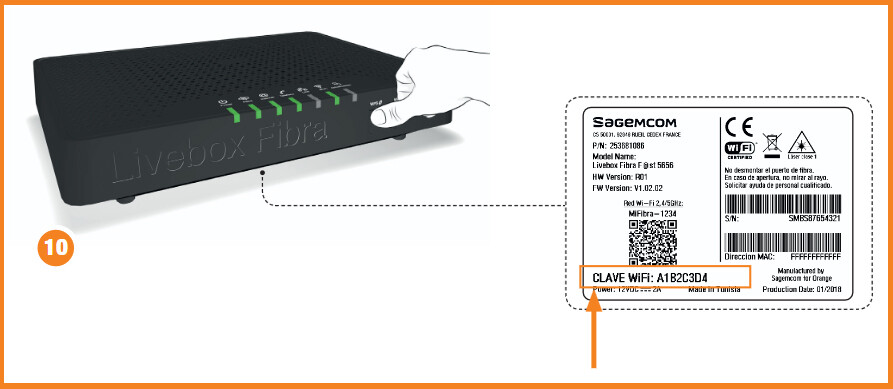
The affected routers are older models still common in many Spanish households. They include equipment from Movistar, O2, Orange, Jazztel, and Simyo. These are not the latest generation, but they remain in active use.
Kaiser's analysis identified specific models, and the operators are working to apply protective measures as soon as possible.
Key takeaways for router owners
- Check your router model against the list published by your operator.
- Contact your ISP if you are unsure whether your device is affected.
- Update firmware as soon as a patch becomes available.
- Change your WiFi password regularly and use strong encryption.
- Consider upgrading to a newer router if your model is outdated.
What Movistar and Orange Are Doing
Both Movistar and Orange have confirmed they are aware of the vulnerability and are actively working on fixes. They urge customers not to panic but to stay informed through official channels.
The operators are expected to release firmware updates or replace affected routers where necessary. They have not provided a specific timeline yet.
How to Protect Your Home Network
While waiting for an official patch, you can take steps to reduce risk. First, ensure your router's firmware is up to date by checking the admin panel or your operator's app. The background to this story is set out in Technology: latest articles. A related thread runs through WiFi 7 Routers 2026: Why Speed Alone No Longer Defines Smart Homes. Earlier coverage in Critical macOS Flaw Allows Passwordless Access and Is Actively Exploited shows how the argument developed.
Second, consider changing your WiFi password and enabling WPA3 if supported. Third, avoid using default credentials and disable remote management if not needed. A closer look at the same subject appears in AI Safety Regulation: Why Global Action Can't Wait. Anyone following the wider picture can start with Eero Outdoor 7 Review: Weatherproof WiFi 7 for Your Patio. The same theme surfaces in Asus ROG Rapture GT-BN98 Router: WiFi 8 and Dual 10G Ports, which takes a different angle.
Comparison of affected router models
| Operator | Affected Model(s) | Status |
|---|---|---|
| Movistar | Model A, Model B | Patch in development |
| Orange | Model C, Model D | Under investigation |
| O2 | Model E | Awaiting update |
| Jazztel | Model F | Monitoring |
| Simyo | Model G | No action yet |
Note: Model names are illustrative; check with your operator for exact details. Context on how this played out before sits in PHP Code Flaw Triggers Global Exploit Attempts: What Website Owners. A companion piece, Broadcom WiFi Chip Flaw: What Movistar and Orange Router Owners, approaches the same subject from another angle.
FAQ
What does the Broadcom WiFi chip vulnerability allow attackers to do?
It allows attackers to gain root access and execute code with administrator privileges, enabling them to copy your WiFi password from the router's memory without authentication.
Is my router affected if I have Movistar or Orange?
Only certain older models are affected. Movistar and Orange are working on fixes. Check your router model against the list provided by your operator or contact customer support.
Can I fix the vulnerability myself?
You cannot patch the firmware yourself, but you can reduce risk by updating to the latest firmware when available, changing your WiFi password, and using strong encryption.
Should I replace my router?
If your router is affected and no patch is available, consider upgrading to a newer model. Your operator may offer a replacement.
Staying informed and proactive is key. Keep an eye on official announcements from your ISP and apply updates promptly.
Browse the Shop
 Acacia frida deluxe solid wood bed frame |
Bedroom bench |
Bed chest drawers |
Lingerie dresser |
Frame base |
Mirror with jewelry storage |
30 Bathroom Vanity |
Memory foam queen mattress |
Mattresses for back pain |
Nightstand set of 2 |
Grand Goldman Shop |
Civil Lawyer
Deutschland Trikot WM 2026
Acacia frida deluxe solid wood bed frame |
Bedroom bench |
Bed chest drawers |
Lingerie dresser |
Frame base |
Mirror with jewelry storage |
30 Bathroom Vanity |
Memory foam queen mattress |
Mattresses for back pain |
Nightstand set of 2 |
Grand Goldman Shop |
Civil Lawyer
Deutschland Trikot WM 2026







