

Learning how to use NotebookLM to study and review for the new school year can transform the way you prepare for exams and organize your coursework. NotebookLM is Google's AI-powered tool that lets you ask questions and get answers based exclusively on the files and data you upload, such as your own class notes.
In this guide, we'll introduce you to the tool, explain the preliminary steps to get organized, and show you how to use it effectively for studying and reviewing throughout the school year.
Find Original, High-end Home Decor that spark conversation at Grand Goldman Shop.
What Is NotebookLM and How Does It Work?
NotebookLM is a Google tool built on Gemini. It is a platform where you can create notebooks, and in each one, upload specific sources. These sources can be files you upload manually, but also links or even YouTube videos.
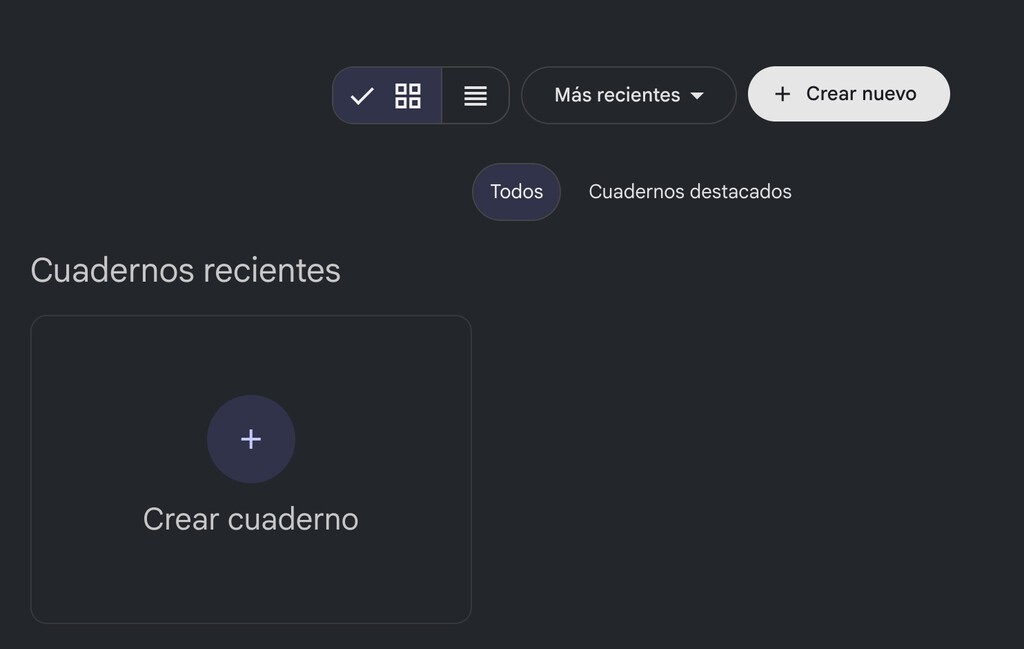
Once your notebook is set up with your own sources, you can ask Gemini questions, and the AI will respond based solely on the information in your sources. In other words, it won't search the internet for information; it will only use the sources you provide.

This means you can upload your exam syllabus and ask questions or create content based only on your notes and the syllabus. It won't pull information from anywhere else. You can even create separate notebooks for each subject to organize your notes.

Why NotebookLM Matters for Students
NotebookLM offers a powerful way to engage with your study materials actively. Instead of passively rereading notes, you can interact with the content, ask for explanations, and generate study aids tailored to your own materials.
Because the AI is restricted to your sources, you can trust that the answers are relevant to your course and not based on unrelated internet content. This makes it an excellent tool for exam preparation, especially for high-stakes tests like university entrance exams.
Additionally, NotebookLM can help you identify gaps in your understanding. By asking questions and seeing how the AI responds based on your notes, you can pinpoint areas where your notes may be incomplete or unclear.
Getting Started: Organizing Your Notebooks
Before you start using NotebookLM, it's important to organize your materials. Create a separate notebook for each subject or topic. This will keep your sources tidy and make it easier to find what you need.
Gather your notes, syllabi, and any other relevant documents. You can upload files in various formats, such as PDFs, text documents, and even links to online resources. Make sure your sources are clear and well-structured for the best results.
Step-by-Step Setup
- Create a notebook for each subject or exam.
- Upload your sources: notes, syllabi, articles, and videos.
- Review your sources to ensure they are accurate and complete.
- Start asking questions and generating study materials based on your sources.
- Update your notebooks regularly as you receive new materials.
How to Use NotebookLM for Studying and Reviewing
Once your notebook is set up, you can begin interacting with the AI. Ask questions about the content, request summaries, or generate practice questions. The AI will use only your sources to formulate responses.
For example, you can ask the AI to explain a complex concept from your notes in simpler terms. Or you can request a list of key points from a chapter. You can also generate quizzes to test your knowledge.
NotebookLM can also help you create study guides. By asking the AI to summarize the main ideas from your sources, you can quickly produce a condensed version of your notes for review. The longer history behind the story is traced in How to Use NotebookLM to Study and Review for the School Year.
Practical Use Cases
| Study Task | How NotebookLM Helps |
|---|---|
| Exam preparation | Ask questions based on your syllabus and notes to reinforce learning. |
| Summarizing chapters | Request concise summaries of lengthy texts. |
| Generating practice questions | Create quizzes from your materials to test yourself. |
| Clarifying concepts | Get explanations tailored to your notes. |
| Organizing study materials | Keep all sources in one notebook for easy access. |
Best Practices for Effective Use
To get the most out of NotebookLM, ensure your sources are high-quality and relevant. The AI's responses are only as good as the materials you provide. Take time to organize your notes and remove any irrelevant or outdated information. The background to this story is set out in Big AI's Push to Own Education-to-Work Pipeline Hurts Students. A related thread runs through Back to School Buys: 39 Brilliant Products for Work and Study. Earlier coverage in AI in Classrooms: Why Studies Now Show Harmful Effects on Students shows how the argument developed.
Use specific and clear questions when interacting with the AI. Vague questions may lead to less useful answers. Also, regularly update your notebooks with new materials as the school year progresses. A closer look at the same subject appears in Trending: latest articles. Anyone following the wider picture can start with Free Apps and Services for Students and Teachers in 2026. The same theme surfaces in School Schedule Templates 2026/27: Free Models for Canva, Word, Excel, which takes a different angle.
Remember that NotebookLM is a study aid, not a replacement for your own critical thinking. Use it to supplement your learning and to check your understanding, but always verify important information with your textbooks or instructor. Context on how this played out before sits in France School Protests: Students Demand Better Education. A companion piece, Volvo EX60: How AI and Google Gemini Redefine Driving, approaches the same subject from another angle.
FAQ
What is NotebookLM?
NotebookLM is a Google tool based on Gemini that allows you to create notebooks with specific sources and ask questions that are answered based only on those sources.
Can I use NotebookLM for free?
NotebookLM is currently available as a free tool, though there may be usage limits. Check Google's official page for the latest information.
Does NotebookLM search the internet for answers?
No, NotebookLM only uses the sources you upload to your notebook. It does not search the internet for information.
What types of sources can I upload?
You can upload files such as PDFs and text documents, as well as links and YouTube videos.
Browse the Shop
 Acacia frida deluxe solid wood bed frame |
Bedroom bench |
Bed chest drawers |
Lingerie dresser |
Frame base |
Mirror with jewelry storage |
30 Bathroom Vanity |
Memory foam queen mattress |
Mattresses for back pain |
Nightstand set of 2 |
Grand Goldman Shop |
Civil Lawyer
Deutschland Trikot WM 2026
Acacia frida deluxe solid wood bed frame |
Bedroom bench |
Bed chest drawers |
Lingerie dresser |
Frame base |
Mirror with jewelry storage |
30 Bathroom Vanity |
Memory foam queen mattress |
Mattresses for back pain |
Nightstand set of 2 |
Grand Goldman Shop |
Civil Lawyer
Deutschland Trikot WM 2026







