

Portable monitors for remote work have become essential tools for professionals who need a second screen while traveling. Traditional monitors are too bulky to carry, but modern portable displays are slim, lightweight, and powered by a single USB-C cable. In this guide, we highlight top models like the MSI Pro MP165A E6, Arzopa Z1C, and Asus ZenScreen MB165B, and explain why they are worth considering for your mobile setup.
Why Portable Monitors for Remote Work Matter
Working with two screens can dramatically improve productivity, but lugging a standard monitor when you move from home to office or while traveling is impractical. Portable monitors solve this by offering a secondary display that fits in a backpack alongside your laptop. They are designed for easy transport and quick setup, making them ideal for digital nomads and business travelers.
Find Original Home Decor sparking conversation at Grand Goldman Shop.

These monitors have evolved significantly: they now match the size of a tablet, draw power from a single USB-C connection, and deliver image quality that suffices for document work, light photo editing, and even casual gaming. If you want to set up a secondary workstation anywhere, these are the models to consider.
Top Portable Monitor Picks for Travel
MSI Pro MP165A E6: 15.6" FHD Portable Monitor
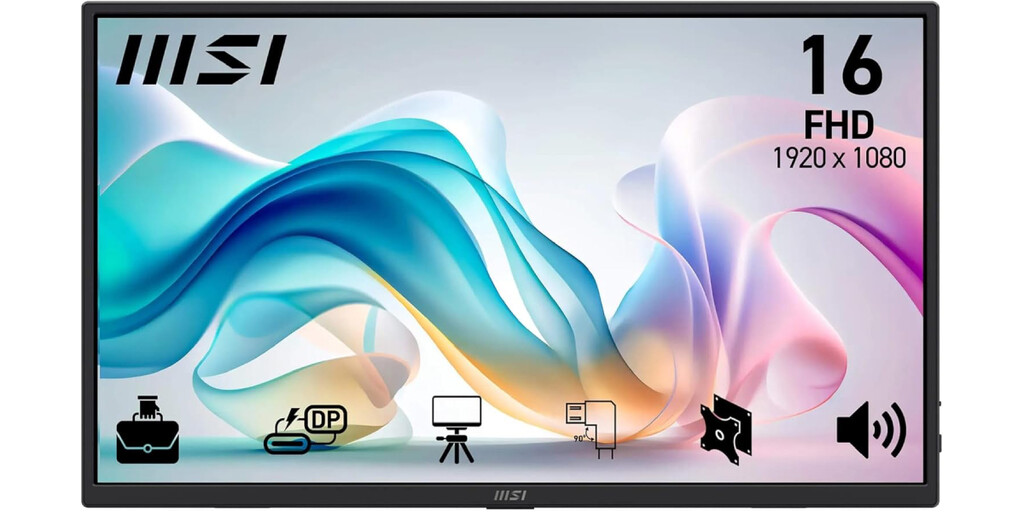
The MSI Pro MP165A E6 is a 15.6-inch Full HD portable monitor that balances screen size and portability. It features an IPS panel with 100% sRGB coverage and 300 nits brightness, ensuring vibrant colors and good visibility indoors.
Its standout design element is a built-in kickstand integrated into the aluminum chassis, eliminating the need for unstable magnetic covers. Connectivity is straightforward with two full-function USB-C ports (video and power over a single cable) and a Mini HDMI port.
Arzopa Z1C: 16.1" FHD IPS Portable Monitor
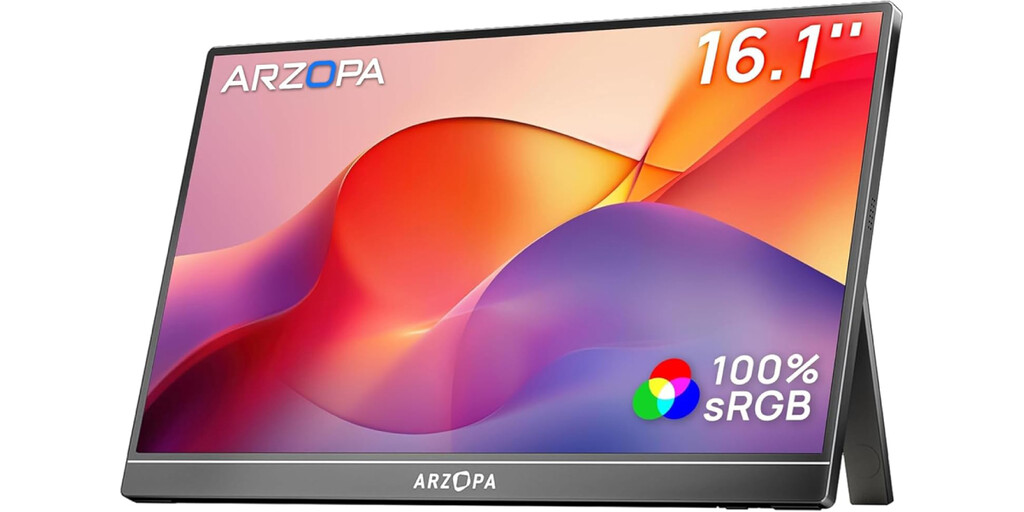
The Arzopa Z1C is a 16.1-inch portable monitor that excels in the balance between screen real estate and portability. It boasts an IPS Full HD panel with 100% sRGB coverage and 300 nits brightness, making it suitable for color-sensitive tasks.
Like the MSI, it includes a fold-out rear stand built into the aluminum body, so you don't have to rely on flimsy magnetic cases. For connectivity, it offers two full-function USB-C ports and a Mini HDMI port, allowing quick plug-and-play with laptops and other devices.
Asus ZenScreen MB165B: Ultra-Portable Option
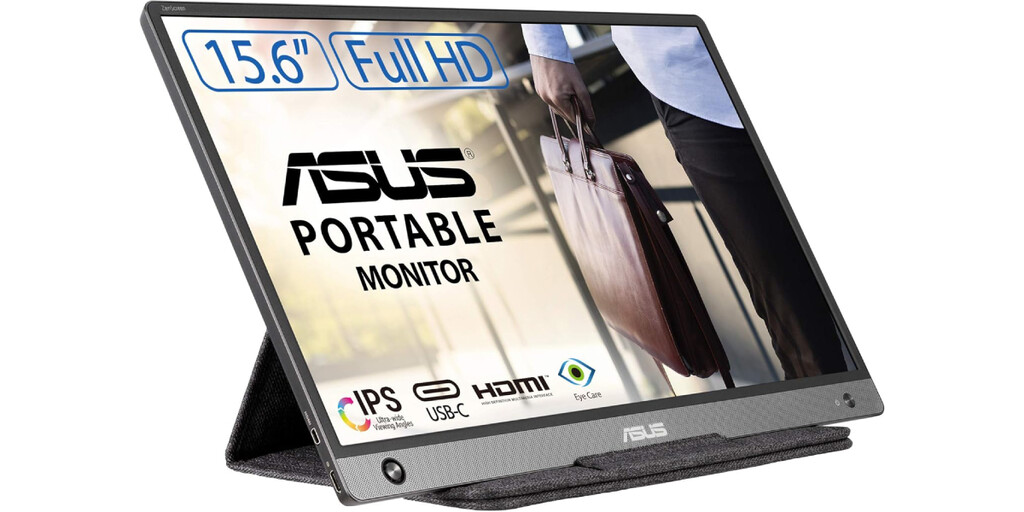
The Asus ZenScreen MB165B is designed for those who prioritize maximum mobility and simplicity. It uses a single USB-C connection for both power and video, reducing cable clutter.
While the excerpt doesn't detail its full specs, the ZenScreen series is known for its lightweight build and slim profile, making it a favorite among frequent travelers. It's a solid choice if you need a no-frills second screen that's easy to carry.
Key Features to Consider
When choosing a portable monitor for remote work, focus on these aspects to ensure it meets your needs: The background to this story is set out in Remote Work Comfort: Essential Accessories to Upgrade Your Setup. A related thread runs through Top Remote Work Security Tools for Laptop and Mobile. Earlier coverage in Remote Work and Environment: Australia's Green Advantage shows how the argument developed.
- Size and weight: A 15-16 inch screen offers a good balance between usability and portability; look for models under 2 pounds if you travel frequently.
- Connectivity: USB-C with power delivery and video support is ideal for single-cable setups; Mini HDMI adds versatility for older devices.
- Panel quality: IPS panels with at least 100% sRGB and 300 nits brightness provide accurate colors and adequate visibility.
- Stand design: Built-in kickstands are more stable than magnetic covers, which can be flimsy.
- Power consumption: Look for energy-efficient models that won't drain your laptop battery too quickly.
Comparison Table
| Model | Screen Size | Resolution | Panel Type | Brightness | Color Coverage | Ports | Stand |
|---|---|---|---|---|---|---|---|
| MSI Pro MP165A E6 | 15.6" | FHD | IPS | 300 nits | 100% sRGB | 2x USB-C, Mini HDMI | Built-in kickstand |
| Arzopa Z1C | 16.1" | FHD | IPS | 300 nits | 100% sRGB | 2x USB-C, Mini HDMI | Built-in kickstand |
| Asus ZenScreen MB165B | 15.6" | FHD | IPS | Not specified | Not specified | USB-C | Not specified |
Who Should Buy a Portable Monitor?
Portable monitors are ideal for remote workers, freelancers, and students who often work away from their primary desk. They are also useful for presentations, as a secondary screen for laptops, or for extending a smartphone or tablet. A closer look at the same subject appears in Standing Desk vs Traditional Desk: Which Is Best for Remote Work. Anyone following the wider picture can start with Lidl Portable Monitor Sells Out: Best Cheap Alternative for Work and Study. The same theme surfaces in Airbus Bows to Remote Working Demands After Series of Strikes, which takes a different angle.
If you frequently travel and need to maintain productivity, a portable monitor can transform your laptop into a dual-screen workstation. The models above offer reliable performance and portability, with the MSI and Arzopa providing robust features and the Asus focusing on simplicity. Context on how this played out before sits in FBI Cracks Down on North Korean Remote Work Scams. A companion piece, Remote Work Becomes a Red Line: 35% of Employees Would Quit, approaches the same subject from another angle.
FAQ
What is a portable monitor and how does it work?
A portable monitor is a lightweight external display that connects to your laptop or other device via USB-C or HDMI. It typically draws power from the same connection, eliminating the need for a separate power adapter.
Can I use a portable monitor with any laptop?
Most modern laptops with USB-C ports that support DisplayPort Alt Mode can connect to portable monitors. For older laptops, models with Mini HDMI or HDMI ports offer compatibility.
Are portable monitors good for gaming?
While not designed for high-refresh-rate gaming, many portable monitors offer sufficient performance for casual gaming. Look for models with low response times and good color accuracy if gaming is a priority.
How do I choose the best portable monitor for travel?
Consider size, weight, connectivity options, and stand design. A 15-16 inch screen with USB-C connectivity and a built-in kickstand is a good starting point for most travelers.
Browse the Shop
 Acacia frida deluxe solid wood bed frame |
Bedroom bench |
Bed chest drawers |
Lingerie dresser |
Frame base |
Mirror with jewelry storage |
30 Bathroom Vanity |
Memory foam queen mattress |
Mattresses for back pain |
Nightstand set of 2 |
Grand Goldman Shop |
Civil Lawyer
Deutschland Trikot WM 2026
Acacia frida deluxe solid wood bed frame |
Bedroom bench |
Bed chest drawers |
Lingerie dresser |
Frame base |
Mirror with jewelry storage |
30 Bathroom Vanity |
Memory foam queen mattress |
Mattresses for back pain |
Nightstand set of 2 |
Grand Goldman Shop |
Civil Lawyer
Deutschland Trikot WM 2026







