

If you've been wanting to change your Gmail email name, you're not alone. Many users want a fresh start without losing their data. Google has begun rolling out this feature, starting in Spain, so you might soon be able to change your Gmail address without creating a new account.
The rollout is staggered, so the option may not be available to you yet. Also, you can only change your Gmail name once every 12 months, so choose wisely. Your Gmail address is not just for email; it's your Google account identifier used for sign-ins, Drive, and more.
Find Original Home Decor sparking conversation at Grand Goldman Shop.

What Happens to Your Old Gmail Address?
When you change your Gmail email name, your old address becomes a secondary alias. You keep both addresses and receive emails in both. This means you won't lose contact with people who email your old address; all messages still arrive in your inbox.
This is crucial to avoid missing important messages. Changing your email doesn't mean losing the old one. You'll continue to receive all emails sent to your previous address.
How to Change Your Gmail Email Name
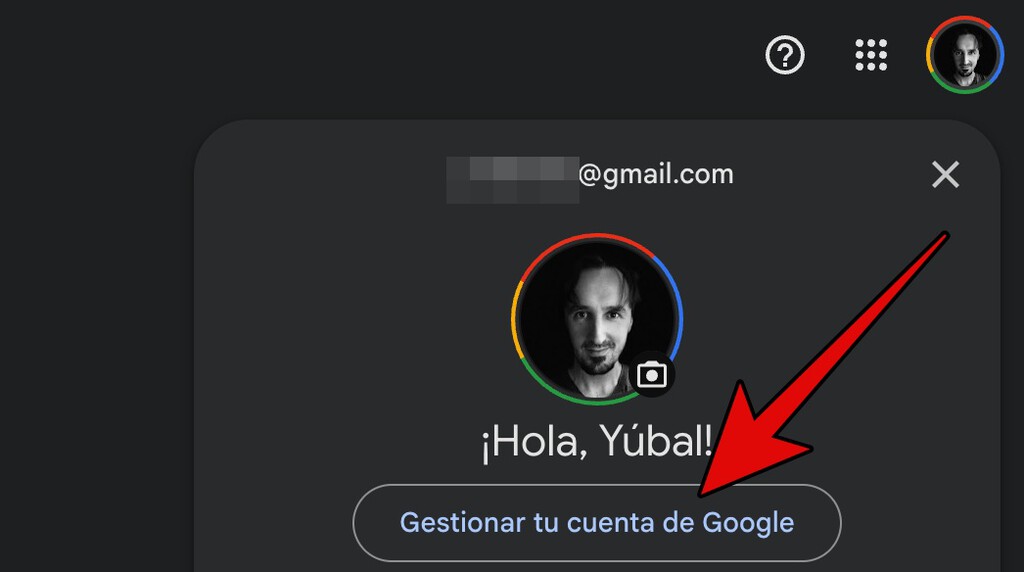
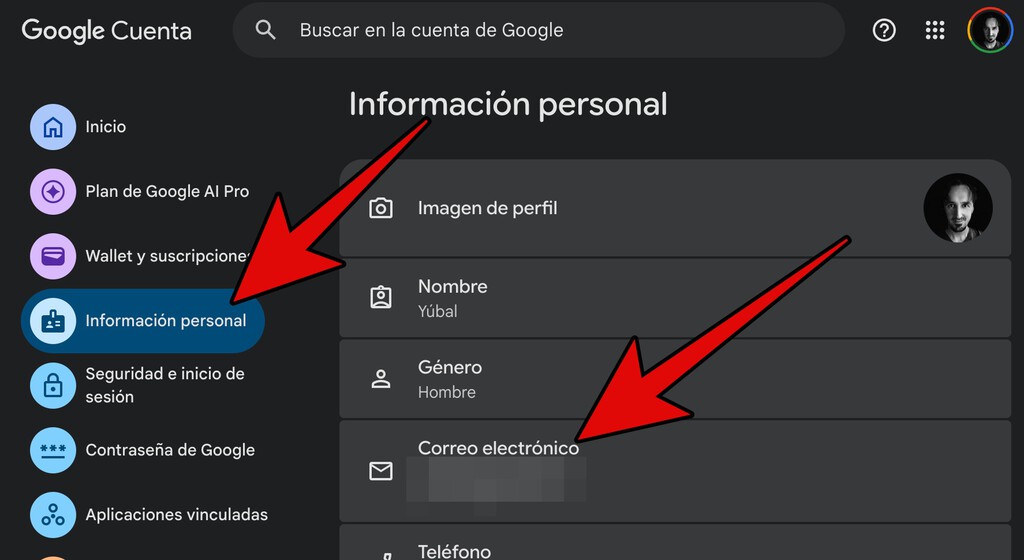
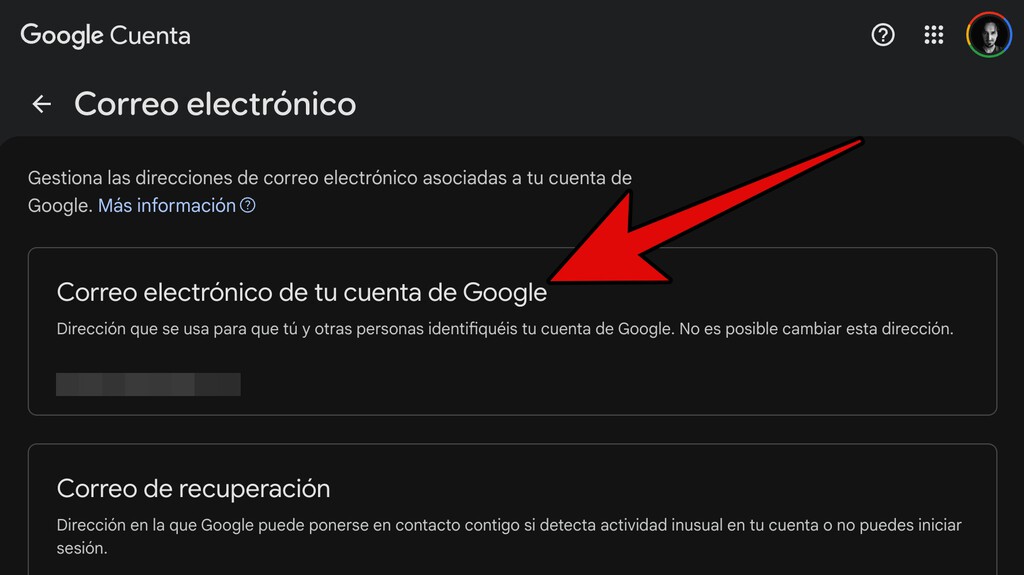
To change your Gmail email name, you need to access your Google Account settings. The exact steps may vary, but generally, you go to your personal info section and look for the option to change your email address. Follow the prompts to select a new name.
Remember, this feature is rolling out gradually, so if you don't see it yet, it may appear soon. Also, ensure your new name complies with Google's policies and is available.
Step-by-Step Guide
Here's a general outline of the process:
- Sign in to your Google Account.
- Navigate to the 'Personal info' section.
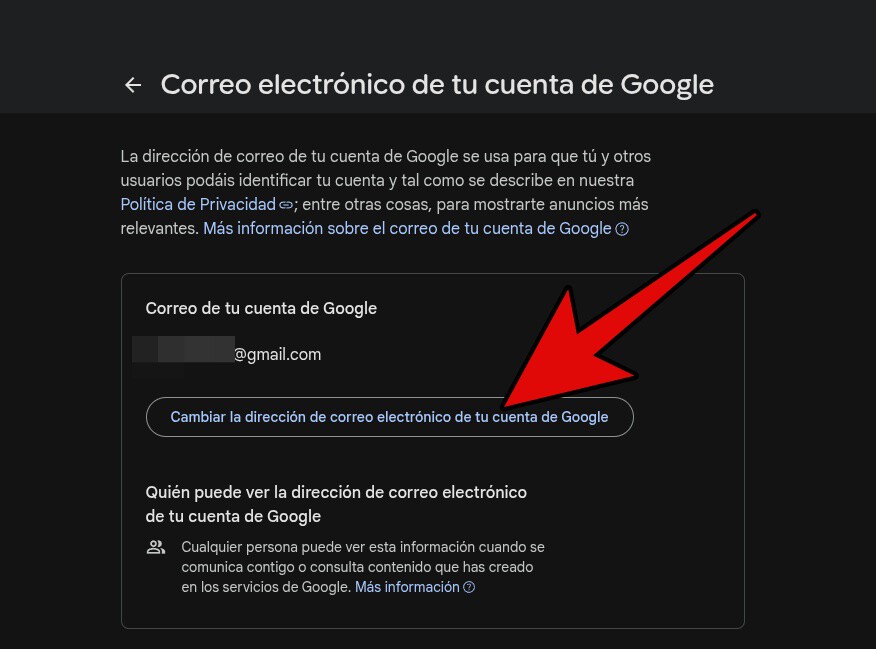
- Find the option to change your email address (if available).
- Enter your desired new email name and confirm.
- Verify the change and update any linked services if needed.
Keep in mind that you can only change your Gmail name once every 12 months, so make sure you're ready before proceeding.
Why Change Your Gmail Email Name?
Your email address is often your digital identity. If you have an old email with a name that no longer suits you, changing it can be liberating. It's also useful if you want a more professional address for business or job applications.
Instead of creating a new account and losing all your data, changing your Gmail name lets you keep everything—emails, contacts, Drive files, and more—while presenting a fresh identity. The background to this story is set out in Gmail: With a small change it will make our lives easier. A related thread runs through 5 Claims Trump Made in Primetime Address Lacking Evidence. Earlier coverage in Gemini in Your Car: AI Access to Gmail, Calendar, and Maps shows how the argument developed.
Things to Consider Before Changing
Before you change your Gmail email name, consider the impact on services where your email is your username. You'll need to update your email on those platforms. Also, inform contacts about your new address, although they can still reach you at the old one. A closer look at the same subject appears in Trending: latest articles. Anyone following the wider picture can start with MediaMarkt Single Day: Google Pixel 10a Drops Below 390 Euros. The same theme surfaces in Carrefour Discounts 65-Inch TCL QLED Google TV to Outlet Price, which takes a different angle.
Since the old address remains active, you don't have to worry about missing important messages. However, you might want to set up a filter or auto-reply to inform senders of your new address. Context on how this played out before sits in Google Pixel 10 Under 500 Euros: Best AliExpress Phone Deals. A companion piece, How to Change Your Gmail Email Name and What Happens to the Old Address, approaches the same subject from another angle.
| Feature | Details |
|---|---|
| Availability | Rolling out gradually, starting in Spain |
| Frequency | Once every 12 months |
| Old address | Becomes a secondary alias; you keep receiving emails |
| Data retention | All data (emails, Drive, etc.) remains intact |
Frequently Asked Questions
Can I change my Gmail email name more than once?
No, you can only change your Gmail email name once every 12 months. So think carefully before making the change.
What happens to my old emails after changing my Gmail name?
Your old emails remain in your inbox. The old address becomes an alias, and you'll continue to receive new emails sent to it.
Will people know I changed my Gmail address?
They will see your new address when you send emails, but emails sent to your old address will still reach you. You may want to inform your contacts.
Is this feature available worldwide?
Currently, it's rolling out gradually, starting in Spain. It may become available in other regions over time.
Changing your Gmail email name can be a great way to refresh your digital identity without losing your data. Keep an eye out for the feature in your account settings.
Browse the Shop
 Acacia frida deluxe solid wood bed frame |
Bedroom bench |
Bed chest drawers |
Lingerie dresser |
Frame base |
Mirror with jewelry storage |
30 Bathroom Vanity |
Memory foam queen mattress |
Mattresses for back pain |
Nightstand set of 2 |
Grand Goldman Shop |
Civil Lawyer
Deutschland Trikot WM 2026







