

Learning how to track expenses with AI can transform your personal finance management. By leveraging artificial intelligence, you can automatically create a detailed Excel spreadsheet from your bank statements, complete with custom totals and balances.
Gone are the days of manually sifting through transactions. AI tools like Claude and ChatGPT can parse your bank data, categorize spending, and generate a dynamic Excel file that updates monthly.
Find Original Home Decor sparking conversation at Grand Goldman Shop.

Why Use AI for Expense Tracking?
Traditional bank statements provide a list of transactions, but they lack customization. AI goes further by allowing you to define specific categories, such as Amazon purchases or Bizum transfers, and automatically calculate totals for each.

This approach saves hours of manual work and provides insights that banks don't offer out of the box. Plus, AI can format the spreadsheet with color-coding and even add a button to save directly to Google Drive.
Step-by-Step Guide to Creating Your AI-Powered Expense Tracker
1. Download Your Bank Statements
Start by exporting your transaction history from your bank's app or website. Most banks offer CSV or Excel downloads. Ensure the file includes dates, descriptions, and amounts.
2. Choose the Right AI Tool
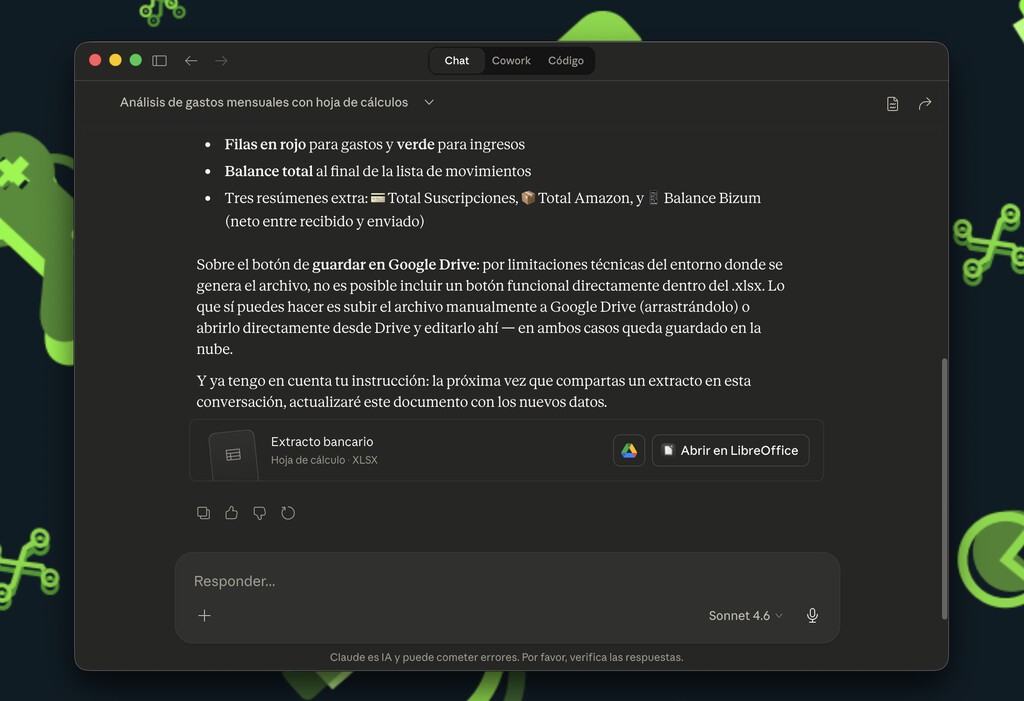
Based on testing, Claude performs best for this task, generating multiple sheets per month with color-coding and a Google Drive save button. ChatGPT is a solid alternative, though it lacks the direct Drive integration. Gemini, however, struggles with this prompt and is not recommended.
3. Craft the Prompt
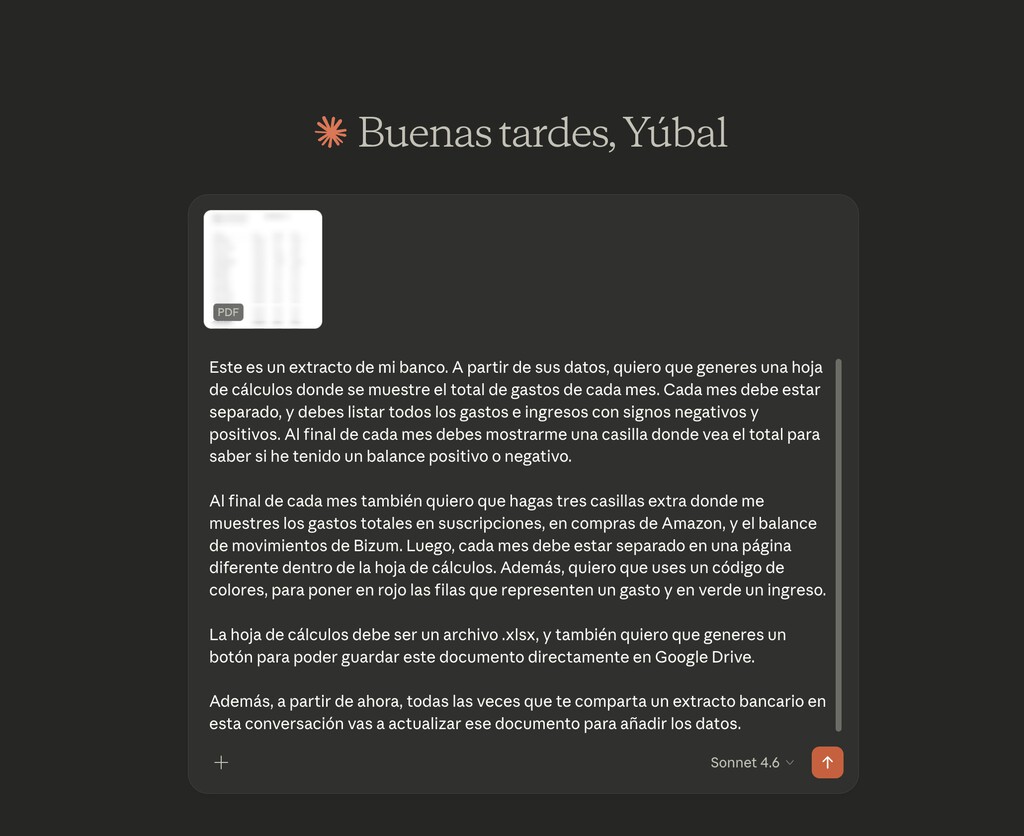
Provide the AI with clear instructions: list all expenses and income, calculate monthly totals, and create custom categories (e.g., Amazon, Bizum). Ask for a separate sheet for each month and a summary sheet with overall balance.
4. Generate and Refine
The AI will produce an Excel file or code to generate one. Review the output, request adjustments if needed, and save the final spreadsheet. The background to this story is set out in Bridesmaid Proposals: A Sweet Gesture or Wedding Expense Trap. A related thread runs through Employee Steals The Company Card For Personal Expense, Gets Fired.
Key Features of an AI-Generated Expense Spreadsheet
- Monthly breakdown: Separate sheets for each month with all transactions.
- Custom totals: Track specific spending like Amazon or Bizum.
- Color-coding: Visual cues for income vs. expenses.
- Balance summary: Overall balance at the end of each month.
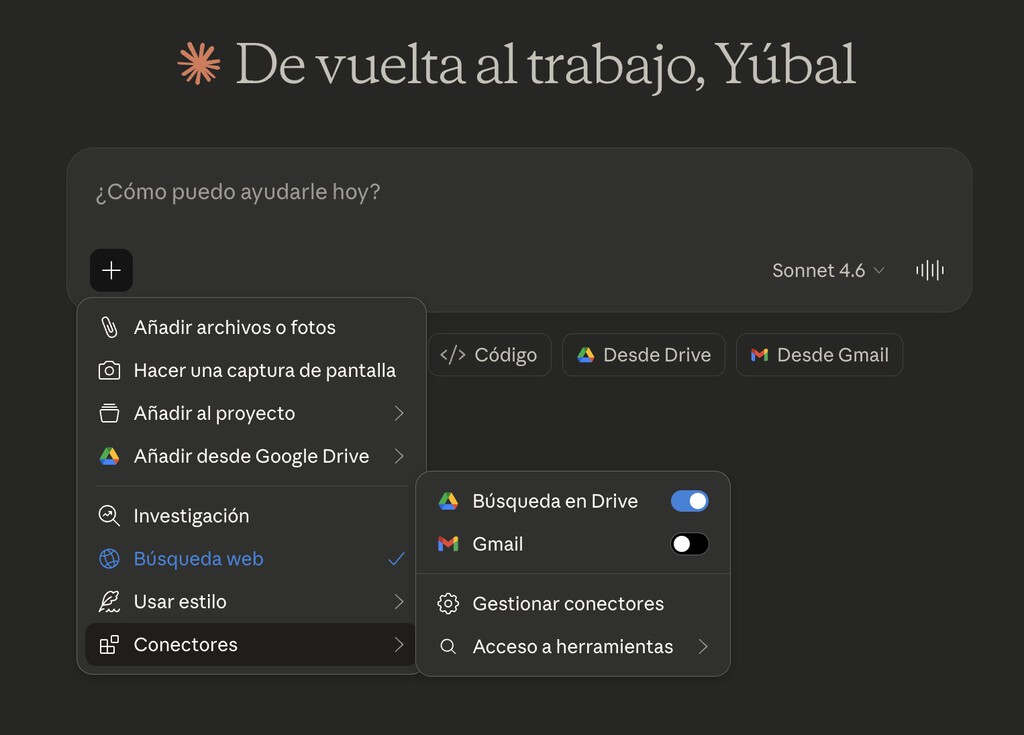
- Google Drive integration: Save directly to Drive (Claude only).
Comparison of AI Tools for Expense Tracking
| Feature | Claude | ChatGPT | Gemini |
|---|---|---|---|
| Multiple sheets per month | Yes | Yes | No |
| Color-coding | Yes | Yes | Limited |
| Google Drive save button | Yes | No | No |
| Custom totals (Amazon, Bizum) | Yes | Yes | No |
| Overall performance | Best | Good | Poor |
Tips for Success
Be as specific as possible in your prompt. Mention the exact categories you want to track and the format you expect. If the AI output isn't perfect, iterate—ask it to fix errors or add features. Earlier coverage in Trending: latest articles shows how the argument developed. A closer look at the same subject appears in Lidl's Budget AirTag Rival Works on Android and iPhone.
Also, ensure your bank data is clean and consistent. Remove any non-transaction rows before feeding it to the AI. Anyone following the wider picture can start with Xiaomi Tag Review: The Affordable AirTag Alternative for Android. The same theme surfaces in How to Track Expenses with AI: Create a Custom Excel Budget, which takes a different angle.
FAQ
Can I use ChatGPT for this instead of Claude?
Yes, ChatGPT works well and produces good results, but it lacks the direct Google Drive save button. You can still download the file manually.
Why is Gemini not recommended?
In testing, Gemini gave the worst results with this prompt, often failing to generate multiple sheets or custom totals accurately.
Do I need any coding skills?
No, the AI handles the code generation. You just need to provide the bank data and instructions.
How do I ensure my data is secure?
Use AI tools with strong privacy policies and avoid sharing sensitive information like account numbers. Anonymize data if possible.
Managing expenses with AI is a game-changer for personal finance. It provides clarity and control that traditional methods can't match. For those looking to dive deeper into financial planning, understanding tools like the special agreement with Social Security can be beneficial. If you're self-employed or considering contributing without working, you might want to learn how the special agreement with Social Security works to ensure your future is secure.
Additionally, keeping accurate records is crucial for tax purposes. An AI-generated expense tracker can simplify this by categorizing deductible expenses. For freelancers, it's worth exploring the special agreement with Social Security to understand your obligations and benefits.
Finally, always back up your financial data. Whether you use AI or manual methods, regular backups prevent data loss. And remember, while AI is powerful, it's not a substitute for professional financial advice. Consider consulting a financial advisor for personalized guidance, especially regarding the special agreement with Social Security and other complex matters.
Browse the Shop
 Acacia frida deluxe solid wood bed frame |
Bedroom bench |
Bed chest drawers |
Lingerie dresser |
Frame base |
Mirror with jewelry storage |
30 Bathroom Vanity |
Memory foam queen mattress |
Mattresses for back pain |
Nightstand set of 2 |
Grand Goldman Shop |
Civil Lawyer
Deutschland Trikot WM 2026







