

Microsoft PC Manager is a free optimization tool for Windows 10 and Windows 11 that helps you clean up your system, free up memory, and manage startup apps. Launched in 2024, it's Microsoft's own answer to third-party tune-up utilities, and it's designed to be safe and easy to use.
Keeping your operating system clean is vital to prevent it from becoming bloated and slow. Ideally, you should spend time every few weeks tightening up your computer, both in hardware and software. But if you don't have that time, optimization utilities can help—and now there's one built right into the Microsoft ecosystem.
Find Original Home Decor sparking conversation at Grand Goldman Shop.

How to Install Microsoft PC Manager
The application is not available in all regions, and it currently lacks support for some languages, including Spanish. To find it in the official Microsoft Store, you need to make a temporary adjustment to your region settings.
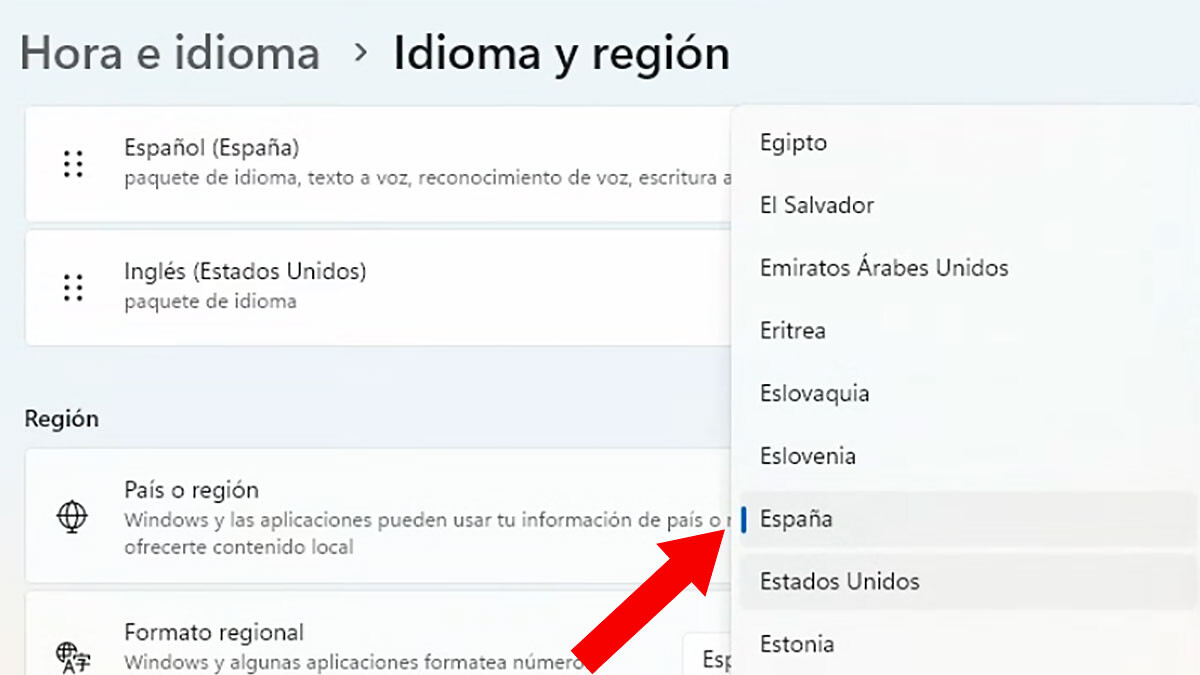
Open Windows Settings, go to Time & language, then Language & region, and change your country to the United States. This is a temporary change. After the adjustment, PC Manager will appear in the Windows Store. If you prefer not to search for it, you can use the direct download link from Microsoft's download page. Once the installation is complete, you can restore your original region.
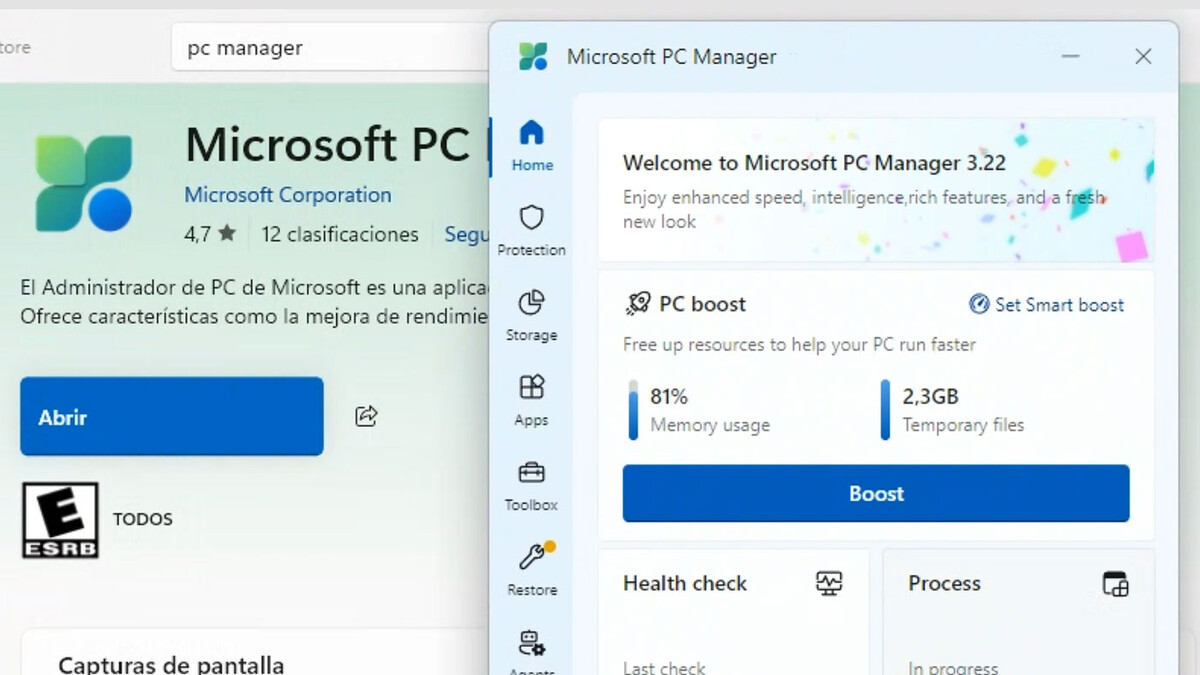
Main Features of PC Manager
PC Manager isn't exactly a new application, but it has received some juicy updates recently. The app provides easy access to functions such as freeing up RAM, deleting temporary files, managing startup apps, and checking for pending updates via Windows Update.
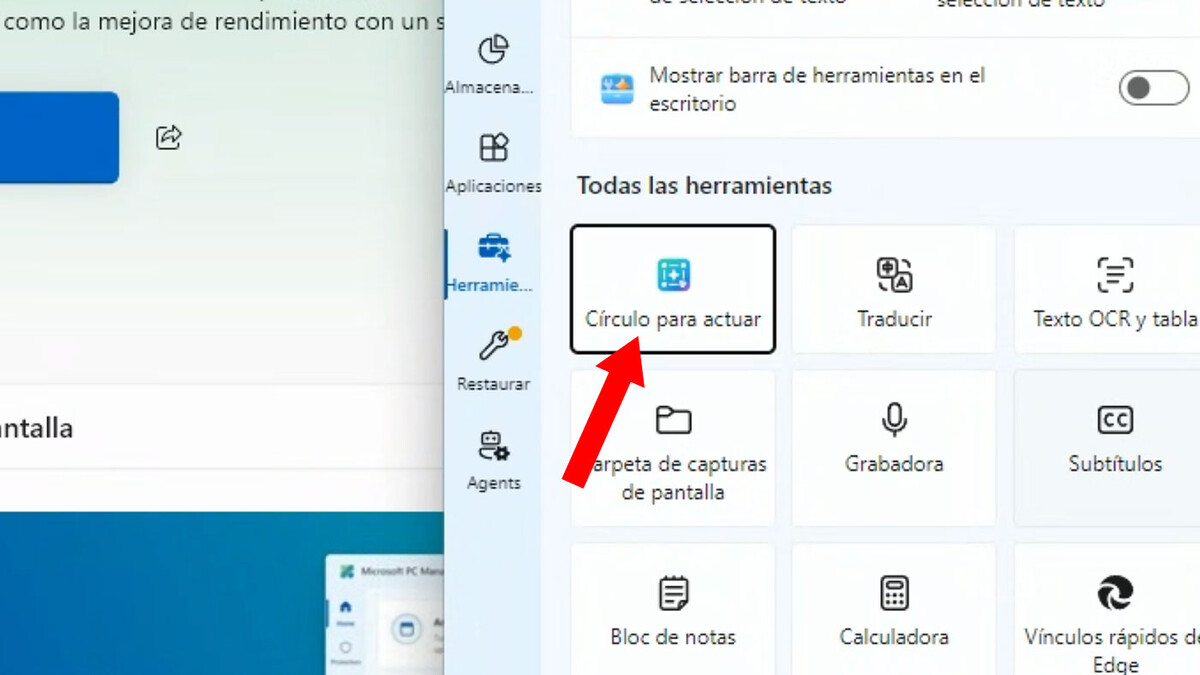
In terms of security and maintenance, PC Manager includes quick scans with Windows Defender, network status checks, and system restore. These tools are designed to be user-friendly and are integrated with Windows security features.
- Memory management: Free up RAM to improve performance.
- Storage cleanup: Remove temporary files and other clutter.
- Startup control: Manage which apps launch at boot.
- Update check: Quickly see if Windows updates are pending.
- Security scans: Run quick scans with Windows Defender.
Why Use PC Manager?
Many users rely on third-party optimization tools, but these can sometimes be intrusive or even harmful. PC Manager, being a Microsoft product, is designed to work seamlessly with Windows and respects system integrity. It's a safer alternative for those who want a quick tune-up without diving into complex settings.
Moreover, PC Manager is lightweight and ad-free, making it a pleasant experience. It's particularly useful for less technical users who want a one-click solution to keep their PC running smoothly. The longer history behind the story is traced in China Expands Military Air Base on Former CIA Secret Airstrip in Laos. More on the surrounding debate is collected in Windows 10 Extended Security Updates Price Doubles for Businesses.
How PC Manager Compares to Other Tools
When choosing an optimization tool, it's important to know what you're getting. Here's a quick comparison between PC Manager and typical third-party utilities. The background to this story is set out in Screpy Review: Is This AI Website Optimization Tool Worth It?. A related thread runs through Ideas to Have Optimal Tool Storage. Earlier coverage in Trending: latest articles shows how the argument developed.
| Feature | Microsoft PC Manager | Typical Third-Party Tool |
|---|---|---|
| Price | Free | Often paid or freemium |
| Integration with Windows | Deep (Microsoft product) | Limited |
| Ads or Upsells | None | Common |
| Security | Uses Windows Defender | May include own antivirus |
| Ease of Use | Very simple | Varies |
As you can see, PC Manager offers a streamlined, safe experience without the bloat. It's ideal for users who want essential maintenance without extra cost or complexity. A closer look at the same subject appears in Sony Bravia 9 II: Save €850 on a Complete Home Theater Bundle. Anyone following the wider picture can start with Asus ROG Swift OLED Monitors: 480Hz Dual Mode and Dolby Vision. The same theme surfaces in Salamanca Pool in Courtyard: Neighbor Still Sought by City, which takes a different angle.
What to Watch Next
Microsoft continues to update PC Manager, and future versions may include more features and broader language support. For now, it's a solid choice for Windows 10 and 11 users who want a simple, effective cleanup tool. Keep an eye on official announcements for new capabilities. Context on how this played out before sits in Microsoft's Hybrid AI Plan: Free Intelligence for Every Home and Desk. A companion piece, Microsoft PC Manager: Easy Windows Cleanup and Optimization Tool, approaches the same subject from another angle.
FAQ
Is Microsoft PC Manager free?
Does PC Manager work on Windows 10?
Is PC Manager safe to use?
Can I use PC Manager in my language?
Browse the Shop
 Acacia frida deluxe solid wood bed frame |
Bedroom bench |
Bed chest drawers |
Lingerie dresser |
Frame base |
Mirror with jewelry storage |
30 Bathroom Vanity |
Memory foam queen mattress |
Mattresses for back pain |
Nightstand set of 2 |
Grand Goldman Shop |
Civil Lawyer
Deutschland Trikot WM 2026







