

A viral AI tool is transforming smart TVs by eliminating ads and bloatware, turning cluttered Android TV and Google TV interfaces into minimalist, Apple TV-like experiences. This movement, dubbed "dumbifying your TV," gained traction after a tweet showed how AI can streamline the setup, and it's capturing the attention of frustrated users everywhere.
What Happened: The Viral Tweet That Sparked the Trend
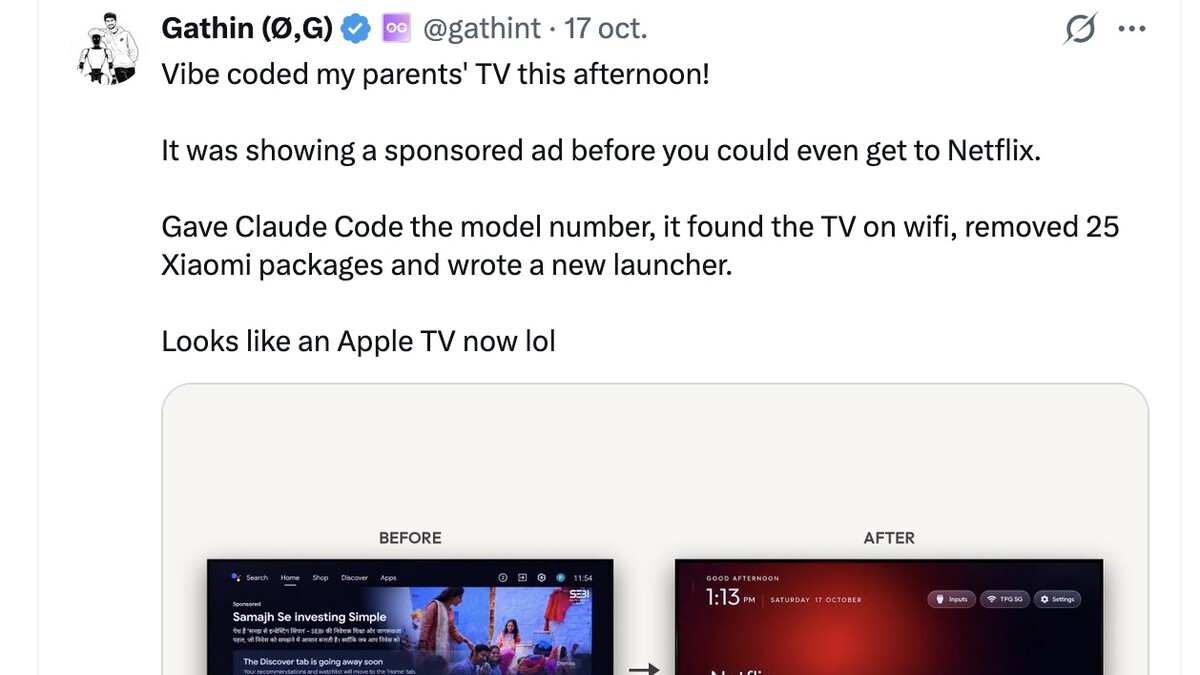
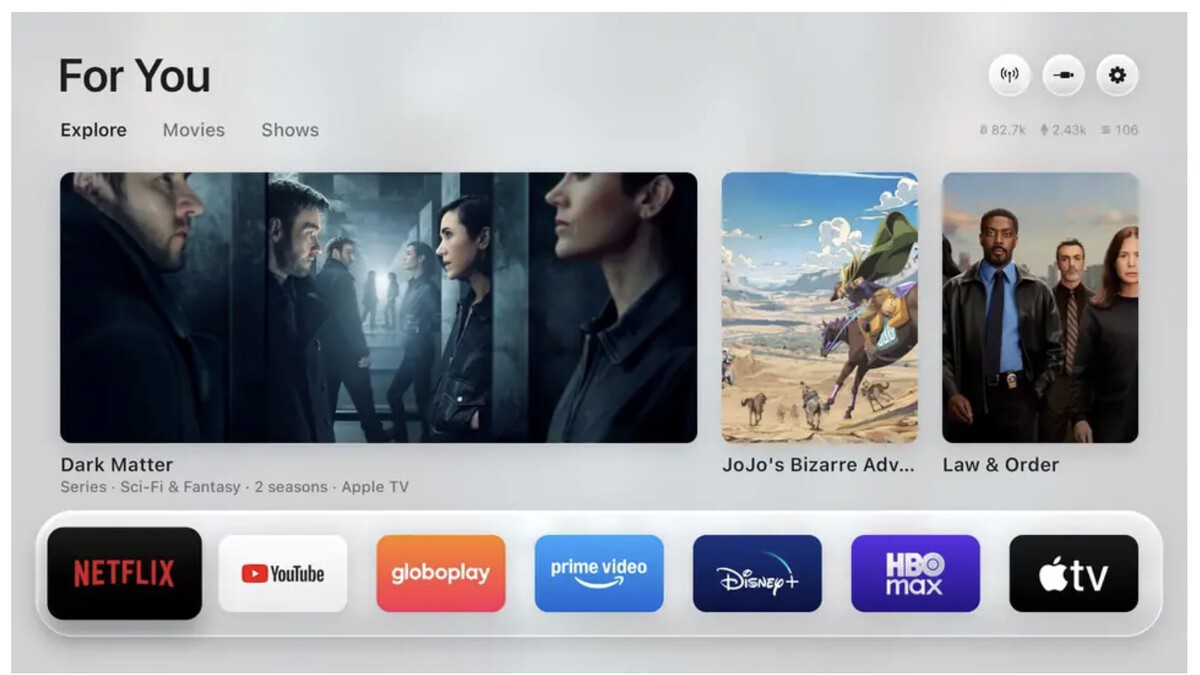
Last Sunday, a curious tweet from Monos Estocásticos caught the eye of many. It quoted another tweet by user @gathint, who had "vibecoded" their parents' TV to remove ads and transform the intrusive Android TV interface into a much more minimalist one, similar to Apple TV.
Find Original, High-end Home Decor that spark conversation at Grand Goldman Shop.
The result: no ads, no bloatware, and only the apps they needed. The tweet quickly went viral, amassing 6.4 million views in just a few days, and ignited a new AI craze: dumbifying your TV.
Why It Matters: The Frustration with Smart TV Bloatware
Smart TVs have long been criticized for their intrusive ads and pre-installed bloatware that slow down performance and clutter the user experience. Many users feel that their expensive TVs are being used as billboards, and the ability to strip away these annoyances is a welcome relief.

This trend highlights a growing desire for control over our devices and a backlash against the ad-supported model that dominates the smart TV market. By using AI to simplify the interface, users are reclaiming their viewing experience.
How It Works: The Simple Process
The process, as detailed in the GitHub repository by @gathint, is surprisingly straightforward, especially if you have Git installed on a Mac or PC. It involves enabling USB debugging on your Android TV or Google TV device and running a script that removes ads and bloatware.
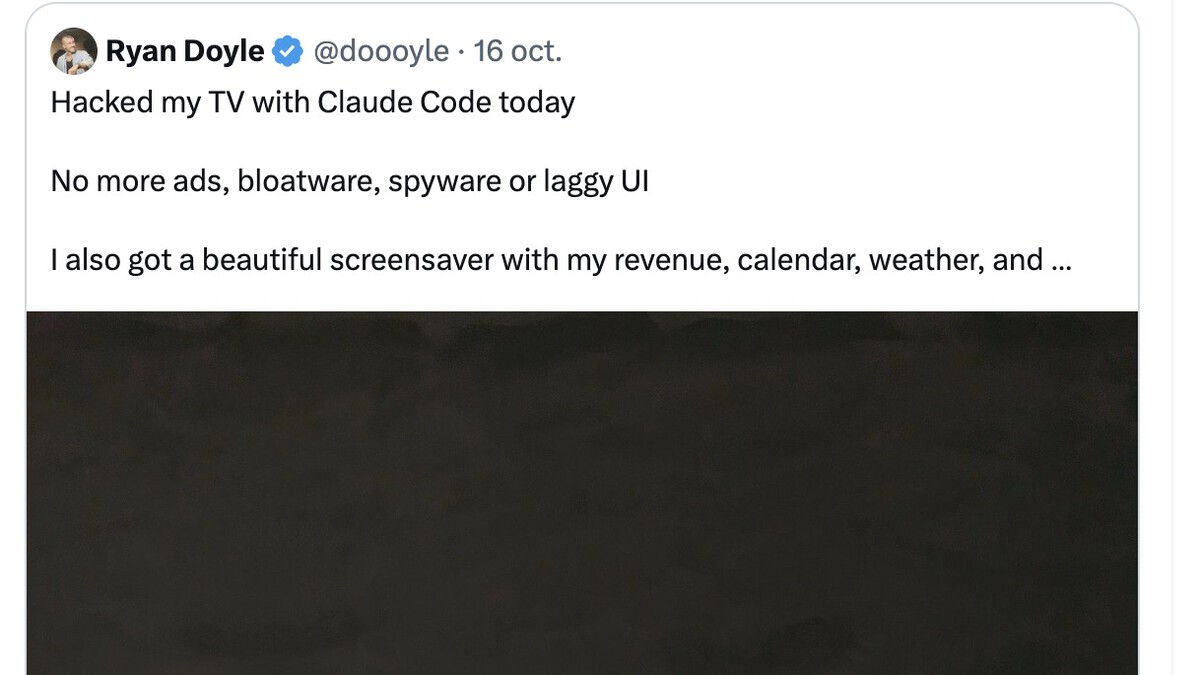
Before you start, you'll need to activate USB debugging from the settings menu—a step that can be easily done with the help of an AI assistant like Claude. The repository supports numerous TVs with Android TV and Google TV, making it accessible to a wide audience.
Key Takeaways
- Viral trend: The tweet by @gathint has become a sensation with 6.4 million views, popularizing TV dumbification.
- Minimalist interface: The modified interface resembles Apple TV, focusing only on essential apps.
- Ad and bloatware removal: The process eliminates intrusive ads and pre-installed software.
- Wide compatibility: Works with many Android TV and Google TV devices, including HDMI dongles like the Onn 4K Plus.
- Simple setup: Requires enabling USB debugging and running a script, with AI assistance available for guidance.
Compatibility and Requirements
The repository indicates compatibility with a broad range of Android TV and Google TV devices. However, users must first enable USB debugging in the developer options, which is a standard procedure for Android devices.
Having Git installed on your computer is recommended, as the process involves cloning the repository and executing commands. The author tested it on an Onn 4K Plus dongle, but many other devices should work similarly. Context on how this played out before sits in AI Tool Strips Ads and Bloatware From Smart TVs: A Minimalist Guide.
Comparison of TV Interfaces
To understand the impact of this trend, here's a comparison between a standard Android TV interface and the dumbified version: The background to this story is set out in So.di.fer Tool Cases: Quality Tools at Your Fingertips. A related thread runs through FERVI Expands Cordless Power Tool Line with Three New Battery-Powered Tools.
| Aspect | Standard Android TV | Dumbified TV |
|---|---|---|
| Ads | Yes, prominent | None |
| Bloatware | Pre-installed apps | Removed |
| Interface | Cluttered, intrusive | Minimalist, Apple TV-like |
| Performance | Can be sluggish | Improved |
| User Control | Limited | High |
What to Watch Next
As this trend grows, we can expect more tools and scripts to emerge, potentially forcing manufacturers to reconsider their ad-heavy strategies. Users are becoming more vocal about their desire for clean interfaces, and AI is empowering them to take action. Earlier coverage in Technology: latest articles shows how the argument developed. A closer look at the same subject appears in iPhone 20th Anniversary: What We Know About Apple's Special Edition.
Keep an eye on the repository for updates and new features. Also, watch for community-driven modifications that could further enhance the experience. The dumbification movement is just getting started. Anyone following the wider picture can start with Bulgarian Streamer Witty Alien Stuns Magnus Carlsen in Chess Showdown. The same theme surfaces in 16-Year-Old Hacker Exposes Microsoft's Titan Data Breach, which takes a different angle.
FAQ
What is TV dumbification?
TV dumbification refers to the process of removing ads, bloatware, and unnecessary features from a smart TV to create a simpler, more streamlined interface. It aims to improve performance and user experience by focusing only on essential apps.
Is this process safe for my TV?
The process involves modifying system settings and removing software, which could void warranties or cause issues if not done correctly. It's recommended to follow instructions carefully and back up your device. The GitHub repository provides guidance, but proceed at your own risk.
Do I need AI to dumbify my TV?
While AI can assist with steps like enabling USB debugging, the core process relies on scripts and manual configuration. AI is not strictly necessary but can make the setup easier for beginners.
Which TVs are compatible?
Most Android TV and Google TV devices are compatible, including popular streaming dongles and smart TVs from various brands. Check the repository for a list of supported models.
Browse the Shop
 Acacia frida deluxe solid wood bed frame |
Bedroom bench |
Bed chest drawers |
Lingerie dresser |
Frame base |
Mirror with jewelry storage |
30 Bathroom Vanity |
Memory foam queen mattress |
Mattresses for back pain |
Nightstand set of 2 |
Grand Goldman Shop |
Civil Lawyer
Deutschland Trikot WM 2026
Acacia frida deluxe solid wood bed frame |
Bedroom bench |
Bed chest drawers |
Lingerie dresser |
Frame base |
Mirror with jewelry storage |
30 Bathroom Vanity |
Memory foam queen mattress |
Mattresses for back pain |
Nightstand set of 2 |
Grand Goldman Shop |
Civil Lawyer
Deutschland Trikot WM 2026










