

Power over Ethernet (PoE) is the easiest solution for installing security cameras when there are no power outlets nearby. By using a single Ethernet cable to deliver both data and electricity, PoE eliminates the need for additional wiring or frequent battery recharges. This technology is professional, affordable, and surprisingly simple to set up.
What Is Power over Ethernet and Why It Matters
PoE technology uses a standard RJ45 Ethernet cable to transmit both internet connectivity and electrical power to devices like security cameras. This means you can place a camera anywhere you can run a cable from your router or a PoE-compatible switch, even if there’s no outlet in sight. It’s a game-changer for outdoor security installations.
Find Original Home Decor sparking conversation at Grand Goldman Shop.

Unlike wireless cameras that rely on batteries, PoE cameras receive continuous power, so you never have to worry about recharging or downtime. Plus, wired connections are immune to Wi-Fi interference and signal drops, ensuring a stable and reliable feed.
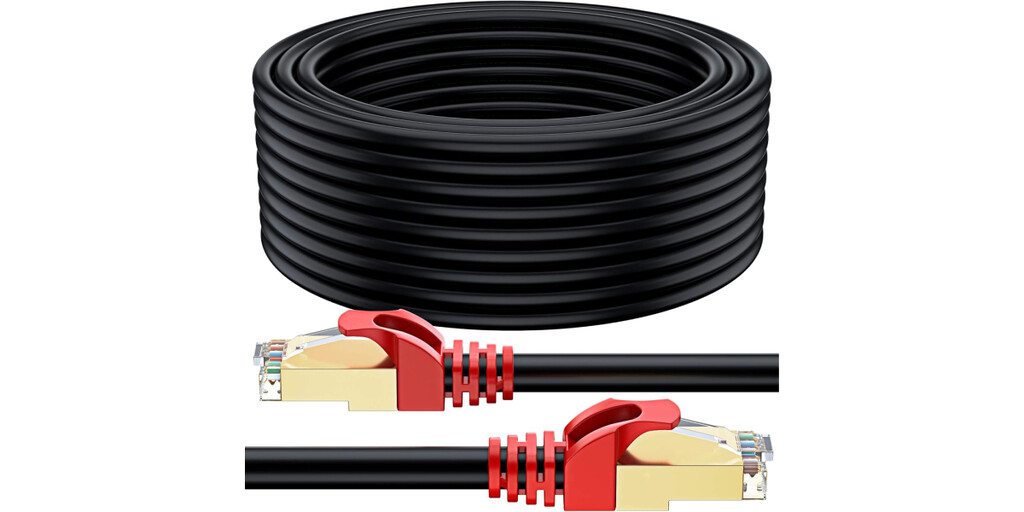
How PoE Simplifies Security Camera Installation
Installing a PoE camera is straightforward: just connect one end of an Ethernet cable to your router or switch and the other end to the camera. No electrician is needed, and you avoid the hassle of running new power lines. This makes PoE ideal for DIY enthusiasts and professionals alike.
Moreover, PoE supports long cable runs—up to 100 meters for standard Ethernet—so you can position cameras far from your network equipment. With the right cable, you can maintain high-speed data and power delivery over significant distances.
Key Benefits of PoE for Home Security
- Single-cable solution: Combines power and data, reducing installation complexity.
- Reliable performance: Wired connection avoids Wi-Fi dead zones and interference.
- Cost-effective: No need for additional electrical outlets or professional wiring.
- Flexible placement: Cameras can be installed in locations without power sources.
- Continuous operation: No battery recharges or power interruptions.
Choosing the Right Ethernet Cable for PoE
Not all Ethernet cables are created equal. For PoE, you need cables that can handle power transmission without significant loss. Category 6 (Cat 6) or higher cables are recommended for their superior shielding and ability to carry power over longer distances. They also support higher bandwidth, which is beneficial for high-definition video streaming.
When selecting a cable, look for features like shielding (STP or FTP) to protect against electromagnetic interference, and ensure the cable is rated for the environment (indoor/outdoor). Higher categories like Cat 6a or Cat 8 offer even better performance but may be overkill for typical home setups.
Comparison of Common Ethernet Cables for PoE
| Cable Category | Max Frequency | Max Data Rate | Typical Use Case |
|---|---|---|---|
| Cat 5e | 100 MHz | 1 Gbps | Basic home networks |
| Cat 6 | 250 MHz | 10 Gbps (up to 55m) | PoE cameras, general use |
| Cat 6a | 500 MHz | 10 Gbps (up to 100m) | High-performance PoE |
| Cat 8 | 2000 MHz | 40 Gbps (up to 30m) | Data centers, short runs |
For most home security cameras, Cat 6 is sufficient and offers a good balance of price and performance. If you have longer runs or higher power requirements, consider Cat 6a. The background to this story is set out in Action Solar PTZ Camera: Home Security Without Outdoor Outlets. A related thread runs through Leroy Merlin Double Socket: Add Outlets Without Rewiring for Under €10. Earlier coverage in 10 Best Cables for Poe Cameras (Reviews) shows how the argument developed.
Recommended Ethernet Cables for PoE Security Cameras
Based on quality and value, here are some top cable picks for PoE installations. The UGREEN 10M Cat 8 cable offers extreme performance with 40Gbps and 2000MHz, though it’s best for short distances. For longer runs, the Hama 15m Cat 6a cable provides excellent shielding and reliability. Always choose cables from reputable brands to ensure safety and durability. A closer look at the same subject appears in How to Crimp an Ethernet Cable. Anyone following the wider picture can start with 22 Best PoE Security Camera Systems (Expert Reviews). The same theme surfaces in 15-Euro Wall Outlet Extender Multiplies Home Sockets Without Any Rewiring, which takes a different angle.
Remember to measure the distance from your router to each camera location and add a little extra for routing. Using a single continuous cable (no couplers) is best to avoid signal loss. Context on how this played out before sits in Replace Cat5e Connector: Ethernet Cable. A companion piece, Why the First Ethernet Cable Was 1968 Corvette Yellow, approaches the same subject from another angle.
FAQ
What is PoE and how does it work with security cameras?
PoE (Power over Ethernet) delivers both power and data over a single Ethernet cable. It works by injecting power into the cable from a PoE switch or injector, which the camera then uses to operate. This eliminates the need for a separate power outlet.
Do I need a special cable for PoE?
No special cable is required, but Cat 6 or higher is recommended for better power handling and shielding. Standard Ethernet cables will work, but higher categories ensure reliability over longer distances.
Can I use PoE with any security camera?
Only cameras that support PoE can be powered directly via Ethernet. If your camera doesn’t support PoE, you can use a PoE splitter to separate power and data, but it’s simpler to choose a PoE-enabled camera.
What is the maximum cable length for PoE?
The standard maximum length for Ethernet cables, including PoE, is 100 meters (328 feet). For longer distances, you can use PoE extenders or fiber optics with media converters.
Browse the Shop
 Acacia frida deluxe solid wood bed frame |
Bedroom bench |
Bed chest drawers |
Lingerie dresser |
Frame base |
Mirror with jewelry storage |
30 Bathroom Vanity |
Memory foam queen mattress |
Mattresses for back pain |
Nightstand set of 2 |
Grand Goldman Shop |
Civil Lawyer
Deutschland Trikot WM 2026







