

The SteelSeries Apex Pro TKL Gen 3 is a tenkeyless mechanical keyboard that brings per-key customization to a new level. With Hall Effect switches and adjustable actuation from 0.1 to 4.0 mm, it promises millisecond precision for competitive gamers. After weeks of testing for both work and play, here's what you need to know.
What Makes the Apex Pro TKL Gen 3 Stand Out?
SteelSeries has spent generations refining the Apex Pro formula, and this third revision doubles down on Hall Effect switches. These magnetic switches, usually associated with joystick sticks, are now common in premium keyboards because they allow contactless actuation and adjustable sensitivity.
Find Original Home Decor sparking conversation at Grand Goldman Shop.

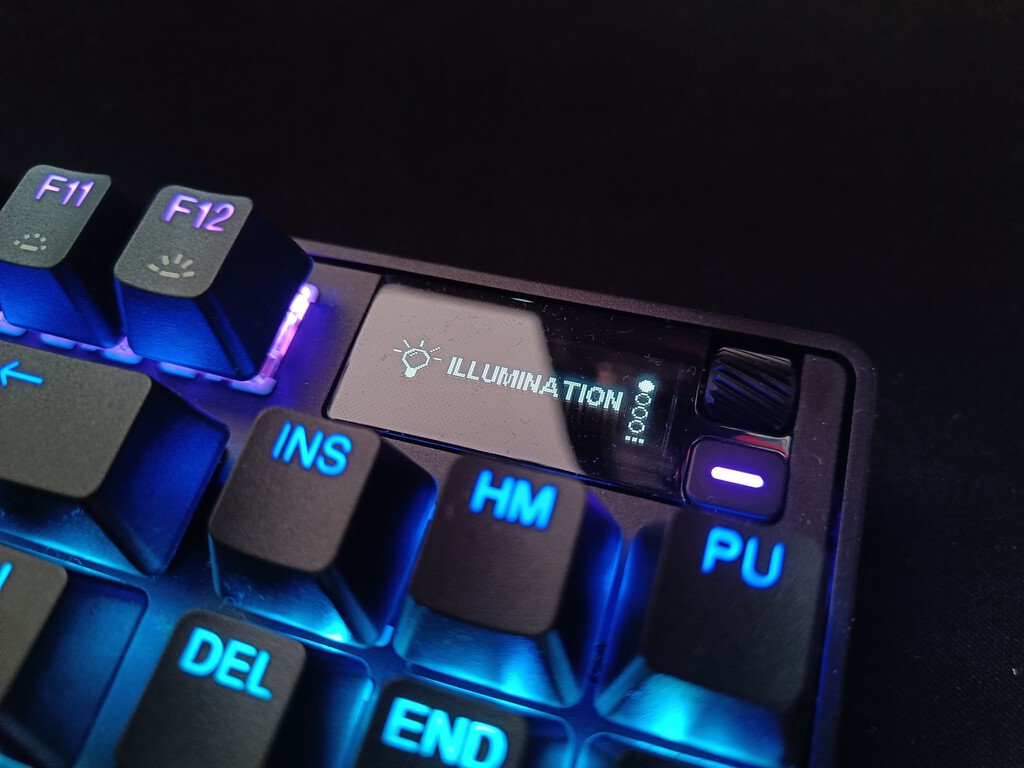
The OmniPoint 3.0 switches let you set each key's actuation point between 0.1 and 4.0 mm. You can adjust this directly on the keyboard's OLED screen or through SteelSeries GG software. This flexibility enables features like Rapid Trigger and Rapid Tap, which are designed to shave milliseconds in competitive games.
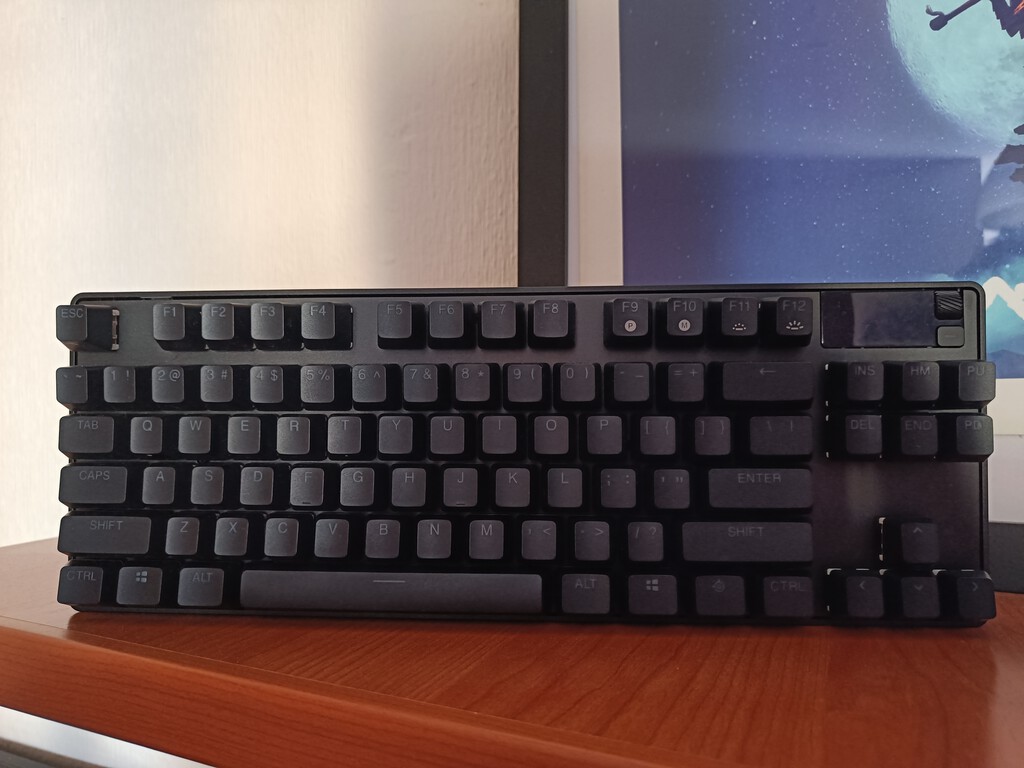
Design and Build Quality
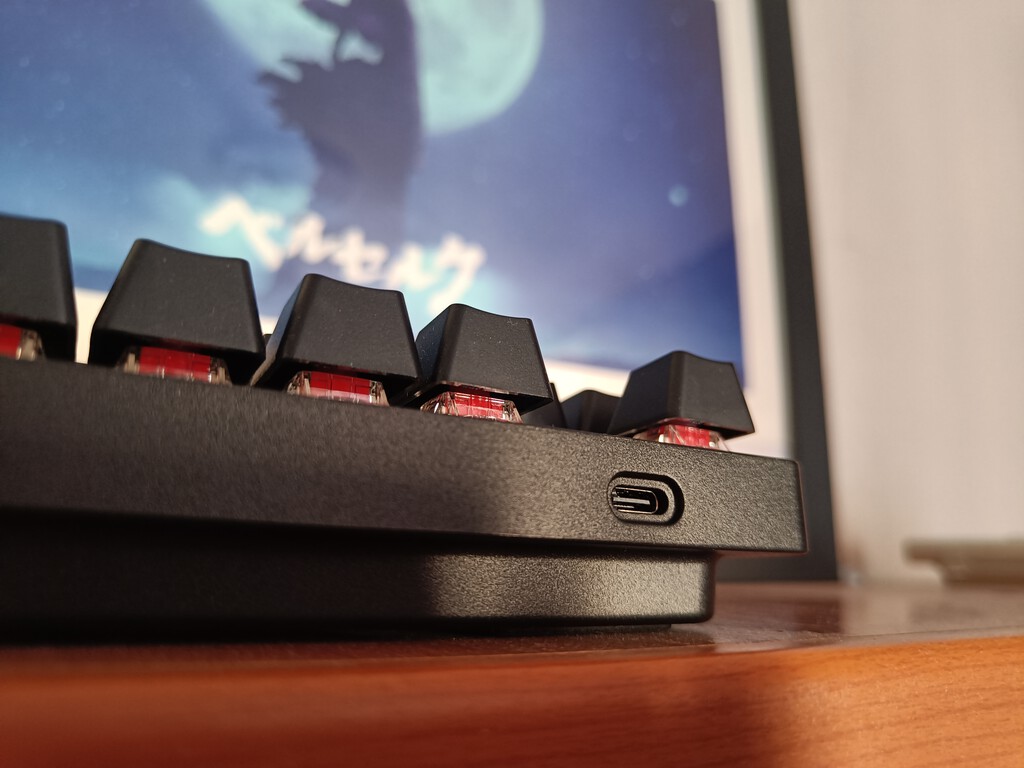
The Apex Pro TKL Gen 3 feels solid, with a metal-like finish on the base. It includes swappable keycaps and a tool for easy removal, plus a detachable USB-C cable for portability. The tenkeyless layout saves desk space, making it ideal for gamers who need room for mouse movement.
While wireless and full-size versions exist, this review focuses on the wired TKL model. The build quality inspires confidence, and the keyboard doesn't flex or creak during intense use.
Performance: Gaming and Typing
In games like Apex Legends, the adjustable actuation and Rapid Trigger give a noticeable edge. You can set keys to actuate with the slightest press, reducing finger travel and reaction time. The Hall Effect sensors also eliminate debounce delay, making every keystroke register instantly.

For typing, the experience is equally impressive. The 0.1 mm actuation might be too sensitive for everyday typing, but you can customize each key's sensitivity to suit your needs. The OLED screen provides useful feedback, showing profiles and settings without needing to open software.
Key Features at a Glance
- Hall Effect OmniPoint 3.0 switches with adjustable actuation from 0.1 to 4.0 mm
- Rapid Trigger and Rapid Tap for faster repeated presses
- OLED smart display for on-the-fly adjustments
- Detachable USB-C cable and swappable keycaps
- Tenkeyless design for more desk space
Comparison with Other Keyboards
| Feature | Apex Pro TKL Gen 3 | Standard Mechanical Keyboard | Optical Keyboard |
|---|---|---|---|
| Actuation adjustment | 0.1–4.0 mm per key | Fixed | Fixed |
| Switch type | Hall Effect (magnetic) | Mechanical | Optical |
| Rapid Trigger | Yes | No | Sometimes |
| Onboard display | OLED | No | No |
| Build material | Metal-like base | Plastic | Plastic |
Compared to standard mechanical keyboards, the Apex Pro TKL Gen 3 offers far more customization. Optical keyboards can be fast, but they lack the per-key actuation adjustment and Rapid Trigger features that Hall Effect switches enable.
Who Is This Keyboard For?
This keyboard is aimed at competitive gamers who want every advantage. The ability to fine-tune actuation and use Rapid Trigger can make a difference in fast-paced games. It's also great for typists who appreciate customization and build quality, though the price may be steep for casual users. Context on how this played out before sits in DXRacer Martian Pro Review: Electric Gaming Chair With Massage and Fan.
If you're a professional or enthusiast looking for a keyboard that adapts to your playstyle, the Apex Pro TKL Gen 3 is a compelling choice. The wired TKL version is ideal for LAN events and minimal setups, while wireless and full-size options cater to different preferences. The background to this story is set out in Logitech G Pro X TKL Lightspeed: Quiet Mechanical Keyboard for Gaming. A related thread runs through G-LAB Keyz Elite 300 GRG Review: Wireless Mechanical Keyboard for Gaming.
What to Watch Next
As Hall Effect switches become more common, we expect to see more keyboards with adjustable actuation. SteelSeries continues to innovate with software updates that add features like Rapid Tap. Keep an eye on firmware updates to unlock new capabilities. Earlier coverage in Corsair Skiff 100 Budget Gaming Keyboards and Mouse shows how the argument developed. A closer look at the same subject appears in 10 Best Keyboard Switch for Gaming (Reviews).
For now, the Apex Pro TKL Gen 3 sets a high bar for customization and speed. Whether you're climbing the ranks in Apex Legends or just want a responsive typing experience, this keyboard delivers. Anyone following the wider picture can start with Trending: latest articles. The same theme surfaces in Xiaomi Pad 7 Pro Deal: Save Big on 12GB/512GB Tablet, which takes a different angle.
FAQ
What are Hall Effect switches?
Hall Effect switches use magnetic sensors to detect key presses without physical contact. This allows for adjustable actuation and longer lifespan.
Can I adjust actuation per key?
Yes, each key's actuation point can be set independently from 0.1 to 4.0 mm using the OLED screen or SteelSeries GG software.
Is the Apex Pro TKL Gen 3 good for typing?
Yes, it's excellent for typing, but you may want to adjust the actuation to a higher value to avoid accidental presses.
Does it have wireless connectivity?
The model reviewed here is wired, but SteelSeries offers wireless versions of the Apex Pro TKL.
Browse the Shop
 Acacia frida deluxe solid wood bed frame |
Bedroom bench |
Bed chest drawers |
Lingerie dresser |
Frame base |
Mirror with jewelry storage |
30 Bathroom Vanity |
Memory foam queen mattress |
Mattresses for back pain |
Nightstand set of 2 |
Grand Goldman Shop |
Civil Lawyer
Deutschland Trikot WM 2026
Acacia frida deluxe solid wood bed frame |
Bedroom bench |
Bed chest drawers |
Lingerie dresser |
Frame base |
Mirror with jewelry storage |
30 Bathroom Vanity |
Memory foam queen mattress |
Mattresses for back pain |
Nightstand set of 2 |
Grand Goldman Shop |
Civil Lawyer
Deutschland Trikot WM 2026







