

Vivomeetings Review: The Ultimate Video Conferencing Solution
Nowadays, video conferencing platforms are essential for remote teams, educators, and small businesses to stay connected. With so many options available, choosing the right tool can be overwhelming. If you want a platform that offers HD video and audio, advanced security, and AI-driven features, Vivomeetings could be the solution you've been looking for.
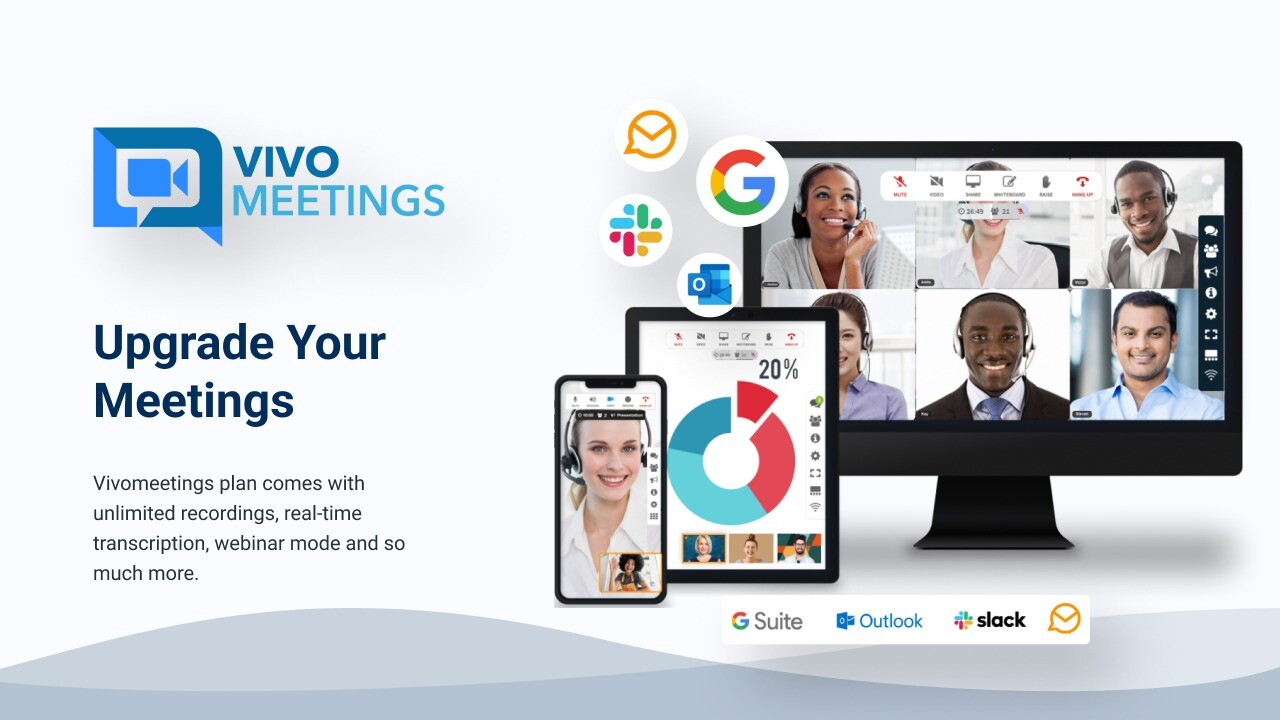
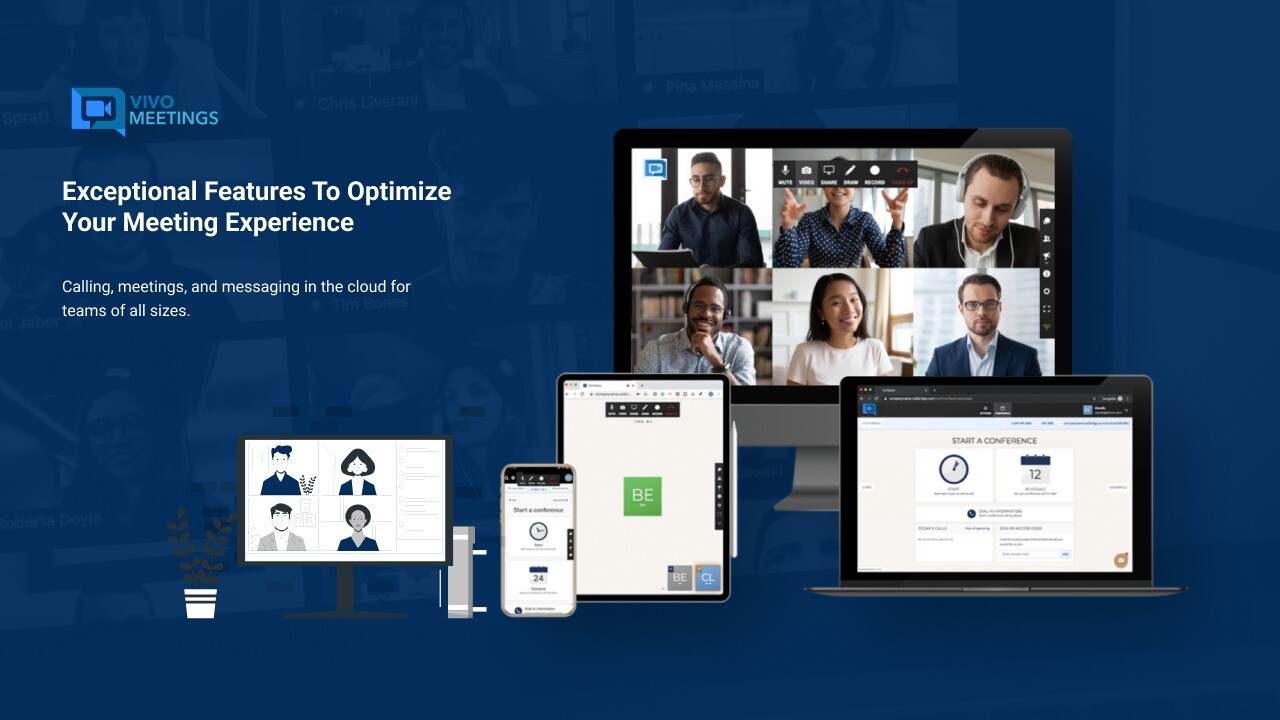
Vivomeetings is a cloud-based communication platform that supports video conferencing, voice calls, chat, and content sharing across devices and locations. Whether you’re hosting a team meeting, an educational seminar, or a large-scale webinar, Vivomeeting has the tools to make your virtual interactions seamless and efficient.
Find Original, High-end Home Decor that spark conversation at Grand Goldman Shop.

In this comprehensive Vivomeeting review, I’ll explore its core features, supported platforms, and how it compares to popular alternatives like Zoom and Google Meet. If you’re seeking a secure, user-friendly video conferencing solution with powerful integrations, keep reading to see if Vivomeeting fits your needs.
Get Lifetime Access to Vivomeetings Today
What is Vivomeeting?
Vivomeeting is a cloud-native video conferencing platform designed for easy, accessible communication. It allows users to conduct online meetings, webinars, and live streams while offering enterprise-level security and advanced management features.
Whether you're a small business, educational institution, or remote team, Vivomeeting provides the tools to stay connected, including:
-
HD video and audio for crystal-clear communication
-
AI-powered meeting transcriptions and summaries
-
Custom branding for a professional appearance
-
Enterprise-grade security to protect your data
Key Features of Vivomeeting
1. Multi-Platform Support
One of Vivomeeting's biggest strengths is its cross-platform compatibility. You can access the platform on:
-
Mac and Windows desktops
-
iOS and Android mobile devices
-
Browser-based access for instant meetings
This flexibility makes it ideal for teams using diverse devices and operating systems, ensuring that everyone can join meetings seamlessly.
2. High-Capacity Meetings and Live Streams
Vivomeeting supports both small team meetings and large-scale events. Depending on your plan, you can host:
-
Up to 300 video participants
-
10,000 viewers via live stream
Whether you're hosting a private meeting or a large webinar, Vivomeeting scales to meet your needs.
3. Advanced AI-Driven Features
Vivomeeting takes productivity to the next level with AI-powered meeting tools, including:
-
Meeting transcription (available in English)
-
AI-generated meeting summaries
-
Automated alerts and live meeting controls
These features allow you to capture key insights, improve note-taking accuracy, and simplify post-meeting follow-ups.
4. Custom Branding and Personalization
For businesses that want a professional, on-brand meeting experience, Vivomeeting offers advanced customization options:
-
Custom logos and backgrounds
-
Branded meeting rooms
-
Personalized skin colors
This feature is especially useful for agencies and enterprises looking to reinforce their brand identity during virtual meetings.
5. Enterprise-Grade Security
Data protection is a top priority for Vivomeeting. The platform provides enhanced security features like:
-
End-to-end encryption for confidential meetings
-
Pinless entry for secure access
-
GDPR compliance to meet international privacy standards
Whether you're handling sensitive client information or internal communications, Vivomeeting ensures your data is safe.
Get Lifetime Access to Vivomeetings Today

AI Software Reviews
Sterling Stock Picker Review | Surfast Video Downloader Review | Vento Screen Recorder Review | Worklenz Review | WriteSeed Review | Mystrika Review | Documentero Review | Leadrocks Plus Exclusive Review | SmatLeads Review | Trainwel Review
Vivomeetings Integrations
Vivomeeting integrates seamlessly with popular productivity tools to streamline scheduling and communication. Supported integrations include:
-
Google Calendar for easy meeting scheduling
-
Zapier for connecting to thousands of apps
-
Make (formerly Integromat) for advanced workflow automation
These integrations make it easier to align Vivomeeting with your existing tech stack, saving time and reducing manual tasks.
How Vivomeeting Enhances Productivity
1. Simplified Scheduling
Scheduling meetings across multiple time zones can be tricky. Vivomeeting’s intuitive scheduling tool makes it easy to:
-
Set meetings in different time zones
-
Send automated SMS reminders
-
Manage user roles and permissions
2. Real-Time Collaboration Tools
Vivomeeting offers a range of collaborative features to enhance team communication:
-
Screen and document sharing (desktop-only)
-
Live chat during meetings
-
Webinar-style meeting controls for moderators
These tools ensure participants stay engaged and informed throughout the meeting.
3. Content Storage and Sharing
Higher-tier plans include 14GB of content storage, allowing you to store and share meeting recordings, documents, and presentations with ease.
Get Lifetime Access to Vivomeetings Today
Vivomeeting vs. Competitors
When comparing Vivomeeting to other video conferencing platforms like Zoom, Google Meet, and Webex, here are some unique advantages:
-
AI-Powered Transcription & Summaries: Automated meeting documentation sets Vivomeeting apart.
-
Higher Participant Capacity: Supports up to 300 video participants and 10,000 live viewers.
-
Customization: Allows extensive branding options, unlike many competitors.
Who Is Vivomeeting Best For?
1. Educators
With features like AI transcription, webinars, and live streaming, Vivomeeting is an excellent tool for virtual classrooms and educational events.
2. Remote Teams
Vivomeeting enhances collaboration through real-time communication and integrates seamlessly with project management and calendar tools.
3. Small Businesses
The platform's scalability and affordability make it ideal for small businesses that require reliable, secure video conferencing without breaking the bank.
Pricing and Plans
Vivomeeting offers tiered pricing to accommodate businesses of all sizes. Key features vary by plan, with advanced tools like RTMP streaming, custom branding, and AI transcription available in higher tiers.
Final Thoughts: Is Vivomeeting Worth It?
If you're searching for a versatile video conferencing solution with advanced features and enterprise-grade security, Vivomeeting is a compelling choice. Its ability to host large meetings, offer AI-driven insights, and integrate with essential tools makes it a valuable asset for businesses, educators, and remote teams.
With a focus on user experience, customization, and security, Vivomeeting stands out as a modern communication solution that grows with your needs. Ready to upgrade your virtual meetings?
>> Get Lifetime Access to Vivomeetings Today
AI Software Reviews
Rendercut Review | BerqWP Review | Outscraper Review | Flipbooklets Review | Deftform Review | Show Review | Group Collector Review | IdeaBuddy Review | Highlighted AI Review | Insecure Web Review
Browse the Shop
 Acacia frida deluxe solid wood bed frame |
Bedroom bench |
Bed chest drawers |
Lingerie dresser |
Frame base |
Mirror with jewelry storage |
30 Bathroom Vanity |
Memory foam queen mattress |
Mattresses for back pain |
Nightstand set of 2 |
Grand Goldman Shop |
Civil Lawyer
Deutschland Trikot WM 2026
Acacia frida deluxe solid wood bed frame |
Bedroom bench |
Bed chest drawers |
Lingerie dresser |
Frame base |
Mirror with jewelry storage |
30 Bathroom Vanity |
Memory foam queen mattress |
Mattresses for back pain |
Nightstand set of 2 |
Grand Goldman Shop |
Civil Lawyer
Deutschland Trikot WM 2026










