

When searching for the best value computer mice, you want a device that balances price, performance, and comfort. A mouse is one of the most important peripherals you use daily, affecting productivity and comfort. With countless models available, we've selected eight top-quality, budget-friendly options to help you decide.
Why Choosing the Right Mouse Matters
A mouse is more than a simple accessory; it's your primary interface with your computer. An uncomfortable or imprecise mouse can lead to fatigue, reduced efficiency, and even repetitive strain injuries. Investing a little time to find the right fit pays off in daily comfort and long-term health.
Find Original Home Decor sparking conversation at Grand Goldman Shop.

Moreover, different tasks demand different features. A gamer needs high DPI and low latency, while an office worker values silent clicks and multi-device connectivity. Understanding your primary use case is the first step toward a smart purchase.
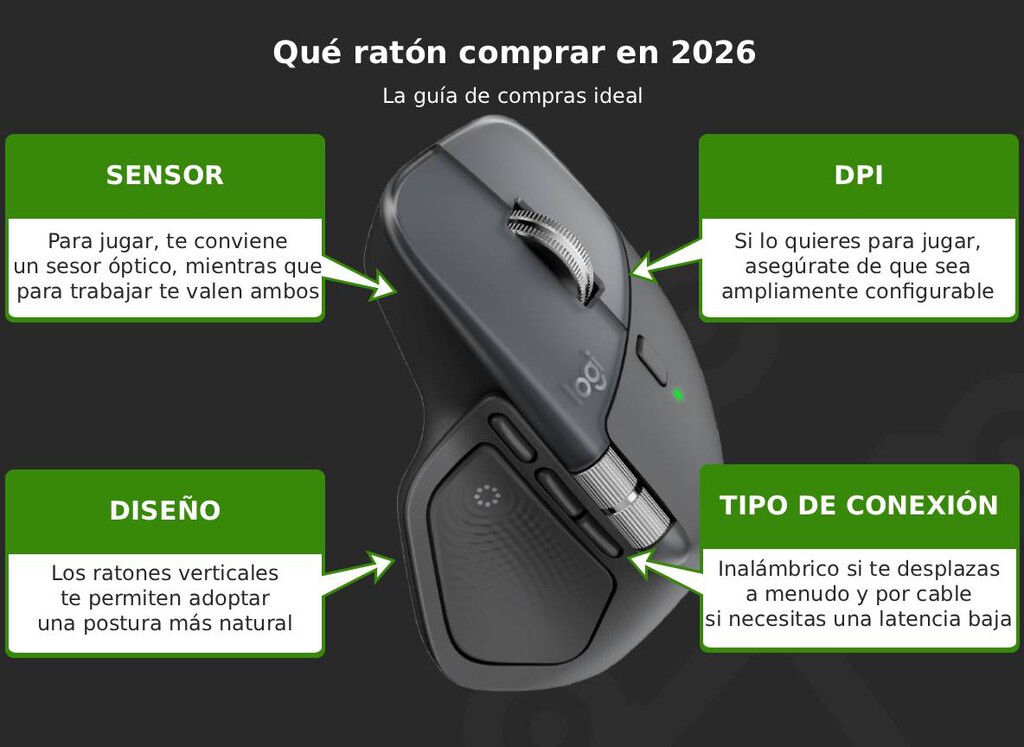
Our Top Pick: Logitech Signature M650
The Logitech Signature M650 stands out as our favorite for most people. It's an affordable wireless mouse that doesn't skimp on design or features. With its sleek, minimalist look and silent clicks, it's perfect for office environments or shared spaces.
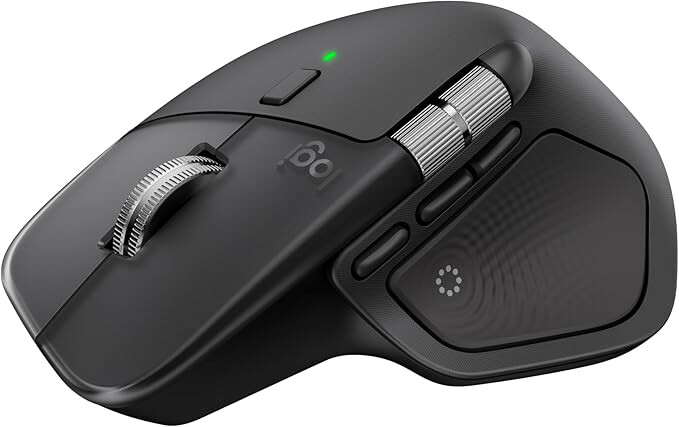
Connectivity is flexible: you can use the included Logi Bolt USB receiver or Bluetooth. It's compatible with Windows, Mac, Linux, Android, iOS, and even Chromebook, making it a versatile companion for any device.
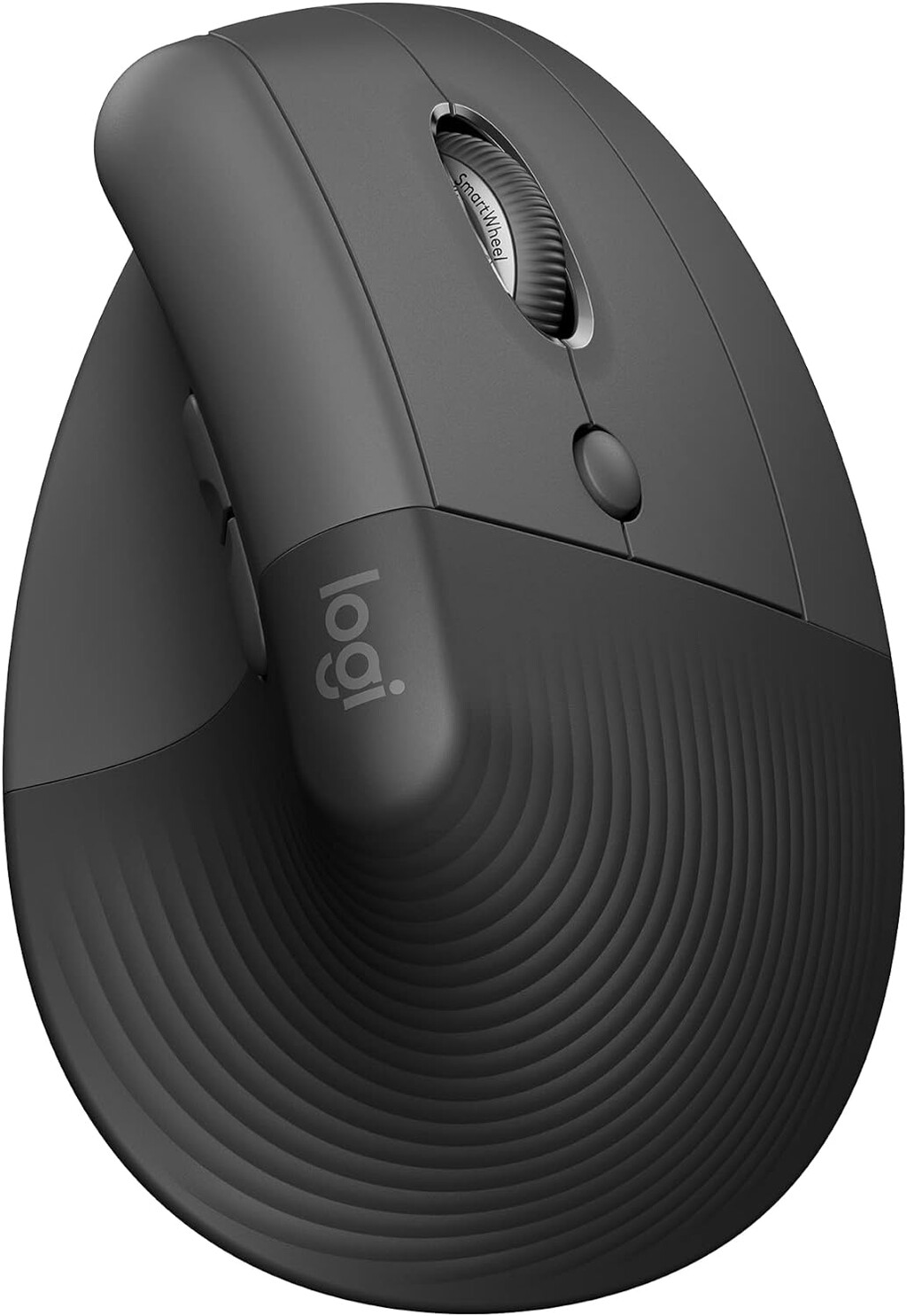
The M650 comes in small, medium, and large sizes, and there are left-handed versions available. Battery life is impressive at up to two years on a single AA battery. However, it's not designed for competitive gaming due to its standard sensor specifications.
Key Factors to Consider When Buying a Budget Mouse
- Connectivity: Wired for reliability, wireless (2.4GHz or Bluetooth) for convenience.
- Sensor Resolution (DPI): Higher DPI offers more sensitivity; 1000-2000 DPI is fine for general use.
- Ergonomics: Look for a shape that fits your hand size and grip style.
- Additional Buttons: Programmable buttons can boost productivity.
- Battery Life: For wireless mice, check battery type and longevity.
Comparison Table: Top Budget Mice
| Model | Connectivity | DPI | Battery Life | Best For |
|---|---|---|---|---|
| Logitech Signature M650 | Bluetooth, Logi Bolt USB | 400-4000 (adjustable) | Up to 2 years | Office, Everyday Use |
| Logitech M330 Silent Plus | 2.4GHz USB | 1000 | Up to 2 years | Silent Environments |
| Razer DeathAdder Essential | Wired USB | 6400 | N/A | Gaming |
| Microsoft Bluetooth Mobile Mouse 3600 | Bluetooth | 1000 | Up to 6 months | Portability |
| TeckNet 2.4G Wireless Mouse | 2.4GHz USB | 2000 | Up to 18 months | Budget Wireless |
Eight Recommended Models for Every Need
1. Logitech Signature M650 – Best Overall
As mentioned, the M650 offers a perfect blend of price, features, and comfort. Its silent clicks and multi-device support make it a top choice for productivity.
2. Logitech M330 Silent Plus – Best for Quiet Offices
If you need a mouse that won't disturb others, the M330 is nearly silent. It's wireless, comfortable, and has great battery life.
3. Razer DeathAdder Essential – Best Budget Gaming Mouse
For gamers on a budget, the DeathAdder Essential provides a reliable sensor and comfortable ergonomic shape at a low price.
4. Microsoft Bluetooth Mobile Mouse 3600 – Best for Travel
Compact and lightweight, this mouse connects via Bluetooth and is perfect for laptops on the go. The background to this story is set out in Best Big-Screen Phones 2026: Top 6 Picks for Every Budget. The background to this story is set out in Best Instant Cameras to Buy in 2026: Top Picks for Every Budget.
5. TeckNet 2.4G Wireless Mouse – Best Ultra-Budget
At a very low price, this mouse offers basic functionality and long battery life, ideal for casual use. The longer history behind the story is traced in Best Value Laptops: Top 8 Picks for Every Use in 2026. More on the surrounding debate is collected in Vertical Mice on a Budget: 5 Affordable Ergonomic Picks Under 20 Euros.
6. VicTsing MM057 – Best Ergonomic Budget Mouse
With a contoured shape and additional buttons, the MM057 is comfortable for extended use without breaking the bank. The background to this story is set out in Trending: latest articles. A related thread runs through Action's Solix Wireless Earbuds: 25-Hour Battery and ANC for €7.95. Earlier coverage in Ryzen 5 7600X: The Cheapest AM5 CPU Deal for Your 2026 Upgrade shows how the argument developed.
7. HP X3000 Wireless Mouse – Best for Simple Tasks
A no-frills wireless mouse that gets the job done, perfect for basic computing. A closer look at the same subject appears in Aldi's 12.99 Euro Electric Multicooker: Perfect for Small Kitchens. Anyone following the wider picture can start with Healey Rejects Capital Gains Tax Hike in UK Budget. The same theme surfaces in Modest Bank Tax Increase Is Not the End of the World for Lenders, which takes a different angle.
8. AmazonBasics Wireless Mouse – Best Value Brand
AmazonBasics offers a reliable, affordable wireless mouse with a simple design and good performance. Context on how this played out before sits in Wood Mice Hoarding Opium Seeds: A Garden Mystery Explained. A companion piece, Best Value Computer Mice: Top 8 Budget Picks for Every Use, approaches the same subject from another angle.
Frequently Asked Questions
What is the best budget mouse for office work?
Can a cheap mouse be good for gaming?
How long do wireless mice batteries last?
What DPI do I need for everyday use?
In conclusion, the best value computer mouse depends on your specific needs. The Logitech Signature M650 is a fantastic all-rounder, but there are excellent options for gaming, travel, and tight budgets. Assess your priorities and choose the one that fits your lifestyle.
Browse the Shop
 Acacia frida deluxe solid wood bed frame |
Bedroom bench |
Bed chest drawers |
Lingerie dresser |
Frame base |
Mirror with jewelry storage |
30 Bathroom Vanity |
Memory foam queen mattress |
Mattresses for back pain |
Nightstand set of 2 |
Grand Goldman Shop |
Civil Lawyer
Deutschland Trikot WM 2026







