

Windows 11's Weather app can consume more than 1GB of RAM at idle, a striking example of bloatware that wastes resources on a simple forecast. This revelation underscores a growing concern: even basic preinstalled apps are becoming resource hogs, and users are paying the price in performance.
As operating systems evolve, the line between essential features and unnecessary bloat has blurred. Microsoft's approach to preinstalled software is under scrutiny, especially when a weather app demands as much memory as a demanding productivity tool.
Find Original Home Decor sparking conversation at Grand Goldman Shop.

Why Does a Weather App Need So Much RAM?
The Weather app in Windows 11 is not just a simple forecast tool; it's a complex application built on modern web technologies. It uses a combination of live tiles, dynamic content, and background updates to deliver real-time information.
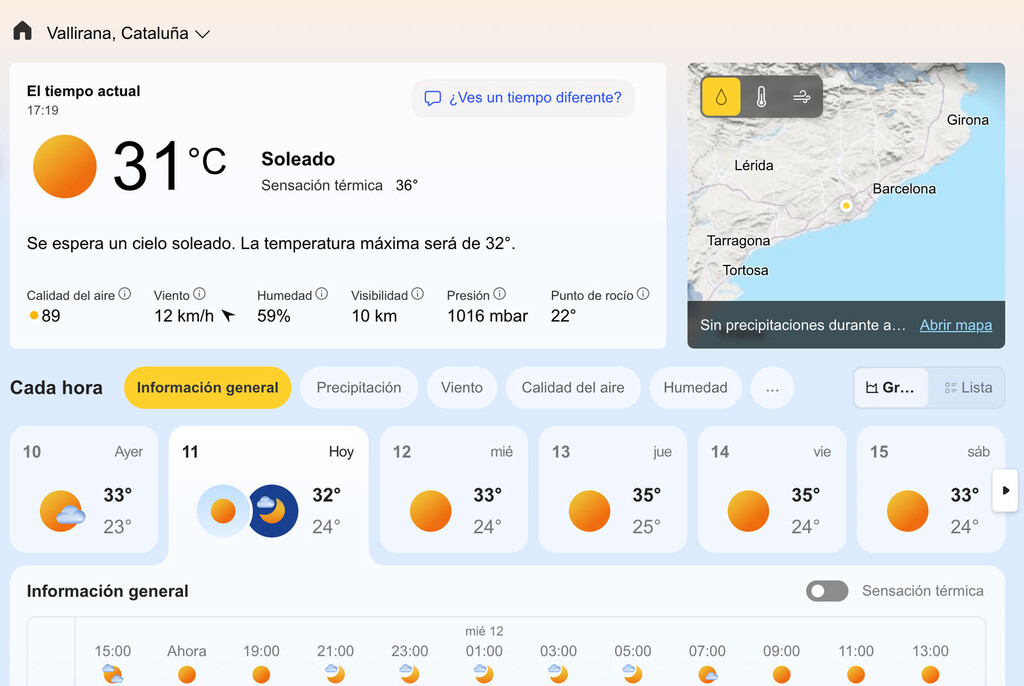
However, the resource consumption goes beyond what's necessary for delivering weather data. The app often runs multiple processes, including background tasks that keep the app ready for quick access. These processes can collectively consume over a gigabyte of memory, even when the app is not actively in use.
This is partly due to the app's architecture, which relies on Edge WebView2 and other frameworks that are memory-intensive. While these technologies enable rich experiences, they also contribute to the bloat that plagues many modern applications.
The Broader Bloatware Problem in Windows 11
The Weather app is just one example of a wider issue. Windows 11 comes with a slew of preinstalled apps, many of which are not essential for the operating system to function. These include games, promotional apps, and utilities that duplicate existing features.
Microsoft allows administrators in Enterprise and Education editions to remove some of this bloatware in bulk, but home users are left to manually uninstall or disable these apps. The presence of such apps not only consumes disk space but also memory and CPU resources, potentially slowing down the system.
Moreover, the bloatware often includes advertising and promotional content, reflecting Microsoft's shift towards monetization in the consumer segment. This strategy may generate revenue, but it comes at the cost of user experience.
How Bloatware Affects Performance and Users
For users with high-end machines, the impact of a single app using 1GB of RAM might go unnoticed. But on budget laptops or older hardware, this can be significant. It reduces the available memory for other applications, leading to slowdowns and multitasking issues.
Additionally, the constant background activity of these apps can drain battery life on portable devices. Users may experience shorter battery runtime and increased fan noise as the system works harder to manage the load.
The psychological effect is also worth considering: users feel a loss of control over their devices. They purchased a computer expecting it to run efficiently, only to find it cluttered with unwanted software that consumes resources.
What Can Users Do About Bloatware?
While Microsoft doesn't make it easy, users can take steps to mitigate the impact of bloatware. Uninstalling unnecessary apps is the first line of defense. For apps that can't be uninstalled, disabling background permissions and startup entries can help.
Third-party tools like debloat scripts and custom ISOs offer more radical solutions, but they come with risks. Users should proceed with caution and ensure they understand the implications.
Ultimately, the responsibility lies with Microsoft to provide a cleaner, more efficient operating system. Until then, users must remain vigilant and proactive in managing their system resources. The longer history behind the story is traced in Microsoft AI Diffusion Report: Global AI Adoption Map Revealed.
What This Means for the Future of Windows
The Weather app's memory usage is symptomatic of a larger trend: software is getting heavier, and hardware requirements are rising. As Microsoft continues to integrate more services and features into Windows, the bloat is likely to increase. The background to this story is set out in Android 17 to Cap App RAM Usage, Boosting Budget Phones. A related thread runs through AI Tool Strips Ads and Bloatware From Smart TVs: A Minimalist Guide. Earlier coverage in Windows 7 vs Windows 11 Gaming: 10 Games Show Surprising Performance shows how the argument developed.
This could push users towards alternative operating systems or lighter versions of Windows. It also raises questions about sustainability, as older hardware becomes obsolete not because it can't perform tasks, but because the software is too demanding. A closer look at the same subject appears in Technology: latest articles. Anyone following the wider picture can start with Microsoft Quietly Retires Copilot+ PC Brand for New Surface Models. The same theme surfaces in Putin's Unactivated Windows: Microsoft's Quiet Tolerance of Piracy, which takes a different angle.
Microsoft has the opportunity to reverse this trend by prioritizing efficiency and user choice. Whether they will is uncertain, but the conversation around bloatware is gaining momentum. Context on how this played out before sits in Denmark's Open Source Office Pilot Struggles With Microsoft Dependency. A companion piece, China Orders Government Agencies to Ditch Windows 10 China Edition, approaches the same subject from another angle.
FAQ
Why does the Windows 11 Weather app use so much RAM?
The Weather app uses modern web technologies and runs multiple background processes to provide live updates and quick access. These processes can consume over 1GB of RAM even when the app is idle.
Can I uninstall the Weather app in Windows 11?
Yes, you can uninstall the Weather app like any other preinstalled app. However, some users report that it may reappear after major updates. Using PowerShell or third-party debloat tools can help remove it more permanently.
Does bloatware affect battery life?
Yes, bloatware often runs background processes that consume CPU and memory, leading to increased power usage and reduced battery life, especially on laptops.
Is Microsoft addressing the bloatware issue?
Microsoft has provided some tools for Enterprise and Education editions to remove bloatware, but consumer versions still include many preinstalled apps. The company has not announced plans to significantly reduce bloatware in consumer editions.
Browse the Shop
 Acacia frida deluxe solid wood bed frame |
Bedroom bench |
Bed chest drawers |
Lingerie dresser |
Frame base |
Mirror with jewelry storage |
30 Bathroom Vanity |
Memory foam queen mattress |
Mattresses for back pain |
Nightstand set of 2 |
Grand Goldman Shop |
Civil Lawyer
Deutschland Trikot WM 2026







