


Introduction: The Future of AI Automation
Running a business shouldn’t feel like an endless maze of manual processes and repetitive tasks. But for many small businesses, IT professionals, and virtual assistants, that’s the reality. You want to leverage AI to simplify workflows, but you don’t have the coding skills to make it happen.
Enter Diaflow, a no-code AI automation platform designed to help you build powerful AI-powered apps and workflows with ease. Whether you need to integrate with Slack, Outlook, PostgreSQL, or Microsoft SQL Server, Diaflow’s intuitive builder lets you automate tasks, streamline data management, and scale operations seamlessly.
In this comprehensive Diaflow review, I’ll break down its key features, discuss GDPR-compliant data privacy, explore app integrations, and explain how this tool stacks up against competitors like Zapier, UiPath, and Make. By the end of this article, you’ll know exactly whether Diaflow is the right fit for your business.
What is Diaflow? An Overview
Diaflow is an AI-powered automation platform that allows users to create internal tools, AI agents, and workflow automation without writing a single line of code. It’s perfect for businesses looking to streamline operations without investing in complex development processes.
Key Features of Diaflow
-
No-Code AI Workflow Builder – Create AI-driven automations visually.
-
Prebuilt Templates – Customize existing workflows to fit your needs.
-
Data Integration – Connect with databases like Google Sheets, Notion, and AWS.
-
Privacy & Security – Ensure compliance with GDPR and CCPA regulations.
-
Seamless App Integrations – Connect with Slack, WhatsApp, Outlook, and more.
Building AI-Powered Workflows Without Coding
A Simple Yet Powerful No-Code Builder
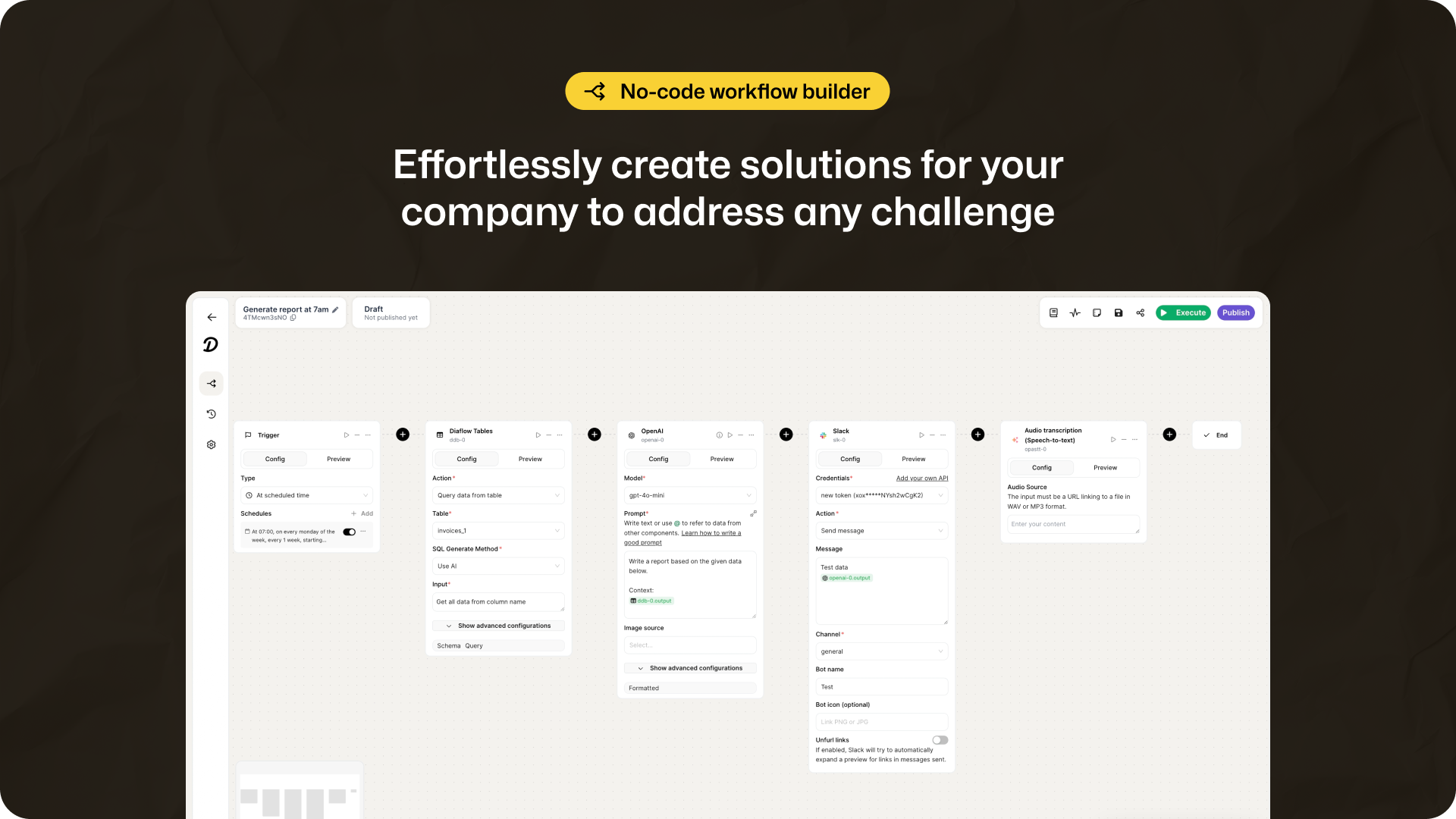
Traditional automation tools often require some level of programming knowledge, but Diaflow’s intuitive builder lets you create complex workflows with a drag-and-drop interface. Whether you need to automate emails, extract data, or integrate different platforms, Diaflow makes it seamless.
How It Works:
-
Choose a template or start from scratch.
-
Drag and drop components to build your workflow.
-
Customize steps, set triggers, and define actions.
-
Deploy and let Diaflow handle the rest.
Use Cases for Businesses
-
Customer Support – Set up AI chatbots for instant responses.
-
Data Management – Automate data collection and analysis.
-
Marketing Automation – Schedule and personalize email campaigns.
-
Task Delegation – Assign AI agents to complete repetitive tasks.
Keeping Your Data Secure: GDPR and CCPA Compliance
Why Data Privacy Matters
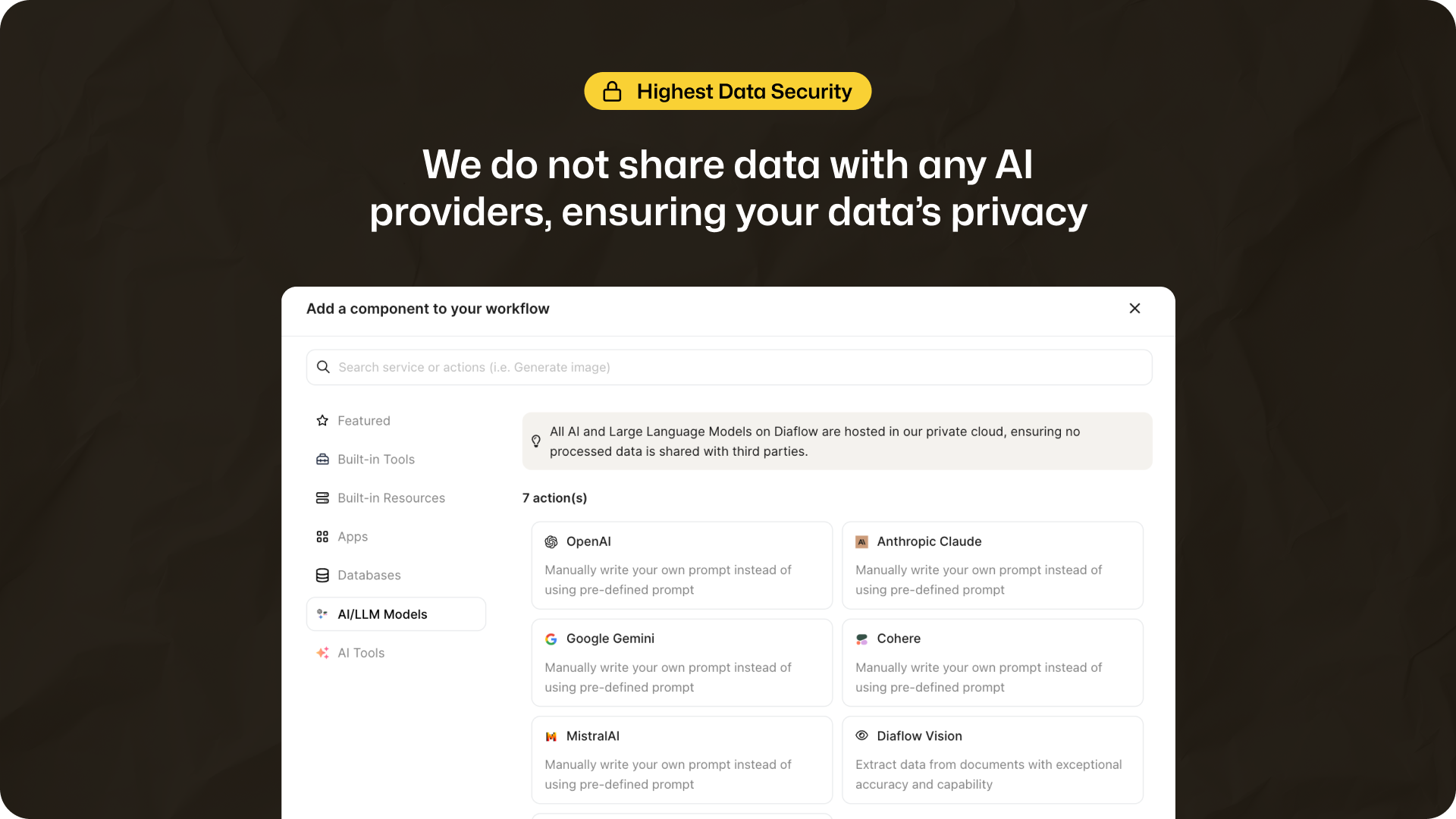
With AI handling sensitive business information, data security is a top concern. Many automation platforms struggle to provide robust privacy protections, but Diaflow ensures your data never leaves its secure cloud servers.
Key Security Features
-
Full Compliance with GDPR and CCPA regulations.
-
Cloud Hosting to ensure data security.
-
No Third-Party Data Sharing – Your information stays within Diaflow’s ecosystem.
This privacy-first approach makes Diaflow an excellent choice for industries that require strict regulatory compliance.
All Your Data, In One Place
Connecting Data Sources Effortlessly
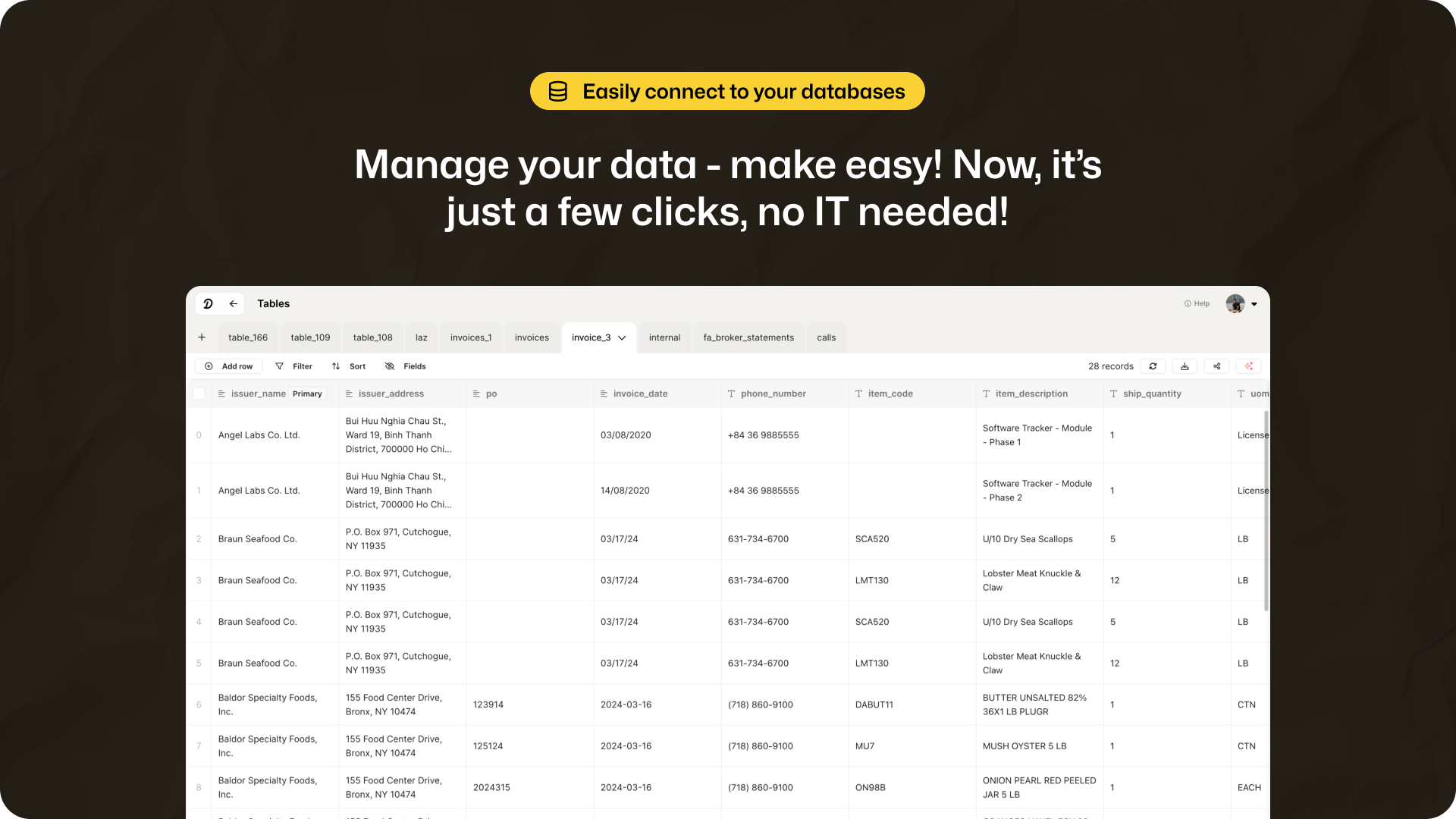
If you’re tired of juggling between multiple databases, Diaflow has you covered. With just a few clicks, you can integrate data from:
-
Google Sheets & Airtable – Perfect for structured data management.
-
Amazon Web Services (AWS) – Leverage cloud-based data storage.
-
Notion & Custom CSV Uploads – Organize and scale your operations effortlessly.
With smart tables and automation, Diaflow ensures that your data is accessible, organized, and ready for AI-driven insights.
Seamless App Integrations: Supercharge Your Workflow
Connect Your Favorite Apps
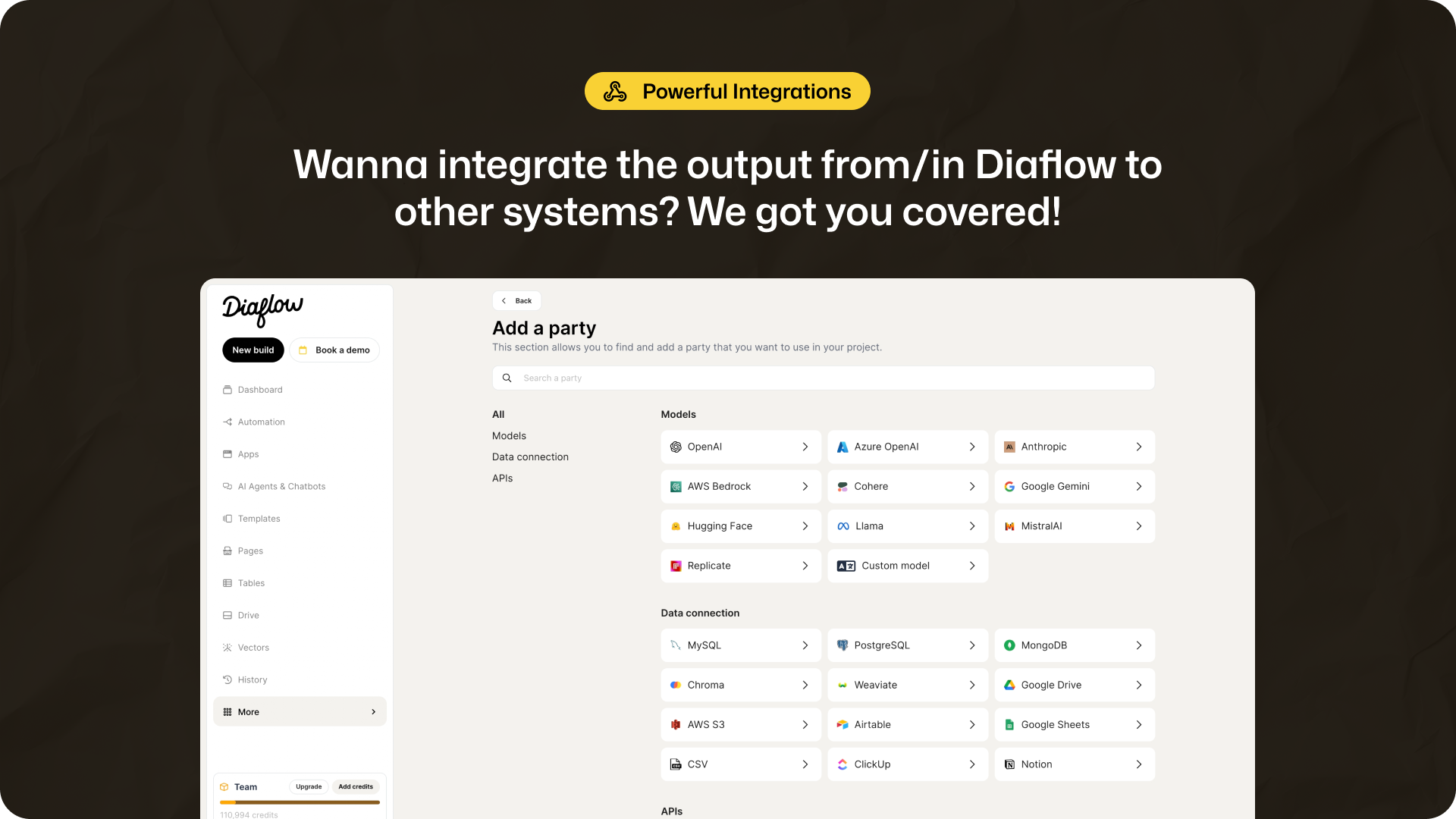
One of Diaflow’s biggest strengths is its integration capabilities. With built-in API support, you can instantly connect to popular business tools, eliminating the need for manual data transfers.
Key App Integrations
-
Messaging Platforms: Slack, WhatsApp, Telegram, Facebook Messenger
-
Email Clients: Outlook, Mailchimp, SMTP-supported services
-
Databases: PostgreSQL, Microsoft SQL Server, Google Sheets
By automating communication and centralizing data, you free up more time for high-value work.
How Diaflow Compares to Competitors
Diaflow vs. Zapier, UiPath, and Make
Many businesses rely on automation platforms like Zapier, UiPath, and Make. Here’s how Diaflow stacks up:
| Feature | Diaflow | Zapier | UiPath | Make |
|---|---|---|---|---|
| No-Code Workflow Builder | ✅ Yes | ✅ Yes | ❌ No | ✅ Yes |
| AI-Powered Automations | ✅ Yes | ❌ No | ✅ Yes | ❌ No |
| GDPR & CCPA Compliance | ✅ Yes | ❌ No | ✅ Yes | ❌ No |
| Built-in App Integrations | ✅ Yes | ✅ Yes | ✅ Yes | ✅ Yes |
| Data Hosting & Privacy | ✅ Yes | ❌ No | ✅ Yes | ❌ No |
While Zapier and Make focus on basic app connections, and UiPath specializes in robotic process automation (RPA), Diaflow stands out by combining AI-powered automation with a privacy-first approach.
Who Should Use Diaflow?
Best for:
✅ Small businesses looking to automate operations without hiring developers. ✅ IT & Security agencies needing GDPR-compliant AI-powered solutions. ✅ Virtual assistants looking to enhance productivity through AI workflows.
If you fall into any of these categories, Diaflow is an investment worth considering.
Final Verdict: Is Diaflow Worth It?
With AI-powered automation, seamless integrations, and industry-leading data security, Diaflow delivers everything you need to optimize workflows and scale your business. Unlike competitors, it offers a privacy-first, no-code experience that anyone can use.
🚀 Ready to automate your business? Get lifetime access to Diaflow today!







