Skip to content
Grand Goldman

Frontly Review: The Truth About Generating Web Apps with AI 2025

When you’re not a coder, bringing your million-dollar app idea to life sounds like a pipe dream. Between endless hours learning to code and the limitations of off-the-shelf software, building something custom feels out of reach. But what if you could generate a fully functional web app by simply describing it in plain English? That’s where Frontly—an AI-powered, no-code builder—shines.

I’ve tested dozens of no-code tools, and Frontly stands out for its seamless AI integration, spreadsheet-friendly database, and client portal capabilities.

Whether you’re a consultant, small business owner, or entrepreneur, Frontly lets you turn Google Sheets into secure web apps, automate workflows, and collect data with custom forms—all without writing code. Here’s my hands-on review after building multiple apps, including a client management portal and an inventory tracker.


Get Lifetime Access to Frontly Today


What is Frontly ?

Frontly is an AI-powered, no-code app builder that lets you create custom web apps and internal tools. Thanks to the power of AI, Frontly lets you generate a fully functional web application without writing a single line of code.


Frontly Review: Key Features Breakdown

1. AI App Generator: Describe, Generate, Deploy

Frontly’s standout feature is its AI copilot (powered by GPT-4), which builds apps from text prompts. For example, I typed, “Create a client portal with login, project tracking, and invoice submission,” and within minutes, Frontly generated a working prototype with:

  • User authentication

  • Project tables linked to Google Sheets

  • Form builders for invoice uploads
    This eliminates weeks of manual setup, especially for internal tools or customer-facing apps.

2. Spreadsheet-to-App Magic

Unlike Bubble’s complex database system, Frontly uses Google Sheets as a backend, making it ideal for teams already reliant on spreadsheets. I synced a CRM Sheet to Frontly, and it automatically converted columns into searchable fields, filters, and dashboards. The platform also supports Supabase for scalable databases, giving you control over data hosting.
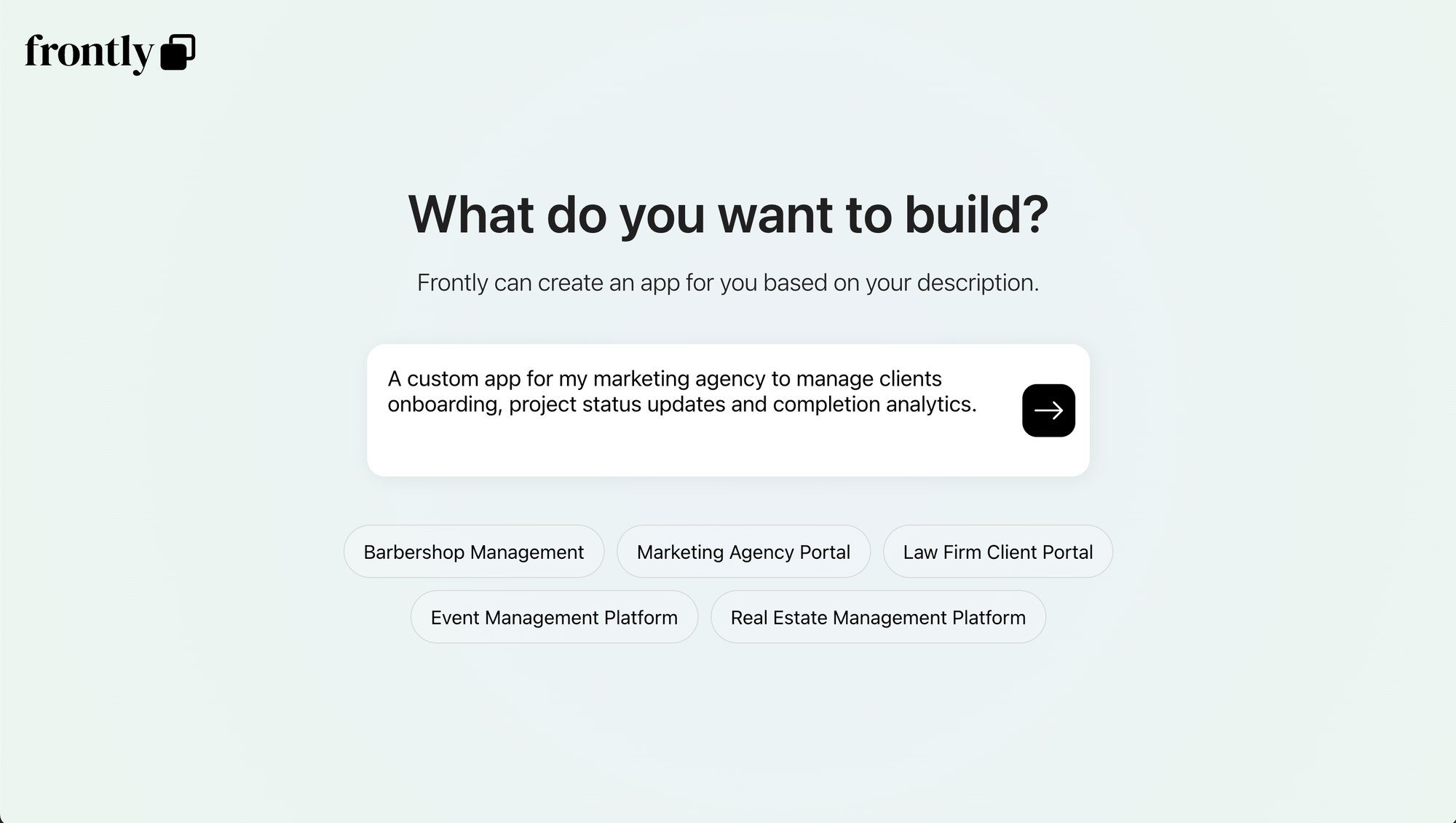

App generator


Customization and Workflows

3. Drag-and-Drop Editor

If the AI’s initial output isn’t perfect, tweak it with Frontly’s visual editor. I adjusted layouts, added branding colors, and embedded forms—all through a Figma-like interface. The AI copilot assists here too: Describe changes like “Make the header blue” or “Add a search bar,” and it executes them instantly.

4. Pre-Built Templates

Frontly’s marketplace offers templates for:

  • Lead capture forms

  • Project management boards

  • Inventory trackers
    I customized a client onboarding template in 15 minutes, adding conditional logic to show/hide fields based on user inputs.


Get Lifetime Access to Frontly Today
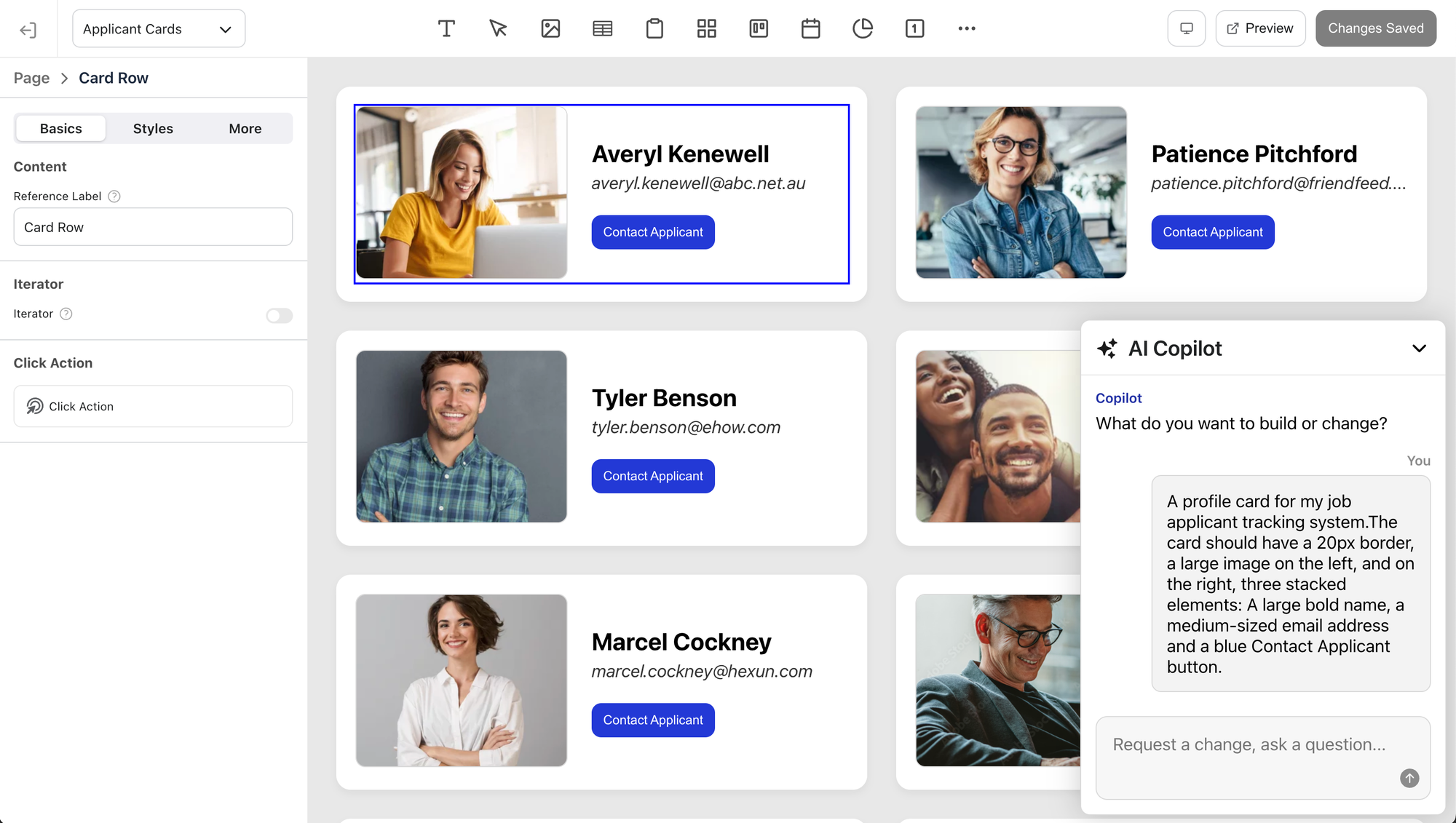
App customization


Data Collection and Security

5. Custom Forms with Granular Permissions

Frontly’s drag-and-drop form builder lets you collect data directly within apps. I built a survey form with file uploads and linked submissions to a Google Sheet. You can set role-based access, ensuring clients only see their data.

6. White-Label Branding

Paid plans allow custom domains, logo uploads, and CSS overrides. I removed Frontly’s branding and applied my client’s colors—critical for professional presentations.
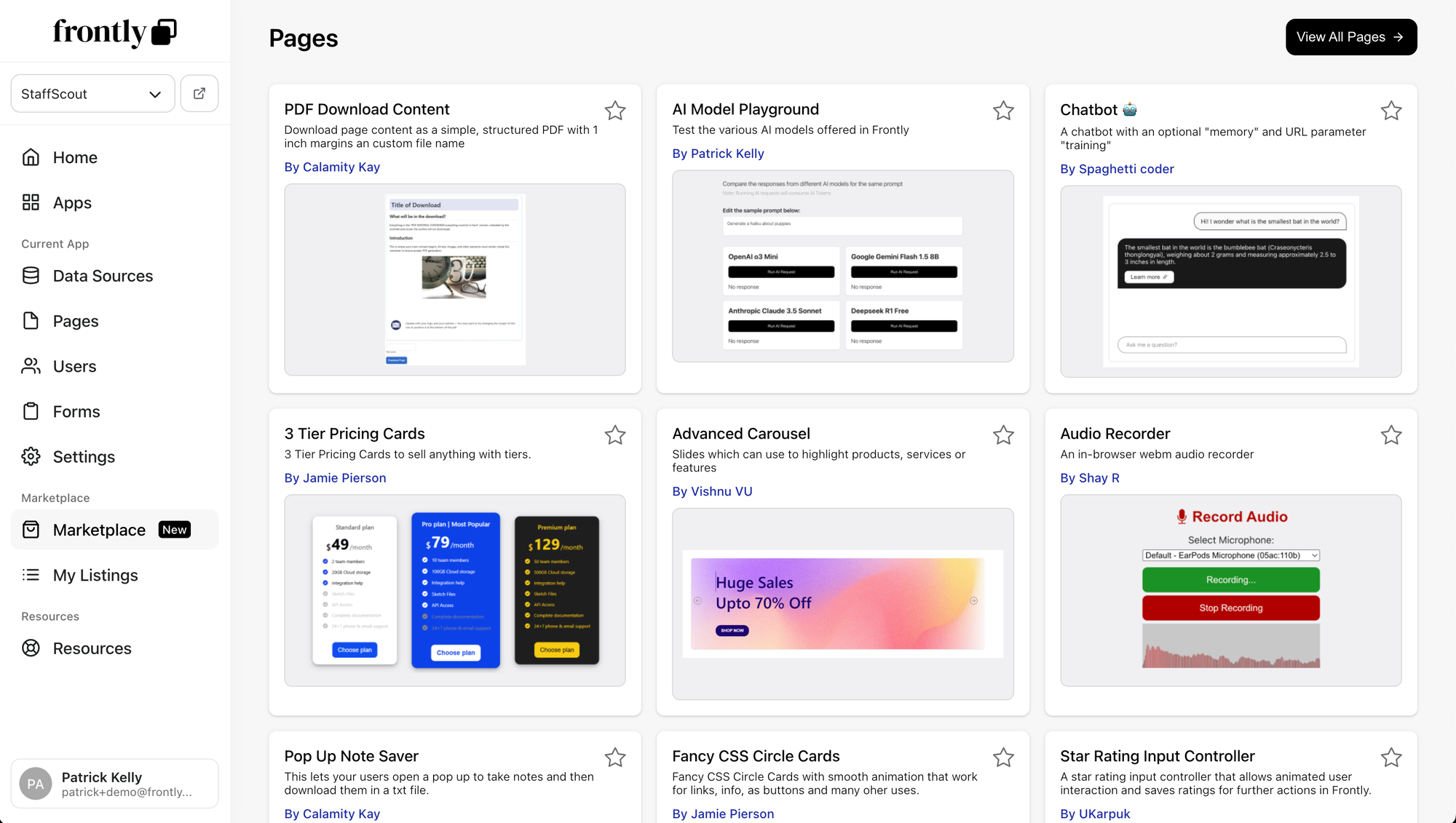

App templates


Integrations and Scalability

7. Automate Workflows

Frontly connects to Zapier, Make, and Activepieces, letting you trigger actions like sending emails or updating CRM records when data changes. For instance, I automated invoice reminders when a Sheet row reaches “Overdue”.

8. Scalable Pricing

Frontly’s tiers start at $14.92/month (49% cheaper than competitors like Bubble). The Growth plan ($58.25/month) adds branded apps and 10K monthly database operations. Enterprise users can negotiate custom limits.


Pros and Cons of Frontly

✅ Pros

  • GPT-4 AI accelerates app development

  • Google Sheets/Supabase integration simplifies data management

  • Active community and responsive support

❌ Cons

  • Freemium limits: Free apps show Frontly branding and cap database operations

  • Learning curve: Advanced features like conditional logic require practice


Get Lifetime Access to Frontly Today
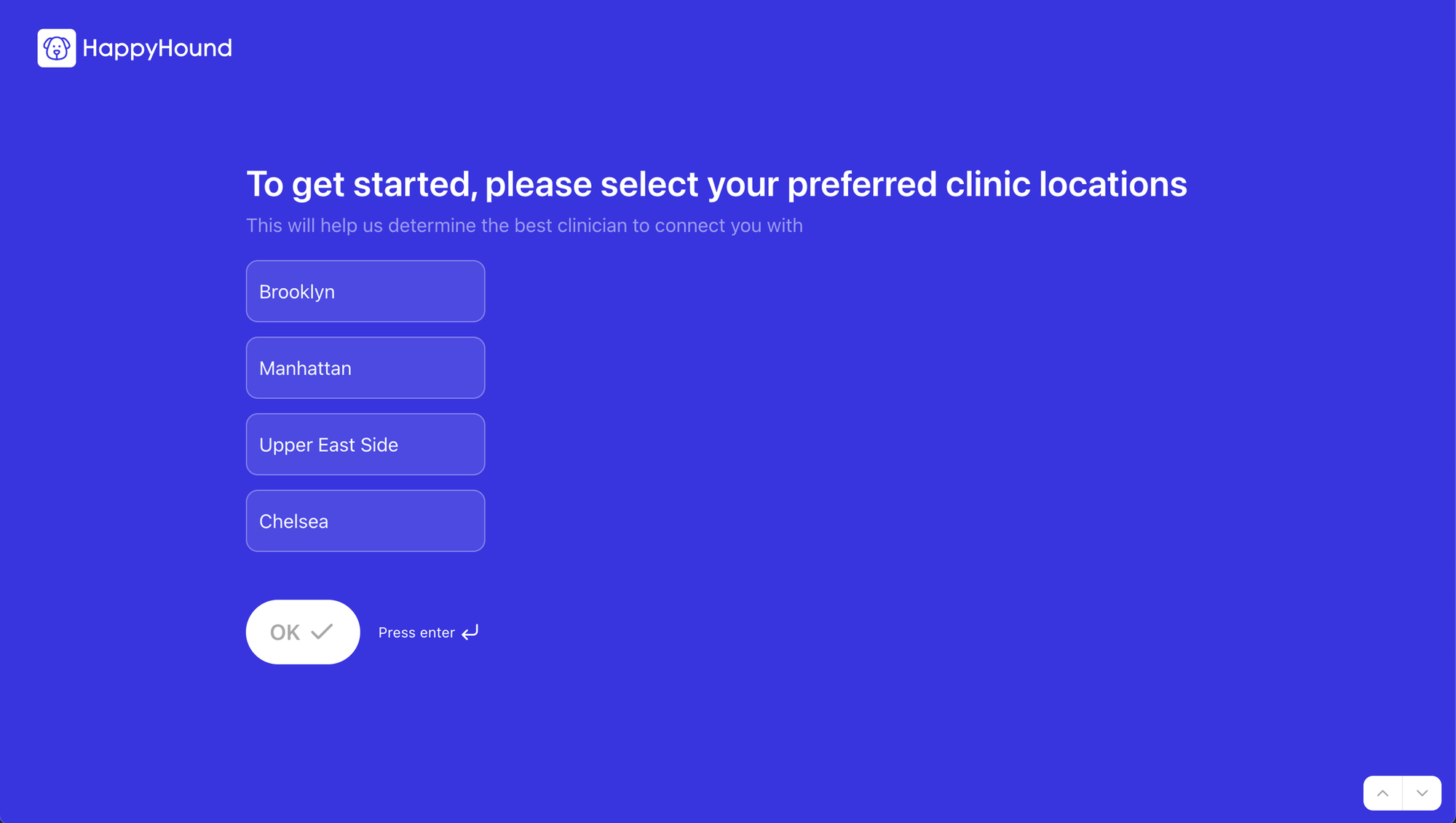
Custom forms


Who Should Use Frontly?

  • Consultants building client portals

  • Small businesses automating workflows

  • Non-technical founders validating app ideas


Final Verdict

Frontly is a game-changer for no-code development, especially if you rely on spreadsheets. While it’s not ideal for highly complex apps (yet), its AI copilot, affordability, and Google Sheets compatibility make it a top choice for SaaS MVPs or internal tools.

Try Frontly today if you’re tired of cookie-cutter solutions and want to build custom apps at startup speed. For the price, it’s unmatched in flexibility and AI power.

David Hansen
Author

David Hansen

An engineer, author and high-tech enthusiast whose passion has been evolving for 12 years. After contributing to numerous online publications, David shares his experiences and discoveries on Grand Goldman. He focuses on Smart Homes, Connected Devices, and how they will improve our lives and society in the future.


Software

UPDF Review - PDF Editor All Platforms for Individuals (What I Found)

Managing and editing PDFs across multiple devices shouldn’t be complicated. With UPDF, you can seamlessly edit, annotate, convert, organize, and protect PDFs on Windows, Mac, iOS, and Android. Whether you’re a...

Hirevire Review: Streamline Your Hiring Process with Video Screening

Finding the perfect candidate for your job posting can feel like searching for a needle in a haystack. You waste hours interviewing candidates who just aren’t the right fit. But...

ElkQR Review - Custom QR codes Generation (Should You Invest?)

If you're looking to engage customers, track campaign performance, and increase brand awareness, then QR codes are an essential tool for your business. But not all QR code solutions are...

CutMe Short Review: The Ultimate AI-Powered URL Shortener?

If you’re tired of managing long, messy URLs that clutter your content and reduce engagement, you’re not alone. Shortening links may seem like a simple task, but when you add the...

GOOSE VPN Review: Don't Buy Until You Read This (Online Privacy)

In today’s digital age, your online privacy is more vulnerable than ever. Whether you’re browsing for work, streaming your favorite shows, or handling sensitive data, your internet activity is constantly being...

Chrome Tab Reminder Review: Is It Right for You?

Ever stumbled upon an interesting webpage but didn't have the time to dive in right away? Or perhaps you wanted to track an upcoming sale event or return to a helpful...

Zylvie - High-Converting Checkout Software Review (Must Read)

Tired of hefty fees and complicated setup headaches just to sell your digital products and subscriptions? Many creators struggle with high platform commissions, complex integrations, and limited customization that hinder their...

MarkupGo Review: Before You Make a Decision

Frustrated with juggling multiple tools for PDF generation and image transformation? Creating high-quality documents and optimized images can feel like an uphill battle, often leading to inconsistent formatting, time-consuming adjustments, and...

Fox Signals Review: Everything You Need to Know

The Future of Trading with AI-Driven Fox Signals If you're looking for a way to multiply your profits while trading cryptocurrencies and stocks, you need a powerful AI-powered trading signals...

MetaSurvey Plus exclusive Review: Smarter Data Collection (Guide)

If you’re looking for a survey software tool that’s modern, engaging, and packed with powerful features, then MetaSurvey is exactly what you need. This AppSumo Plus exclusive version comes with additional...

Screpy Review: Is This AI Website Optimization Tool Worth It?

If you’re managing a website, you know the struggle of juggling multiple tools to monitor SEO performance, page speed, and uptime. Keeping everything in check can feel like an overwhelming, never-ending...

Open eLMS Review: Easily Create Quality eLearning Courses

Open eLMS Review: Is It the Ultimate AI-Powered eLearning Solution? If you’re an educator, course creator, or business looking to produce stunning eLearning courses quickly, you know how time-consuming content...

ApiX-Drive Plus exclusive Review: APIs to Automate Your Work

ApiX-Drive Review: Is It Worth the Hype? If you're tired of wasting time on manual data transfers and juggling multiple business tools, you're not alone. Many businesses struggle to streamline...

KingSumo Review: Grow Your Audience with Viral Giveaways

If you're tired of spending hours on marketing strategies and burning through your advertising budget without seeing substantial growth, you're not alone. Many businesses struggle to grow their audience without exhausting...

Vengo AI Review: AI agents that Convert Leads & Drive Revenue

If you’re looking to increase revenue without overburdening your sales team, you’re not alone. Many businesses struggle to capture leads and provide 24/7 customer support without exhausting their resources. That’s where...

Desklog Review: The Inside Scoop

Struggling to track time effectively and manage your team’s productivity? I know how overwhelming it can be to juggle multiple projects, monitor working hours, and ensure everything runs smoothly. That’s where...

Tiny Talk Review: Does It Live Up to the Hype?

Keeping up with customer demands is tough, especially when you’re juggling multiple communication channels. Delayed responses and missed inquiries can lead to customer dissatisfaction and lost opportunities. But what if you...




