


KYZON Space Review: Your Complete Guide
In today’s fast-paced work environment, effective virtual collaboration is more crucial than ever. Yet, many video calls fall short. Most attendees tune out, and one-sided presentations often fail to produce real outcomes. (Camera on, brain off – we’ve all been there.)
Wouldn't it be great if you could edit documents in real-time during meetings and make collaboration seamless? That’s where KYZON Space comes in. This browser-based platform is designed to enhance your virtual meetings by allowing you to present, collaborate, and edit documents without switching between applications.
Whether you’re a remote team, marketing agency, or small business, KYZON Space provides a powerful solution to improve meeting productivity. With cloud storage integrations, lag-free screen sharing, and breakout rooms, it transforms your virtual workspace into an interactive, collaborative hub.
In this comprehensive review, I’ll walk you through KYZON Space’s key features, real-world applications, and how it stacks up against competitors like Zoom, Microsoft Teams, and Google Meet. If you’re looking for a smarter way to run meetings, keep reading – this might be the tool you didn’t know you needed.
What is KYZON Space?
KYZON Space is an advanced collaboration platform that enables real-time document editing and seamless presentations during video calls. Unlike traditional meeting software, it integrates with popular cloud storage services like Google Drive, Dropbox, and OneDrive, allowing you to access and edit files directly during a meeting.
The platform's goal is simple: to make virtual meetings more interactive and productive. With features like synced presentations, live editing, and breakout rooms, KYZON Space helps teams engage better, capture decisions, and streamline workflows.
Key Features of KYZON Space
Edit Documents in Real-Time During Video Calls
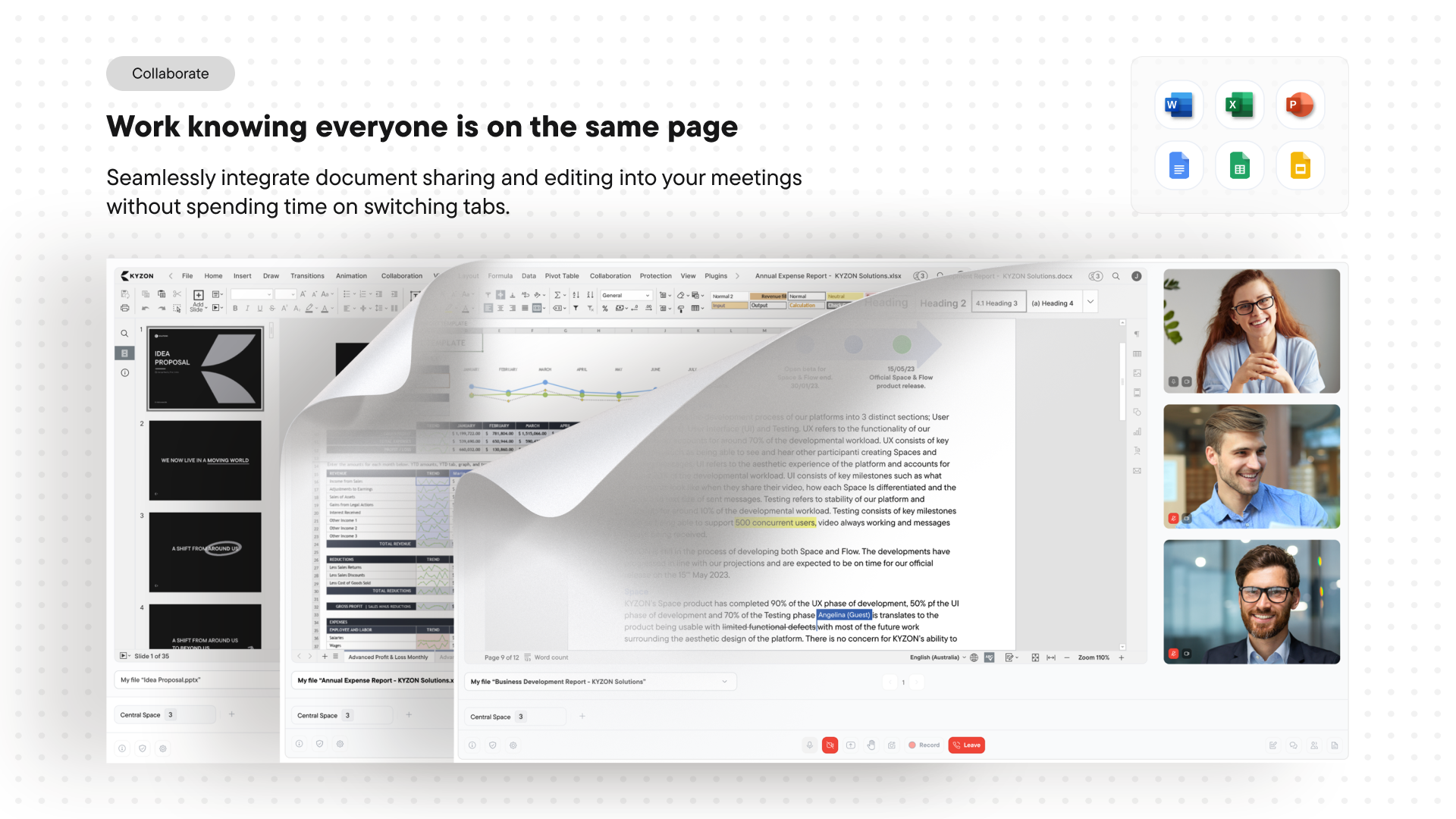
One of the standout features of KYZON Space is the ability to edit documents live while on a video call. This means no more sharing screens or waiting until after the meeting to make changes.
-
Create or Upload Files: Open Word documents, Excel spreadsheets, PowerPoints, and Google Docs directly within the meeting interface.
-
Collaborate Seamlessly: Highlight text, leave comments, and edit simultaneously with your team.
-
No Software Downloads: Since KYZON Space is browser-based, there’s no need to download additional software or worry about compatibility issues.
Lag-Free, Synced Presentations
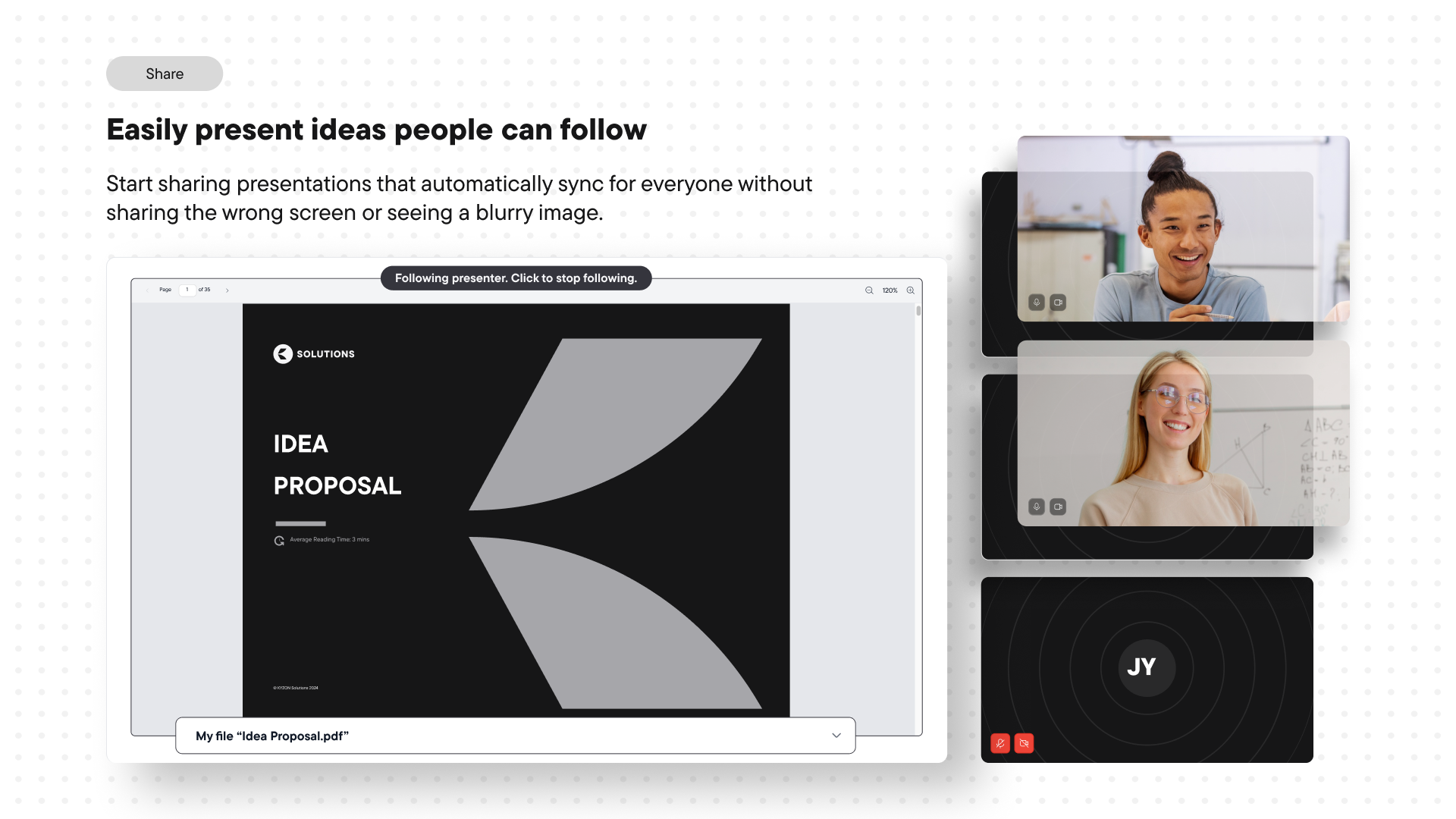
If you’ve ever struggled with choppy screen sharing, you’ll appreciate KYZON Space’s synced presentation feature. Instead of sharing your screen, you upload your presentation to the platform, where it syncs smoothly across all participants.
-
Independent Navigation: Attendees can scroll through slides independently without affecting the presenter’s view.
-
Stay in Sync: With one click, participants can rejoin the presenter’s view, ensuring they never miss a critical point.
-
Smooth Experience: Avoid network lags and blurry screens – everyone sees your presentation in high quality.
Seamless Cloud Storage Integration
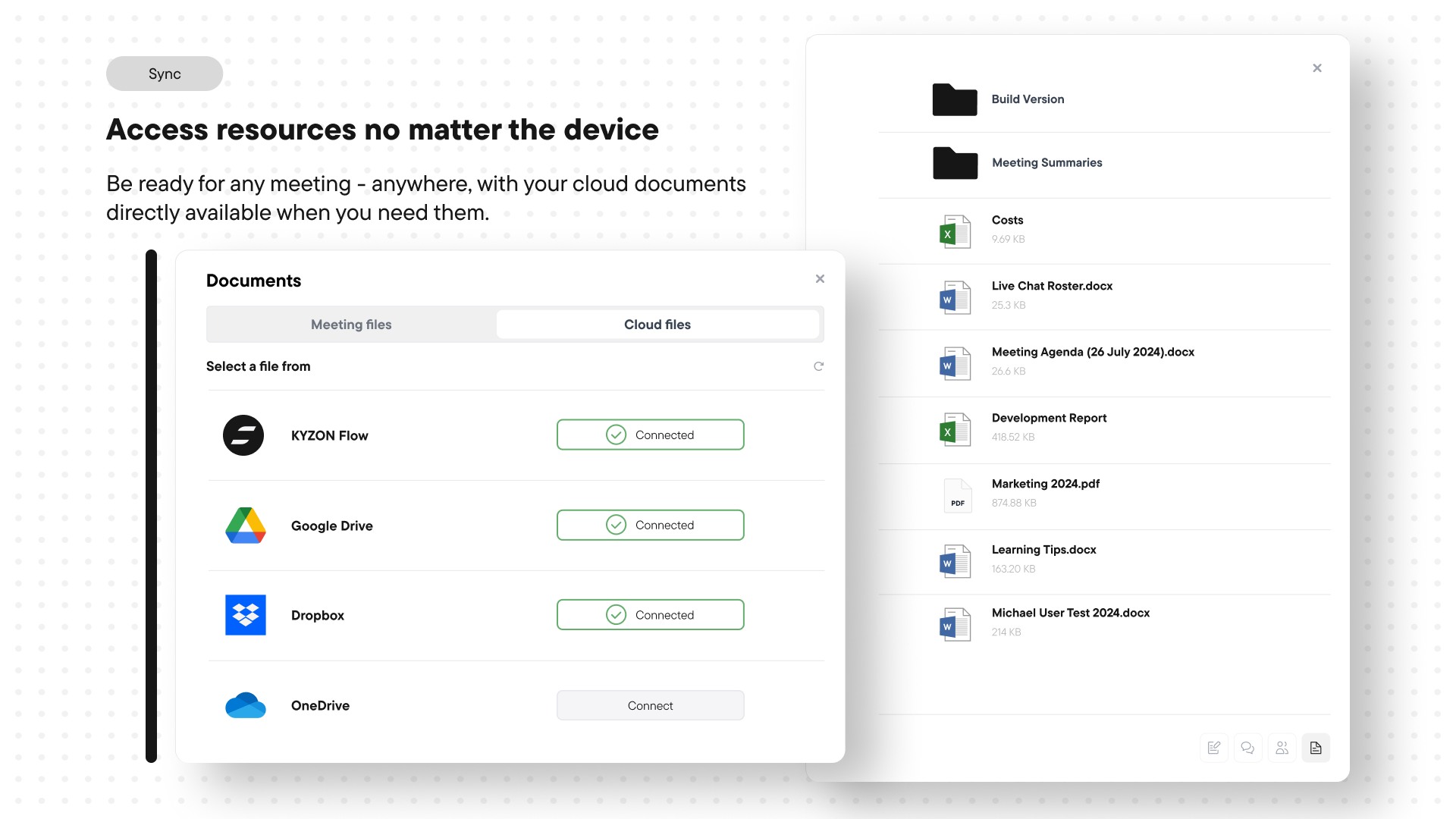
KYZON Space integrates with the most popular cloud storage providers, allowing you to access important documents on the fly.
-
Supported Platforms: Google Drive, Dropbox, Microsoft OneDrive, and KYZON Flow.
-
Access Anywhere: Upload and open documents from any device during a meeting.
-
Always Ready: No more emailing attachments or sharing links – everything you need is right there.
Make Meetings More Productive
KYZON Space is designed to ensure your meetings aren’t just talk – they drive action.
-
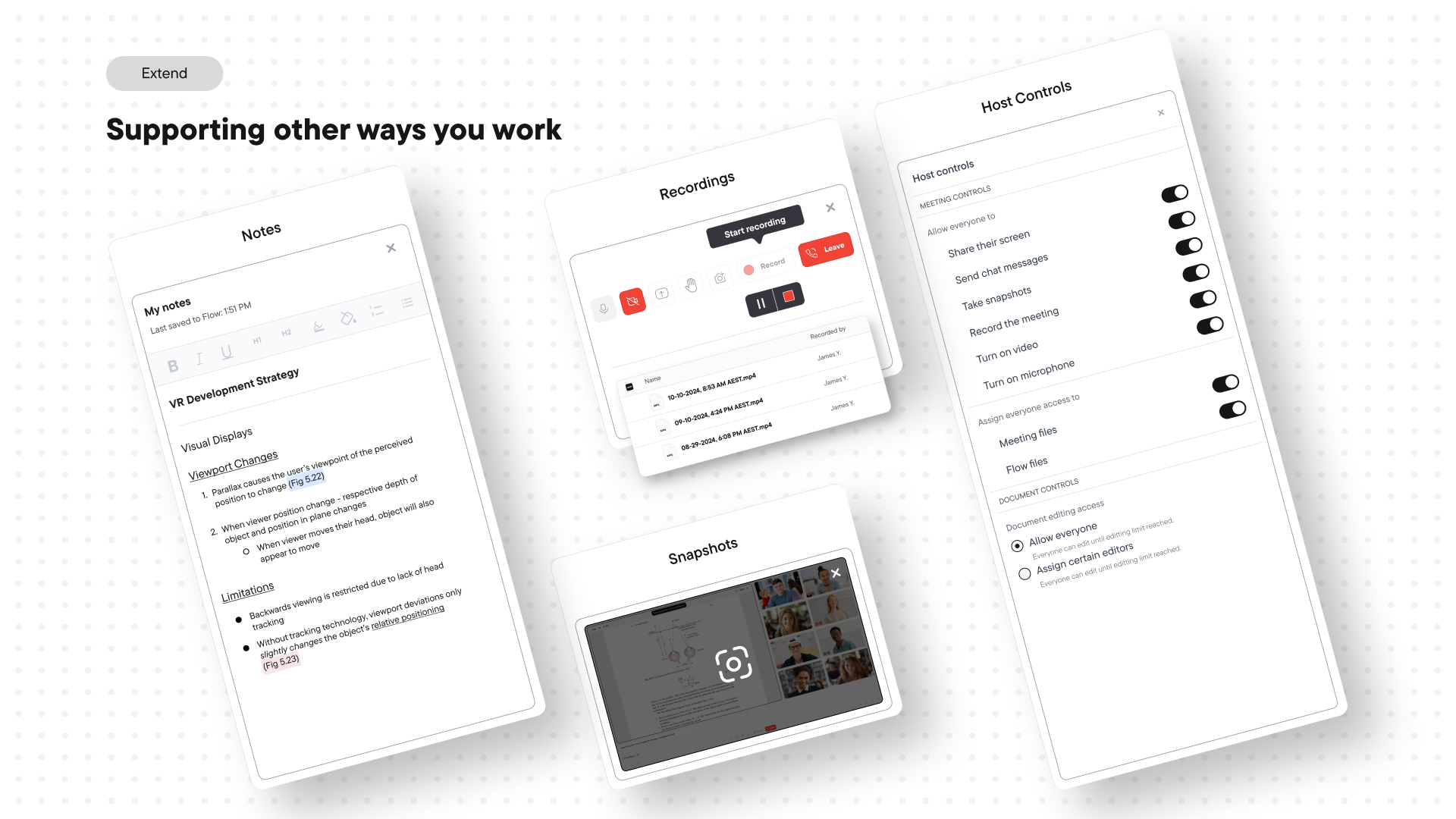
Capture Screenshots and Notes: Keep track of key decisions and next steps without leaving the platform.
-
Record Meetings: Save and share meeting recordings with those who couldn’t attend.
-
Breakout Rooms: Use "Spaces" to split into smaller groups and reconvene seamlessly.
How KYZON Space Stands Out
While competitors like Zoom and Microsoft Teams focus on video conferencing, KYZON Space goes further by combining real-time collaboration with advanced meeting tools.
-
No Screen Sharing Needed: Edit documents directly instead of sharing your screen.
-
Better Control: Attendees can explore presentations at their own pace.
-
Browser-Based Access: No installations or software updates required.
These features make KYZON Space particularly appealing for teams that handle complex projects, client deliverables, and document-heavy workflows.
Who Can Benefit from KYZON Space?
KYZON Space is a game-changer for:
-
Marketing Agencies: Collaborate on ad copy, client briefs, and deliverables.
-
Remote Teams: Ensure clear communication and real-time edits during virtual meetings.
-
Small Businesses: Streamline internal workflows and external client presentations.
Getting Started with KYZON Space
Setting up KYZON Space is straightforward. Here’s a quick guide to get you started:
-
Sign Up: Create an account and access the browser-based platform.
-
Integrate Cloud Storage: Connect your preferred cloud storage for easy document access.
-
Schedule Meetings: Start or join video calls with document editing capabilities.
-
Collaborate in Real-Time: Open, edit, and discuss documents with your team.
-
Capture Insights: Use note-taking, screenshots, and call recording to stay on track.
Is KYZON Space Right for You?
If you want to take your virtual meetings beyond basic video conferencing, KYZON Space is worth exploring. It’s ideal for teams that value real-time collaboration, seamless presentations, and document accessibility.
By eliminating the need for third-party tools and offering integrated, lag-free experiences, KYZON Space empowers you to run meetings that actually get work done.
Final Thoughts
In an age where virtual meetings are the norm, KYZON Space provides the tools to collaborate effectively without the usual friction. With its real-time editing, cloud integrations, and interactive presentations, it’s a powerful solution for modern teams.
If you’re tired of unproductive video calls, it’s time to elevate your virtual collaboration. KYZON Space is here to make every meeting count.
Collaborate during video calls.
Get lifetime access to KYZON Space today!







