


SendFox Review: The Affordable Email Marketing Solution
Introduction: Why SendFox is the Best Budget-Friendly Email Marketing Tool
Email marketing shouldn’t feel like you need a GoFundMe campaign just to afford it. Many email marketing platforms charge steep prices for features that should be affordable and easy to use. If you’re looking for a cost-effective, simple, and efficient email marketing tool, SendFox is the solution you’ve been waiting for.
SendFox is designed specifically for content creators, podcasters, and YouTubers who need an easy way to grow and engage their audience. With email automation, list segmentation, custom landing pages, and email tracking metrics, SendFox provides all the essential tools you need—without the hefty price tag.
Unlike competitors such as ConvertKit, Klaviyo, and Mailchimp, SendFox offers a lifetime deal that saves you from expensive monthly subscriptions. It integrates seamlessly with platforms like Zapier, KingSumo, and Sumo.com, making it even easier to streamline your email marketing efforts.
If you’re tired of overpaying for email marketing software or struggling with complicated dashboards, this guide will walk you through everything you need to know about SendFox. From setting up your first campaign to tracking your email performance metrics, we’ll cover it all.
Get Lifetime Access to SendFox Today
What is SendFox?
SendFox is an all-in-one email marketing platform designed to help creators build, automate, and track their email campaigns. Unlike expensive alternatives, SendFox prioritizes simplicity, affordability, and efficiency.
Key Features of SendFox
-
Email Scheduling: Send one-time emails or automate sequences.
-
List Segmentation: Organize contacts into targeted lists.
-
Landing Pages & Forms: Create branded landing pages and opt-in forms.
-
Email Tracking Metrics: Monitor open rates, click rates, and subscriber growth.
-
Integrations: Connect with tools like Zapier, WordPress, and KingSumo.
-
GDPR Compliance: Ensure your email marketing meets legal standards.
How to Get Started with SendFox
1. Import and Organize Your Email List
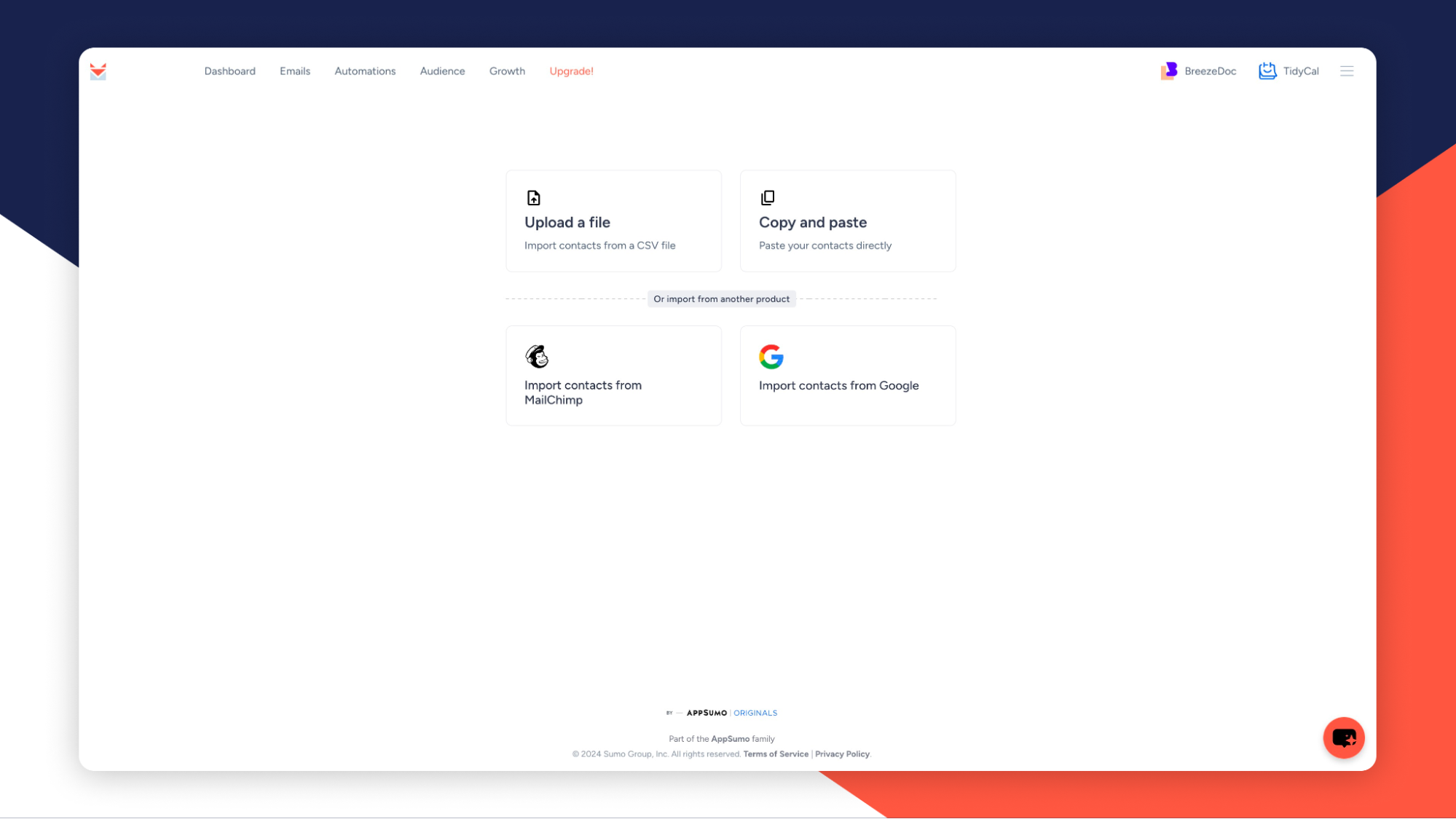
Getting started with SendFox is straightforward. You can upload contacts manually or import them directly from Mailchimp, Gmail, or a CSV file.
Once your contacts are in, you can:
-
Create custom fields with internal notes to personalize messages.
-
Segment contacts into different lists for targeted campaigns.
-
Monitor subscriber engagement to improve your outreach.
2. Track Your Email Metrics with the Email Scorecard
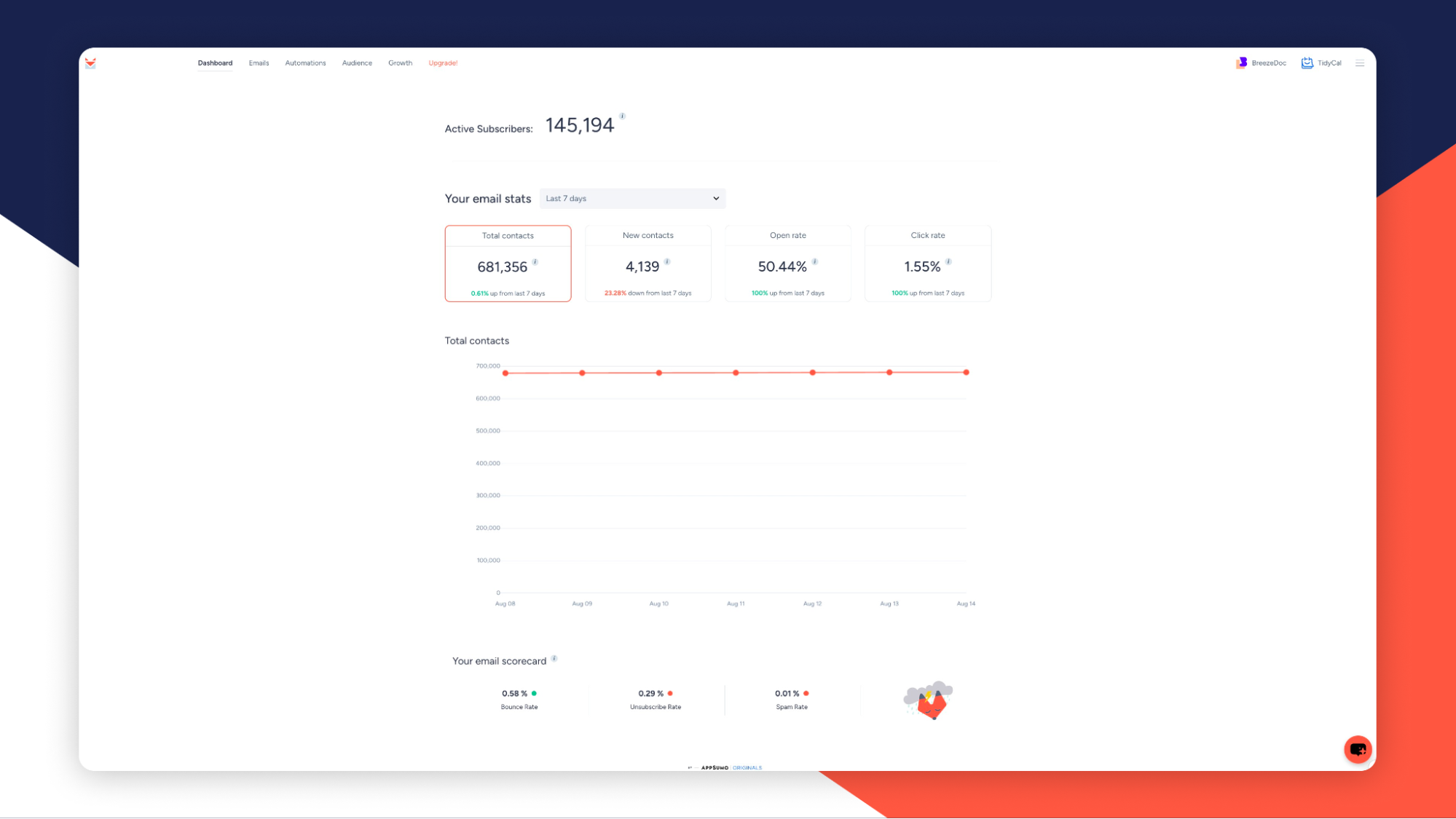
SendFox helps you measure your email marketing success using its Email Scorecard, which provides insights into:
-
Open Rates: See how many recipients are engaging with your emails.
-
Click Rates: Track link engagement within your campaigns.
-
Bounce & Spam Rates: Ensure your emails are reaching inboxes, not spam folders.
-
List Growth Trends: Monitor subscriber increase over time.
These insights help you improve email deliverability and refine your strategy.
Get Lifetime Access to SendFox Today
3. Automate Your Email Campaigns
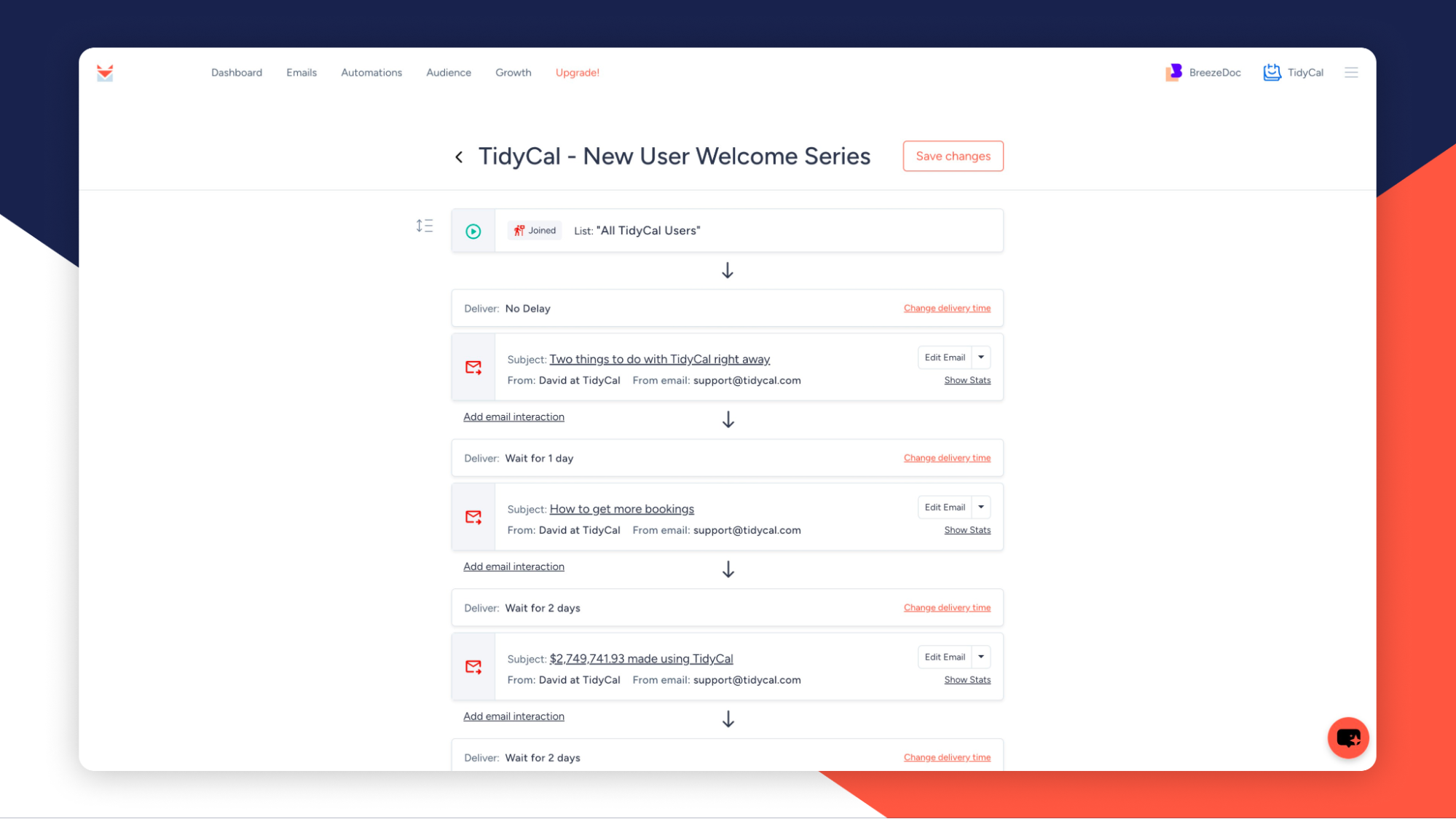
One of SendFox’s strongest features is its email automation capabilities. You can:
-
Schedule one-time emails for promotions, newsletters, or updates.
-
Create custom email sequences for welcome series, sales funnels, or follow-ups.
-
Use built-in high-deliverability servers (no need for an SMTP server).
Automation saves time and ensures your audience receives the right messages at the right time.
4. Design Custom Landing Pages and Opt-in Forms
Building your email list is easier with SendFox’s landing pages and forms. You can:
-
Create branded landing pages with your logo and colors.
-
Embed opt-in forms on your website to collect leads.
-
Connect with over 30 integrations including Pabbly Connect and WordPress.
SendFox vs. Competitors: How Does It Compare?
SendFox vs. ConvertKit
-
ConvertKit is expensive, especially for small creators, while SendFox offers a one-time payment option.
-
SendFox is easier to use, making it a better choice for beginners.
-
Both offer automation, but SendFox provides essential tools without unnecessary complexity.
SendFox vs. Mailchimp
-
Mailchimp charges based on subscribers, while SendFox allows unlimited emails with a one-time fee.
-
SendFox is designed for content creators, while Mailchimp caters to businesses of all sizes.
-
Mailchimp’s automation is more advanced, but SendFox provides all the necessary features for simple email marketing.
SendFox vs. Klaviyo
-
Klaviyo focuses on eCommerce, while SendFox is built for creators and influencers.
-
Klaviyo has advanced analytics and segmentation, but SendFox offers an easier and more affordable solution for simple email campaigns.
Who Should Use SendFox?
SendFox is perfect for:
-
Content Creators: Bloggers, YouTubers, and podcasters who want an easy way to reach their audience.
-
Small Businesses & Startups: Affordable email marketing for companies on a budget.
-
Freelancers & Coaches: A simple platform to send updates and newsletters.
-
Marketing Agencies: A budget-friendly alternative for managing multiple client lists.
Get Lifetime Access to SendFox Today
Final Verdict: Is SendFox Worth It?
If you’re looking for a budget-friendly, easy-to-use, and effective email marketing tool, SendFox is a fantastic choice. With list segmentation, automation, tracking metrics, and landing pages, it provides everything you need to grow and engage your audience—without monthly subscription fees.
For creators and small businesses looking to simplify their email marketing strategy, SendFox is the ultimate solution.







