


Revolutionizing Automation Without Code
In today’s fast-paced digital world, automation is no longer a luxury—it’s a necessity. Whether you’re managing repetitive tasks, handling sales processes, or running a small business, the ability to automate workflows can save hours of manual work.
But let’s be real: most automation platforms require complex coding and API integrations, making them inaccessible to non-developers. That’s where TaskMagic comes in. This AI-powered tool allows you to record tasks directly from your browser and turn them into automated workflows—all without writing a single line of code.
Whether you need to scrape web pages, automate social media outreach, or streamline data entry, TaskMagic simplifies the process. In this in-depth TaskMagic review, I’ll explore its features, integrations, benefits, limitations, and ideal use cases. Plus, I’ll compare it with alternatives like Zapier and Make to help you decide if it’s the right fit for your business.
What is TaskMagic?
TaskMagic is a no-code automation tool designed to help users capture manual tasks on any website and transform them into automated processes. Unlike other automation platforms that require technical expertise, TaskMagic makes it possible for sales managers, solopreneurs, and small businesses to automate repetitive workflows effortlessly.
Key Features of TaskMagic
-
No-Code Task Recording – Create custom workflows simply by recording your screen.
-
AI-Powered Automations – The platform predicts and suggests efficient workflows.
-
Web Activity Automation – Automate clicking, typing, copying, and pasting.
-
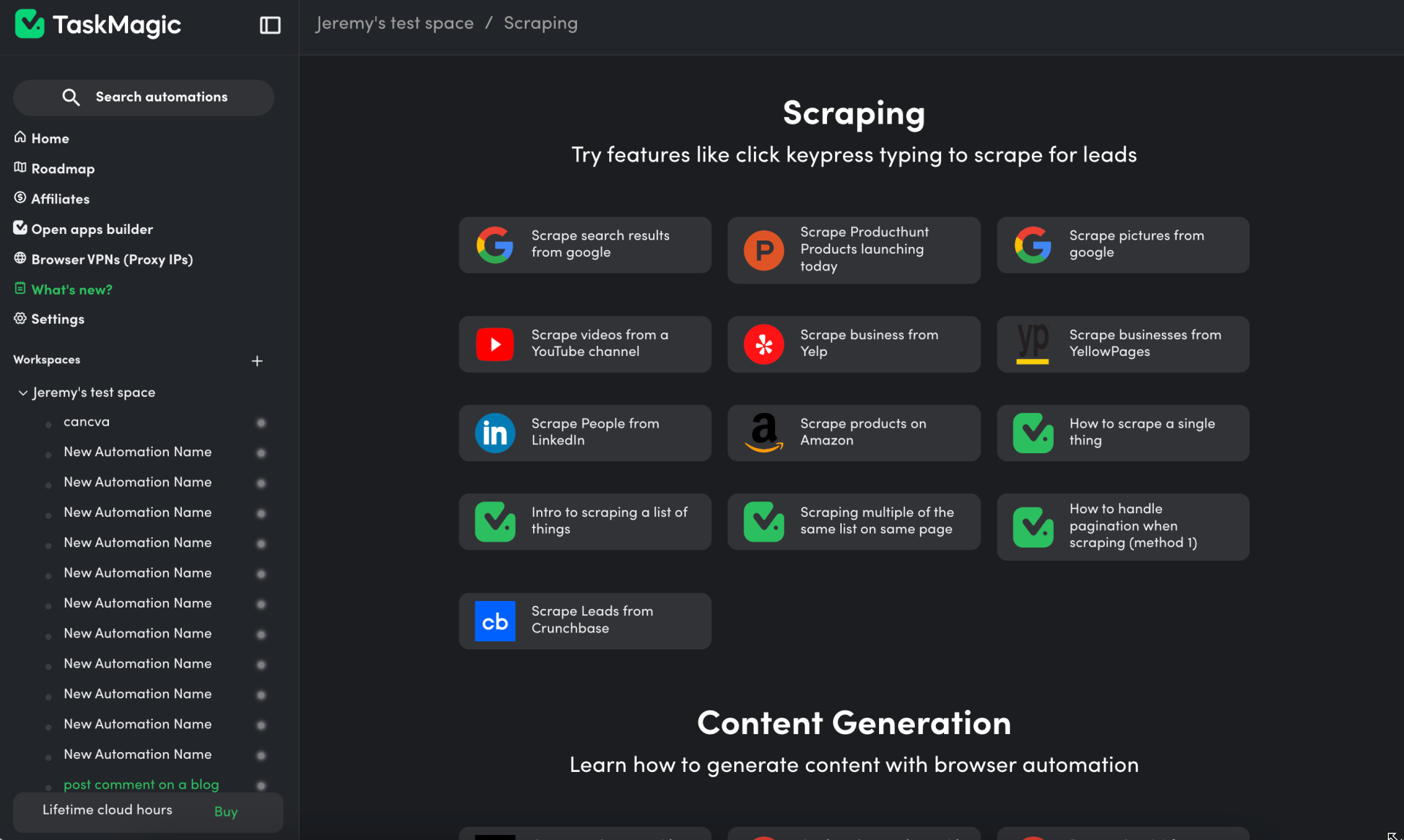
Pre-Built Templates – Choose from ready-made automations for common tasks.
-
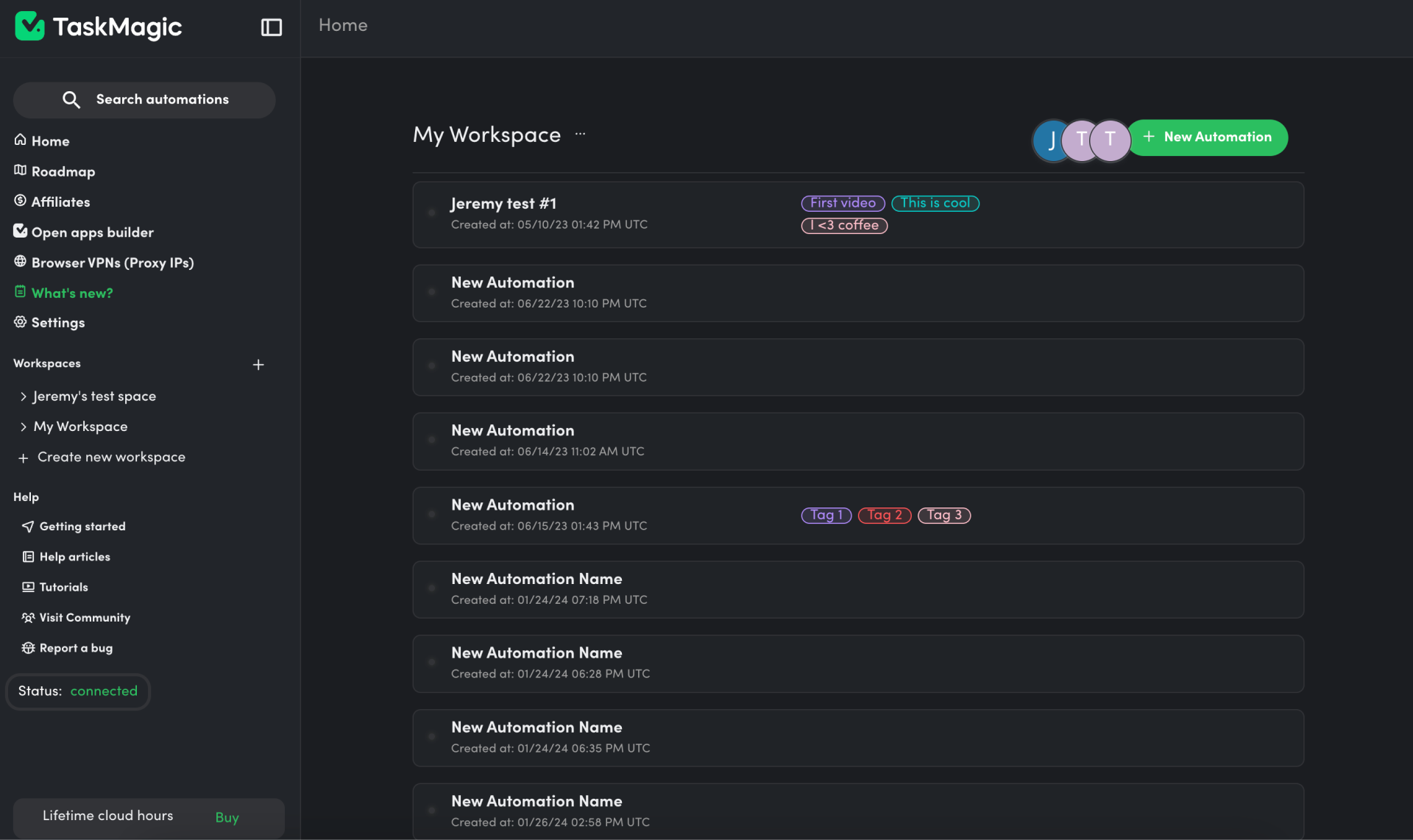
Team Collaboration – Manage multiple workspaces and share automations with your team.
-
GDPR-Compliant Security – Ensures data privacy for businesses handling sensitive information.
How TaskMagic Works: No-Code Automation Made Simple
Recording Your Workflow
With TaskMagic’s intuitive interface, creating automations is as easy as recording a video.
How It Works:
-
Click the “Add Automation” button.
-
Perform your task as usual—whether it’s data entry, form submissions, or web scraping.
-
TaskMagic records each action in sequence.
-
Review the recorded workflow, adjust settings, and automate it instantly.
Unlike other tools that require manual scripting, TaskMagic lets you visualize every step and replay it automatically from your browser.

Automate Web Activity With AI
Smart Automation Suggestions
Not sure what to automate? TaskMagic’s AI predicts and suggests potential automations based on your activity. Whether it’s sending messages on Instagram, LinkedIn, or managing CRM entries, the AI helps identify and streamline tedious processes.
Use Cases for Businesses
-
Sales & Marketing – Automate outreach campaigns and follow-ups.
-
Data Entry & Management – Scrape web pages and update spreadsheets.
-
E-commerce Operations – Streamline inventory updates and order processing.
-
Customer Support – Auto-respond to FAQs on messaging platforms.
Pre-Built Templates: One-Click Automations
TaskMagic offers a library of pre-built automation templates, allowing users to instantly integrate common workflows without setup hassle. Whether it’s social media posting, email follow-ups, or form-filling, these templates make automation more accessible.

Popular Templates Include:
-
LinkedIn connection requests automation
-
Instagram DMs auto-sender
-
Google Sheets data entry
-
Website form submissions
No-Code Automation for Teams
TaskMagic isn’t just for individuals—it’s designed for teams and businesses. The platform provides workspace management features that allow teams to:
-
Share and collaborate on automations.
-
Manage workflows from a single dashboard.
-
Control access and permissions for different team members.
With unlimited workspaces, companies can keep their departments organized while streamlining internal operations.
TaskMagic vs. Competitors: How Does It Compare?
While TaskMagic offers powerful automation features, how does it stack up against industry leaders like Zapier and Make?
| Feature | TaskMagic | Zapier | Make |
|---|---|---|---|
| No-Code Automation | ✅ Yes | ✅ Yes | ✅ Yes |
| AI-Powered Suggestions | ✅ Yes | ❌ No | ❌ No |
| Web Scraping & Form Filling | ✅ Yes | ❌ No | ✅ Yes |
| Pre-Built Templates | ✅ Yes | ✅ Yes | ✅ Yes |
| GDPR Compliance | ✅ Yes | ❌ No | ❌ No |
| Team Collaboration | ✅ Yes | ✅ Yes | ✅ Yes |
Unlike Zapier, which primarily focuses on app-to-app integrations, TaskMagic excels at browser-based task automation. It also beats Make in terms of AI-driven workflow predictions, making it more intuitive for beginners.
Who Should Use TaskMagic?
Best for:
-
Sales managers – Automate prospecting and follow-ups.
-
Small businesses – Save time on repetitive tasks like data entry.
-
Solopreneurs – Manage workflows without hiring developers.
If you find yourself spending hours on repetitive online tasks, TaskMagic is a game-changer.
The Pros and Cons of TaskMagic
Pros:
-
No coding required – Perfect for beginners and non-tech users.
-
AI-powered workflow suggestions – Helps users automate smarter.
-
Pre-built templates – Start automating in one click.
-
Web scraping & automation – Works directly in your browser.
-
Affordable alternative to Zapier and Make.
-
Team-friendly – Manage multiple workspaces easily.
Cons:
-
Limited app integrations – Unlike Zapier, which supports 5,000+ apps.
-
No mobile app – Currently available as a desktop/browser tool only.
-
AI suggestions may not always be accurate – Some workflows require manual tweaking.
Final Verdict: Is TaskMagic Worth It?
If you’re tired of repetitive manual tasks and need a simple, no-code solution, TaskMagic is a must-have. With its AI-powered automation, intuitive task recording, and team-friendly features, it’s an excellent choice for solopreneurs, small businesses, and sales professionals. Ready to automate your workflow? Get lifetime access to TaskMagic today.







