


WP Security Ninja Review: The Ultimate WordPress Security Solution
Why Your WordPress Site Needs WP Security Ninja
Your WordPress website is the heart of your online presence, making it a prime target for cyber threats like malware, hacking attempts, and data breaches. Without proper protection, your site could fall victim to security vulnerabilities, leading to data loss, downtime, or even reputational damage.
That’s where WP Security Ninja steps in. This WordPress security plugin offers an all-in-one solution to firewall protection, malware scanning, and login security, ensuring your website stays protected 24/7.
Whether you’re a freelancer, web designer, or agency owner, WP Security Ninja provides one-click fixes, real-time monitoring, and automatic security tests to keep your website safe without requiring deep technical knowledge.
Let’s take a closer look at how WP Security Ninja can fortify your WordPress site against cyber threats.
Get Lifetime Access to WP Security Ninja Today
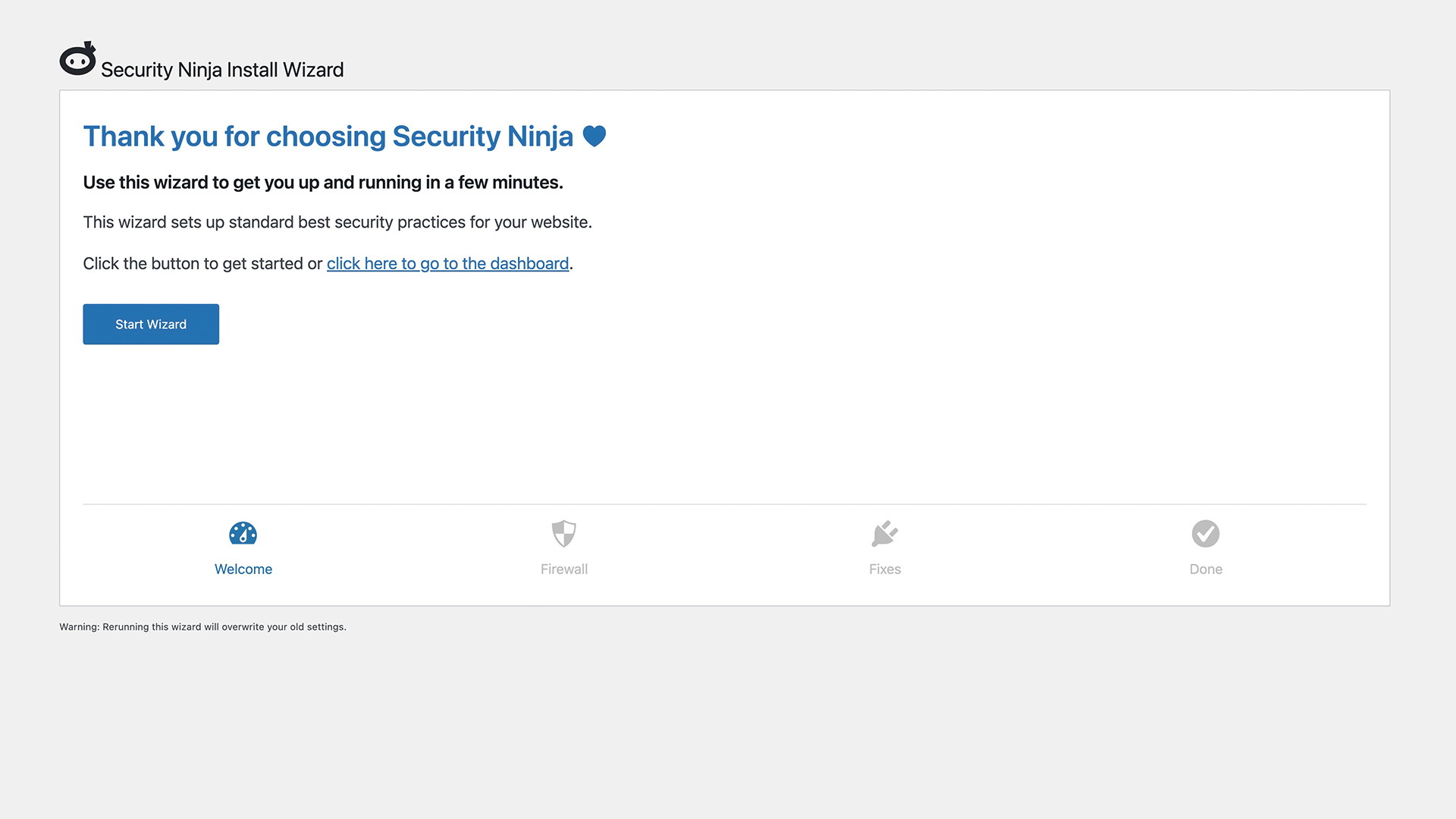
Effortless Setup with Installation Wizard
Installing WP Security Ninja is incredibly simple, even if you’re not tech-savvy. With the Installation Wizard, you can set up firewall protection, login security, and malware scanning in just a few clicks—without the need for complex configurations or coding.
This makes it an ideal choice for freelancers managing multiple websites, web design agencies, and business owners looking for a no-fuss security solution.
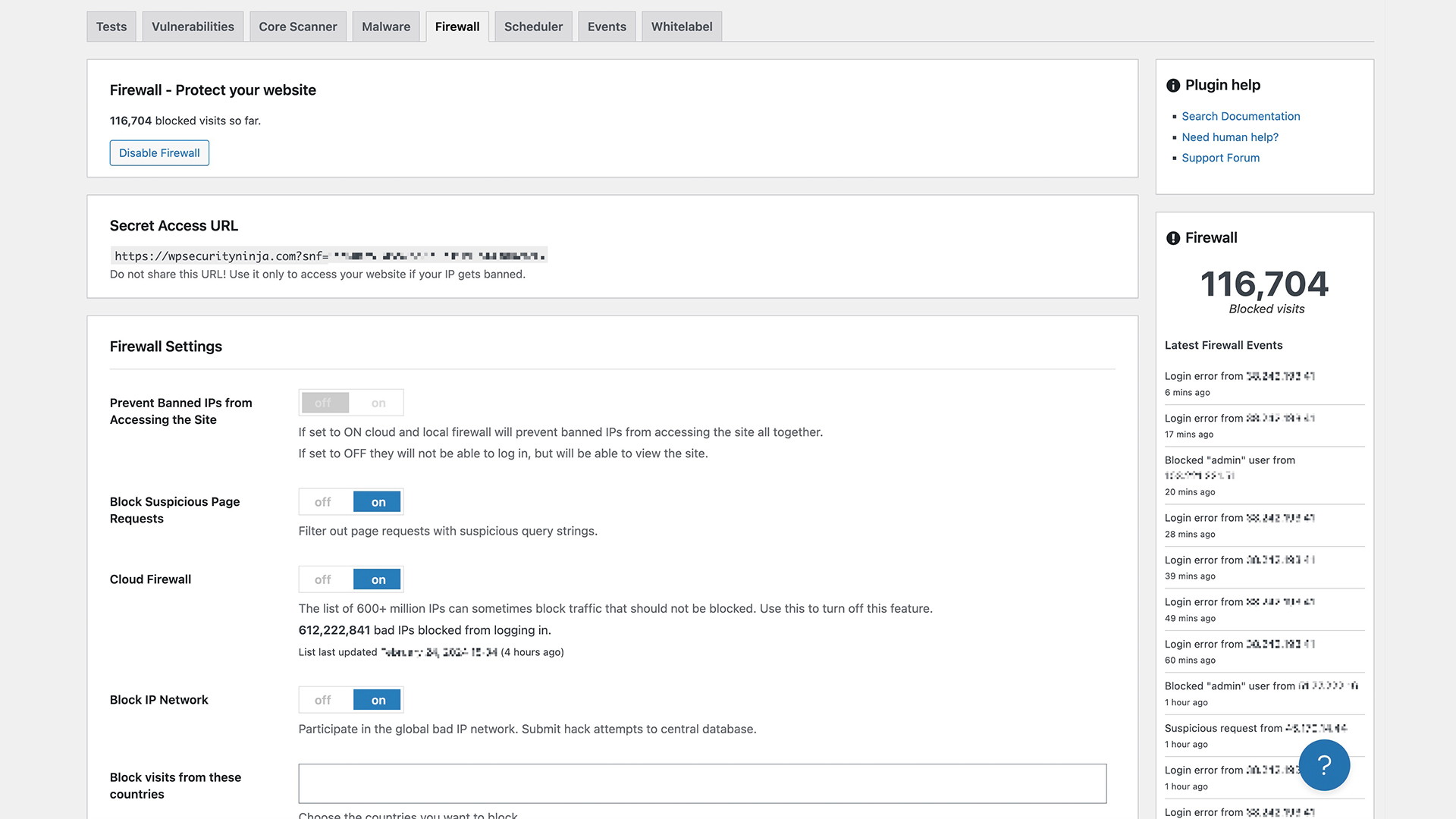
Powerful Firewall Protection
One of the standout features of WP Security Ninja is its advanced firewall. This firewall blocks over 600 million known malicious IP addresses, keeping hackers and automated attacks at bay.
How the Firewall Protects Your Site:
-
Blocks dangerous IP addresses and spam bots
-
Prevents brute-force login attempts
-
Filters out suspicious activity before it harms your site
-
Updates its malicious IP database daily
With WP Security Ninja’s firewall in place, you can safeguard your WordPress website against known cyber threats automatically.
Login Protection & Auto-Banning Features
A weak login system is one of the biggest security risks for WordPress websites. WP Security Ninja helps protect your site by implementing strict login security protocols.
Key Login Security Features:
-
Auto-banning rules block users after multiple failed login attempts
-
Two-factor authentication (2FA) adds an extra layer of security
-
CAPTCHA protection prevents bot-driven login attempts
-
IP whitelisting and blacklisting allow for manual security control
With these features, you can effectively reduce the risk of brute-force attacks and unauthorized access.
Event Logger: Real-Time Website Monitoring
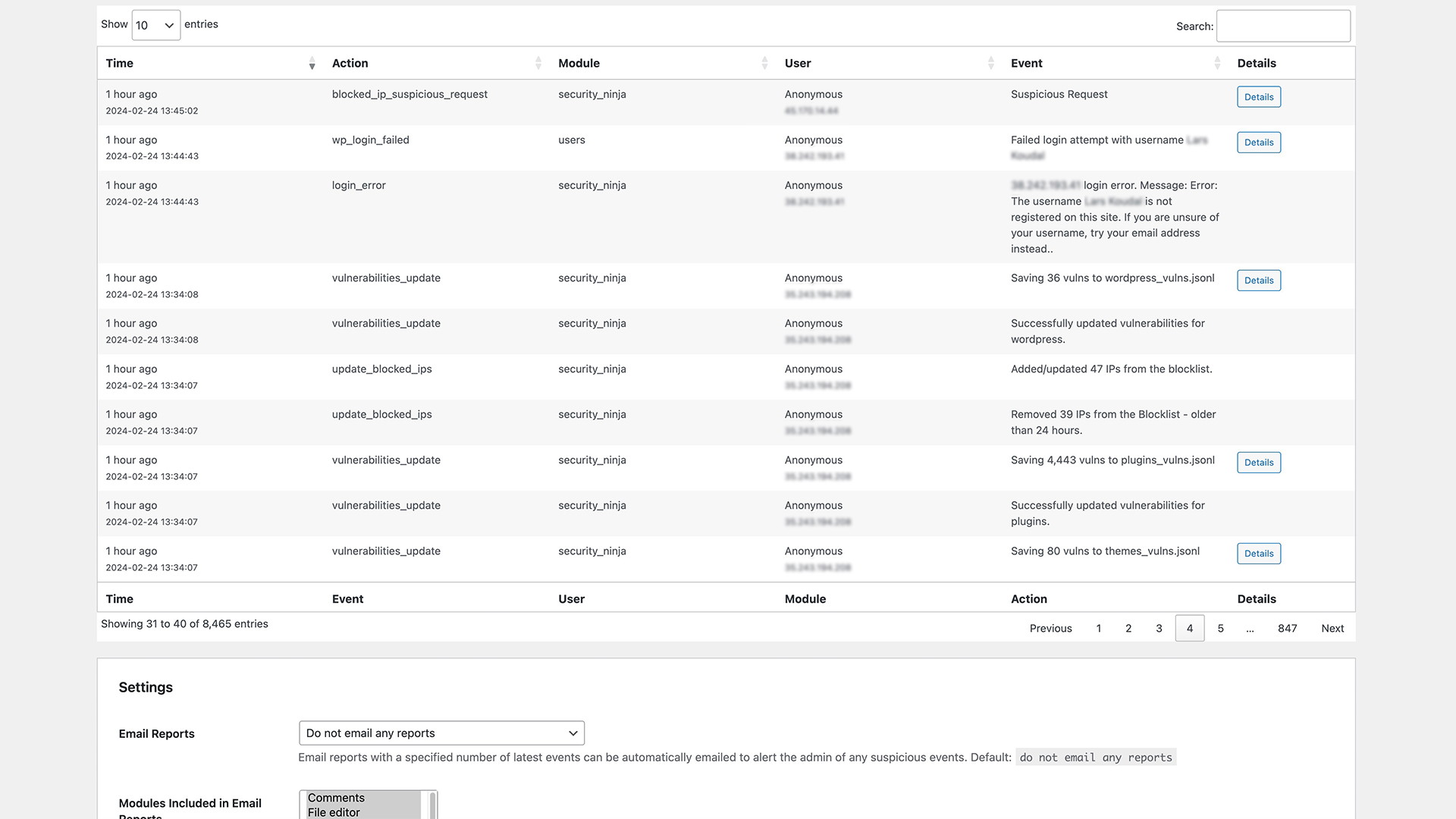
WP Security Ninja includes an Event Logger, which tracks all activity on your website, giving you full visibility into security events, user actions, and potential threats.
Why Event Logging Matters:
-
Records all login attempts, successful or failed
-
Logs plugin and theme changes
-
Monitors admin and user activity for suspicious behavior
-
Helps you audit security incidents in real time
By keeping track of everything that happens on your website, you can quickly identify and respond to security threats before they escalate.
Get Lifetime Access to WP Security Ninja Today
Comprehensive Security Testing & One-Click Fixes
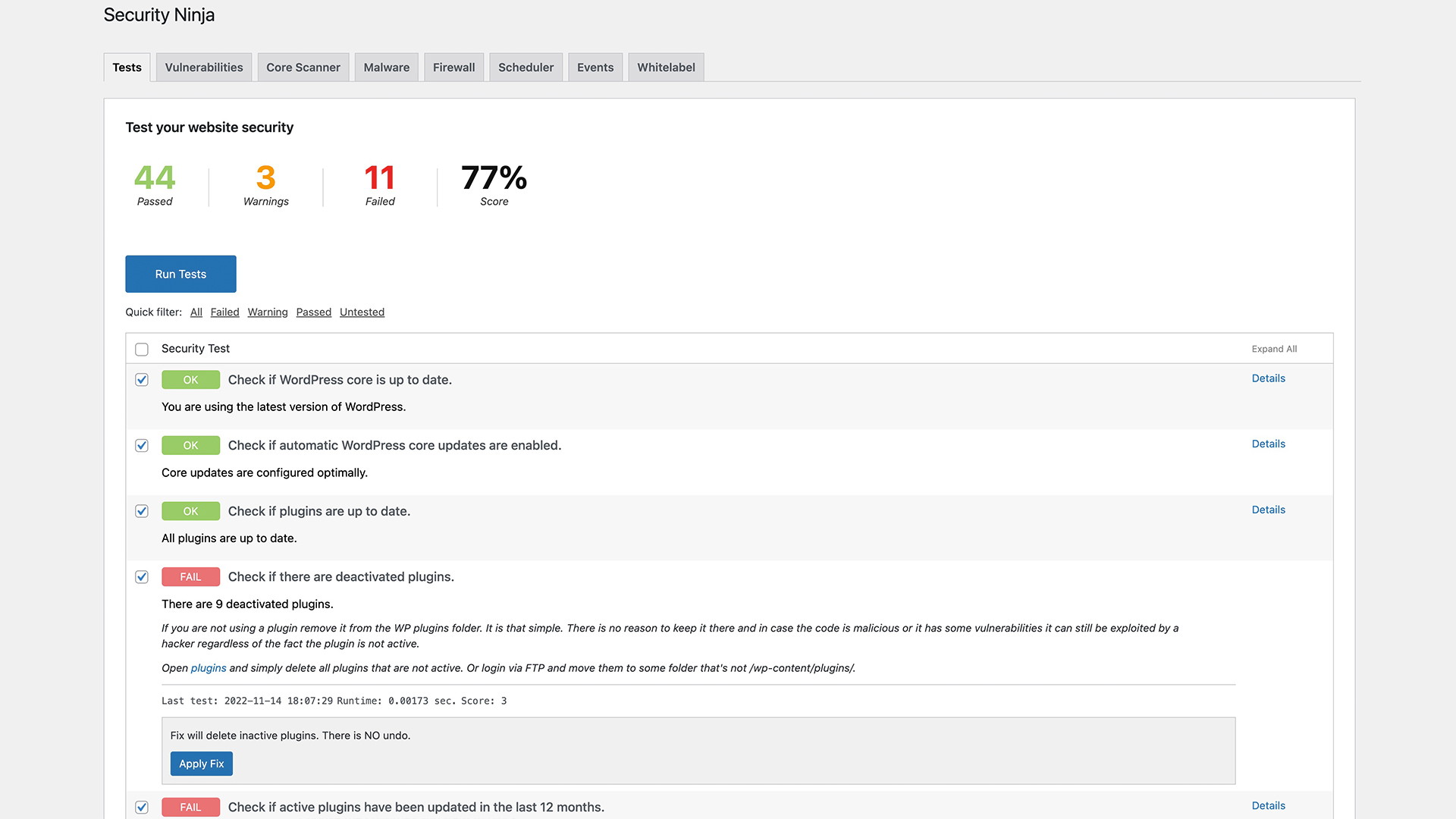
WP Security Ninja performs over 50 security tests to assess vulnerabilities in your WordPress site. These tests cover everything from password strength to plugin security holes, providing a detailed security report with actionable insights.
How Security Testing Helps:
-
Identifies outdated plugins and themes that may pose a security risk
-
Detects weak passwords and suggests stronger alternatives
-
Finds malware infections before they cause major damage
-
Provides one-click fixes to resolve most security issues instantly
This means you don’t have to hire an IT specialist or spend hours troubleshooting security problems—WP Security Ninja takes care of it for you.
GDPR-Compliant & White Label Options
For businesses and agencies handling client websites, WP Security Ninja offers GDPR-compliant security solutions along with white-labeling options.
Why This Matters:
-
Ensures your website remains legally compliant with data protection laws
-
Allows web design agencies to rebrand the plugin for their clients
-
Provides custom security settings tailored to specific business needs
This flexibility makes WP Security Ninja an excellent choice for agencies and freelancers who manage security for multiple WordPress sites.
Why WP Security Ninja is Worth It
If you’re serious about protecting your WordPress website, WP Security Ninja is one of the most comprehensive security plugins available. It combines firewall protection, login security, real-time monitoring, and malware scanning into a single, easy-to-use package.
Key Benefits of WP Security Ninja:
-
Blocks over 600 million malicious IPs with a daily-updated firewall
-
Prevents brute-force attacks with login protection & auto-banning
-
Monitors website activity with real-time event logging
-
Identifies and fixes security issues with over 50 security tests
-
Offers GDPR compliance & white-label features for agencies
-
No technical expertise required – simple, one-click setup
Get Lifetime Access to WP Security Ninja Today
Final Verdict: Is WP Security Ninja Worth It?
Absolutely. If you want a hassle-free security solution that delivers advanced protection without requiring hours of manual configuration, WP Security Ninja is a must-have plugin.
With firewall protection, real-time monitoring, login security, and one-click fixes, it’s the ultimate tool to safeguard your WordPress site from cyber threats.
Don’t wait for a security breach to happen—Get lifetime access to WP Security Ninja today and protect your website with confidence!







