

Can security cameras be hacked ? This is an increasingly common doubt among those who want protect your home against theft or digital intrusions. With the increase in connected devices, security no longer depends only on locks, but also on the technological protection .
- Decentralized security systems with blockchain: future or reality?
Surveillance cameras provide peace of mind, but if not configured correctly they can become a risk. Understand how they work , what vulnerabilities exist and how to prevent unauthorized access is key to maintaining the home privacy and security at all times.
Find Bleeding Edge Supplements at Scandalous Prices on iHerb.

Risks and consequences of hacking security cameras
Hacking a security camera involves access images, audio or controls without permission of the device. This can lead to espionage, blackmail or planning robberies, since the attackers know routines, schedules and vulnerable areas of the home. The impact goes far beyond technology.
A compromised camera can expose sensitive personal data , affect family intimacy and generate a strong feeling of insecurity. Additionally, in some cases, hackers use these devices as a gateway to other home networks , expanding the range of the attack.
Most common camera hacking methods
One of the most common methods is the use of weak or default passwords , which many users do not change after installation. Attackers try common combinations to gain access, especially on cameras connected directly to the Internet without additional security measures.
Another common method is to take advantage outdated firmware , which contains known bugs. There are also attacks using insecure WiFi networks, fake applications or phishing emails that trick the user into obtaining access credentials without noticing it.
How to prevent your surveillance cameras from being hacked
Prevention is the best defense against hacking. Configuring your devices correctly from the first moment drastically reduces the risks. Most unauthorized access occurs due to basic configuration errors , easily avoidable with good digital security practices.
Investing a few minutes in reviewing settings and updating systems can make a difference. A well-protected camera not only monitors your home, but also protect your personal information and prevent third parties from controlling a key element of your security system.
Steps to secure your security cameras
The first step is to always change the default passwords and use robust, unique and difficult-to-guess keys. Combining letters, numbers and symbols increases protection. It is also advisable to activate the two-step verification if the manufacturer allows it.
Updating firmware regularly is essential to fix vulnerabilities. Additionally, protect your WiFi network with strong encryption and avoid connecting cameras to public networks. Whenever possible, use reliable manufacturers and official applications for device management.
What to do if your cameras have been hacked?
Detecting a hack can raise alarm, but acting quickly is key to minimizing damage. If you notice strange movements, unrecognized access or changes in settings, it is important to assume that the camera may be compromised and take immediate action .
Don't ignore the signs. The longer unauthorized access remains, the greater the risk to your privacy and home security. Regaining control is possible if the appropriate steps are followed and protective measures are reinforced.
Quick solutions to regain control
The first thing is disconnect the camera from the internet to cut off the attacker's access. Next, reset the device to factory settings, change all passwords, and check the security of the WiFi network. This eliminates active unauthorized access.
Next, update the firmware and check the permissions of the linked apps. If the problem persists, contact the manufacturer's technical support or a professional alarm supplier who can evaluate the entire system and strengthen protection.
Frequently asked questions
How do I know if someone has accessed my recordings?
Some common signs are settings changes, unexplained camera movements, or access notifications from unknown locations. Review the activity logs and the application's alerts can help you detect suspicious access.
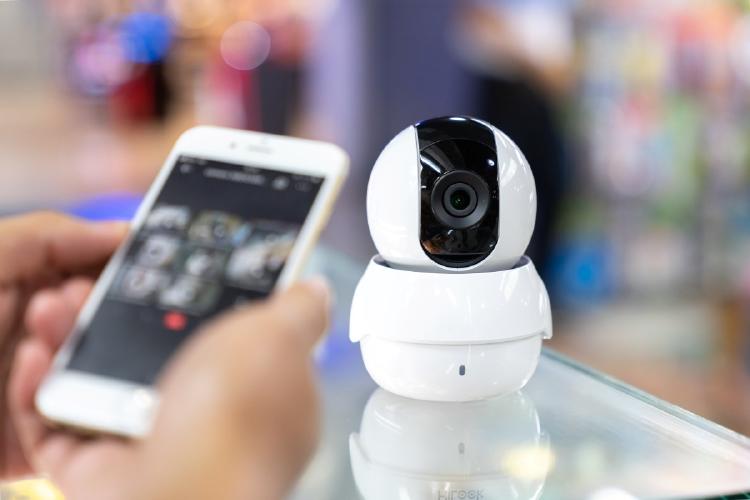
If the manufacturer offers login history, check dates and devices. If you have any questions, it is recommended change passwords immediately and reinforce the security of the home network to prevent new access.
How to update the firmware of my security camera?
Most cameras allow you to update the firmware from their official application or manufacturer's website. It is important to follow the indicated steps and not interrupt the process to avoid device failures during the update.
Keeping firmware updated ensures that known bugs and vulnerabilities are fixed. Activate the automatic updates , if available, is a simple way to ensure that your camera is always protected from new threats.
En Yoigo Alarms We help you improve the security of your home with professional solutions that combine advanced technology and digital protection. If you have any questions, hire our alarm or call us at 900 622 398 and we will assist you so that your peace of mind is always protected.
Best bedroom hidden cameras | Best Spy Camera Watch | Best low level CO detector | Best Wifi Router EMF Protection | Best Camera for MEVO Plus | Best Security Camera Without Subscription | Best Budget Camera for Blue Iris | Best Barking Dog Alarms | Best Free VPN for Rainbet | Best Solar Powered Security Camera | Alarmes Maison
Browse the Shop
 Acacia frida deluxe solid wood bed frame |
Bedroom bench |
Bed chest drawers |
Lingerie dresser |
Frame base |
Mirror with jewelry storage |
30 Bathroom Vanity |
Memory foam queen mattress |
Mattresses for back pain |
Nightstand set of 2 |
Grand Goldman Shop |
Civil Lawyer
Deutschland Trikot WM 2026
Acacia frida deluxe solid wood bed frame |
Bedroom bench |
Bed chest drawers |
Lingerie dresser |
Frame base |
Mirror with jewelry storage |
30 Bathroom Vanity |
Memory foam queen mattress |
Mattresses for back pain |
Nightstand set of 2 |
Grand Goldman Shop |
Civil Lawyer
Deutschland Trikot WM 2026










